
Build an ELT pipeline
Copy page
In this tutorial, you run the ELT example of the Sluice repository. A flow loads a source schema into a warehouse with dlt, then builds a model with SQLMesh. You read the logs of both tools, the outputs and the metrics, and you chart the loaded rows on the flow page.
Before you start
Section titled “Before you start”Do the tutorial Run your first flow first. You need the same tools, the cloned repository and Python 3 on your computer.
If the stack of the first tutorial still runs, stop it. Both stacks use the host port 8080.
docker compose -f deploy/compose/compose.yml downWhat the example holds
Section titled “What the example holds”The directory examples/elt/ has these files:
| File | Purpose |
|---|---|
compose.yml |
Starts Sluice and Postgres from deploy/compose/compose.yml, and adds a warehouse Postgres. |
seed.sql |
Fills the schema source of the warehouse with 3 customers and 5 orders at the first start. |
setup.py |
Loads the example into Sluice and runs the flow. It uses only the Python standard library. |
namespace/elt.flow.yaml |
The flow elt. |
namespace/pipelines/extract.py |
The dlt pipeline. |
namespace/transform.sh |
Runs the SQLMesh project. |
namespace/sqlmesh/ |
The SQLMesh project with the model analytics.customer_orders. |
namespace/namespace.yaml |
The description of the namespace. |
Start the stack
Section titled “Start the stack”-
In the repository root, set the two required variables:
Terminal window export SLUICE_BOOTSTRAP_ADMIN_PASSWORD=change-me-now-1export SLUICE_MASTER_KEYS="k1:$(openssl rand -base64 32)" -
Start Sluice, its database and the warehouse:
Terminal window docker compose -f examples/elt/compose.yml up -d -
Check that Sluice is ready:
Terminal window curl -fsS http://localhost:8080/readyz
The warehouse is a Postgres database warehouse with the user elt and the password elt-password-1. To use another password, set ELT_PG_PASSWORD before you start the stack and before you run setup.py.
Load and run the example
Section titled “Load and run the example”Run the setup script in the same shell. It reads SLUICE_BOOTSTRAP_ADMIN_PASSWORD to sign in.
python3 examples/elt/setup.pyThe script does these steps through the HTTP API:
- It signs in as the first admin and creates the API token
elt-example-setup. - It creates the namespace
eltand uploads the files ofexamples/elt/namespace/as one version. - It sets the variables
PG_HOST,PG_PORT,PG_DATABASEandPG_USERon the namespace. - It sets the secret
ELT_PG_PASSWORDon the namespace. - It runs the flow
eltand prints the state every 5 seconds until the execution ends.
The script prints the URL of the execution. The first run downloads dlt and SQLMesh, so it takes longer than the next runs. The last line is The execution ended SUCCESS.
Read the flow
Section titled “Read the flow”Open http://localhost:8080 and sign in as admin@local.test. Click Namespaces, then elt, then elt.flow.yaml:
id: eltdescription: Load the source schema with dlt, then transform it with SQLMesh.labels: { team: data }env: PG_HOST: ${{ vars.PG_HOST }} PG_PORT: ${{ vars.PG_PORT }} PG_DATABASE: ${{ vars.PG_DATABASE }} PG_USER: ${{ vars.PG_USER }} PG_PASSWORD: ${{ secret('ELT_PG_PASSWORD') }}timeout: 1htasks: - id: extract type: script file: pipelines/extract.py - id: transform type: script file: transform.sh depends_on: [extract]outputs: rows: ${{ tasks.extract.outputs.rows }}The flow env applies to every task. It maps the namespace variables and the secret to the environment variables that the scripts read. No password is in a file.
The two tasks are script tasks. The file extension selects the runtime:
extract.pyruns withuv run.uvreads the dependencies from the comment block at the top of the file and installs dlt before the script starts.transform.shruns with bash. It starts SQLMesh withuv run --with 'sqlmesh==0.236.2'and applies the plan of the project.
transform depends on extract, so it starts only after extract succeeds. The flow output rows takes the output rows of extract. The flow stops each task after 1 hour.
Read the execution
Section titled “Read the execution”Click Executions in the sidebar, then the execution of elt/elt.
- Read the Logs tab. The task
extractprints the load information of dlt, thenloaded 3 rows into raw.customersandloaded 5 rows into raw.orders. The tasktransformprints the plan of SQLMesh andsqlmesh ran in … s. - Click Outputs. The execution output
rowsis8, the sum of the two tables. - Click Metrics. The task
extracthas two values ofrows_loaded:3with the tagtable=customersand5with the tagtable=orders. The tasktransformhassqlmesh_run_secondswith the units.
A task writes outputs and metrics as JSON lines to the file in $SLUICE_OUTPUTS. This is the function in extract.py that does it:
def emit(event: dict) -> None: """Write one output or metric event for Sluice.""" with open(os.environ["SLUICE_OUTPUTS"], "a", encoding="utf-8") as f: f.write(json.dumps(event) + "\n")extract.py calls it once for each table with {"type": "metric", "name": "rows_loaded", "value": rows, "tags": {"table": table}}. At the end, it calls it with {"type": "output", "key": "rows", "value": total}.
Chart the loaded rows
Section titled “Chart the loaded rows”A metric chart needs more than one execution. Run the flow again from the UI:
- Click Flows, then
elt. - Click Run, then click Run in the dialog. The execution page opens.
- Wait until the execution shows Success. This run reuses the packages that
uvdownloaded in the first run. - Go back to the flow page. The Overview tab shows the chart Metric rows_loaded.
- Type
tablein Group by tag. The chart shows one line forcustomersand one line fororders. - Click Avg or Max to change the aggregation. Sum adds the values of each execution.
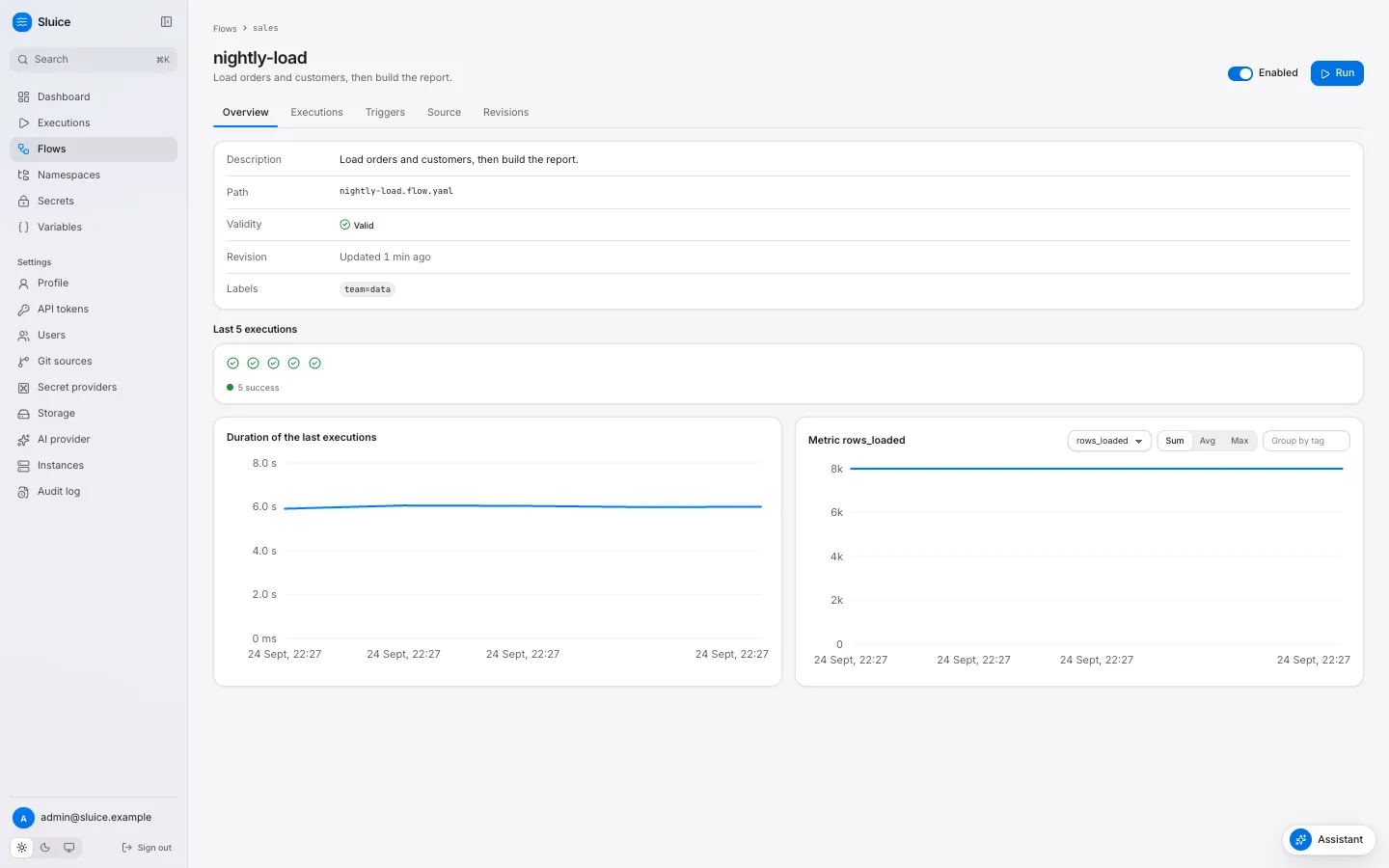
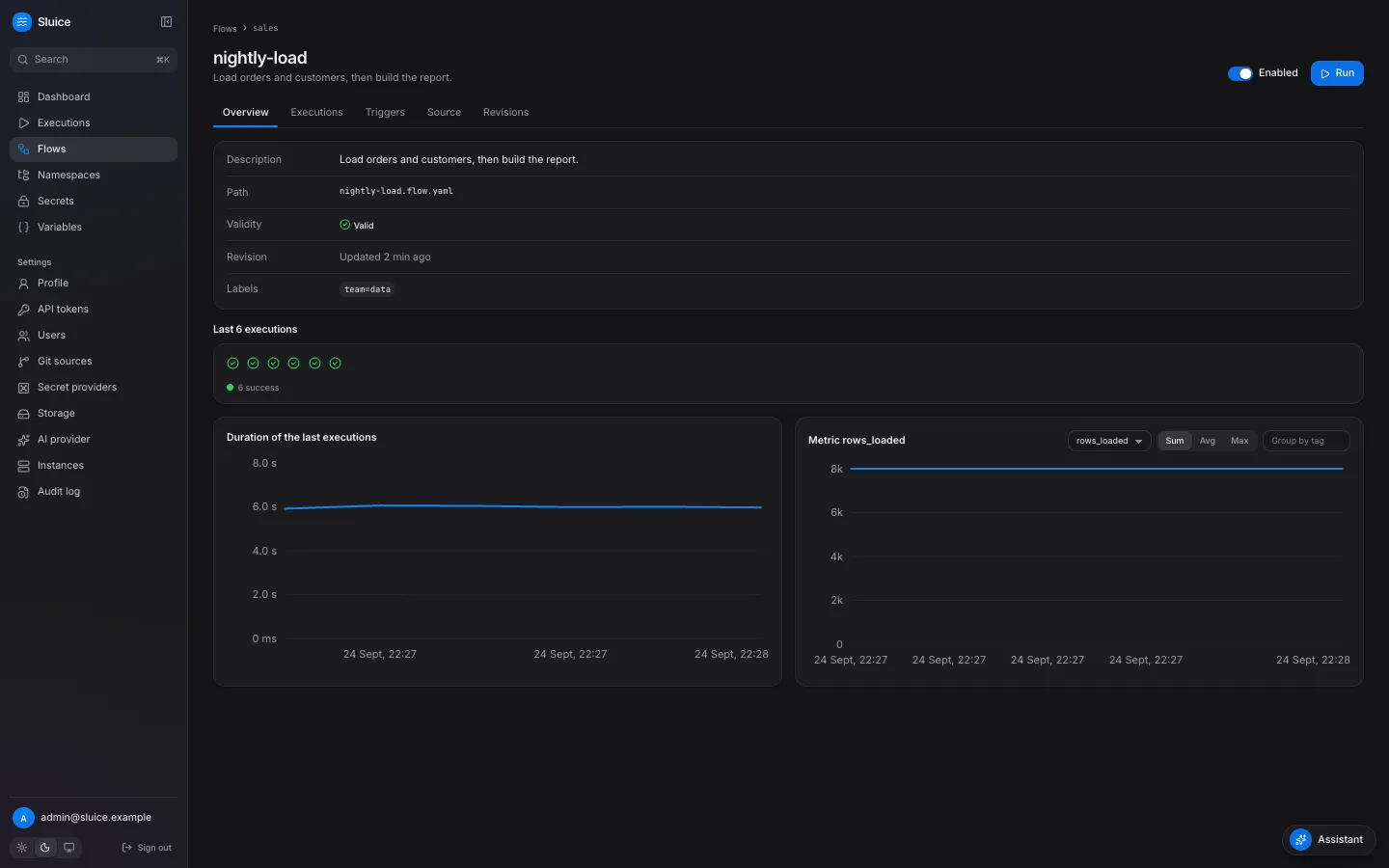
Select sqlmesh_run_seconds in Metric to chart the run time of SQLMesh.
See the variables and the secret
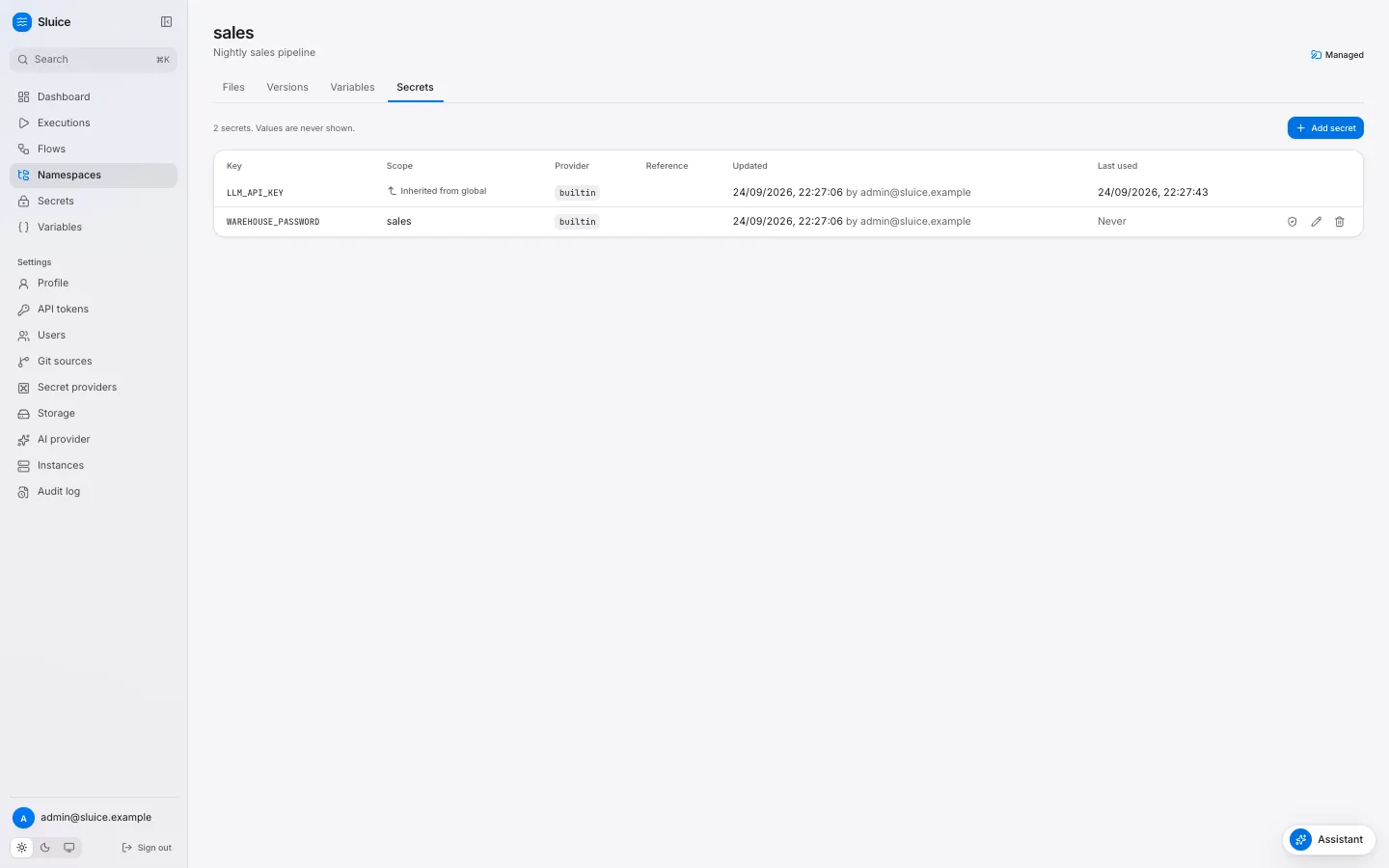
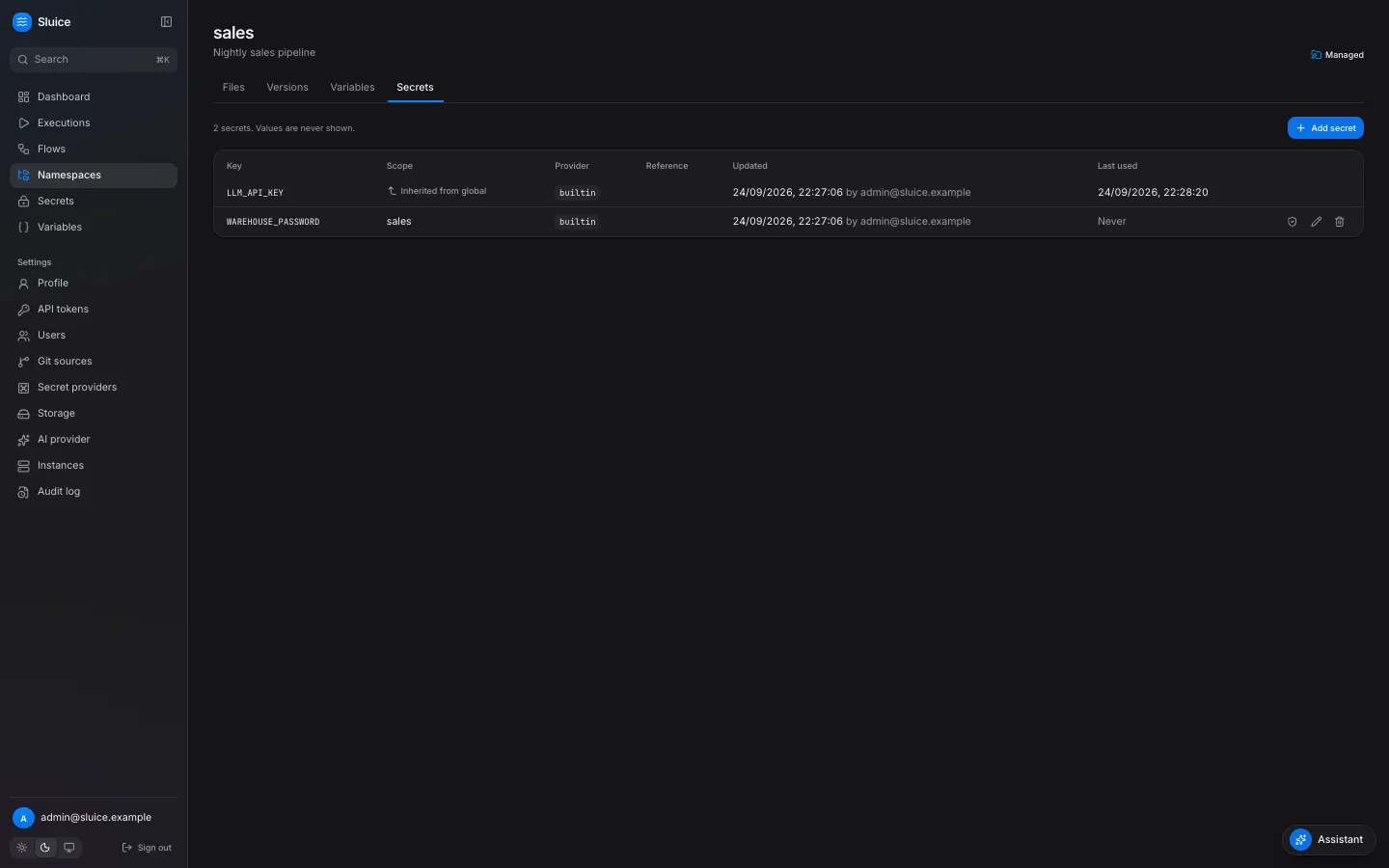
Section titled “See the variables and the secret”Click Namespaces, then elt.
- The Variables tab shows
PG_HOST,PG_PORT,PG_DATABASEandPG_USER. A variable value is plain text. - The Secrets tab shows
ELT_PG_PASSWORD. Sluice encrypts the value with the master key and never shows it again.
A task gets the secret value only through a secret('…') template. Sluice masks the secret value in the logs, the outputs and the error texts: it shows as ***.
See the result in the warehouse
Section titled “See the result in the warehouse”Query the model that SQLMesh built:
docker compose -f examples/elt/compose.yml exec warehouse psql -U elt -d warehouse -c "SELECT * FROM analytics.customer_orders"The table has one row for each customer:
customer_id | customer_name | order_count | order_amount-------------+---------------+-------------+-------------- 1 | Ada | 2 | 15.50 2 | Bob | 3 | 10.50 3 | Cy | 0 | 0Remove the stack
Section titled “Remove the stack”This command removes the containers and the volumes of Sluice and of the warehouse:
docker compose -f examples/elt/compose.yml down -v