
Runbook
Copy page
This runbook holds the procedures for an operator of a Sluice deployment. For backups, upgrades and key rotation, see Back up and restore, Upgrade and Rotate the master key.
Health
Section titled “Health”Each instance serves two health endpoints. Neither endpoint needs a credential.
| Endpoint | Returns 200 when | Use it for |
|---|---|---|
GET /healthz |
The process answers HTTP. | The liveness probe. |
GET /readyz |
All readiness checks pass. Otherwise it returns 503. | The readiness probe and load balancer checks. |
/readyz runs these checks in parallel, with a total timeout of 5 seconds:
| Check | Passes when |
|---|---|
database |
SELECT 1 succeeds. |
migrations |
schema_migrations holds every migration of the binary. |
storage |
A put, a get and a delete of the key health/<instance-id> succeed on the object store. |
master_keys |
SLUICE_MASTER_KEYS has a key for each key ID of the stored builtin secrets. |
A healthy instance returns this body:
$ curl -s http://localhost:8080/readyz{"status":"ok","checks":{"database":"ok","master_keys":"ok","migrations":"ok","storage":"ok"}}When a check fails, /readyz returns 503. The body has the status fail, the error text of the check in checks, and the check name in failed:
{"status":"fail","checks":{"database":"ok","master_keys":"ok","migrations":"ok","storage":"<error text>"},"failed":["storage"]}/healthz stays 200 when a readiness check fails. An admin also sees the storage driver and the result of the same round trip on Settings → Storage.
The server writes structured logs to stderr.
| Variable | Values | Default |
|---|---|---|
SLUICE_LOG_LEVEL |
debug, info, warn, error |
info |
SLUICE_LOG_FORMAT |
json, text |
json |
Another value stops the server with exit code 2. The server gives each HTTP request an ID. It returns the ID in the X-Request-Id header and adds request_id to each log line of the request. Use the request ID to find the cause of a 500 internal error.
These log messages help an operator:
| Message | Level | Meaning |
|---|---|---|
migrations applied |
info | The server applied new migrations at start. |
bootstrap admin created |
info | The users table was empty, and the server created the first admin. |
server started |
info | The listener is open. The line has the instance ID and the version. |
lease acquired, lease lost |
info | The instance became, or stopped as, the holder of the named lease. |
lease renew failed |
warn | The database did not answer a lease renewal. |
instance heartbeat failed |
warn | The instance did not write its heartbeat. |
task run lost |
warn | A heartbeat check found that the work of a task run is gone. |
archive logs |
warn | The server did not move the log lines of an ended task run to storage. |
maintenance step failed |
warn | A cleanup step failed. The line names the step. |
storage gc done |
info | Storage GC ended. The line has the count of deleted objects of each kind. |
metrics query failed |
warn | A gauge query of /metrics failed. |
shutdown started, shutdown complete |
info | The instance got SIGTERM and stops. |
startup failed |
error | The server did not start. The line has the cause. |
Instances
Section titled “Instances”An admin sees every instance on Settings → Instances. The page reads GET /api/v1/instances and refreshes every 10 seconds.
| Column | Source |
|---|---|
| Hostname, Version | The host and the build of the instance. |
| Pools | SLUICE_POOLS of the instance. |
| Executors | The enabled executors. inline is always on. |
| State | Online when the last heartbeat is at most 60 seconds old. Otherwise Offline. |
| Last heartbeat | The instance writes a heartbeat every 10 seconds. |
The maintenance lease holder deletes the row of an instance after 24 hours without a heartbeat. A normal stop also leaves the row Offline until then. An instance that comes back writes its row again.
When an instance shows Offline:
- Look at the process or the pod on that host.
- Read the last log lines of the instance. Look for
instance heartbeat failedorlease renew failed. - Make sure that the instance can reach Postgres.
The maintenance lease holder marks the RUNNING task runs of an offline instance FAILED with the reason lost. The retry policy of the task applies. A process or inline task run becomes lost at once. A docker or kubernetes task run can continue without the instance. It becomes lost only when its task heartbeat is also older than SLUICE_HEARTBEAT_TIMEOUT.
Stuck or lost executions
Section titled “Stuck or lost executions”Open the execution in the UI, or run sluice executions get <execution-id> --output json. Look at the state and the reason of each task run. States and reasons lists all values.
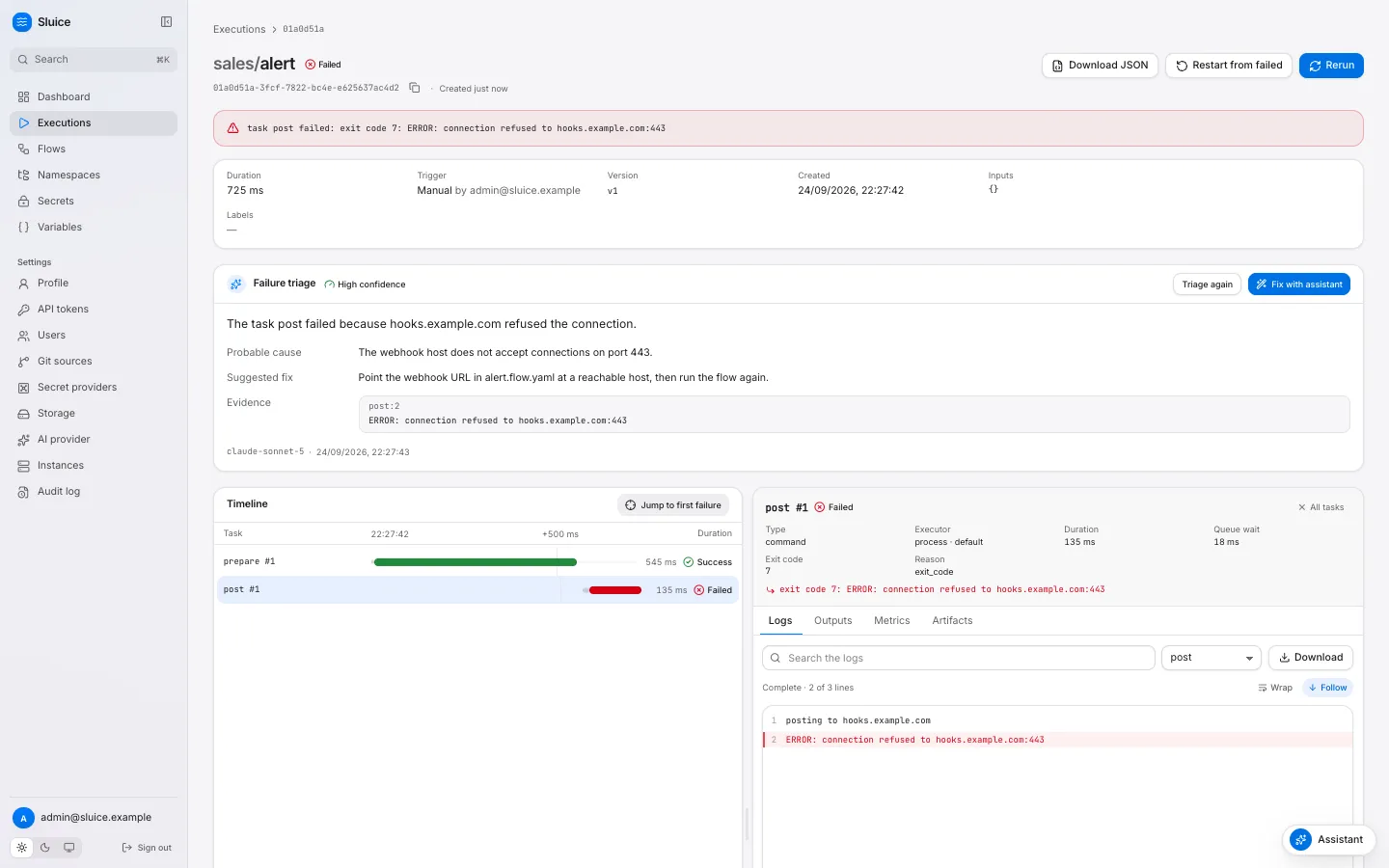
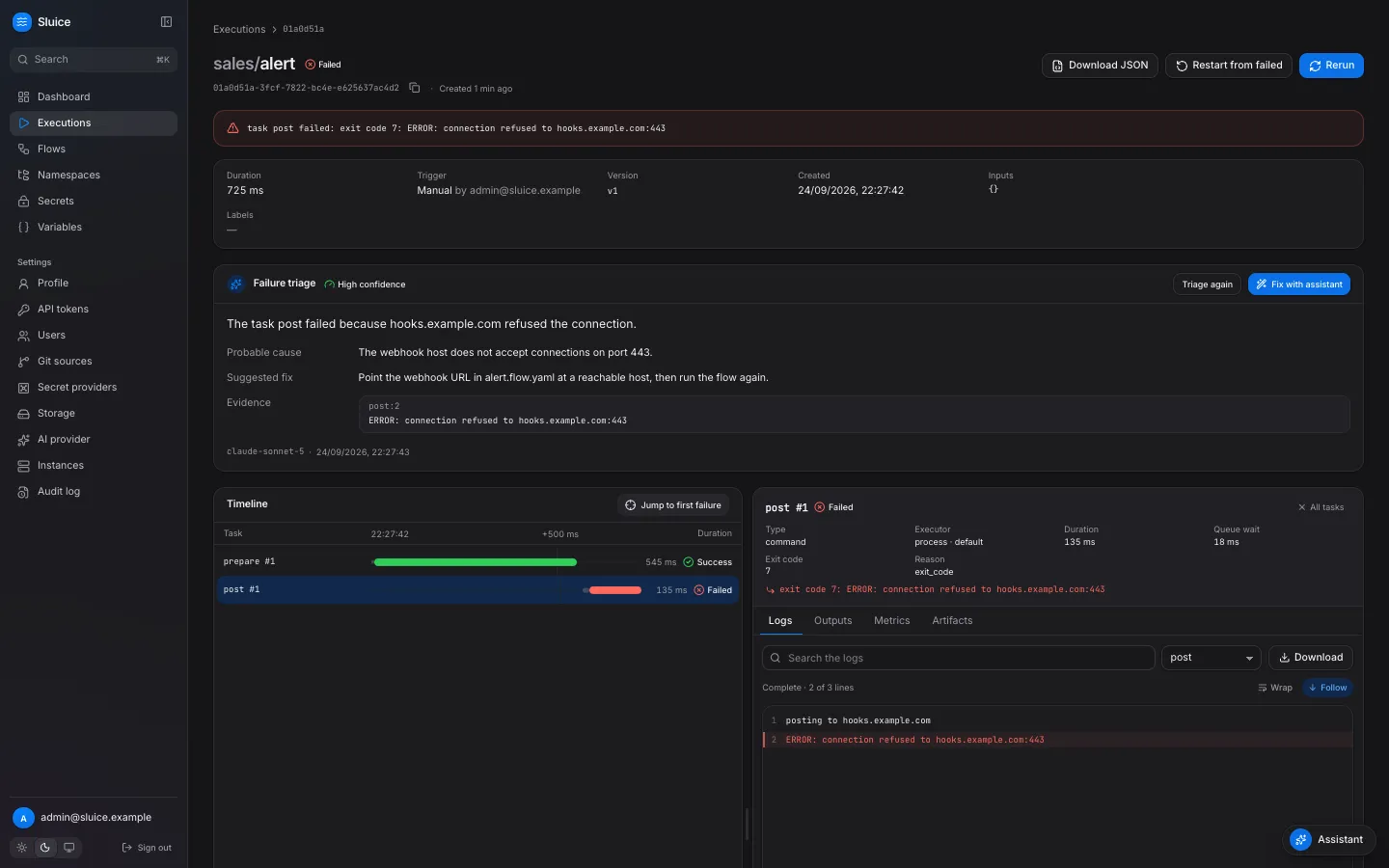
| Symptom | Cause | Action |
|---|---|---|
The execution stays QUEUED and has no task runs. |
The flow concurrency.limit has no free place. |
Wait for the active executions of the flow, or cancel one. |
A task run stays QUEUED with no_instance_for_pool. |
No online instance serves the pool and the executor type of the task. | Start an instance with the pool in SLUICE_POOLS and the executor on. The task runs when the instance comes online. |
A task run stays QUEUED without a reason. |
All slots for the pool and the executor type are in use. | Wait, raise SLUICE_WORKER_SLOTS or SLUICE_K8S_MAX_JOBS, or add instances. Watch sluice_queue_depth. |
A task run is RUNNING, and its logs stopped. |
The runner is alive but silent, or gone. | Wait for SLUICE_HEARTBEAT_TIMEOUT. When the work is gone, the attempt ends FAILED with lost. |
A task run ends FAILED with lost. |
The runner process died, somebody deleted the Job, or the instance went offline. | Read the task log and the instance logs. The retry policy applies. |
A task run ends FAILED with instance_shutdown. |
The instance that claimed the task run got SIGTERM. | No action. The retry policy applies. |
The execution stays CANCELLING. |
A task run waits for its runner to stop. | The runner kills the process group 10 seconds after SIGTERM. The engine ends a task run 60 seconds after its timeout. |
When a task run passes its timeout by 60 seconds without a report from its runner, the engine ends it TIMED_OUT with reason timeout. The retry policy then applies. The maintenance lease holder stops an execution after its flow timeout, and the execution then ends TIMED_OUT.
Cancel, rerun and restart
Section titled “Cancel, rerun and restart”These actions need the operator role. Each one writes an audit event: execution.cancel, execution.rerun or execution.restart.
| Action | UI | CLI | Result |
|---|---|---|---|
| Cancel | Cancel execution | sluice executions cancel <id> |
A QUEUED execution becomes CANCELLED at once. A RUNNING execution becomes CANCELLING, then CANCELLED. |
| Rerun | Rerun | sluice executions rerun <id> |
A new execution with the same snapshot, definition, inputs and labels. All tasks run. |
| Restart from failed | Restart from failed | sluice executions restart <id> |
A new execution with the same snapshot. Sluice copies the SUCCESS task runs with the reason reused. The other tasks run. |
Restart works only on a FAILED, TIMED_OUT or CANCELLED execution. Other states get 409 not_restartable. A cancel of an ended execution gets 409 execution_ended. A second cancel of a CANCELLING execution changes nothing.
Rerun and restart use the pinned snapshot, so a file change after the first run does not apply. To use the new files, trigger the flow again.
export SLUICE_URL=https://sluice.example.com SLUICE_TOKEN=slu_...sluice executions cancel "$EXECUTION_ID"An admin sees who cancelled, reran or restarted an execution on Settings → Audit log.
Retention
Section titled “Retention”The maintenance lease holder runs the cleanup when it takes the lease, then every hour.
| Data | Kept for | Control |
|---|---|---|
| Ended executions, with task runs, logs, metrics, artifacts and AI insights | SLUICE_RETENTION_DAYS after the end |
Default 90. |
| Audit events | 365 days | Fixed. |
| Instance rows without a heartbeat | 24 hours | Fixed. |
| Expired sessions | Until the next cleanup | SLUICE_SESSION_TTL sets the lifetime. |
| Login attempts | 24 hours | Fixed. |
| Git sync runs | Always | Sluice does not delete them. |
Set the same SLUICE_RETENTION_DAYS on all instances. Only the lease holder applies the value, and any instance can hold the lease.
Storage GC
Section titled “Storage GC”The maintenance lease holder runs storage GC at most once in 24 hours. The settings row maintenance.storage_gc_last_run holds the time of the last run.
| Object | GC deletes it when |
|---|---|
Bundle bundles/<hash>.tar.gz |
No runner used it for 7 days. |
File object files/sha256/<hash> |
No snapshot refers to it, and it is older than 1 hour. |
| Stored object without a row | No file_objects row has its hash, and it is older than 1 hour. |
| Logs and artifacts | Their execution row is gone, and the object is older than 1 hour. |
Sluice builds a deleted bundle again when a runner needs it. To run GC before the next day, delete the settings row. The next hourly maintenance pass then runs GC:
DELETE FROM settings WHERE key = 'maintenance.storage_gc_last_run';Disk and log size
Section titled “Disk and log size”With the postgres storage driver, all objects are in Postgres. The database then grows with files, bundles, logs and artifacts.
| Data | Location | Limit |
|---|---|---|
| Live log lines | The log_chunks table while the task run runs |
The server moves them to storage when the task run ends. |
| Archived logs | logs/<execution-id>/<task-run-id>.ndjson.gz |
Kept for SLUICE_RETENTION_DAYS. |
| Artifacts | artifacts/<execution-id>/<task-run-id>/<name> |
SLUICE_MAX_ARTIFACT_BYTES for each artifact. Kept for SLUICE_RETENTION_DAYS. |
| Files | files/sha256/<hash> |
SLUICE_MAX_FILE_BYTES for each file. |
| Bundles | bundles/<hash>.tar.gz |
SLUICE_MAX_BUNDLE_BYTES for each snapshot. |
Find the largest tables:
SELECT relname, pg_size_pretty(pg_total_relation_size(relid)) AS sizeFROM pg_catalog.pg_statio_user_tablesORDER BY pg_total_relation_size(relid) DESCLIMIT 10;To make the database smaller:
- Lower
SLUICE_RETENTION_DAYS. - Move the objects out of Postgres with the
s3,azbloborfsstorage driver. - Run
VACUUMon the large tables after big deletes.
Many log_chunks rows of ended task runs mean that the log archive failed. Look for archive logs warnings in the server log, and for a failed storage readiness check.
Common errors
Section titled “Common errors”| Error | Where | Cause | Action |
|---|---|---|---|
| Exit code 2 with a list of variables | Start | The configuration has errors. | Fix each named variable. See Environment variables. |
startup failed with migrate: |
Start | The database is unreachable, or a migration failed. | Check SLUICE_DATABASE_URL and the database log. |
503, migrations not current |
/readyz |
The database and the binary have different migrations. | Roll out the newest version on all instances. See Upgrade. |
503, master_key_missing |
/readyz |
A builtin secret uses a key ID that SLUICE_MASTER_KEYS does not have. |
Add the key again. See Rotate the master key. |
503, check storage |
/readyz |
The object store round trip failed. | Check the storage credentials, the network and the bucket or container. |
409 builtin_provider_disabled |
Secret write | SLUICE_MASTER_KEYS is empty. |
Set master keys, or use another secret provider. |
403 csrf_failed |
API with a cookie | A cookie request came without a same-origin header. | Use an API token in scripts. Make sure that the proxy keeps the Origin header. |
403 password_change_required |
API | The user has a temporary password. | Sign in to the UI and set a new password. |
429 rate_limited |
Login | Too many failed logins for the email or the IP address. | Wait for the Retry-After time. An admin can run sluice user reset-password. |
| 401 on all requests of a user | API | An admin disabled the user, or the token expired, or somebody revoked it. | An admin checks the user and the token. |
Task FAILED with secret_not_found |
Task | No scope has the secret key. | Create the secret in the namespace, a parent namespace or the global scope. |
Task FAILED with template_error |
Task | A template did not resolve at dispatch. | Read the system log line of the task. Fix the flow. |
Task FAILED with runtime_not_found |
Task | The image has no uv, bash, bun or node for the script. |
Use an image with the tool, for example sluice-uv. |
Task FAILED with image_pull_failed |
Task | Docker or Kubernetes did not pull the image. | Check the image name and the pull secrets. |
Task FAILED with executor_error |
Task | The executor did not start the task, or the runner did not prepare the workdir. | Read the system log line of the task. |
Related pages
Section titled “Related pages”- Metrics: the Prometheus metrics and suggested alerts.
- Harden a deployment: TLS, tokens, headers and secrets.
- Executions and states: the lifecycle of an execution.
- Architecture: the components, leases and the queue.