
Executions and states
Copy page
This page explains the life of an execution: its states, its task runs, the files that it uses, and how rerun and restart differ. States and reasons lists every state and reason code.
An execution is one run of a flow
Section titled “An execution is one run of a flow”An execution is one run of a flow, or of one file of a namespace. A trigger creates it. The execution records the trigger type, the trigger payload, the inputs, the labels and the user or system that started it.
trigger_type |
Created by |
|---|---|
manual |
Run in the UI, sluice run, or POST /api/v1/flows/{namespace}/{flowId}/executions. |
schedule |
A schedule trigger. |
webhook |
A call to the URL of a webhook trigger. |
flow |
The end of an upstream execution. See Chain flows. |
subflow |
A subflow task of a parent execution. |
file |
Run on a script file in the namespace editor. |
rerun, restart |
Rerun on any execution, or Restart from failed on an ended execution that did not succeed. |
The execution lifecycle
Section titled “The execution lifecycle”An execution has one of eight states.
| State | Meaning |
|---|---|
QUEUED |
The execution exists and waits to start. |
RUNNING |
Sluice has created its task runs and dispatches them. |
CANCELLING |
A user asked to cancel. Sluice stops the running tasks. |
SUCCESS |
Every task succeeded, or ended SKIPPED with run_if_not_met. |
FAILED |
At least one task ended in another state, or a flow output failed to render. |
TIMED_OUT |
The flow timeout ended the execution. |
CANCELLED |
A cancel ended the execution. |
SKIPPED |
The flow concurrency with behavior: skip refused the execution. |
The allowed moves:
| From | To |
|---|---|
QUEUED |
RUNNING, SKIPPED, CANCELLED |
RUNNING |
SUCCESS, FAILED, TIMED_OUT, CANCELLING |
CANCELLING |
CANCELLED |
SUCCESS, FAILED, TIMED_OUT, CANCELLED and SKIPPED are end states. An ended execution never changes again.
A new execution starts in QUEUED. Each server instance checks for queued executions at SLUICE_QUEUE_POLL_INTERVAL, one second by default. An instance moves the execution to RUNNING when the flow concurrency allows it. A flow with concurrency: { limit: 1, behavior: queue } keeps a second execution in QUEUED until the first one ends. Retry, time out and limit executions explains the limits.
When the execution starts, Sluice creates one task run for each task, in PENDING. When all tasks have ended, Sluice computes the end state, renders the flow outputs and fires the flow triggers of downstream flows. These steps run in one database transaction.
Task runs and attempts
Section titled “Task runs and attempts”A task run is one attempt of one task. Each task starts with attempt 1. When an attempt ends FAILED or TIMED_OUT and the retry policy allows another attempt, Sluice creates a new task run with the next attempt number. The new attempt waits in PENDING until its backoff delay has passed.
| Task run state | Meaning |
|---|---|
PENDING |
The task waits for its dependencies, for its retry delay, or for a free place under max_parallel. |
QUEUED |
The task is ready. It waits for an instance of its pool to claim it. |
RUNNING |
An instance claimed the task and runs it. |
SUCCESS |
The task succeeded. |
FAILED |
The task failed, for example with a non-zero exit code. |
TIMED_OUT |
The task timeout ended the task. |
CANCELLED |
A cancel stopped the task. |
SKIPPED |
run_if did not allow the task to run. |
The allowed moves are PENDING to QUEUED, SKIPPED or CANCELLED; QUEUED to RUNNING or CANCELLED; and RUNNING to SUCCESS, FAILED, TIMED_OUT or CANCELLED.
The last attempt of each task decides the result of the execution. Templates and flow outputs read the outputs of the last attempt.
Each ended task run has a reason when the state alone does not explain it, for example exit_code, timeout, upstream_failed, template_error or lost. lost means that the instance that ran the task stopped sending heartbeats. A lost attempt counts as FAILED, so the retry policy applies.
The version that an execution uses
Section titled “The version that an execution uses”A new execution pins two things:
- The current definition of the flow, merged with the defaults of
namespace.yaml. - The head version of the namespace, that is the files that the tasks see.
A save of the flow file or of a script after that point does not change the execution. The next execution uses the new version. Namespaces and versions explains versions.
Variables and secrets are not part of a version. Sluice reads them when it dispatches each task. A variable that you change during a run reaches the tasks that start after the change.
Rerun and restart from failed
Section titled “Rerun and restart from failed”Both actions create a new execution from an ended one. Both use the pinned version and definition of the original, with the same inputs and labels. Thus a change to the flow files does not reach them. To run changed files, run the flow again.
| Action | Allowed for | What runs |
|---|---|---|
| Rerun | Any execution. | Every task, from the start. The trigger type is rerun. |
| Restart from failed | FAILED, TIMED_OUT and CANCELLED executions. |
Only the tasks whose last attempt did not end SUCCESS. The trigger type is restart. |
A restart copies each task whose last attempt ended SUCCESS into the new execution. The copy ends SUCCESS with reason reused and keeps the outputs of the original. The other tasks run, and they read the reused outputs through templates. The execution page links the new execution to the original under Restart of.
A restart of a SUCCESS or SKIPPED execution, or of one that has not ended, returns 409 not_restartable.
A restart helps when the cause of a failure is outside the files: an endpoint that was down, or a secret that you changed. A fix in a script needs a new run.
The same actions exist on the command line and in the API:
sluice executions rerun 01a0d505-a483-7b0c-9428-70dd94359b01 --waitsluice executions restart 01a0d505-a483-7b0c-9428-70dd94359b01 --waitCancel
Section titled “Cancel”Cancel on the execution page, sluice executions cancel or POST /api/v1/executions/{executionId}/cancel stops an execution.
- A
QUEUEDexecution moves toCANCELLEDat once. - A
RUNNINGexecution moves toCANCELLING. Sluice cancels the tasks that have not started, and it asks the running tasks to stop. The runner sends SIGTERM, then SIGKILL after 10 seconds. A running subflow task cancels its child execution. When every task has ended, the execution moves toCANCELLED. - A second cancel of a
CANCELLINGexecution changes nothing. - A cancel of an ended execution returns 409
execution_ended.
Live updates in the UI
Section titled “Live updates in the UI”The execution page follows a running execution without a reload. It holds an event stream from GET /api/v1/executions/{executionId}/events and gets the execution with its task runs at each change. The log viewer holds a second stream for new log lines. When the execution ends, both streams close.
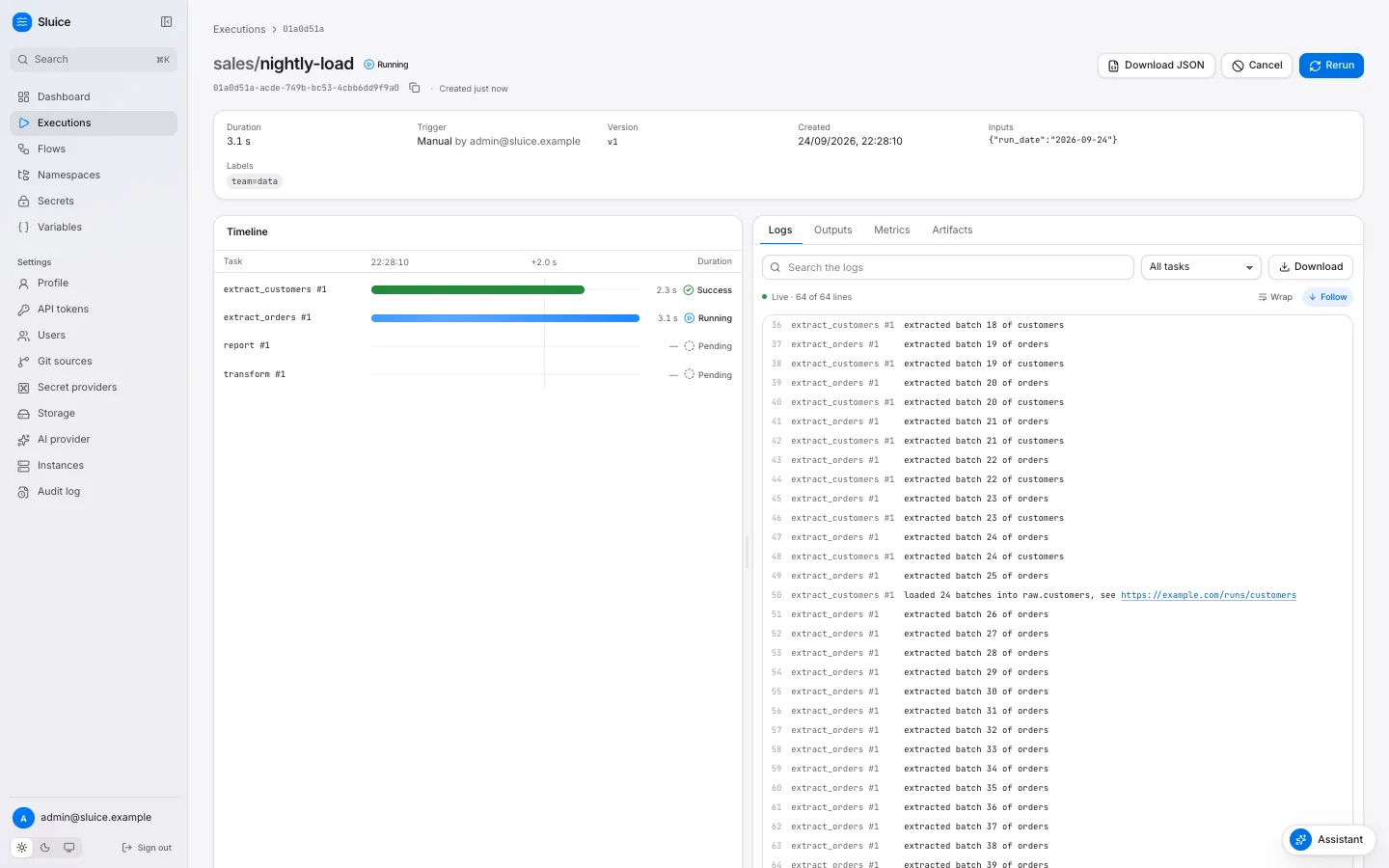
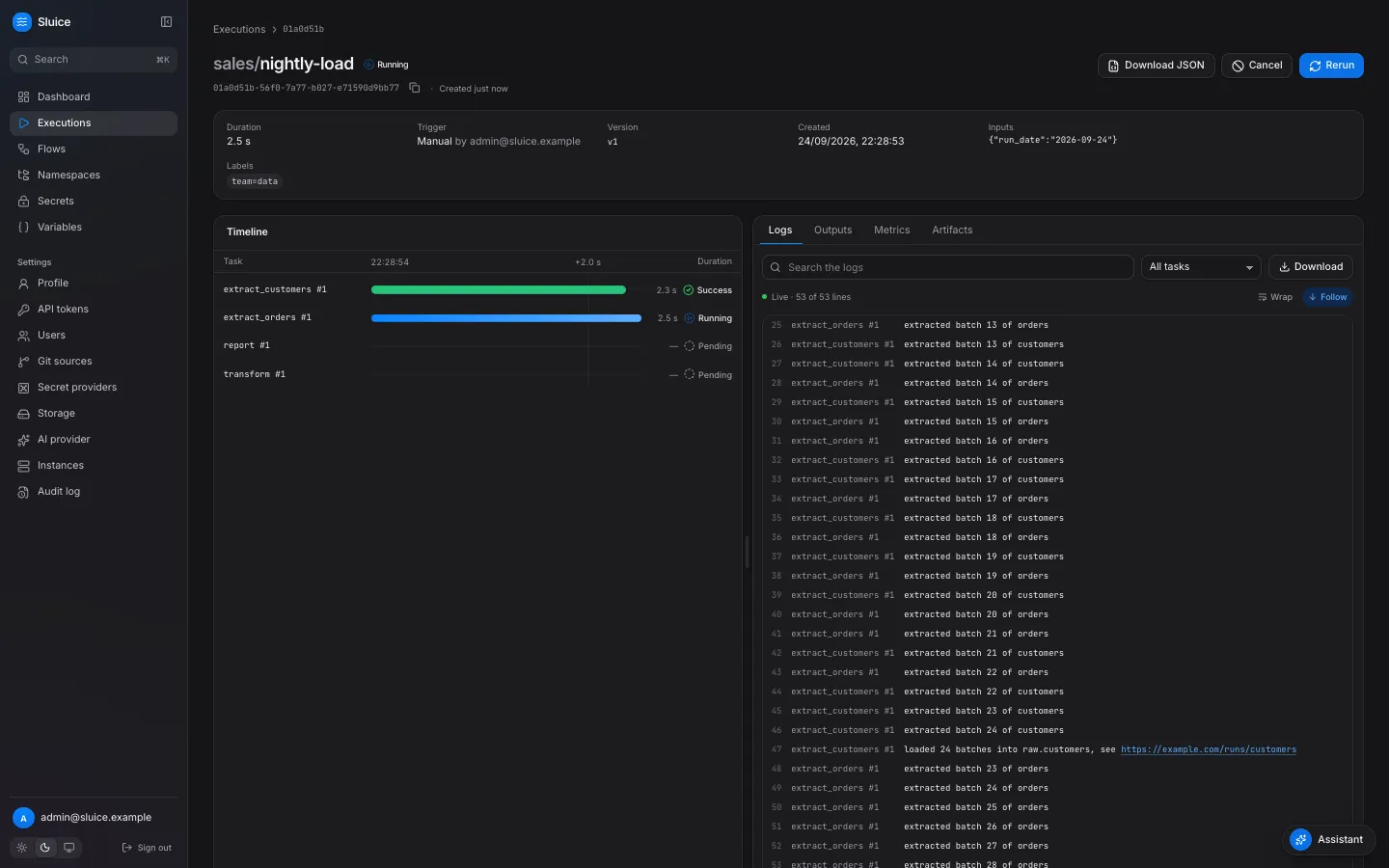
The page shows:
- A header with the state, the duration, the trigger, the version, the inputs and the labels.
- A Timeline with one bar for each attempt, for example
extract_orders #1. A selected bar opens a card with the executor, the queue wait, the exit code, the reason and the error. - An inspector with the tabs Logs, Outputs, Metrics and Artifacts. A selected task filters each tab to that task.
- Jump to first failure when a task failed, and Download JSON for the execution with its task runs.
The Executions page and the flow page refresh their lists every second.