
Namespaces and versions
Copy page
This page explains namespaces: the trees of files that hold flows and scripts. It covers the name hierarchy, the two kinds of namespace, versions, and the ways to change files.
A namespace is a tree of files
Section titled “A namespace is a tree of files”A namespace holds flow files, the scripts that they run, namespace.yaml and any other file that a task needs. A task sees the files of its namespace in its working directory. Every path in a flow is relative to the namespace root.
| Rule | Value |
|---|---|
| Name | Lower-case letters, digits and hyphens, in parts separated by dots, for example sales or sales.eu. A part starts and ends with a letter or a digit. At most 128 characters. |
| File path | Relative, UTF-8, at most 512 characters, no empty, . or .. segment. |
| File size | At most SLUICE_MAX_FILE_BYTES, 10 MiB by default. |
| Version size | All files together at most SLUICE_MAX_BUNDLE_BYTES, 200 MiB by default. |
The name hierarchy
Section titled “The name hierarchy”The dots in a name make a hierarchy. sales is the parent of sales.eu. The hierarchy has three uses:
- Secrets and variables. A task in
sales.eusearches its own namespace, thensales, then the global scope. The nearest definition wins. Use secrets and variables shows this. - Filters. A namespace filter on the Executions page, the dashboard and the API includes the child namespaces.
- Navigation. The Namespaces page shows the namespaces as a tree.
A parent does not need to exist. When you create only sales.eu, the tree shows sales as an implicit parent. An implicit parent has no files, secrets or variables. To give it secrets or variables, create it first. A write to an implicit parent returns 404 namespace_not_found.
Managed and git namespaces
Section titled “Managed and git namespaces”A namespace gets its files from one of two sources.
| Managed | Git | |
|---|---|---|
| Created by | An editor, with Create namespace, the API or sluice namespaces push --create. |
A mapping of a git source. See Sync a namespace from git. |
| Files change by | A save in the editor, an upload, a revert, sluice namespaces push or the assistant. |
A commit on the tracked branch and a sync. |
| Edit in Sluice | Yes. Each save makes a new version. | No. The namespace is read-only. An edit goes to a new branch with Push to branch. |
| Version label | A number: v1, v2, … |
The commit SHA. |
| Badge | Managed | Git and Read-only |
A file write to a git namespace returns 409 namespace_read_only. This keeps the repository as the only source of the files.
Every change is a version
Section titled “Every change is a version”A version, also called a snapshot, is one fixed set of files. Sluice never changes a version. A save creates a new version and makes it the head of the namespace.
A managed version records a message and the user who made it. A git version records the commit SHA, and its message is git <first 12 characters of the SHA>: <commit subject>. A save or sync that changes no file makes no version.
Versions matter in three places:
- Executions. A new execution pins the head version. It runs with those files to the end, even when a later save changes them. See Executions and states.
- Flow revisions. When a version changes a flow file, or changes the validation result of a flow, Sluice stores a new revision of that flow. The Revisions tab of the flow lists the revisions and compares two of them.
- History. The Versions tab of a namespace lists the versions with author, message and time.
Compare and revert
Section titled “Compare and revert”The Versions tab has Compare versions. Pick a From and a To version to see a unified diff of each added, removed and modified file. Binary files show no diff. The API is GET /api/v1/namespaces/{namespace}/diff?from=1&to=2.
Revert to this version on an old version creates a new version with the files of the old one. The message is Revert to version <n> unless you give another. History stays complete: the versions after the old one remain. Revert exists only for managed namespaces. For a git namespace, revert the commit in the repository.
Namespace defaults
Section titled “Namespace defaults”namespace.yaml at the namespace root sets defaults for every flow of the namespace. The file is optional.
description: ELT pipelinesdefaults: executor: { type: kubernetes, pool: cluster-a, image: ghcr.io/acme/elt:1.4.0 } env: { TZ: Europe/Zurich } retry: { max_attempts: 2 } timeout: 1h| Field | How a flow overrides it |
|---|---|
defaults.executor |
Field by field: the task executor, then the flow executor, then these defaults, then the instance default process. |
defaults.env |
The flow env and the task env override it key by key. |
defaults.retry |
The flow retry and the task retry override it field by field. |
defaults.timeout |
The default task timeout. A task timeout overrides it. Without either, a task has 24 hours. |
A new execution stores the flow merged with the defaults of its version. A later change to namespace.yaml does not change it. Sluice validates namespace.yaml like a flow file. An invalid namespace.yaml gives no defaults.
Ways to change files
Section titled “Ways to change files”The namespace editor
Section titled “The namespace editor”The Files tab of a managed namespace is an editor. It holds a file browser on the left and a code editor on the right.
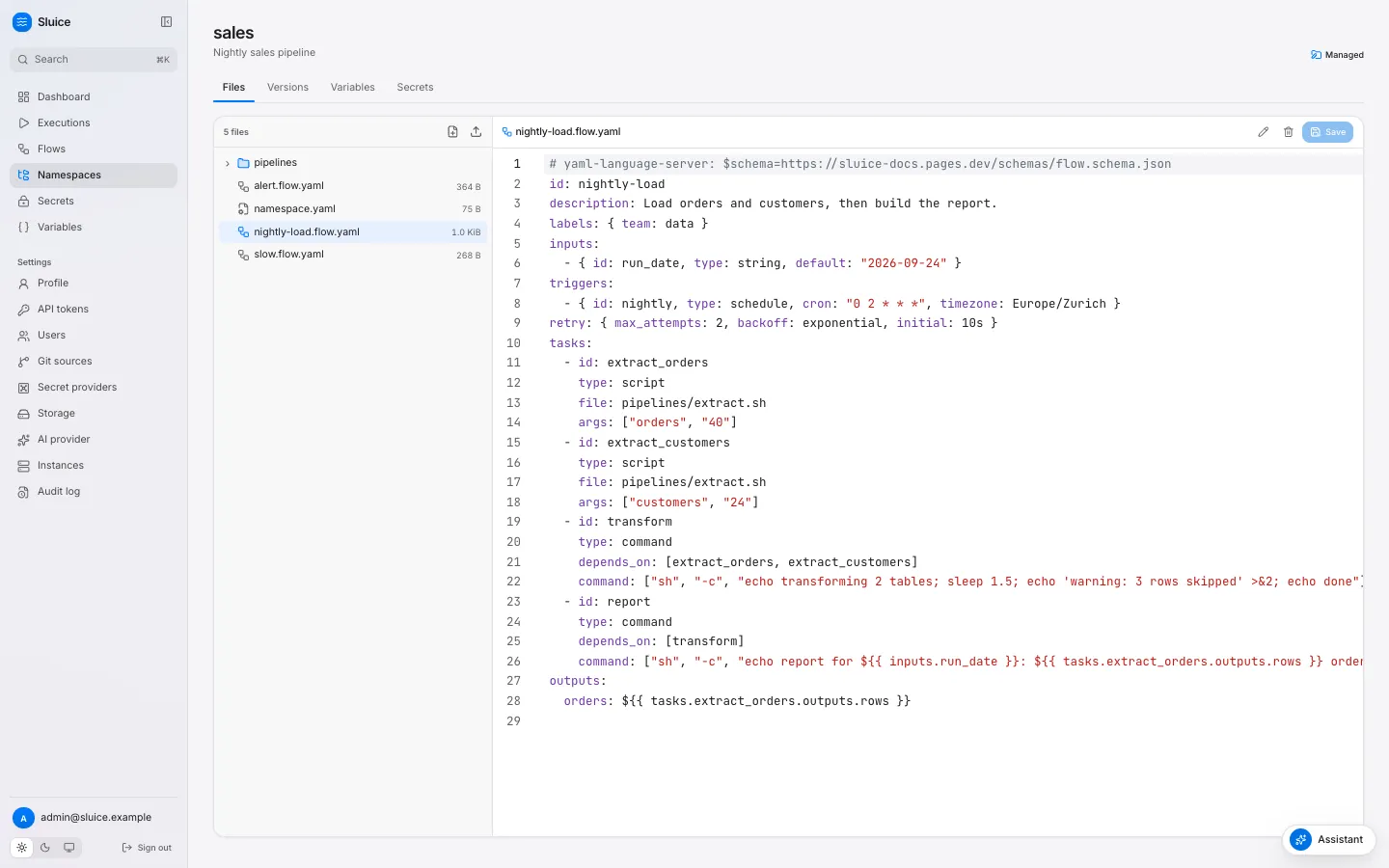
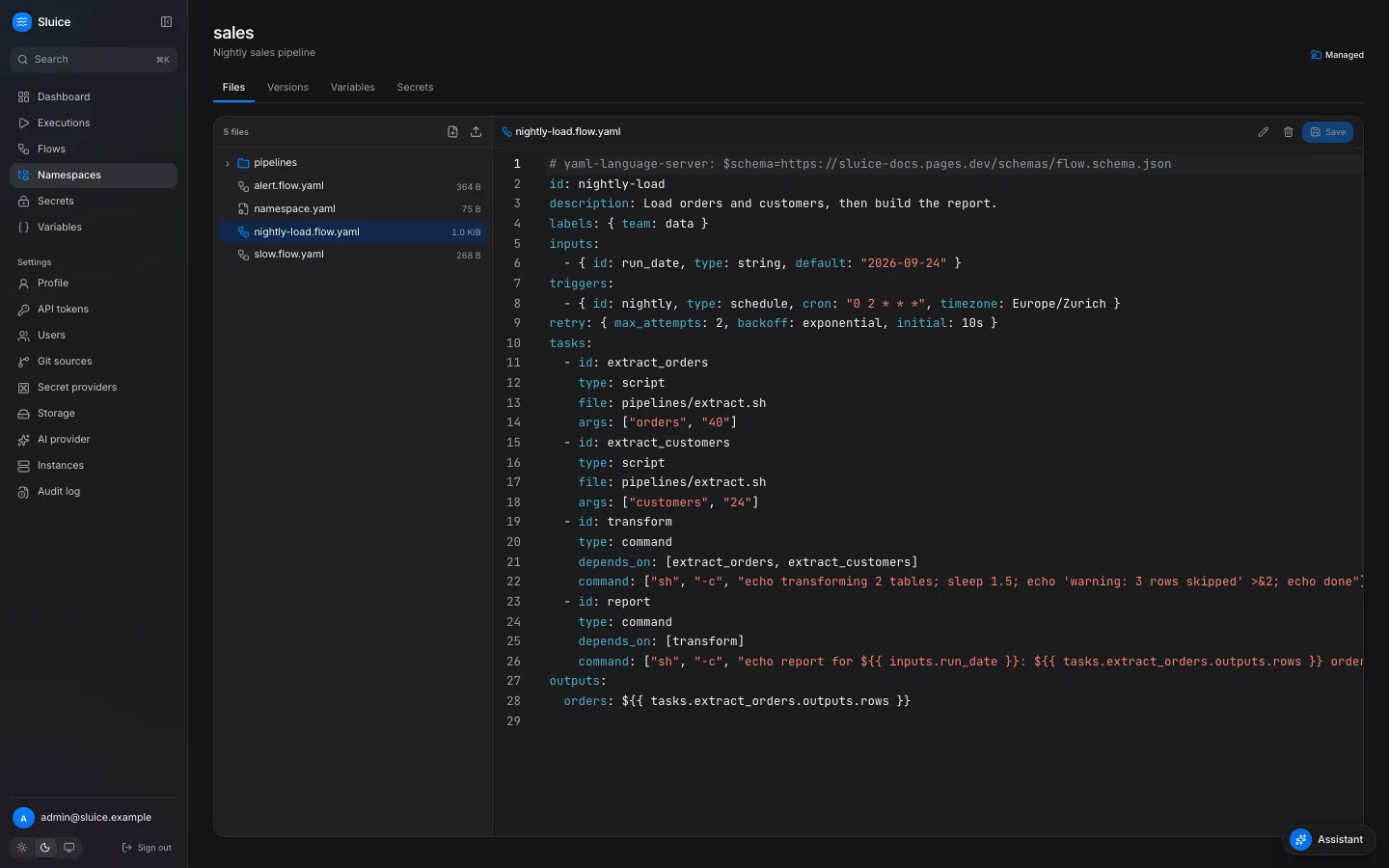
The editor stages your edits in the browser. An edited file shows a mark in the file browser, and the editor shows Unsaved changes with a Discard action. Edit several files, then click Save changes under the file browser. The dialog lists the staged files and asks for a Commit message. All staged files go into one version. Save in the editor toolbar, or Cmd+S or Ctrl+S, saves the open file as its own version.
While you type in a flow file or in namespace.yaml, the server validates the text. The editor lists each error with its line, column, code and message.
A save sends the version that the editor loaded. When another user saved first, the save returns 409 version_conflict, and the dialog offers Reload. Your staged files stay in the dialog until you reload.
A script file has Run in the editor toolbar, or Cmd+Enter or Ctrl+Enter. It runs the file of the head version as a file execution.
The CLI
Section titled “The CLI”sluice namespaces push uploads a local directory as one new version. It compares the directory with the head version and sends only the added, changed and removed files. When nothing differs, it creates no version.
sluice namespaces push ./namespace --namespace sales --message "Update the extract script"sluice namespaces push ./namespace --namespace sales --create| Behaviour | Detail |
|---|---|
| Target | --namespace, or the name of the directory. |
| New namespace | --create creates a managed namespace when it does not exist. Without it, the command fails. |
| Removed files | The new version drops each file that the directory does not have. |
| Skipped entries | .git directories, symbolic links and invalid paths. The command prints a warning for each. |
| Executable bit | The command keeps the executable bit of each local file. |
| Conflict | The command sends the head version that it read. A save in between gives 409 version_conflict. |
Run sluice validate on the directory first. The push does not stop for an invalid flow: the server stores it, marks it invalid and deactivates its triggers.
The assistant
Section titled “The assistant”The assistant can propose and apply file changes. It validates each proposal and refuses to apply an invalid flow. After you confirm, the change becomes a new version of a managed namespace, or a new branch of a git namespace. See Set up the assistant.
Delete a namespace
Section titled “Delete a namespace”An admin can delete a managed namespace. The delete fails with 409 executions_running while an execution of the namespace runs. The delete also removes the flows of the namespace and stops their triggers. Old executions stay visible.