
Use secrets and variables
Copy page
This guide shows you how to give a flow its settings and credentials. A variable holds a plain value that every user can read. A secret holds a value that Sluice never shows and masks in logs.
| Secret | Variable | |
|---|---|---|
| Read in a flow | ${{ secret('KEY') }} |
${{ vars.KEY }} |
| Fields | env values, files values, and url, headers and body of http tasks |
Every template field |
| Value in the UI and API | Never | Yes, for every role |
| Masked in logs and outputs | Yes | No |
| Storage | Encrypted in Postgres (builtin), or a reference to an external store |
Plain text in Postgres |
Put a password, a token or a key in a secret. Put a host name, a region or a dataset name in a variable.
Keys and scopes
Section titled “Keys and scopes”A key matches ^[A-Za-z_][A-Za-z0-9_]{0,127}$. Keys are case-sensitive: db_password and DB_PASSWORD are two keys.
Each secret and each variable belongs to one scope:
- global: the scope of all namespaces. Only admins change it.
- namespace: one namespace, for example
salesorsales.eu. Editors change it.
A task searches for a key in this order, and the nearest definition wins:
- The namespace of the flow.
- Each parent namespace, nearest first.
salesis the parent ofsales.eu. - The global scope.
For variables, the variables map of the flow comes before step 1.
Example: PG_URL exists in the global scope, in data and in data.elt. A task in data.elt.x gets the value of data.elt. After you delete that secret, the task gets the value of data.
A namespace scope needs a namespace that exists. For an implicit parent, for example data when only data.elt exists, create the namespace first. Otherwise the write returns 404 namespace_not_found.
Add a secret
Section titled “Add a secret”-
Open the namespace and select the Secrets tab. For a global secret, open Secrets in the side bar.
-
Click Add secret.
-
Fill in Key, keep Provider at
builtin, and type the Value. Add a Description to tell others what the secret is for. -
Click Save. The table shows the key, the scope and the provider, never the value.
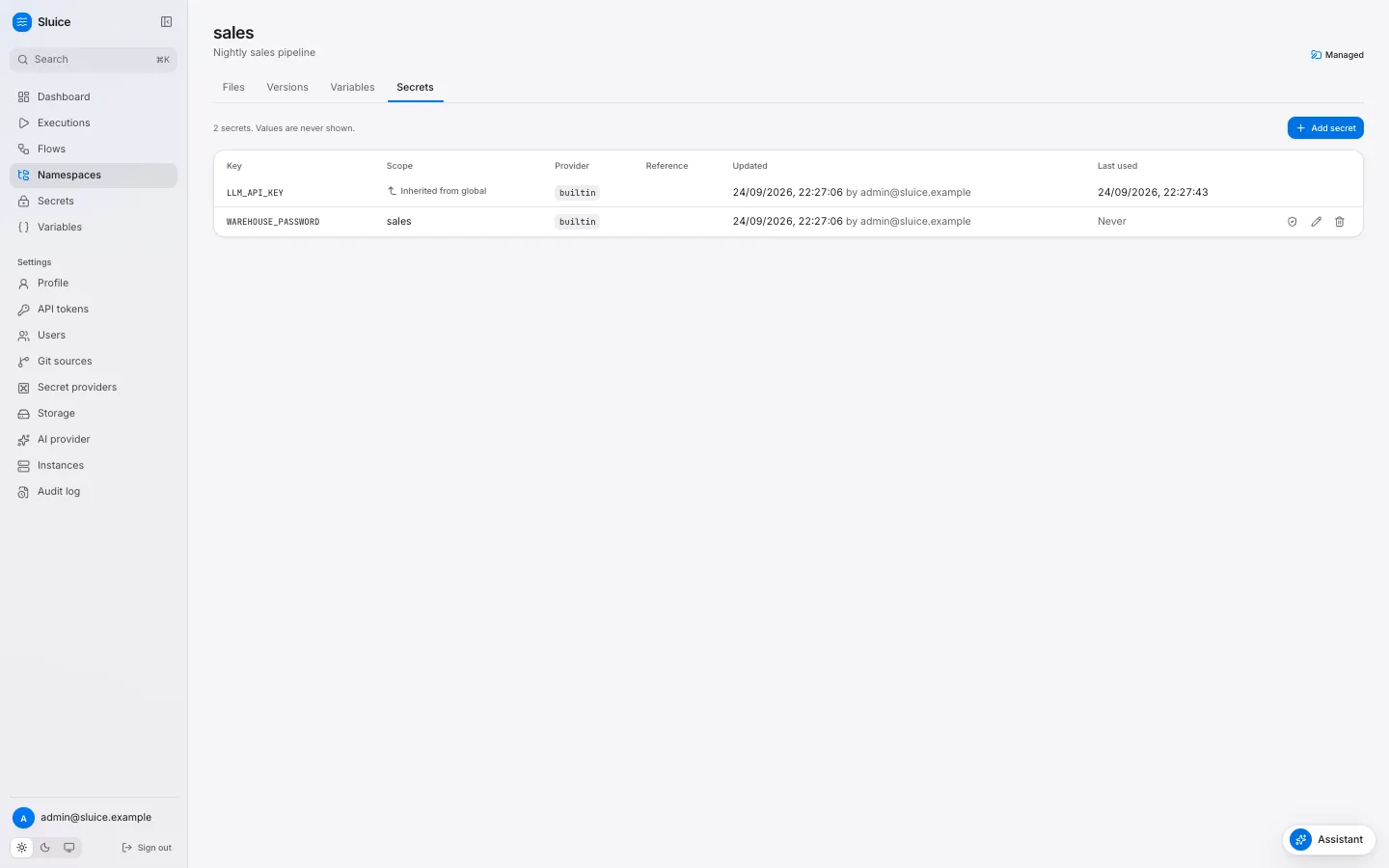
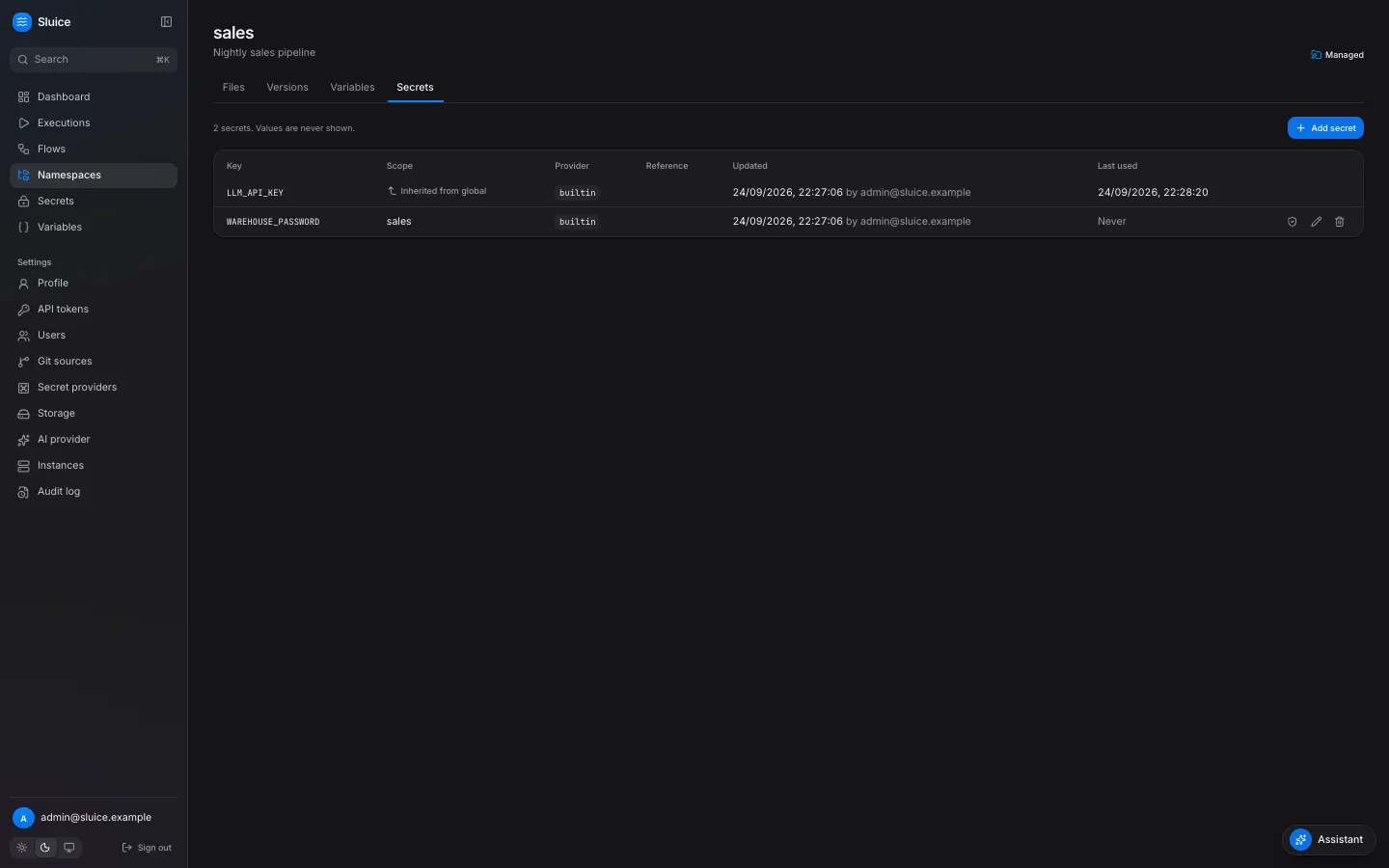
The tab lists the effective keys of the namespace. A key from a parent or the global scope shows Inherited from and its scope. Change such a key in its own scope. Last used shows when a task last resolved the secret. Never means that no task has used it.
The builtin provider needs SLUICE_MASTER_KEYS on the server. Without it, a write returns 409 builtin_provider_disabled. Secrets of the other providers still work.
A value of fewer than 4 characters is not safe in logs: Sluice masks only values of 4 or more characters. The form warns you when you type a shorter value.
To store a reference to Vault, Azure Key Vault, a Kubernetes Secret or a server variable instead of a value, see Connect a secret provider.
Through the API
Section titled “Through the API”curl -X PUT "$SLUICE_URL/api/v1/namespaces/sales/secrets/WAREHOUSE_PASSWORD" \ -H "Authorization: Bearer $SLUICE_TOKEN" -H "Content-Type: application/json" \ -d '{"value": "s3cr3t-pa55", "description": "Warehouse password"}'The response has no value field. An update without value keeps the stored value, so you can change only the description. The global path is /api/v1/secrets/{key}.
Add a variable
Section titled “Add a variable”-
Open the namespace and select the Variables tab. For a global variable, open Variables in the side bar.
-
Click Add variable.
-
Fill in Key and Value, and save.
curl -X PUT "$SLUICE_URL/api/v1/namespaces/sales/variables/WAREHOUSE" \ -H "Authorization: Bearer $SLUICE_TOKEN" -H "Content-Type: application/json" \ -d '{"value": "analytics"}'A value has at most 65 536 characters.
Use them in a flow
Section titled “Use them in a flow”id: load-ordersvariables: { DATASET: raw }env: PG_URL: ${{ secret('PG_URL') }} DATASET: ${{ vars.DATASET }}tasks: - id: extract type: script file: pipelines/orders.py env: API_TOKEN: ${{ secret('ORDERS_API_TOKEN') }} - id: load type: command depends_on: [extract] command: ["echo", "loading into ${{ vars.WAREHOUSE }}"] - id: notify type: http depends_on: [load] method: POST url: https://hooks.example.com/services/${{ secret('SLACK_WEBHOOK_TOKEN') }} headers: { Authorization: "Bearer ${{ secret('HOOK_TOKEN') }}" } body: '{"text": "orders loaded"}'The script reads PG_URL and API_TOKEN from its environment, for example os.environ["PG_URL"] in Python.
secret() in another field, for example args, command, subflow inputs, trigger inputs or flow outputs, fails validation with secret_not_allowed. Pass the secret through env and read the variable in the script. This keeps the value out of the process list and out of the stored definition.
For a tool that reads a configuration file, put the secret in a files value. Flows, tasks and templates shows an example.
When Sluice resolves them
Section titled “When Sluice resolves them”Sluice resolves variables and secrets when it dispatches each task, not when you save the flow. A changed value reaches the next task that starts, also in a running execution, a rerun and a restart.
| Result at dispatch | Task |
|---|---|
| No scope defines the key | FAILED with reason secret_not_found. The error names the key and the scopes, for example secret "PG_URL" not found in scopes data.elt.x, data.elt, data, global. |
| The provider has no value for the reference | FAILED with reason secret_not_found. |
| The provider fails | FAILED with reason secret_provider_error. |
| An undefined variable | FAILED with reason template_error. |
In each case no process starts, and the retry policy of the task applies.
The runner gets the resolved values through the runner API when the task starts. A Kubernetes Job or a Docker container never holds a secret value in its specification.
The execution records the keys of the secrets that its tasks used, sorted and without values, in secret_keys_used.
Masking
Section titled “Masking”Sluice replaces each resolved secret value with *** in log lines, output values, metric tag values, error texts and artifact files. It masks the raw value and its common encodings:
| Form | Example for a+b/c? |
|---|---|
| Raw | a+b/c? |
| Base64 standard and URL, with and without padding | YStiL2M/, YStiL2M_ |
| URL-encoded, query and path forms | a+b%2Fc%3F, a%2Bb%2Fc%3F |
| JSON-escaped | The value with \", \\, \n, \r, \t, and a form with HTML escapes. |
The runner masks before it sends data, and the server masks again before it stores data.
Who can do what
Section titled “Who can do what”| Operation | Role |
|---|---|
| List keys of secrets, and variables with values | viewer |
| Create, update and delete namespace secrets and variables. Check namespace secrets. | editor |
| Create, update and delete global secrets and variables. Check global secrets. | admin |