This is the abridged developer documentation for Sluice
# Sluice
> Flows are YAML files. Tasks are your scripts. Sluice runs them on a schedule, a webhook or a click, on a process, a container or a Kubernetes Job, and shows every run live. One Go binary with Postgres.
Sluice is one binary: the server, the web UI, the CLI and an MCP server. It needs only Postgres.
```sh
export SLUICE_BOOTSTRAP_ADMIN_PASSWORD=change-me-now-1
export SLUICE_MASTER_KEYS="k1:$(openssl rand -base64 32)"
docker compose -f deploy/compose/compose.yml up -d
```
Open , sign in as `admin@local.test`, and run a flow. 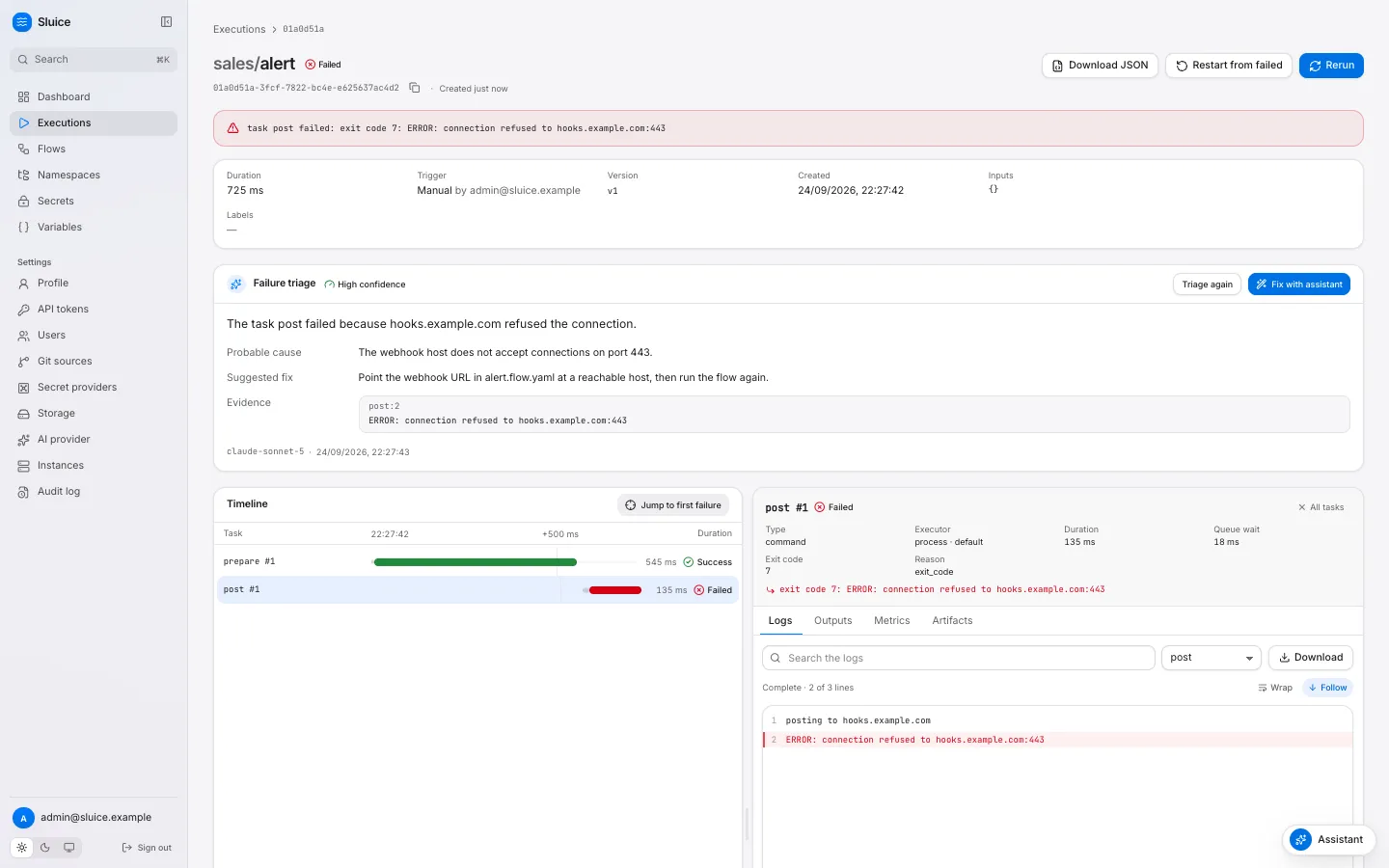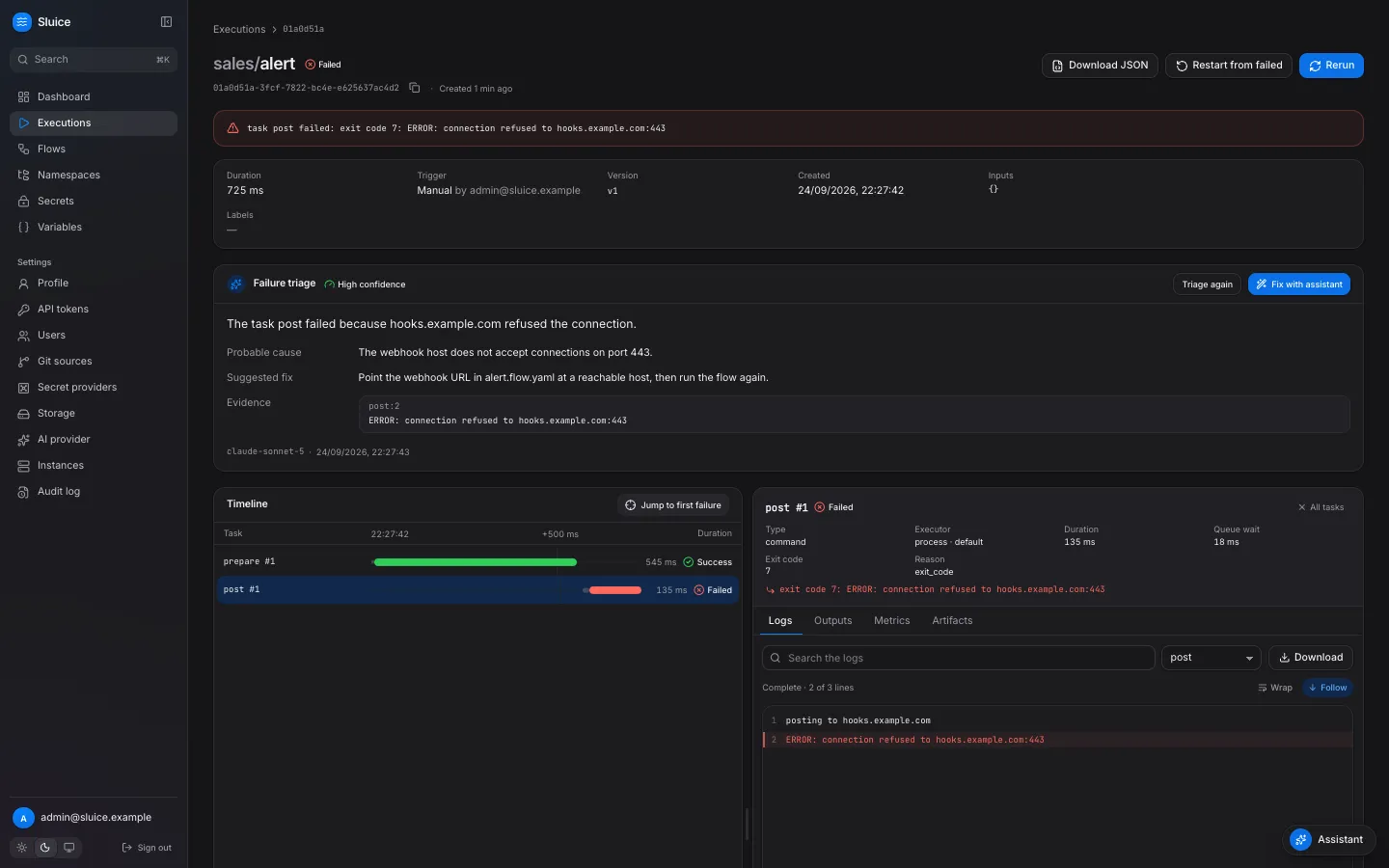 Flows are files A flow is a YAML file next to the scripts it runs. Edit it in the browser, sync it from git, or push it from CI with `sluice namespaces push`. Every save is a version. Watch every run The execution page shows a live waterfall of the tasks. Select a task to see its attempts, outputs, metrics and logs. A failed run takes you to the failed task in one click. Built for agents `sluice init` gives a coding agent the flow rules. The CLI prints JSON and exits with the end state. The MCP server reads, runs and triages executions. The docs are in llms.txt. Runs where your code runs Tasks run as a local process, in a Docker container or as a Kubernetes Job. Pools route tasks to the instances that can run them. ## A flow [Section titled “A flow”](#a-flow)
```yaml
id: nightly-load
description: Load orders, then build the report.
triggers:
- { id: nightly, type: schedule, cron: "0 2 * * *", timezone: Europe/Zurich }
tasks:
- id: extract
type: command
command: ["python3", "pipelines/extract.py"]
env:
DB_URL: ${{ secret('DB_URL') }}
- id: report
type: command
depends_on: [extract]
command: ["echo", "rows: ${{ tasks.extract.outputs.rows }}"]
```
Install the CLI, then run the flow from a terminal, a CI job or an agent. The exit code is the end state:
```sh
curl -fsSL https://raw.githubusercontent.com/alternayte/sluice/main/install.sh | sh
sluice run sales/nightly-load --wait
```
## Where to go next [Section titled “Where to go next”](#where-to-go-next) [Tutorials](/tutorials/run-your-first-flow/)Start Sluice, write a flow, run it and read the execution. Then build an ELT pipeline. [How-to guides](/how-to/run-flows-from-github-actions/)Schedules, webhooks, secrets, git sync, Docker and Kubernetes, CI, coding agents and MCP. [Concepts](/concepts/architecture/)How flows, executions, namespaces, executors and the assistant work, and why. [Reference](/reference/flow/)The flow file, the CLI, the environment variables, the MCP tools and the HTTP API.
# Architecture
> The parts of Sluice, the path of an execution through them, and how many instances share one database.
This page explains the parts of Sluice and how an execution moves through them. It also explains how several server instances share the work without a coordinator. ## One binary, one database [Section titled “One binary, one database”](#one-binary-one-database) Sluice is one Go binary, `sluice`. The same binary is the server, the runner inside a task and the CLI. The server embeds the web UI. Postgres holds all state: users, namespaces, flows, executions, task runs, secrets and the task queue. An object store holds the large objects: file contents, bundles, archived logs and artifacts. The default object store is Postgres itself, so a deployment needs only a database. The server reads its configuration only from environment variables. You can run any number of server instances on one database. Each instance serves the UI and the API, claims tasks and runs executors. No instance has a special role that you configure. Clients and tasks call the HTTP API of any instance. Every instance uses the same Postgres and the same object storage. ## Components [Section titled “Components”](#components) | Component | Runs on | What it does | | --------------------- | ---------------------------------------------- | --------------------------------------------------------------------------------------------------------------------------- | | HTTP API and UI | every instance | Serves the web UI at `/`, the API at `/api/v1`, MCP at `/mcp`, webhooks at `/hooks` and the runner API at `/api/runner/v1`. | | Engine and dispatcher | every instance | Starts queued executions, queues ready tasks, claims task runs and ends executions. | | Executors | the instance that claimed the task run | Start, wait for, cancel and check the work of a task run. | | Runner | the task process, container or Job | `sluice exec` gets the task spec and the files, runs the command, and reports to the server. | | Scheduler | the holder of the `scheduler` lease | Fires due schedules once each second. | | Git sync | the holder of the `git-sync` lease | Syncs due git sources once each second. | | Maintenance | the holder of the `maintenance` lease | Checks deadlines and lost work every 2 seconds, and cleans up every hour. | | Kubernetes reconciler | the holder of the `k8s-reconcile:` lease | Compares the Jobs and the task runs of one pool every 60 seconds. | | Instance registry | every instance | Records the instance with its pools and executors, and writes a heartbeat every 10 seconds. | | Storage | every instance | One interface for objects, with the drivers `postgres`, `fs`, `s3` and `azblob`. | ## The path of an execution [Section titled “The path of an execution”](#the-path-of-an-execution) A trigger creates an execution: a schedule, a webhook, a flow trigger, a click in the UI, `sluice run` or an MCP tool. The new execution row pins the current flow revision and the snapshot of the namespace. The execution starts in the state `QUEUED`. The engine moves the execution to `RUNNING` when the concurrency limit of the flow allows it. It creates one `PENDING` task run for each task. A task run becomes `QUEUED` when its dependencies have ended and its `run_if` condition is true. The dispatcher of any instance can claim a `QUEUED` task run. The claim is one database transaction with `SELECT … FOR UPDATE SKIP LOCKED`, in queue order. Two instances thus never claim the same task run. The claim sets the task run to `RUNNING` and creates a run token for it. The executor of the claiming instance then starts the work. It passes three variables to the runner: `SLUICE_API_URL`, `SLUICE_RUN_TOKEN` and `SLUICE_TASK_RUN_ID`. The runner runs the task and posts the result to the runner API. In one transaction, the engine sets the task state and applies the retry policy. It also queues the next tasks, and it ends the execution when all tasks have ended. The server then revokes the run token and archives the logs of the task run. `http` and `subflow` tasks follow the same states. They run inside the claiming instance, on the inline executor, with no runner. For the states and the reasons, see [Executions and states](/concepts/executions-and-states/). ## The runner protocol [Section titled “The runner protocol”](#the-runner-protocol) The runner is `sluice exec`. It calls the runner API of the server with its run token. The run token is valid for one task run only, and only while the task run is `RUNNING`. | Call | Purpose | | ------------------------ | -------------------------------------------------------------------------------------------- | | `GET …/spec` | The command, the resolved environment with the secrets, and the values to mask. | | `GET …/bundle` | The files of the pinned snapshot, as one archive. | | `POST …/logs` | Log lines in batches of at most 500 ms or 256 KiB. | | `POST …/events` | Outputs and metrics that the task writes to `SLUICE_OUTPUTS`. | | `PUT …/artifacts/{name}` | One artifact file. | | `POST …/heartbeat` | A liveness signal every 10 seconds. The answer tells the runner to stop when a user cancels. | | `POST …/complete` | The exit code, the error and the reason. | The paths start with `/api/runner/v1/task-runs/{taskRunId}`. The runner masks secret values before it sends logs, and the server masks them again before it stores them. This design keeps secrets out of the task definition. The server gives the resolved secrets to the runner at run time. They are not in a process environment of the server, a Docker container configuration or a Kubernetes object. For more, see [Executors, pools and the runner](/concepts/executors-pools-and-the-runner/). ## Snapshots and bundles [Section titled “Snapshots and bundles”](#snapshots-and-bundles) A snapshot is one immutable version of the files of a namespace. Sluice stores each file content once, by its SHA-256 hash. A snapshot is a manifest of paths, hashes, sizes and executable flags. A save in a managed namespace creates a snapshot. A git sync creates one when the files changed. An execution pins the head snapshot of its namespace when Sluice creates it. Later changes to the files do not change a pinned execution. Rerun and restart from failed use the snapshot and the flow definition of the old execution. The bundle of a snapshot is a `tar.gz` of all its files. The server builds it the first time a runner asks for it, and stores it for later tasks. The runner extracts the bundle into its work directory. The extraction rejects absolute paths, `..` segments, links and special files. ## Leases and leaders [Section titled “Leases and leaders”](#leases-and-leaders) Some work must run on one instance only, for example the scheduler. Sluice elects a leader for each such job with a row in the `leases` table. A lease has a time to live of 15 seconds, and its holder renews it every 5 seconds. When a holder stops, another instance takes the lease after it expires. | Lease | Work of the holder | | ---------------------- | ----------------------------------------------------------------------------------------------------------------------------------------------------------------------------------------- | | `scheduler` | Fires due schedules. Each schedule time creates at most one execution. | | `maintenance` | Checks flow and task deadlines, lost tasks and `no_instance_for_pool` every 2 seconds. Deletes old instances, sessions, audit events and executions, and collects unused storage objects. | | `git-sync` | Polls and syncs git sources. | | `k8s-reconcile:` | Reconciles the Jobs of one pool. Only instances with the kubernetes executor take it. | A write that only the leader may do checks the lease in the same SQL statement. A former leader thus cannot write after it lost the lease. Sluice uses no session advisory locks and no `LISTEN`, so it works behind a transaction-mode pooler such as PgBouncer. ## Heartbeats and lost work [Section titled “Heartbeats and lost work”](#heartbeats-and-lost-work) Each instance writes a heartbeat every 10 seconds. An instance is offline after 60 seconds without a heartbeat. Each runner sends a heartbeat every 10 seconds. Sluice finds lost work in three ways. The claiming instance checks each task run without a heartbeat for `SLUICE_HEARTBEAT_TIMEOUT` with its executor. The maintenance leader fails the task runs of offline instances. The Kubernetes reconciler fails a task run whose Job is gone. A lost attempt ends `FAILED` with the reason `lost`, and the retry policy applies. ## Logs [Section titled “Logs”](#logs) The runner sends log lines in batches. Each batch has a sequence number, so a repeated batch does not duplicate lines. The server masks each batch, numbers the lines, and stores the batch in Postgres. When the task run ends, the server writes all its lines to object storage as one compressed file and deletes the batches. The log API and the live log stream read both places and merge them by line number. ## Related pages [Section titled “Related pages”](#related-pages) * [Executors, pools and the runner](/concepts/executors-pools-and-the-runner/) * [Namespaces and versions](/concepts/namespaces-and-versions/) * [Security model](/concepts/security-model/) * [Deploy on Kubernetes with Helm](/how-to/deploy-on-kubernetes/) * [Runbook](/operations/runbook/)
# Executions and states
> How an execution moves from QUEUED to an end state, what a task run and an attempt are, and how rerun and restart differ.
This page explains the life of an execution: its states, its task runs, the files that it uses, and how rerun and restart differ. [States and reasons](/reference/states-and-reasons/) lists every state and reason code. ## An execution is one run of a flow [Section titled “An execution is one run of a flow”](#an-execution-is-one-run-of-a-flow) An execution is one run of a flow, or of one file of a namespace. A trigger creates it. The execution records the trigger type, the trigger payload, the inputs, the labels and the user or system that started it. | `trigger_type` | Created by | | ------------------ | -------------------------------------------------------------------------------------------------- | | `manual` | **Run** in the UI, `sluice run`, or `POST /api/v1/flows/{namespace}/{flowId}/executions`. | | `schedule` | A [schedule trigger](/how-to/schedule-a-flow/). | | `webhook` | A call to the URL of a [webhook trigger](/how-to/trigger-a-flow-with-a-webhook/). | | `flow` | The end of an upstream execution. See [Chain flows](/how-to/chain-flows/). | | `subflow` | A `subflow` task of a parent execution. | | `file` | **Run** on a script file in the namespace editor. | | `rerun`, `restart` | **Rerun** on any execution, or **Restart from failed** on an ended execution that did not succeed. | ## The execution lifecycle [Section titled “The execution lifecycle”](#the-execution-lifecycle) An execution has one of eight states. | State | Meaning | | ------------ | ---------------------------------------------------------------------------- | | `QUEUED` | The execution exists and waits to start. | | `RUNNING` | Sluice has created its task runs and dispatches them. | | `CANCELLING` | A user asked to cancel. Sluice stops the running tasks. | | `SUCCESS` | Every task succeeded, or ended `SKIPPED` with `run_if_not_met`. | | `FAILED` | At least one task ended in another state, or a flow output failed to render. | | `TIMED_OUT` | The flow `timeout` ended the execution. | | `CANCELLED` | A cancel ended the execution. | | `SKIPPED` | The flow concurrency with `behavior: skip` refused the execution. | The allowed moves: | From | To | | ------------ | ---------------------------------------------- | | `QUEUED` | `RUNNING`, `SKIPPED`, `CANCELLED` | | `RUNNING` | `SUCCESS`, `FAILED`, `TIMED_OUT`, `CANCELLING` | | `CANCELLING` | `CANCELLED` | `SUCCESS`, `FAILED`, `TIMED_OUT`, `CANCELLED` and `SKIPPED` are end states. An ended execution never changes again. A new execution starts in `QUEUED`. Each server instance checks for queued executions at `SLUICE_QUEUE_POLL_INTERVAL`, one second by default. An instance moves the execution to `RUNNING` when the flow concurrency allows it. A flow with `concurrency: { limit: 1, behavior: queue }` keeps a second execution in `QUEUED` until the first one ends. [Retry, time out and limit executions](/how-to/retry-time-out-and-limit/) explains the limits. When the execution starts, Sluice creates one task run for each task, in `PENDING`. When all tasks have ended, Sluice computes the end state, renders the flow `outputs` and fires the flow triggers of downstream flows. These steps run in one database transaction. ## Task runs and attempts [Section titled “Task runs and attempts”](#task-runs-and-attempts) A task run is one attempt of one task. Each task starts with attempt 1. When an attempt ends `FAILED` or `TIMED_OUT` and the retry policy allows another attempt, Sluice creates a new task run with the next attempt number. The new attempt waits in `PENDING` until its backoff delay has passed. | Task run state | Meaning | | -------------- | --------------------------------------------------------------------------------------------------- | | `PENDING` | The task waits for its dependencies, for its retry delay, or for a free place under `max_parallel`. | | `QUEUED` | The task is ready. It waits for an instance of its pool to claim it. | | `RUNNING` | An instance claimed the task and runs it. | | `SUCCESS` | The task succeeded. | | `FAILED` | The task failed, for example with a non-zero exit code. | | `TIMED_OUT` | The task timeout ended the task. | | `CANCELLED` | A cancel stopped the task. | | `SKIPPED` | `run_if` did not allow the task to run. | The allowed moves are `PENDING` to `QUEUED`, `SKIPPED` or `CANCELLED`; `QUEUED` to `RUNNING` or `CANCELLED`; and `RUNNING` to `SUCCESS`, `FAILED`, `TIMED_OUT` or `CANCELLED`. The last attempt of each task decides the result of the execution. Templates and flow outputs read the outputs of the last attempt. Each ended task run has a reason when the state alone does not explain it, for example `exit_code`, `timeout`, `upstream_failed`, `template_error` or `lost`. `lost` means that the instance that ran the task stopped sending heartbeats. A lost attempt counts as `FAILED`, so the retry policy applies. ## The version that an execution uses [Section titled “The version that an execution uses”](#the-version-that-an-execution-uses) A new execution pins two things: * The current definition of the flow, merged with the defaults of `namespace.yaml`. * The head version of the namespace, that is the files that the tasks see. A save of the flow file or of a script after that point does not change the execution. The next execution uses the new version. [Namespaces and versions](/concepts/namespaces-and-versions/) explains versions. Variables and secrets are not part of a version. Sluice reads them when it dispatches each task. A variable that you change during a run reaches the tasks that start after the change. ## Rerun and restart from failed [Section titled “Rerun and restart from failed”](#rerun-and-restart-from-failed) Both actions create a new execution from an ended one. Both use the pinned version and definition of the original, with the same inputs and labels. Thus a change to the flow files does not reach them. To run changed files, run the flow again. | Action | Allowed for | What runs | | ----------------------- | ------------------------------------------------- | --------------------------------------------------------------------------------------- | | **Rerun** | Any execution. | Every task, from the start. The trigger type is `rerun`. | | **Restart from failed** | `FAILED`, `TIMED_OUT` and `CANCELLED` executions. | Only the tasks whose last attempt did not end `SUCCESS`. The trigger type is `restart`. | A restart copies each task whose last attempt ended `SUCCESS` into the new execution. The copy ends `SUCCESS` with reason `reused` and keeps the outputs of the original. The other tasks run, and they read the reused outputs through templates. The execution page links the new execution to the original under **Restart of**. A restart of a `SUCCESS` or `SKIPPED` execution, or of one that has not ended, returns 409 `not_restartable`. A restart helps when the cause of a failure is outside the files: an endpoint that was down, or a secret that you changed. A fix in a script needs a new run. The same actions exist on the command line and in the API:
```sh
sluice executions rerun 01a0d505-a483-7b0c-9428-70dd94359b01 --wait
sluice executions restart 01a0d505-a483-7b0c-9428-70dd94359b01 --wait
```
## Cancel [Section titled “Cancel”](#cancel) **Cancel** on the execution page, `sluice executions cancel` or `POST /api/v1/executions/{executionId}/cancel` stops an execution. * A `QUEUED` execution moves to `CANCELLED` at once. * A `RUNNING` execution moves to `CANCELLING`. Sluice cancels the tasks that have not started, and it asks the running tasks to stop. The runner sends SIGTERM, then SIGKILL after 10 seconds. A running subflow task cancels its child execution. When every task has ended, the execution moves to `CANCELLED`. * A second cancel of a `CANCELLING` execution changes nothing. * A cancel of an ended execution returns 409 `execution_ended`. ## Live updates in the UI [Section titled “Live updates in the UI”](#live-updates-in-the-ui) The execution page follows a running execution without a reload. It holds an event stream from `GET /api/v1/executions/{executionId}/events` and gets the execution with its task runs at each change. The log viewer holds a second stream for new log lines. When the execution ends, both streams close. 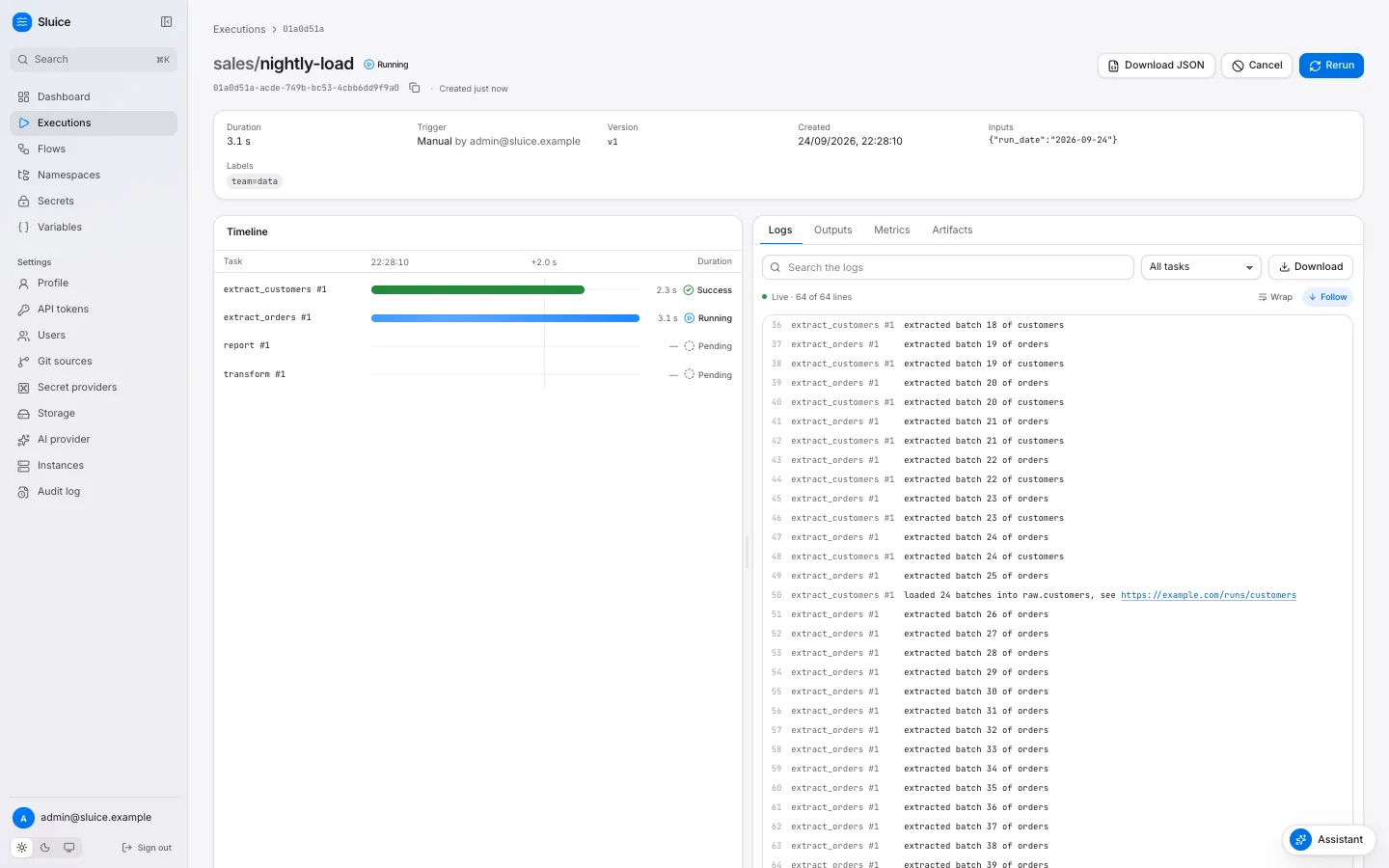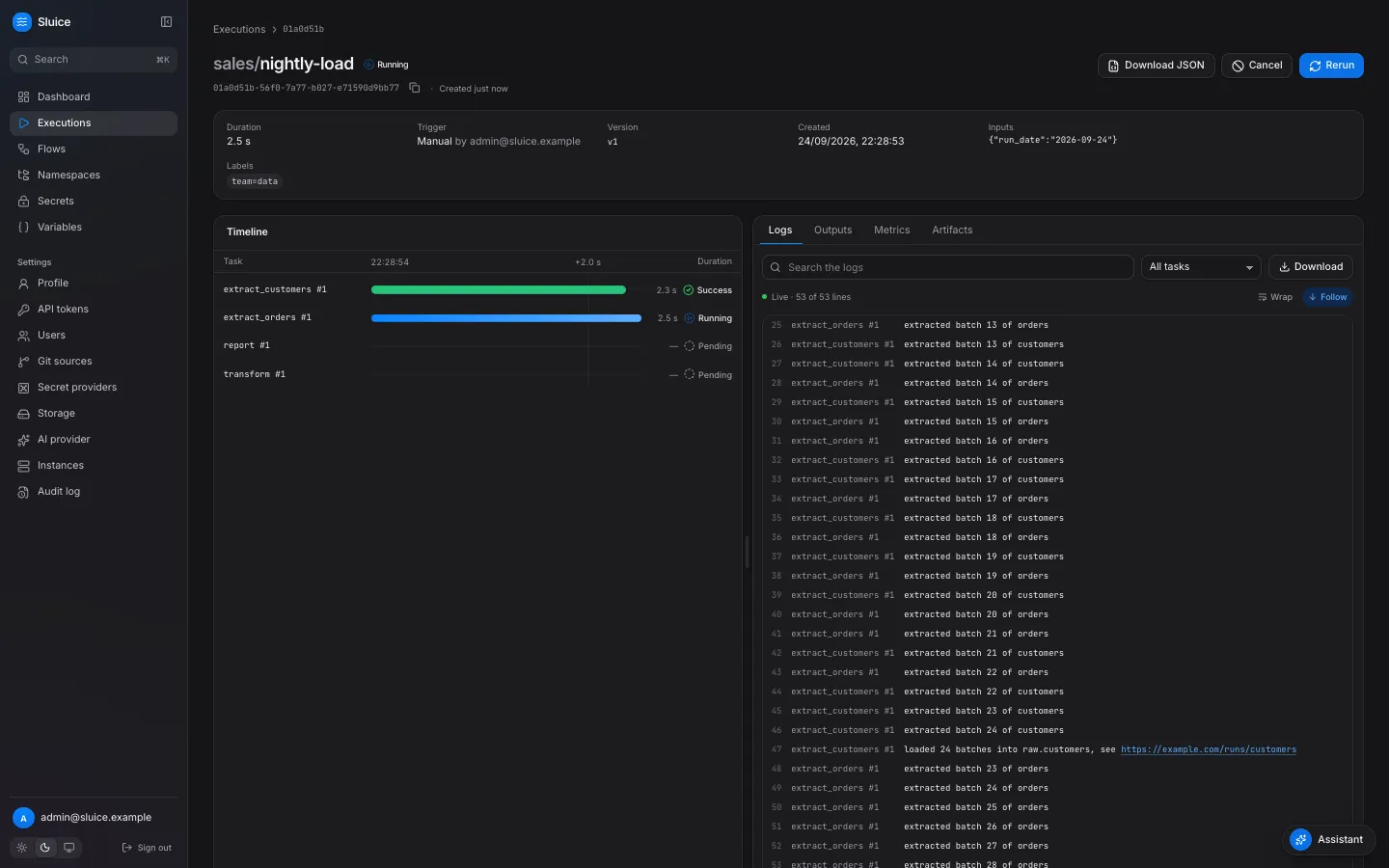 The page shows: * A header with the state, the duration, the trigger, the version, the inputs and the labels. * A **Timeline** with one bar for each attempt, for example `extract_orders #1`. A selected bar opens a card with the executor, the queue wait, the exit code, the reason and the error. * An inspector with the tabs **Logs**, **Outputs**, **Metrics** and **Artifacts**. A selected task filters each tab to that task. * **Jump to first failure** when a task failed, and **Download JSON** for the execution with its task runs. The **Executions** page and the flow page refresh their lists every second. ## Next steps [Section titled “Next steps”](#next-steps) [States and reasons](/reference/states-and-reasons/) [Triage a failed execution](/how-to/triage-a-failed-execution/) [Retry, time out and limit executions](/how-to/retry-time-out-and-limit/) [Namespaces and versions](/concepts/namespaces-and-versions/)
# Executors, pools and the runner
> Why Sluice has four executors, how pools route tasks to instances, how worker slots limit the work, and what the runner does inside a task.
This page explains where a task runs and why. An executor starts the work of a task run. A pool connects tasks to the instances that can run them. The runner is the part of Sluice that runs inside the task and reports back. ## Four executors [Section titled “Four executors”](#four-executors) All executors use one interface: start, wait, cancel and status. The engine does not know how an executor starts the work. A task run keeps the external reference of its work, for example a container ID or a Job name. | Executor | Task types | Where the work runs | Isolation | After a server stop | | ------------ | ------------------- | ---------------------------------------------------------------- | -------------------------------------------------------------------------------- | --------------------------------------- | | `inline` | `http`, `subflow` | A goroutine in the instance that claimed the task. | None. | The task ends with `instance_shutdown`. | | `process` | `script`, `command` | A `sluice exec` child process of the server. | A separate process group. It shares the file system and the tools of the server. | The task ends with `instance_shutdown`. | | `docker` | `script`, `command` | A new container for each attempt, through the Docker Engine API. | The container. Any image, limits on CPU and memory. | The container continues. | | `kubernetes` | `script`, `command` | A new Job for each attempt. | The pod. Requests, limits, node placement, service accounts. | The Job continues. | You cannot select `inline` in a flow. `http` and `subflow` tasks do only network calls or start other executions, so they need no process of their own. ### Choose an executor [Section titled “Choose an executor”](#choose-an-executor) The **process** executor has the smallest overhead. It needs the tools of the task on the server, for example `uv` for Python scripts. The `sluice-uv` image holds `bash`, `uv`, Python 3.12 and `bun` for this case. Use it for a single host, a trial, or tasks that trust each other. The **docker** executor gives each attempt a clean container from an image that you choose. Use it on one host when tasks need different tools, or when a task must not change the server file system. The **kubernetes** executor gives each attempt a Job. The cluster places the pod by its requests, node selector and tolerations. Use it for production work in a cluster, and for tasks that need more resources than one server has. A docker or kubernetes task continues when the server stops, for example during a rollout. The runner in the task sends its data to any instance. A process task stops with its instance, and the retry policy applies. ## Which executor a task gets [Section titled “Which executor a task gets”](#which-executor-a-task-gets) A task gets its executor from four levels, in this order: the task, the flow, `defaults.executor` of `namespace.yaml`, and the instance default. Sluice merges the levels field by field. A level replaces only the fields that it sets. A task can thus set only `pool` and keep the type and the image of the flow. After the merge, an empty `type` becomes `process` and an empty `pool` becomes `default`. The instance default is always `process`. No variable changes it. The validator checks the merged result. It reports `image_required` when a docker or kubernetes task has no image. It reports `field_not_allowed` when a block sets a field that its type does not accept, for example `pull` on a kubernetes block. It reports `executor_not_allowed` when an `http` or `subflow` task has an executor block. ## Which executors an instance has [Section titled “Which executors an instance has”](#which-executors-an-instance-has) `SLUICE_EXECUTORS` selects the executors of an instance. With the default `auto`, the instance detects them at start: | Executor | Rule with `auto` | | ------------ | ---------------------------------------------------------------------------- | | `inline` | Always on. | | `process` | Always on. | | `docker` | On when the Docker API answers a ping within 2 seconds. | | `kubernetes` | On when a Job create dry run in the Job namespace succeeds within 5 seconds. | An explicit list, for example `process,kubernetes`, turns on exactly these executors plus `inline`. It does no detection. A list without `process` turns the process executor off. Each instance records its pools and executors. An admin sees them on **Settings → Instances**. ## Pools route tasks [Section titled “Pools route tasks”](#pools-route-tasks) A pool is a name that connects tasks to instances. `SLUICE_POOLS` lists the pools of an instance. The default is `default`. A task goes to the pool in its `executor.pool`. An instance claims a task run only when two conditions are true. The pool of the task is in its `SLUICE_POOLS`, and the executor of the task is on. Inline tasks have no pool. Any instance can claim them. Pools let you place work without a scheduler of your own: * An instance on a host with a GPU serves the pool `gpu`. Only tasks with `pool: gpu` go there. * An instance in a second cluster serves the pool `cluster-b`. It uses the same database, storage and master keys. * An instance with `SLUICE_WORKER_SLOTS=0` serves the UI and the API, and claims no process or docker task. When no online instance serves the pool and the executor of a queued task, the task shows the reason `no_instance_for_pool`. It stays `QUEUED`. It starts when such an instance comes online. ## Slots limit the work [Section titled “Slots limit the work”](#slots-limit-the-work) Each claim takes a slot. When no slot is free, the task run waits in the queue. | Limit | Variable | Default | Scope | | ------------------------ | --------------------- | ------- | ------------------------------------------------------- | | Process and docker tasks | `SLUICE_WORKER_SLOTS` | `8` | One instance. Process and docker tasks share the slots. | | Kubernetes Jobs | `SLUICE_K8S_MAX_JOBS` | `50` | One pool, over all instances. | | Inline tasks | none | `64` | One instance. | The dispatcher claims the oldest queued task runs first. It polls the queue every `SLUICE_QUEUE_POLL_INTERVAL`, and also when a local task ends. The concurrency limit of a flow and `max_parallel` apply before the claim. See [Retry, time out and limit executions](/how-to/retry-time-out-and-limit/). ## The runner [Section titled “The runner”](#the-runner) The runner is the command `sluice exec` of the same binary. It runs next to the task command on the process, docker and kubernetes executors. It does these things for one task run: * It reads the task spec and the resolved environment, secrets included, from the runner API. * It downloads the bundle of the pinned snapshot and extracts it into the work directory. * It runs the command, and sends the log lines, the outputs, the metrics and the artifacts. * It sends a heartbeat every 10 seconds. The answer tells it when a user cancels the execution. * It posts the exit code and the error. The executor gives the runner only three variables: `SLUICE_API_URL`, `SLUICE_RUN_TOKEN` and `SLUICE_TASK_RUN_ID`. The run token is valid for this task run only, and it expires at the task timeout plus 10 minutes. The server revokes it when the task run ends. This design has two results. First, no secret value is in a server process environment, a container configuration or a Kubernetes Job. Second, all three executors use one protocol, so logs, outputs and cancels behave the same on each of them. The process executor passes only a short list of server variables to the runner, for example `PATH`, `HOME`, `TZ` and the proxy variables. The server configuration, for example `SLUICE_DATABASE_URL` and `SLUICE_MASTER_KEYS`, does not reach tasks. ### Runner injection [Section titled “Runner injection”](#runner-injection) The runner must be in the container of the task. With `inject_runner: true`, the default, Sluice puts it there, so any Linux image can run a task: | Executor | How the runner gets into the task | | ------------ | --------------------------------------------------------------------------------------------------------------------------------------------------------------------------------------- | | `docker` | The server copies the binary once from `SLUICE_RUNNER_IMAGE`. For each task, it copies the binary into the created container at `/sluice-bin/sluice` through the Engine API. No volume. | | `kubernetes` | An init container from `SLUICE_RUNNER_IMAGE` runs `sluice runner-install /sluice-bin`. It writes the binary into an `emptyDir` that the task container mounts. | With `inject_runner: false`, the task container runs `sluice exec` from the `PATH` of the image. Sluice copies nothing and adds no init container. Use this option with an image that holds the binary, for example `sluice-uv` or an image built from it. ### The Sluice images [Section titled “The Sluice images”](#the-sluice-images) Both images hold the binary at `/usr/local/bin/sluice` and run as the non-root user 65532. | Image | Base | Contents | | ----------- | ----------------- | ---------------------------------------------------------------------------- | | `sluice` | distroless static | The `sluice` binary only. No shell. | | `sluice-uv` | Debian slim | The binary, `bash`, `ca-certificates`, `git`, `uv`, a Python 3.12 and `bun`. | ## Cancels and lost work [Section titled “Cancels and lost work”](#cancels-and-lost-work) A cancel reaches each executor in its own way. The runner sends SIGTERM to the task process group, and SIGKILL after 10 seconds. The docker executor stops the container with a grace time of 10 seconds and removes it. The kubernetes executor deletes the Job. When the work of a task run stops without a result, the task run ends `FAILED` with the reason `lost`. Examples are a `docker kill`, an evicted pod, or a claiming instance that went offline. The retry policy applies to a lost attempt like to any failure. ## Related pages [Section titled “Related pages”](#related-pages) * [Run tasks in Docker](/how-to/run-tasks-in-docker/) * [Run tasks on Kubernetes](/how-to/run-tasks-on-kubernetes/) * [Architecture](/concepts/architecture/) * [Flow file reference](/reference/flow/) * [Environment variables](/reference/env/)
# Flows, tasks and templates
> How a flow file declares tasks, dependencies, inputs, environment and files, and where Sluice validates it.
This page explains what a flow is, how its tasks run, and how values move into a task. The complete field list is in [Flow file](/reference/flow/). The expressions are in [Templates](/reference/templates/). ## A flow is a file [Section titled “A flow is a file”](#a-flow-is-a-file) A flow is one YAML file in a [namespace](/concepts/namespaces-and-versions/). The file name ends in `.flow.yaml` or `.flow.yml`, and the file can be in any directory of the namespace. One file holds one flow. The scripts that the flow runs are files in the same namespace, so a flow and its code change together in one version. | Rule | Value | | ----------------- | -------------------------------------------------------------------------------------------------- | | Flow `id` | Lower-case letters, digits and hyphens. It starts with a letter or a digit. At most 63 characters. | | Unique `id` | Two files with the same `id` in one namespace are both invalid (`duplicate_flow_id`). | | Tasks | From 1 to 200. | | Paths in the flow | Relative to the namespace root. No leading `/`, no `..` segment, at most 512 characters. | A flow does not run on its own. A trigger creates an execution from it: a click on **Run**, a schedule, a webhook call, the end of another flow, or a subflow task. [Executions and states](/concepts/executions-and-states/) explains what happens then. 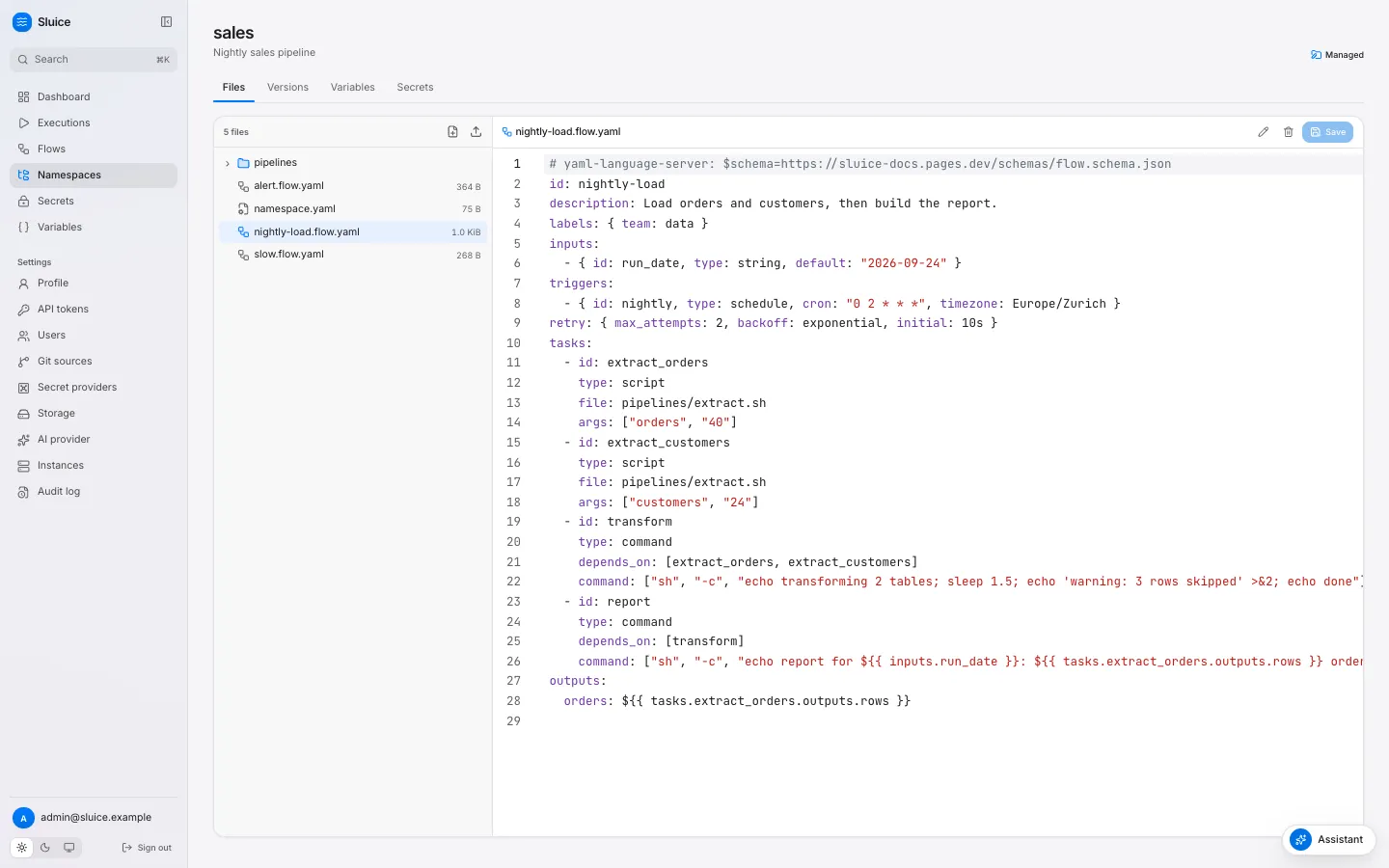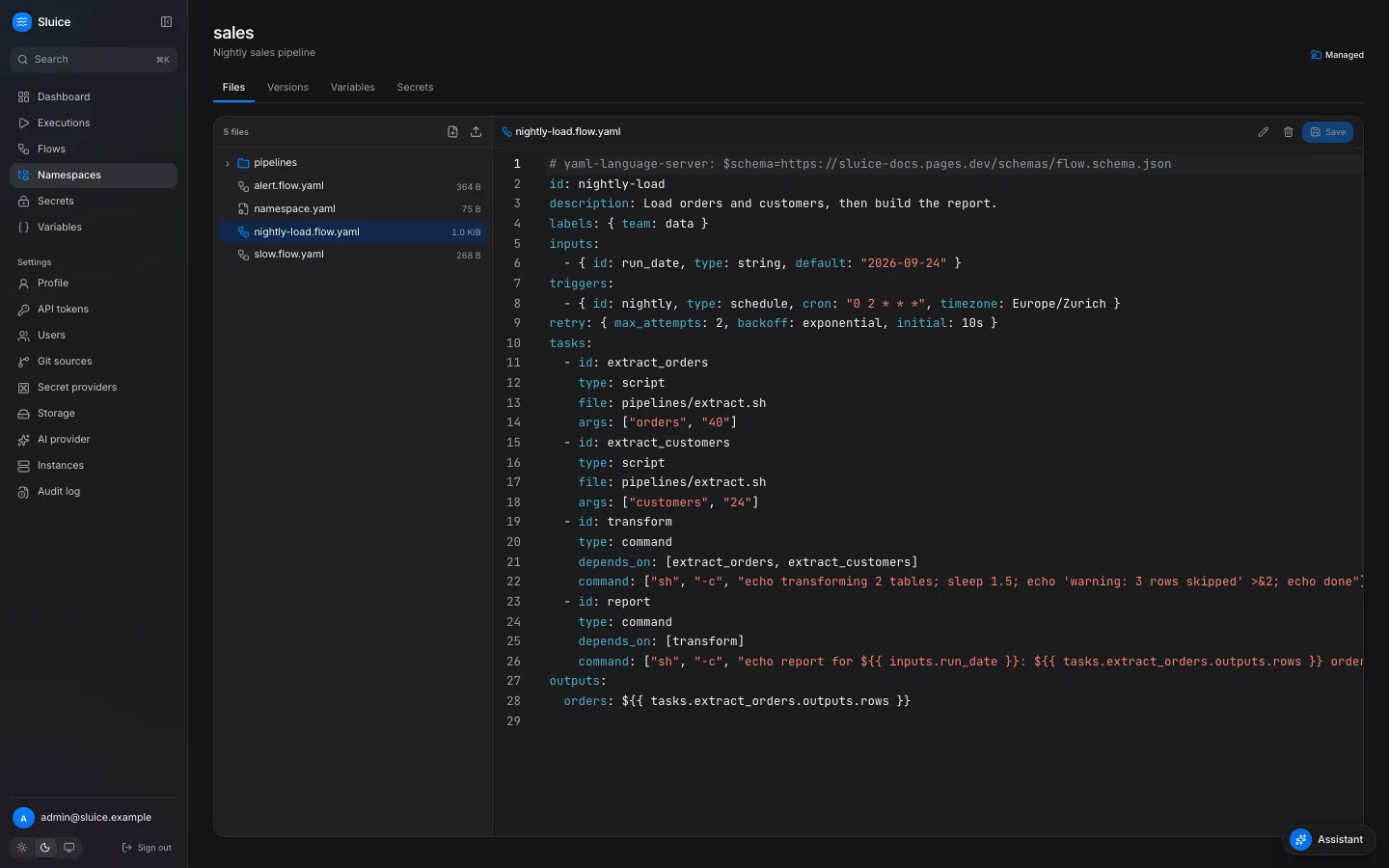 ## Task types [Section titled “Task types”](#task-types) Every task has an `id` and a `type`. The type decides where the task runs and which fields it takes. | Type | What it does | Required field | Runs on | | --------- | -------------------------------------------- | -------------- | ----------------------------------------- | | `script` | Runs a file of the namespace with a runtime. | `file` | An executor. | | `command` | Runs an argv list. There is no shell. | `command` | An executor. | | `http` | Sends one HTTP request. | `url` | The server instance that claims the task. | | `subflow` | Starts another flow as a child execution. | `flow` | The server instance that claims the task. | A field of another type fails validation with `field_not_allowed`, for example `url` on a `script` task. A `script` task picks its runtime from `runtime`, or from the file extension: | `runtime` | Extension | Command | | --------- | --------------------- | ----------------------- | | `python` | `.py` | `uv run ` | | `bash` | `.sh` | `bash ` | | `bun` | `.ts` | `bun run ` | | `node` | `.js`, `.mjs`, `.cjs` | `node ` | A file with another extension needs `runtime` (`unknown_runtime`). When the tool is not on the executor, the task fails with reason `runtime_not_found`. A `command` task runs its argv list directly. To use pipes or globs, run a shell: `["sh", "-c", "wc -l data/*.csv"]`. An `http` task records the outputs `status`, `headers` and `body`. The body holds at most 1 MiB, and a JSON body becomes a JSON value. A status outside `expect_status`, which defaults to 200 to 299, fails the task with reason `http_status`. A `subflow` task names its child as `/`. [Chain flows](/how-to/chain-flows/) shows how to use it. `script` and `command` tasks run on an executor: a process, a Docker container or a Kubernetes Job. `executor` on an `http` or `subflow` task fails validation with `executor_not_allowed`. [Executors, pools and the runner](/concepts/executors-pools-and-the-runner/) explains the executors. ## Dependencies and run\_if [Section titled “Dependencies and run\_if”](#dependencies-and-run_if) `depends_on` lists the tasks that must end before a task starts. Tasks without dependencies start at once. Independent tasks run in parallel, up to `max_parallel`. Validation rejects an unknown task, a task that depends on itself, a duplicate entry and a cycle. When all dependencies have ended, `run_if` decides whether the task runs: | `run_if` | The task runs when | Otherwise the task ends `SKIPPED` with | | ------------------- | ------------------------------------------------------ | ---------------------------------------------------------------------------------------------------------------------------------------- | | `success` (default) | every dependency ended `SUCCESS`. | `upstream_failed` when a dependency ended `FAILED`, `TIMED_OUT`, `CANCELLED` or `SKIPPED` with `upstream_failed`. Else `run_if_not_met`. | | `failure` | at least one dependency ended `FAILED` or `TIMED_OUT`. | `run_if_not_met` | | `always` | every dependency has ended, in any state. | — | A task with `run_if: failure` and no dependencies never runs. The execution ends `SUCCESS` when every task ended `SUCCESS`, or `SKIPPED` with `run_if_not_met`. So a cleanup task with `run_if: failure` does not turn a good run into a failure. Any other end state of a task makes the execution `FAILED`.
```yaml
id: load-with-alert
tasks:
- id: load
type: script
file: pipelines/load.py
- id: publish
type: command
depends_on: [load]
command: ["echo", "published"]
- id: alert
type: http
depends_on: [load]
run_if: failure
method: POST
url: ${{ vars.ALERT_URL }}
body: '{"text": "load failed in ${{ execution.id }}"}'
```
When `load` succeeds, `publish` runs and `alert` ends `SKIPPED` with `run_if_not_met`. The execution is `SUCCESS`. When `load` fails, `alert` runs and `publish` ends `SKIPPED` with `upstream_failed`. The execution is `FAILED`. ## Inputs [Section titled “Inputs”](#inputs) Inputs are the parameters of a flow. A trigger gives their values, and Sluice checks the values before it creates the execution. | Input `type` | Accepts | | ------------ | --------------------------------- | | `string` | A string. | | `int` | A whole number. | | `number` | Any number. | | `boolean` | `true` or `false`. | | `select` | One of the `values` of the input. | | `json` | Any JSON value. | An unknown input, a value of the wrong type, or a missing `required` input without a `default` rejects the trigger. A manual run then returns 422 `validation_failed` with one detail for each input. A `default` that does not match its type fails validation with `invalid_input_default`. The **Run** dialog on the flow page shows one field for each input. `sluice run sales/nightly-load --input run_date=2026-09-24` gives an input from the command line. An optional input without a default and without a value has no value. A template that reads it fails the task with `template_error`. ## Environment [Section titled “Environment”](#environment) The environment of a task comes from three maps. A later map overrides an earlier map key by key: 1. `defaults.env` of `namespace.yaml`. 2. The flow `env`. 3. The task `env`. The values are templates, and they accept `secret()`. That makes `env` the place for credentials: the task reads a secret as an environment variable, and the secret never appears in `args` or `command`. Sluice also sets these variables for every `script` and `command` task: | Variable | Value | | --------------------- | ------------------------------------------------------------------------------------------------------ | | `SLUICE_EXECUTION_ID` | The execution ID. | | `SLUICE_TASK_ID` | The task ID. | | `SLUICE_ATTEMPT` | The attempt number, from 1. | | `SLUICE_NAMESPACE` | The namespace of the flow. | | `SLUICE_FLOW_ID` | The flow ID. | | `SLUICE_OUTPUTS` | The path of the outputs file. [Pass data between tasks](/how-to/pass-data-between-tasks/) explains it. | | `SLUICE_WORKDIR` | The directory that holds the namespace files. | ## Files [Section titled “Files”](#files) Some tools read their configuration from a file, for example a dbt `profiles.yml`. The `files` map of a `script` or `command` task writes such files before the task starts. Each key is a path relative to the namespace root. Each value is a template, and it accepts `secret()`.
```yaml
id: dbt-run
tasks:
- id: dbt_run
type: command
command: ["dbt", "run", "--profiles-dir", "."]
files:
profiles.yml: |
warehouse:
target: prod
outputs:
prod:
type: postgres
host: ${{ vars.DB_HOST }}
password: ${{ secret('DB_PASSWORD') }}
```
The runner writes each file into the working directory with mode `0600`, and it creates the parent directories. A file replaces a namespace file at the same path for this task only. The version of the namespace does not change. A key cannot hold a template (`template_not_allowed`), and a key that is not a valid relative path fails with `invalid_path`. ## Templates [Section titled “Templates”](#templates) A template is `${{ expr }}` in a string value. The expression is a lookup. It reads an input, a variable, a secret, a task output, a trigger field or a fact of the execution. There are no operators. This keeps a flow file readable and lets the validator check every reference before anything runs. Sluice renders the templates of a task when it dispatches the task, not when you save the flow. Thus a task reads the current value of a variable or a secret, and the outputs of the tasks that ended before it. A lookup that fails at that point fails the task with `template_error`, and no process starts. [Templates](/reference/templates/) lists every expression and the fields that accept it. ## Validation [Section titled “Validation”](#validation) Sluice validates a flow in three places, with the same code and the same error codes: | Place | When | What you see | | ----------------------- | -------------------------------------------------- | --------------------------------------------------------------------------------------------------------------------------------------- | | The namespace editor | While you type in a flow file or `namespace.yaml`. | A list of errors under the editor, each with line, column, code and message. | | The server | At each save, push or git sync. | The flow page shows **Invalid** and an **Errors** table. The triggers of the flow are inactive, and **Run** returns 422 `flow_invalid`. | | `sluice validate ` | On your machine or in CI, without a server. | One line for each file. The exit code is 1 when a file is invalid. | The server keeps an invalid flow, so you can see and fix it. An invalid flow starts no new executions until a valid version replaces it. Executions that already run keep the definition that they pinned.
```sh
sluice validate examples/elt/namespace
sluice validate examples/elt/namespace --json
```
`--json` prints an object that matches the [validate result schema](/reference/schemas/). The flow schema also helps an editor or a coding agent. Add this line at the top of a flow file to get completion and checks in editors that support it: `# yaml-language-server: $schema=https://sluice-docs.pages.dev/schemas/flow.schema.json`. ## Next steps [Section titled “Next steps”](#next-steps) [Pass data between tasks](/how-to/pass-data-between-tasks/) [Retry, time out and limit executions](/how-to/retry-time-out-and-limit/) [Flow file reference](/reference/flow/) [Templates reference](/reference/templates/)
# How Sluice compares
> A factual comparison of Sluice with Kestra, Airflow, Dagster, Prefect, Windmill and Temporal, for a reader who chooses a tool.
This page compares Sluice with six other orchestration tools: Kestra, Airflow, Dagster, Prefect, Windmill and Temporal. It states what Sluice is and is not, and when another tool fits better. ## What Sluice is [Section titled “What Sluice is”](#what-sluice-is) Sluice is a self-hosted flow orchestrator. It is one Go binary that holds the server, the web UI, the CLI, the runner and an MCP server. Postgres holds all state. It needs no other service. A flow is a YAML file in a namespace, next to the scripts that it runs. A task is a script (Python through uv, bash, bun or node), a command, an HTTP call or a subflow. Sluice runs tasks inline, as a process, in a Docker container or as a Kubernetes Job. Schedules, webhooks and the end of another flow start executions. The UI shows each execution live, with a waterfall of the task runs and their logs. Sluice gives coding agents and CI jobs the same access as people. The CLI prints JSON and exits with the end state of an execution. The MCP server reads, runs and triages executions. `sluice init` writes an agent skill into a repository. The docs publish `llms.txt` and a Markdown copy of each page. ## What Sluice is not [Section titled “What Sluice is not”](#what-sluice-is-not) * It is not a durable execution engine. It does not replay workflow code after a crash. A lost task run fails, and its retry policy applies. * It has no data asset model. It does not track tables, lineage or the freshness of data. * It has no plugin catalog. A task calls your own script, a command or an HTTP endpoint. * It has no single sign-on. It has its own user accounts and four fixed roles, with no roles for each namespace. * It is one environment for each deployment. It has no tenants. * It is before version 1.0.0. A minor version can break compatibility. ## Comparison table [Section titled “Comparison table”](#comparison-table) The facts about the other tools come from their public documentation in September 2026. A dash means that this page makes no claim. | Tool | Deployment footprint | Flow definition | Where tasks run | UI | CLI | MCP and agent support | License model | | ------------- | ----------------------------------------------------------------------------------------- | ------------------------------------------------------------------------------------ | ----------------------------------------------------------------- | ------------------------------------------------ | -------------------------- | ------------------------------------------------------------------------------------------------------------- | ------------------------------------------------------- | | **Sluice** | One Go binary and Postgres. | YAML flow files in namespaces. Tasks are scripts, commands, HTTP calls and subflows. | Inline, process, Docker and Kubernetes executors, in named pools. | Web UI in the binary. | `sluice`, the same binary. | MCP server at `/mcp`, MCP server card, an assistant in the UI, an agent skill from `sluice init`, `llms.txt`. | Open source under the GNU AGPL 3.0. | | **Kestra** | A Java server on the JVM, with a database. | YAML flows in namespaces. Tasks come from plugins. | Plugins and task runners. | Web UI with a flow editor and a Copilot sidebar. | `kestra` | MCP server, Copilot sidebar, `llms.txt`. | Open source core, with a commercial enterprise edition. | | **Windmill** | A Rust server and workers, with Postgres. | Scripts in many languages, and flows that chain scripts. | Workers in worker groups. | Web UI with script and flow editors. | `wmill` | An MCP gateway for each instance. | Open source core, with a commercial enterprise edition. | | **Prefect** | A Python server with a database, and workers. A hosted service exists. | Python functions with `@flow` and `@task` decorators. | Workers in work pools. | Web UI. | `prefect` | A read-only MCP server. | Open source, with a hosted commercial service. | | **Dagster** | A web server, a daemon and code locations, with a database. A hosted service exists. | Python. The unit is the data asset. | Run launchers and executors. | Web UI with the asset graph. | `dagster`, `dg` | An MCP server. | Open source, with a hosted commercial service. | | **Airflow 3** | A scheduler, an API server, a DAG processor, workers and a metadata database. | Python DAGs. | Executors, for example Celery or Kubernetes. | React web UI. | `airflow` | No first-party agent tooling. | Open source, an Apache Software Foundation project. | | **Temporal** | The Temporal service with a persistence store, and your workers. A hosted service exists. | Durable workflows as code in an SDK. It is not a scheduler of scripts. | Your worker processes. | Web UI for workflow histories. | `temporal` | — | Open source, with a hosted commercial service. | ## When to choose Sluice [Section titled “When to choose Sluice”](#when-to-choose-sluice) Sluice fits these cases: * You have scripts and commands, and you want them on a schedule or a webhook with logs, retries and secrets. * You want one binary and one Postgres database, with no message broker and no separate scheduler or worker services. * You want flows as reviewable YAML files in git, next to the scripts, with a validator that runs offline in CI. * You want coding agents and CI jobs to run and debug flows through a CLI with JSON output, MCP tools and an agent skill. * You run on Kubernetes and want each task as a Job, or on one host and want each task as a process or a container. ## When to choose another tool [Section titled “When to choose another tool”](#when-to-choose-another-tool) Another tool fits these cases better: * **Kestra**: you want YAML flows with a catalog of ready-made plugins for databases, clouds and SaaS products. Its enterprise edition adds features such as single sign-on. * **Airflow**: your team writes Python DAGs, uses the Airflow provider packages, or runs Airflow already. * **Dagster**: you think in data assets, and you need lineage, freshness and asset checks across a data platform. * **Prefect**: your workflows are Python code, and you want to add orchestration to existing Python functions with decorators. * **Windmill**: you want scripts in many languages with generated UIs and internal apps on top of them. * **Temporal**: you need durable, long-running workflows as code that survive process crashes and continue from the last step, for example in business transactions. Sluice also does not fit when you need single sign-on, namespace-level roles or several isolated tenants in one deployment. ## Related pages [Section titled “Related pages”](#related-pages) * [Architecture](/concepts/architecture/): the components of Sluice. * [Executors, pools and the runner](/concepts/executors-pools-and-the-runner/): where tasks run. * [The assistant and MCP](/concepts/the-assistant-and-mcp/): the agent features. * [Run your first flow](/tutorials/run-your-first-flow/): start Sluice and run a flow.
# Namespaces and versions
> How namespaces group flows and files, how every change becomes a version, and how managed and git namespaces differ.
This page explains namespaces: the trees of files that hold flows and scripts. It covers the name hierarchy, the two kinds of namespace, versions, and the ways to change files. ## A namespace is a tree of files [Section titled “A namespace is a tree of files”](#a-namespace-is-a-tree-of-files) A namespace holds flow files, the scripts that they run, `namespace.yaml` and any other file that a task needs. A task sees the files of its namespace in its working directory. Every path in a flow is relative to the namespace root. | Rule | Value | | ------------ | ------------------------------------------------------------------------------------------------------------------------------------------------------------------------------- | | Name | Lower-case letters, digits and hyphens, in parts separated by dots, for example `sales` or `sales.eu`. A part starts and ends with a letter or a digit. At most 128 characters. | | File path | Relative, UTF-8, at most 512 characters, no empty, `.` or `..` segment. | | File size | At most `SLUICE_MAX_FILE_BYTES`, 10 MiB by default. | | Version size | All files together at most `SLUICE_MAX_BUNDLE_BYTES`, 200 MiB by default. | ## The name hierarchy [Section titled “The name hierarchy”](#the-name-hierarchy) The dots in a name make a hierarchy. `sales` is the parent of `sales.eu`. The hierarchy has three uses: * **Secrets and variables.** A task in `sales.eu` searches its own namespace, then `sales`, then the global scope. The nearest definition wins. [Use secrets and variables](/how-to/use-secrets-and-variables/) shows this. * **Filters.** A namespace filter on the **Executions** page, the dashboard and the API includes the child namespaces. * **Navigation.** The **Namespaces** page shows the namespaces as a tree. A parent does not need to exist. When you create only `sales.eu`, the tree shows `sales` as an implicit parent. An implicit parent has no files, secrets or variables. To give it secrets or variables, create it first. A write to an implicit parent returns 404 `namespace_not_found`. ## Managed and git namespaces [Section titled “Managed and git namespaces”](#managed-and-git-namespaces) A namespace gets its files from one of two sources. | | Managed | Git | | --------------- | ------------------------------------------------------------------------------------- | ----------------------------------------------------------------------------------------------- | | Created by | An editor, with **Create namespace**, the API or `sluice namespaces push --create`. | A mapping of a git source. See [Sync a namespace from git](/how-to/sync-a-namespace-from-git/). | | Files change by | A save in the editor, an upload, a revert, `sluice namespaces push` or the assistant. | A commit on the tracked branch and a sync. | | Edit in Sluice | Yes. Each save makes a new version. | No. The namespace is read-only. An edit goes to a new branch with **Push to branch**. | | Version label | A number: `v1`, `v2`, … | The commit SHA. | | Badge | **Managed** | **Git** and **Read-only** | A file write to a git namespace returns 409 `namespace_read_only`. This keeps the repository as the only source of the files. ## Every change is a version [Section titled “Every change is a version”](#every-change-is-a-version) A version, also called a snapshot, is one fixed set of files. Sluice never changes a version. A save creates a new version and makes it the head of the namespace. A managed version records a message and the user who made it. A git version records the commit SHA, and its message is `git : `. A save or sync that changes no file makes no version. Versions matter in three places: * **Executions.** A new execution pins the head version. It runs with those files to the end, even when a later save changes them. See [Executions and states](/concepts/executions-and-states/). * **Flow revisions.** When a version changes a flow file, or changes the validation result of a flow, Sluice stores a new revision of that flow. The **Revisions** tab of the flow lists the revisions and compares two of them. * **History.** The **Versions** tab of a namespace lists the versions with author, message and time. ### Compare and revert [Section titled “Compare and revert”](#compare-and-revert) The **Versions** tab has **Compare versions**. Pick a **From** and a **To** version to see a unified diff of each added, removed and modified file. Binary files show no diff. The API is `GET /api/v1/namespaces/{namespace}/diff?from=1&to=2`. **Revert to this version** on an old version creates a new version with the files of the old one. The message is `Revert to version ` unless you give another. History stays complete: the versions after the old one remain. Revert exists only for managed namespaces. For a git namespace, revert the commit in the repository. ## Namespace defaults [Section titled “Namespace defaults”](#namespace-defaults) `namespace.yaml` at the namespace root sets defaults for every flow of the namespace. The file is optional.
```yaml
description: ELT pipelines
defaults:
executor: { type: kubernetes, pool: cluster-a, image: ghcr.io/acme/elt:1.4.0 }
env: { TZ: Europe/Zurich }
retry: { max_attempts: 2 }
timeout: 1h
```
| Field | How a flow overrides it | | ------------------- | -------------------------------------------------------------------------------------------------------------------- | | `defaults.executor` | Field by field: the task executor, then the flow executor, then these defaults, then the instance default `process`. | | `defaults.env` | The flow `env` and the task `env` override it key by key. | | `defaults.retry` | The flow `retry` and the task `retry` override it field by field. | | `defaults.timeout` | The default task timeout. A task `timeout` overrides it. Without either, a task has 24 hours. | A new execution stores the flow merged with the defaults of its version. A later change to `namespace.yaml` does not change it. Sluice validates `namespace.yaml` like a flow file. An invalid `namespace.yaml` gives no defaults. ## Ways to change files [Section titled “Ways to change files”](#ways-to-change-files) ### The namespace editor [Section titled “The namespace editor”](#the-namespace-editor) The **Files** tab of a managed namespace is an editor. It holds a file browser on the left and a code editor on the right.  The editor stages your edits in the browser. An edited file shows a mark in the file browser, and the editor shows **Unsaved changes** with a **Discard** action. Edit several files, then click **Save changes** under the file browser. The dialog lists the staged files and asks for a **Commit message**. All staged files go into one version. **Save** in the editor toolbar, or Cmd+S or Ctrl+S, saves the open file as its own version. While you type in a flow file or in `namespace.yaml`, the server validates the text. The editor lists each error with its line, column, code and message. A save sends the version that the editor loaded. When another user saved first, the save returns 409 `version_conflict`, and the dialog offers **Reload**. Your staged files stay in the dialog until you reload. A script file has **Run** in the editor toolbar, or Cmd+Enter or Ctrl+Enter. It runs the file of the head version as a `file` execution. ### The CLI [Section titled “The CLI”](#the-cli) `sluice namespaces push` uploads a local directory as one new version. It compares the directory with the head version and sends only the added, changed and removed files. When nothing differs, it creates no version.
```sh
sluice namespaces push ./namespace --namespace sales --message "Update the extract script"
sluice namespaces push ./namespace --namespace sales --create
```
| Behaviour | Detail | | --------------- | ------------------------------------------------------------------------------------------------ | | Target | `--namespace`, or the name of the directory. | | New namespace | `--create` creates a managed namespace when it does not exist. Without it, the command fails. | | Removed files | The new version drops each file that the directory does not have. | | Skipped entries | `.git` directories, symbolic links and invalid paths. The command prints a warning for each. | | Executable bit | The command keeps the executable bit of each local file. | | Conflict | The command sends the head version that it read. A save in between gives 409 `version_conflict`. | Run `sluice validate` on the directory first. The push does not stop for an invalid flow: the server stores it, marks it invalid and deactivates its triggers. ### The assistant [Section titled “The assistant”](#the-assistant) The assistant can propose and apply file changes. It validates each proposal and refuses to apply an invalid flow. After you confirm, the change becomes a new version of a managed namespace, or a new branch of a git namespace. See [Set up the assistant](/how-to/set-up-the-assistant/). ## Delete a namespace [Section titled “Delete a namespace”](#delete-a-namespace) An admin can delete a managed namespace. The delete fails with 409 `executions_running` while an execution of the namespace runs. The delete also removes the flows of the namespace and stops their triggers. Old executions stay visible. ## Next steps [Section titled “Next steps”](#next-steps) [Sync a namespace from git](/how-to/sync-a-namespace-from-git/) [Use secrets and variables](/how-to/use-secrets-and-variables/) [Flows, tasks and templates](/concepts/flows-and-tasks/) [Run flows from GitHub Actions](/how-to/run-flows-from-github-actions/)
# Security model
> How Sluice authenticates users, tokens and runners, what each role can do, and how it protects sessions, secrets and the audit trail.
This page explains how Sluice decides who can do what, and how it keeps secrets out of places where they do not belong. For the steps to secure a deployment, see [Harden a deployment](/operations/harden-a-deployment/). ## Credentials [Section titled “Credentials”](#credentials) Sluice has its own user accounts. It has no OIDC, SSO or SCIM. A request authenticates in one of three ways: | Credential | Where it works | Used by | | ---------------------------------------- | --------------------- | -------------------------------------- | | Session cookie `sluice_session` | The UI and `/api/v1` | Browsers | | API token, `Authorization: Bearer slu_…` | `/api/v1` and `/mcp` | Scripts, CI jobs, the CLI, MCP clients | | Run token, `Authorization: Bearer …` | `/api/runner/v1` only | The runner inside a task | Webhooks under `/hooks/` use their own keys or signatures. `/mcp` accepts only API tokens. A session cookie there gets `401`. ### Passwords [Section titled “Passwords”](#passwords) Sluice stores each password as an argon2id hash with 19 MiB of memory, 2 iterations and 1 thread. A new password needs at least 10 characters. A change of your own password needs the current password, and it ends your other sessions. An admin can set a temporary password for a user. Until the user sets a new one, every operation except the own profile and password operations answers `403 password_change_required`. The login has a rate limit. More than 10 failures for one email, or 50 failures from one IP address, in 15 minutes give `429 rate_limited` with `Retry-After`. The counts are in Postgres, so the limit applies over all instances. Sluice reads the IP address from the TCP connection, not from `X-Forwarded-For`. Behind a reverse proxy, all clients thus share the address of the proxy. ### Sessions [Section titled “Sessions”](#sessions) | Property | Value | | ------------- | ----------------------------------------------------------------------------------------------------- | | Cookie | `sluice_session`, `HttpOnly`, `SameSite=Lax`, `Path=/`. | | `Secure` flag | On when `SLUICE_PUBLIC_URL` starts with `https://`. | | Lifetime | `SLUICE_SESSION_TTL`, default `168h`. Each use extends it, at most once per minute. | | Storage | Postgres holds only the SHA-256 hash of the session ID. | | End | Logout deletes the session. A disable or a password reset of a user deletes all sessions of the user. | ### API tokens [Section titled “API tokens”](#api-tokens) An API token is `slu_` and 43 base62 characters, 256 random bits. Sluice shows the token once, at creation. The list shows only the first 10 characters, for example `slu_w6Ryj9`. Postgres holds only the SHA-256 hash. A token has a role that is at most the role of its owner. Its effective role is the lower of the token role and the current role of the owner. A demoted owner thus does not keep a higher token. A token can expire after 1 to 365 days, or never. A revoked or expired token, or a token of a disabled user, gets `401`. Each request reads the session or the token from Postgres. A disable, a role change or a revoke thus applies on all instances at once. ## Roles [Section titled “Roles”](#roles) Sluice has four fixed roles: `viewer`, `operator`, `editor` and `admin`. Each role has all permissions of the roles before it. | Capability | viewer | operator | editor | admin | | ------------------------------------------------------------------------------- | ------ | -------- | ------ | ----- | | Read dashboards, flows, files, executions, logs, metrics and variables | ✓ | ✓ | ✓ | ✓ | | List secret keys and their metadata, never values | ✓ | ✓ | ✓ | ✓ | | Use the assistant with the read tools | ✓ | ✓ | ✓ | ✓ | | Trigger, cancel, rerun and restart executions, run a file | | ✓ | ✓ | ✓ | | Request a triage, git **Sync now** | | ✓ | ✓ | ✓ | | Edit managed files, push a branch, enable or disable flows, rotate webhook keys | | | ✓ | ✓ | | Write namespace secrets and variables, check a secret | | | ✓ | ✓ | | Create managed namespaces | | | ✓ | ✓ | | Users, all tokens, global secrets and variables, secret providers, git sources | | | | ✓ | | Storage, instances, the AI provider, the audit log, delete namespaces | | | | ✓ | Every user manages their own profile, password and tokens. Every API operation declares its access in code. The server does not start when an operation has none. The server checks the role before it reads the request body, so a caller without permission never sees validation details. The UI hides actions that your role does not allow, but the server enforces each rule. ## The same-origin rule [Section titled “The same-origin rule”](#the-same-origin-rule) A browser sends the session cookie with every request to Sluice, also from another site. Sluice therefore checks the origin of each change that uses the cookie. A `POST`, `PUT`, `PATCH` or `DELETE` with the cookie passes only in one of these cases: * `Origin` is the origin of `SLUICE_PUBLIC_URL`. * `Origin` has the same host as the `Host` header of the request. * The request has no `Origin`, and `Sec-Fetch-Site` is `same-origin`. Every other cookie request gets `403 csrf_failed`, also `Origin: null`. Requests with an API token do not need `Origin`, because a browser does not add a token by itself. ## Security headers [Section titled “Security headers”](#security-headers) Every response of the UI and of the API has these headers: | Header | Value | | ------------------------- | -------------------------------------------- | | `Content-Security-Policy` | `default-src 'self'; frame-ancestors 'none'` | | `X-Content-Type-Options` | `nosniff` | | `Referrer-Policy` | `strict-origin-when-cross-origin` | The UI loads scripts, styles, fonts and images only from its own origin. The fonts are in the binary. No other site can show Sluice in a frame. A reverse proxy must not remove or change these headers. ## Secrets [Section titled “Secrets”](#secrets) The rule is that no secret value leaves the task process in plain text. | Place | Protection | | ------------------------------------- | -------------------------------------------------------------------------------------------------------------------------------- | | Postgres | Builtin secret values are AES-256-GCM ciphertext. External secrets store only the reference. | | API responses | No operation returns a secret value. A secret check returns only a status. | | Logs, outputs, metric tags, errors | The runner masks secret values before it sends them. The server masks them again before it stores them. A secret shows as `***`. | | Object storage | Log archives and artifacts hold only masked text. | | Docker containers and Kubernetes Jobs | They hold no secret values. The runner reads them from the runner API at run time. | | AI requests and tool results | Sluice masks execution data with the secret values of every task run of the execution. | | Audit events | Events hold keys and provider names, never values. | The task process itself gets the resolved values in its environment. Sluice cannot stop a script that sends a value somewhere else. ### Master keys [Section titled “Master keys”](#master-keys) `SLUICE_MASTER_KEYS` holds the keys that encrypt builtin secrets, as `kid:base64key` entries. Each key has 32 bytes. The first key is the active key for new writes. The other keys can still decrypt older values. Each stored value records the ID of its key. Without master keys, a write of a builtin secret answers `409 builtin_provider_disabled`. The other providers still work. When a stored value uses a key ID that is not in the list, `/readyz` fails with `master_key_missing`. `sluice secrets rekey` encrypts all builtin values again with the active key. See [Rotate the master key](/operations/rotate-the-master-key/). ### Stored hashes [Section titled “Stored hashes”](#stored-hashes) Postgres holds no credential in plain text. Passwords are argon2id hashes. Session IDs, API tokens, run tokens and webhook keys are SHA-256 hashes. ## Run tokens [Section titled “Run tokens”](#run-tokens) The dispatcher creates a run token when it claims a task run. The token reaches the runner in `SLUICE_RUN_TOKEN`. | Property | Value | | -------- | ---------------------------------------------------------------------- | | Scope | One task run. A token of task A on task B gets `403`. | | Validity | Only while the task run is `RUNNING`. | | Expiry | The task timeout plus 10 minutes. | | End | Sluice deletes the hash when the task run ends. Later calls get `401`. | | Routes | `/api/runner/v1` only. A run token cannot call `/api/v1`. | A Kubernetes Job holds the run token in its environment, because the runner needs it. The token has a narrow scope and expires, and the Job holds no secret values. ## Webhook keys [Section titled “Webhook keys”](#webhook-keys) A webhook trigger has no key until an editor rotates it. The rotation returns the key and the URL once. A key has 256 random bits. Sluice stores only its hash and compares it in constant time. A wrong key gets `404`, so a caller cannot find out which flows exist. Sluice does not store the `Authorization`, `Cookie` and `Proxy-Authorization` headers of a webhook call. Git webhooks use an HMAC signature or a token from a global secret. ## MCP clients [Section titled “MCP clients”](#mcp-clients) An MCP client uses an API token, and each tool runs with the role of the token. A mutating tool runs at once, with no confirmation, and Sluice records `ai.tool.call` in the audit log. Give each client its own token with the lowest role that it needs and an expiry. See [The assistant and MCP](/concepts/the-assistant-and-mcp/). ## Audit log [Section titled “Audit log”](#audit-log) Sluice records each change with the time, the actor type (`user`, `token`, `system` or `ai`), the actor, the action, the target, details and the client IP address. A call with an API token records the token ID. An admin reads the log on **Settings → Audit log** or with `GET /api/v1/audit`, with filters for the actor, the action, the target and the time. | Area | Actions | | ------------------------- | -------------------------------------------------------------------------------------------------------------------------------------------------------------------------------------------------------- | | Sign-in | `auth.login`, `auth.login_failed`, `auth.logout`, `auth.revoke_other_sessions` | | Users and tokens | `user.create`, `user.update`, `user.change_password`, `user.reset_password`, `token.create`, `token.revoke` | | Secrets and variables | `secret.create`, `secret.update`, `secret.delete`, `secret.rekey`, `secret_provider.create`, `secret_provider.update`, `secret_provider.delete`, `variable.create`, `variable.update`, `variable.delete` | | Git, namespaces and files | `git_source.create`, `git_source.update`, `git_source.delete`, `git_source.sync`, `git.push`, `namespace.create`, `namespace.delete`, `file.save`, `file.sync` | | Flows and triggers | `flow.enable`, `flow.disable`, `trigger.webhook_key_rotate`, `trigger.failed`, `trigger.chain_depth_exceeded` | | Executions | `execution.trigger`, `execution.run_file`, `execution.cancel`, `execution.rerun`, `execution.restart` | | AI | `ai.provider.update`, `ai.provider.delete`, `ai.triage.request`, `ai.action.confirmed`, `ai.action.rejected`, `ai.tool.call` | The maintenance leader deletes events older than 365 days. ## TLS and the public URL [Section titled “TLS and the public URL”](#tls-and-the-public-url) Sluice serves plain HTTP. It has no TLS settings. Put an Ingress, a load balancer or a reverse proxy with TLS in front of it. `SLUICE_PUBLIC_URL` must be the URL that browsers use. Sluice uses it for the `Secure` flag of the cookie, the same-origin check and the webhook URLs. Keep `SLUICE_INTERNAL_URL` on the internal network. Runners call it with run tokens. ## Containers [Section titled “Containers”](#containers) Both Sluice images run as the non-root user 65532. The Helm chart runs the server with a read-only root file system, no privilege escalation, all capabilities dropped and the seccomp profile `RuntimeDefault`. The only writable path is an `emptyDir` at `/tmp`. See [Deploy on Kubernetes with Helm](/how-to/deploy-on-kubernetes/). ## Related pages [Section titled “Related pages”](#related-pages) * [Harden a deployment](/operations/harden-a-deployment/) * [Rotate the master key](/operations/rotate-the-master-key/) * [Use secrets and variables](/how-to/use-secrets-and-variables/) * [The assistant and MCP](/concepts/the-assistant-and-mcp/)
# The assistant and MCP
> How the assistant in the web UI and the MCP server share one tool registry, and how roles, confirmation, masking, attachments and limits apply to each.
This page explains the two ways an AI model works with Sluice. The assistant is a chat panel in the web UI. The MCP server at `/mcp` gives the same tools to an external client, for example a coding agent. Both use one tool registry, so a tool behaves the same in both places. ## One tool registry [Section titled “One tool registry”](#one-tool-registry) Each tool has a name, an input schema, a minimum role and a mutating flag. [MCP tools](/reference/mcp-tools/) lists all of them. | Group | Tools | Minimum role | | --------------- | ---------------------------------------------------------------------------------------------------------- | ------------ | | Read | `list_namespaces`, `list_flows`, `get_flow`, `list_files`, `read_file`, `validate_flow`, `get_flow_schema` | viewer | | Read executions | `list_executions`, `get_execution`, `get_logs`, `get_metrics`, `get_insight` | viewer | | Run | `trigger_execution`, `cancel_execution`, `rerun_execution`, `restart_execution` | operator | | Change files | `propose_change`, `apply_change` | editor | A tool is mutating when it changes Sluice: the run tools and `apply_change`. `propose_change` validates files and returns a diff, but it writes nothing. Only the assistant has `propose_change`. An MCP client uses `validate_flow` and then `apply_change`. A tool call always checks the role of the caller. A caller without the role gets the tool error `forbidden`. The assistant offers the model only the tools that your role allows. ## Two front ends [Section titled “Two front ends”](#two-front-ends) | | Assistant | MCP server | | ------------------- | ---------------------------------------------------------------------------------- | --------------------------------------------------------- | | Where | The **Assistant** panel on every page of the web UI. | `/mcp`, streamable HTTP, stateless, JSON answers. | | Who calls the model | Sluice, with the configured AI provider. | The client, with its own model. Sluice needs no provider. | | Credential | Your session. | An API token. A session cookie gets `401`. | | Role | Your role. | The effective role of the token. | | Mutating tools | Wait for your **Confirm**. | Run at once. | | Audit | `ai.action.confirmed` or `ai.action.rejected`, and the event of the change itself. | `ai.tool.call`, and the event of the change itself. | `/.well-known/mcp.json` describes the MCP server for discovery. It names the endpoint and the `Authorization` header, and holds no data. ## Confirm before a change [Section titled “Confirm before a change”](#confirm-before-a-change) The assistant never changes Sluice on its own. When the model calls a mutating tool, the call does not run. The panel shows it with **Confirm** and **Reject**: * **Confirm** runs the tool as you, with your role. The change has you as its actor. * **Reject** tells the model that you refused. The model continues the turn with this fact. * While an action waits, you cannot send a new message. An MCP client has no such step. Sluice cannot ask a person inside an MCP call, so a mutating tool runs when the client calls it. The client can ask its own user first. Control an MCP client with its token: give it the lowest role that it needs, and an expiry. A viewer token gets only the read tools. ## Masking [Section titled “Masking”](#masking) Execution data can hold secret values, for example in a log line. The tools `get_execution`, `get_logs`, `get_metrics` and `get_insight` mask their results with the secret values of every task run of the execution. A secret shows as `***`. The `grep` of `get_logs` searches the masked text, so a secret value never matches. The same masking applies to the triage context and to attachments. No model request and no MCP result holds a secret value that Sluice knows. ## Attachments [Section titled “Attachments”](#attachments) In the assistant, type `@` to attach a flow, a recent execution or a namespace file to a message. A message holds at most 5 attachments. Sluice reads each attachment with the read tools, as you. Your role, the masking and the size limit of the tools thus apply. A message with an object that you cannot read fails. | Attachment | Content for the model | | ---------- | ----------------------------------------------------------------------------------------- | | Flow | `get_flow`: the flow with its YAML source. | | File | `read_file`: the file of the head version of the namespace. | | Execution | `get_execution`, `get_insight`, and `get_logs` with `failed_only` and the last 100 lines. | **Fix with assistant** on a failed execution starts a new conversation with the execution attached. See [Triage a failed execution](/how-to/triage-a-failed-execution/). ## Flow authoring [Section titled “Flow authoring”](#flow-authoring) When you ask the assistant for a flow change, it calls `propose_change`. The panel shows the diff of each file and the validation issues. When the proposal is invalid, the model gets the issues and can try again. When it is valid, the model calls `apply_change`, and you confirm. | Namespace source | Result of `apply_change` | | ---------------- | ---------------------------------------------------------------------------------------------------- | | Managed | A new version of the namespace. | | Git | A new branch `sluice//` from the last synced commit. The tracked branch does not change. | `apply_change` refuses a change with an invalid flow, also over MCP. ## Failure triage [Section titled “Failure triage”](#failure-triage) A triage explains why an execution failed. It has a summary, a probable cause, evidence log lines, a suggested fix and a confidence of `low`, `medium` or `high`. Sluice stores it as an insight of the execution. An operator requests a triage with **Triage** on a `FAILED` or `TIMED_OUT` execution. With automatic triage on, Sluice queues one when such an execution ends. Every instance takes queued triages. A triage has 3 minutes. A running triage older than 15 minutes, for example of a stopped instance, becomes `failed`. The model gets this context, all of it masked: * the flow source and the spec of the failed task; * the error, the exit code, the outputs and the metrics of the execution; * the first 50 and the last 400 log lines of the failed attempt; * the file diff against the last successful execution of the flow, at most 200 lines; * the durations of the last 10 executions of the flow. `SLUICE_AI_MAX_CONTEXT_CHARS` limits the context, 120 000 characters by default. The facts, the flow source and the diff get at most half of the limit. The log lines get the rest, a quarter for the first lines and the remainder for the last lines. A cut shows as `…(N lines omitted)`. The model must quote evidence lines exactly. Sluice removes an evidence line whose text is not in a log line of the failed task, and it corrects the line number. The evidence that you see is thus always a real log line. ## Limits [Section titled “Limits”](#limits) | Limit | Value | Result | | --------------------------------------------------- | ----------------------------- | --------------------------------------------------------------- | | Model answers with tool calls in one assistant turn | 20 | The turn stops with `step_limit_reached`. | | Invalid proposals in one turn | 3 | `propose_change` answers `retry_limit_reached`. | | Tool result for the model | 20 000 bytes | Sluice cuts the rest. | | Tool result in the panel | 4 000 characters | The panel shows a shorter text. The model gets the full result. | | One message | 20 000 characters | Validation error. | | Attachments of one message | 5 | The panel does not add more. | | Rows of `list_executions` | 50 | | | Lines of `get_logs` | 1 to 1 000, default 200 | | | Triage context | `SLUICE_AI_MAX_CONTEXT_CHARS` | Sluice cuts log lines first. | A provider answer of 429 or 5xx, or a network error, gets 3 attempts in total. ## Conversations [Section titled “Conversations”](#conversations) The assistant keeps your conversations in Postgres. Other users do not see them. A conversation stays after a page reload. It holds the messages, the tool calls and the actions that wait or that you confirmed or rejected. ## Related pages [Section titled “Related pages”](#related-pages) * [Set up the assistant](/how-to/set-up-the-assistant/) * [Connect an MCP client](/how-to/connect-an-mcp-client/) * [Use Sluice with coding agents](/how-to/use-sluice-with-coding-agents/) * [MCP tools](/reference/mcp-tools/) * [Security model](/concepts/security-model/)
# Chain flows
> Start one flow when another ends with a flow trigger, or run a flow as a step of another with a subflow task.
This guide shows you two ways to connect flows. A flow trigger starts a flow when another flow ends. A subflow task runs a flow as one step of another flow and can wait for its result. ## Choose the method [Section titled “Choose the method”](#choose-the-method) | | Flow trigger | Subflow task | | -------------------------------------------- | ---------------------------------------------- | --------------------------------------------------- | | Declared in | The downstream flow. | The parent flow. | | The upstream flow knows about the other flow | No. | Yes. | | Starts when | The upstream execution ends in a listed state. | The task starts. | | Data passes through | `trigger.outputs` of the upstream execution. | `inputs` of the task, and the outputs of the child. | | The parent waits | Not applicable. | With `wait: true`, the default. | | Cancel | Separate executions. | A cancel of the parent cancels a running child. | Use a flow trigger when the downstream flow belongs to another team, or when several flows react to one flow. Use a subflow task when the child is a step of a larger process and the parent needs its result. ## Start a flow when another flow ends [Section titled “Start a flow when another flow ends”](#start-a-flow-when-another-flow-ends) Add a trigger of type `flow` to the downstream flow. `flow` names the upstream flow as `/`. `states` lists the end states that fire the trigger.
```yaml
id: weekly-report
inputs:
- { id: orders, type: int, default: 0 }
triggers:
- id: after-load
type: flow
flow: sales/nightly-load
states: [SUCCESS]
inputs: { orders: "${{ trigger.outputs.orders }}" }
tasks:
- id: render
type: command
command: ["echo", "report for ${{ inputs.orders }} orders"]
```
When an execution of `sales/nightly-load` ends `SUCCESS`, Sluice starts `weekly-report`. The trigger type of the new execution is `flow`. | Field | Rule | | -------- | ------------------------------------------------------------------------------------------------------------------------ | | `flow` | The upstream flow. Validation checks only the format, so the upstream flow can be in another namespace or not exist yet. | | `states` | Any of `SUCCESS`, `FAILED`, `TIMED_OUT` and `CANCELLED`. Without `states`, the trigger fires on every end state. | | `inputs` | Templates over `trigger.execution_id`, `trigger.state`, `trigger.outputs` and `trigger.flow`. | `trigger.outputs` holds the flow `outputs` of the upstream execution. Sluice renders flow outputs only when an execution succeeds. After another end state, `trigger.outputs` is empty, and a template that reads a key from it fails. [Pass data between tasks](/how-to/pass-data-between-tasks/) shows how to declare flow outputs. ### Alert on a failure of another flow [Section titled “Alert on a failure of another flow”](#alert-on-a-failure-of-another-flow) A flow trigger on `FAILED` and `TIMED_OUT` turns one flow into the alert of another:
```yaml
id: load-alert
inputs:
- { id: failed_execution, type: string, required: true }
- { id: state, type: string, required: true }
triggers:
- id: on-failure
type: flow
flow: sales/nightly-load
states: [FAILED, TIMED_OUT]
inputs:
failed_execution: "${{ trigger.execution_id }}"
state: "${{ trigger.state }}"
tasks:
- id: post
type: http
method: POST
url: ${{ vars.ALERT_URL }}
headers: { Authorization: "Bearer ${{ secret('ALERT_TOKEN') }}" }
body: '{"text": "nightly-load ${{ inputs.state }}: ${{ inputs.failed_execution }}"}'
```
### When the downstream flow does not start [Section titled “When the downstream flow does not start”](#when-the-downstream-flow-does-not-start) Sluice fires flow triggers in the transaction that ends the upstream execution. The downstream flow must be valid and enabled. When the downstream execution cannot start, for example because an input fails its check, Sluice writes the audit event `trigger.failed`. The upstream execution ends as normal. Admins read audit events on **Settings → Audit log**. ## Run a flow as a step [Section titled “Run a flow as a step”](#run-a-flow-as-a-step) A `subflow` task starts another flow as a child execution.
```yaml
id: month-end
tasks:
- id: load
type: subflow
flow: sales/nightly-load
inputs: { run_date: "2026-09-30" }
- id: close
type: command
depends_on: [load]
command: ["echo", "closed with ${{ tasks.load.outputs.orders }} orders"]
```
| Field | Rule | | -------- | -------------------------------------------------------------------------------------------------------------------- | | `flow` | The child flow as `/`. No templates. Required. | | `inputs` | Templates for the inputs of the child. Sluice checks them against the input types of the child when the task starts. | | `wait` | Default `true`. | The child flow must be valid. The **Enabled** switch of the child does not apply to subflow tasks. * wait: true The task stays `RUNNING` until the child ends. When the child ends `SUCCESS`, the task succeeds, and its outputs are the flow `outputs` of the child. When the child ends in another state, the task fails with reason `child_failed`. A cancel of the parent cancels the child. * wait: false The task succeeds as soon as the child exists. Its output `execution_id` holds the ID of the child. The parent does not follow the child, and a cancel of the parent does not reach it. The child execution shows **Parent execution** on its page, and the parent shows **Child executions**. The selected subflow task links to its child. The trigger payload of the child holds `parent_execution_id` and `parent_task`. A child that fails to start fails the task. A bad input gives reason `template_error`, and an invalid or missing child flow gives `executor_error`. ## Chain depth [Section titled “Chain depth”](#chain-depth) Each execution has a `chain_depth`. A manual, schedule or webhook execution has depth 0. An execution from a flow trigger or a subflow task has the depth of its source plus 1. | Case | Limit | Result above the limit | | ------------ | -------- | ---------------------------------------------------------------------------------------- | | Flow trigger | Depth 10 | The trigger does not fire. Sluice writes the audit event `trigger.chain_depth_exceeded`. | | Subflow task | Depth 10 | The task fails with reason `depth_exceeded`. | Flow triggers and subflows share the count. Thus a loop, for example flow A triggers flow B and B triggers A, stops after 11 executions. ## Related pages [Section titled “Related pages”](#related-pages) * [Pass data between tasks](/how-to/pass-data-between-tasks/) * [Executions and states](/concepts/executions-and-states/) * [Templates](/reference/templates/)
# Connect a secret provider
> Resolve secrets from HashiCorp Vault, Azure Key Vault, Kubernetes Secrets or the server environment instead of storing them in Sluice.
This guide shows you how to keep secret values in an external store and let Sluice read them when a task starts. You add a provider, create a secret that holds a reference, and check that the reference resolves. ## Providers [Section titled “Providers”](#providers) A provider turns a reference into a value. Sluice reads from the store and never writes to it. | Type | UI name | Configuration | Reference | Credentials | | ----------------- | --------------- | ------------------------------------------------ | --------------------------------------------------------------------- | ----------------------------------------------------------------------------------------- | | `builtin` | Builtin | None. It always exists. | None. Sluice stores the value, encrypted. | `SLUICE_MASTER_KEYS` | | `env` | Environment | None. It always exists. | `NAME`: Sluice reads `SLUICE_SECRET_`. Default: the secret key. | The environment of the server process. | | `vault` | HashiCorp Vault | `mount` (default `secret`), `address` (optional) | `path#field` in a KV version 2 mount | `SLUICE_VAULT_TOKEN`, or `SLUICE_VAULT_K8S_ROLE` | | `azure_key_vault` | Azure Key Vault | `vault_url` (required, `https://`) | `name` or `name/version` | `DefaultAzureCredential`: the `AZURE_*` variables, workload identity or managed identity. | | `kubernetes` | Kubernetes | `namespace` (optional) | `secret-name/key` | The service account of the server pod, or `SLUICE_K8S_KUBECONFIG`. | The configuration of a provider holds no credentials. Sluice accepts only the fields in the table, and it refuses any other field with 422 `validation_failed`. The credentials come only from the environment of the server. Set the credentials on every server instance. Any instance can dispatch a task, so any instance can resolve a secret. ## Add a provider [Section titled “Add a provider”](#add-a-provider) You need the admin role. `builtin` and `env` always exist, so you add only `vault`, `azure_key_vault` and `kubernetes`. 1. Set the credentials in the server environment and restart the instances. See the tabs below. 2. Open **Settings → Secret providers** and click **Add provider**. 3. Type a **Name**, for example `vault-prod`. A name has lower-case letters, digits, `-` and `_`, and starts with a letter or a digit. 4. Select the **Type** and fill in its fields. 5. Click **Add provider**. 6. Click **Check** in the row of the provider. Type a **Reference** and click **Check**. The dialog shows whether the reference resolves, and never the value. * Vault The `vault` provider reads HashiCorp Vault KV version 2. The reference `data/postgres#url` reads the field `url` at the path `data/postgres` of the mount. | Item | Source | | --------------- | ------------------------------------------------------------------------------------------------------------- | | Address | The provider field **Address**, else `SLUICE_VAULT_ADDR`. One of them must be set. | | Mount | The provider field **KV v2 mount**. Default `secret`. | | Token auth | `SLUICE_VAULT_TOKEN`. It wins when it is set. | | Kubernetes auth | `SLUICE_VAULT_K8S_ROLE`. Sluice logs in at `auth/kubernetes/login` with the token of the pod service account. | With Kubernetes auth, Sluice logs in again at three quarters of the lease, and once after a 401 or 403 answer. It reads the service account token file at each login, so a rotated token works. A field that is not a string resolves to its JSON text.
```sh
SLUICE_VAULT_ADDR=https://vault.example.com:8200
SLUICE_VAULT_K8S_ROLE=sluice
```
* Azure Key Vault The `azure_key_vault` provider reads Azure Key Vault secrets. Set **Vault URL** to the vault, for example `https://acme.vault.azure.net`. The reference is the secret name, or `name/version` for one version. Sluice signs in with `DefaultAzureCredential`. It tries the `AZURE_*` environment variables, workload identity and managed identity. Give that identity the right to get secrets of the vault. * Kubernetes The `kubernetes` provider reads a key of a Kubernetes Secret. The reference is `secret-name/key`. Sluice reads the Secret from the **Kubernetes namespace** of the provider. Without it, Sluice uses `SLUICE_K8S_NAMESPACE`, which defaults to the namespace of the server pod. Outside a cluster, Sluice reads `SLUICE_K8S_KUBECONFIG`, and the fallback namespace is `default`. The service account of the server needs `get` on Secrets. The Helm chart grants it with `kubernetesSecretProvider.enabled: true`. * Environment The `env` provider reads a variable of the server process. A secret with the reference `PG_URL` reads `SLUICE_SECRET_PG_URL`. Without a reference, the reference is the secret key.
```sh
SLUICE_SECRET_PG_URL=postgres://loader:pw@db:5432/app
```
Use it for a value that your platform already injects, for example from a Kubernetes Secret mounted as an environment variable. A variable that is not set gives `not_found`. The API offers the same operations:
```sh
curl -X POST "$SLUICE_URL/api/v1/secret-providers" \
-H "Authorization: Bearer $SLUICE_TOKEN" -H "Content-Type: application/json" \
-d '{"name": "vault-prod", "type": "vault", "config": {"mount": "kv"}}'
curl -X POST "$SLUICE_URL/api/v1/secret-providers/vault-prod/check" \
-H "Authorization: Bearer $SLUICE_TOKEN" -H "Content-Type: application/json" \
-d '{"ref": "data/postgres#url"}'
```
## Create a secret with a reference [Section titled “Create a secret with a reference”](#create-a-secret-with-a-reference) A flow never names a provider. It reads `${{ secret('PG_URL') }}`, and the secret `PG_URL` decides where the value comes from. 1. Open the **Secrets** tab of the namespace, or **Secrets** in the side bar for a global secret. 2. Click **Add secret** and type the **Key**, for example `PG_URL`. 3. Select the **Provider**, for example `vault-prod`. 4. Type the **Reference**, for example `data/postgres#url`, and save. 5. Click **Check** in the row of the secret. The check resolves the secret of exactly that scope.
```sh
curl -X PUT "$SLUICE_URL/api/v1/secrets/PG_URL" \
-H "Authorization: Bearer $SLUICE_TOKEN" -H "Content-Type: application/json" \
-d '{"provider": "vault-prod", "ref": "data/postgres#url"}'
```
An external secret stores only the reference. A request with a `value` returns 422 `validation_failed`. A reference has at most 512 characters. ## Read the check result [Section titled “Read the check result”](#read-the-check-result) **Check** on a provider or on a secret returns one status. The message explains a failure and never holds the value. | Status | Meaning | What to do | | ---------------- | --------------------------------------------------------------- | ---------------------------------------------------------------- | | `ok` | The reference resolves. | Nothing. | | `not_found` | The store has no value for the reference. | Check the path, the field, the name or the key. | | `access_denied` | The store refused access, for example a Vault 403. | Give the identity of the server the right to read the value. | | `provider_error` | Another error, for example a network error or no Vault address. | Check the address and the credentials in the server environment. | A check of an inherited key returns 404 `secret_not_found`. Check it in its own scope. At dispatch, `not_found` fails the task with reason `secret_not_found`. The other errors fail it with `secret_provider_error`. ## Cache [Section titled “Cache”](#cache) Sluice keeps resolved `vault`, `azure_key_vault` and `kubernetes` values in memory on each instance for `SLUICE_SECRET_CACHE_TTL`, 60 seconds by default. A change in the store reaches later tasks after at most that time, without a restart. A change of the provider configuration takes effect at once. Sluice does not cache `builtin` and `env` values. ## Change or remove a provider [Section titled “Change or remove a provider”](#change-or-remove-a-provider) | Rule | Result | | ----------------------------------------- | ---------------------------------------------------------- | | A second provider with the same name | 409 `provider_exists` | | A change or delete of `builtin` or `env` | 409 `provider_fixed` | | A delete of a provider that a secret uses | 409 `provider_in_use`. Move or delete those secrets first. | ## Related pages [Section titled “Related pages”](#related-pages) * [Use secrets and variables](/how-to/use-secrets-and-variables/) * [Environment variables](/reference/env/) * [Security model](/concepts/security-model/)
# Connect an MCP client
> Connect Claude Code, Cursor, VS Code or another MCP client to the Sluice MCP server with an API token of the lowest role that fits.
This guide shows you how to connect an MCP client to the Sluice MCP server. The client then reads flows, executions, logs and failure triage, and it runs flows, with the role of an API token. The server serves MCP over streamable HTTP at `/mcp`. It needs no AI provider. It accepts only a bearer API token: a request with a session cookie or with no token gets `401`. ## Choose the role [Section titled “Choose the role”](#choose-the-role) A tool runs with the role of the token. Give the client a token with the lowest role that fits the work: | Role | Tools | Use it for | | -------- | ---------------------------------------------------------------------------------------------------------------------------------------------------------------------------------------- | ------------------------------------------ | | Viewer | `list_namespaces`, `list_flows`, `get_flow`, `validate_flow`, `list_files`, `read_file`, `list_executions`, `get_execution`, `get_logs`, `get_metrics`, `get_insight`, `get_flow_schema` | Read flows and triage failures. | | Operator | The viewer tools, `trigger_execution`, `cancel_execution`, `rerun_execution`, `restart_execution` | Run, cancel, rerun and restart executions. | | Editor | The operator tools and `apply_change` | Write files to a namespace. | The client lists all tools for every role. A call to a tool above the role of the token returns a tool error, for example `forbidden: the tool rerun_execution needs the operator role`. Caution A mutating tool runs at once over MCP. The client does not wait for a confirmation from Sluice. In the assistant of the web UI, the same tools wait for your confirmation. ## Create the token [Section titled “Create the token”](#create-the-token) 1. In Sluice, click **API tokens** under **Settings** in the sidebar. 2. Click **Create token**. 3. Type a name, for example `claude-code-mcp`, in **Name**. 4. Select the role in **Role**. The list shows only the roles up to your own role. 5. Type a number of days in **Expiry in days**, from 1 to 365. 6. Click **Create token**, then click **Copy**. Sluice shows the token only once. ## Add the server to the client [Section titled “Add the server to the client”](#add-the-server-to-the-client) The examples use the URL `https://sluice.example.com`. Use the public URL of your server. * Claude Code Put the URL and the token in variables, then add the server:
```sh
export SLUICE_URL=https://sluice.example.com
export SLUICE_TOKEN=slu_paste-your-token-here
claude mcp add --transport http sluice "$SLUICE_URL/mcp" --header "Authorization: Bearer $SLUICE_TOKEN"
```
Run `claude mcp list` to see the server and its status. In a Claude Code session, `/mcp` shows the tools. * Cursor Add the server to `~/.cursor/mcp.json` for all projects, or to `.cursor/mcp.json` for one project:
```json
{
"mcpServers": {
"sluice": {
"url": "https://sluice.example.com/mcp",
"headers": {
"Authorization": "Bearer slu_paste-your-token-here"
}
}
}
}
```
Do not commit a project file that holds a token. * VS Code Add the server to `.vscode/mcp.json`. VS Code asks for the token at the first start and stores it:
```json
{
"inputs": [
{ "type": "promptString", "id": "sluice-token", "description": "Sluice API token", "password": true }
],
"servers": {
"sluice": {
"type": "http",
"url": "https://sluice.example.com/mcp",
"headers": { "Authorization": "Bearer ${input:sluice-token}" }
}
}
}
```
* Other clients Configure a remote server with the transport “streamable HTTP”, the URL `https://sluice.example.com/mcp` and the header `Authorization: Bearer `. The server sends JSON responses and keeps no session. ## Read the server card [Section titled “Read the server card”](#read-the-server-card) The server publishes a server card at `/.well-known/mcp.json`. A client or a registry reads it to find the endpoint and the header. The card is public and holds no data.
```sh
curl -s https://sluice.example.com/.well-known/mcp.json
```
```json
{
"name": "io.github.alternayte/sluice",
"title": "Sluice",
"description": "Read, run and triage Sluice flows and executions. Tools run with the role of the API token.",
"remotes": [
{
"type": "streamable-http",
"url": "https://sluice.example.com/mcp",
"headers": [
{ "name": "Authorization", "description": "Bearer . Create a token on Settings, API tokens.", "isRequired": true, "isSecret": true }
]
}
]
}
```
The card also has `version`, `websiteUrl`, `repository` and the supported protocol versions. The endpoint URL comes from `SLUICE_PUBLIC_URL`. When that variable is empty, it comes from the host of the request. ## Test the connection [Section titled “Test the connection”](#test-the-connection) Ask the client a question that needs a read tool, for example:
```text
List the failed Sluice executions of today. For the newest one, read the logs of the failed task and tell me the cause.
```
The client calls `list_executions` with the state `FAILED`, then `get_execution` and `get_logs` with `failed_only: true`. `get_logs` also takes `grep` to keep the lines that contain a text, case-insensitive. ## Audit and masking [Section titled “Audit and masking”](#audit-and-masking) * Each call of a mutating tool over MCP writes the audit event `ai.tool.call`. The target is the tool name, and the details hold `"via": "mcp"`. An admin sees the events on the **Audit log** page. Read tools write no audit event. * Sluice masks the results of the execution tools. A secret value of the execution shows as `***`. `grep` searches the masked text, so a secret value never matches. * A tool result has at most 20 000 characters. A longer result ends with `…(truncated)`. Use `tail`, `task`, `grep` or `failed_only` on `get_logs` to get the lines that you need. * `propose_change` is a tool of the assistant only. An MCP client checks a file with `validate_flow` and writes it with `apply_change`. `apply_change` refuses an invalid flow. To stop a client, revoke its token on the **API tokens** page. The next call gets `401`. [MCP tools](/reference/mcp-tools/) lists every tool with its arguments and its role.
# Deploy on Kubernetes with Helm
> Install Sluice in a Kubernetes cluster with the Helm chart, with Secrets for the database, the master keys and the first admin.
This guide shows you how to install Sluice in a Kubernetes cluster with the Helm chart in `deploy/helm/sluice`. The chart runs two server replicas on one Postgres database. It creates no PersistentVolumeClaim, because Sluice keeps all state in Postgres and in object storage. ## Before you start [Section titled “Before you start”](#before-you-start) * A Kubernetes cluster, `kubectl` and `helm`. * A checkout of the Sluice repository. The chart is in `deploy/helm/sluice`. * A Postgres database. The tests use Postgres 17. The first migration runs `CREATE EXTENSION IF NOT EXISTS citext`, so the database user needs the right to create this extension. * A pooled URL works, for example PgBouncer in transaction mode or the Neon pooler. Sluice uses no prepared statements, no session advisory locks and no `LISTEN`. ## Install the chart [Section titled “Install the chart”](#install-the-chart) 1. Create a namespace:
```sh
kubectl create namespace sluice-system
```
2. Create the Secret with the database URL. The chart reads the key `url`.
```sh
kubectl -n sluice-system create secret generic sluice-db \
--from-literal=url='postgres://sluice:secret@postgres.example.com:5432/sluice?sslmode=require'
```
3. Create the Secret with the master keys. Keep a copy of the value outside the cluster.
```sh
kubectl -n sluice-system create secret generic sluice-master-keys \
--from-literal=keys="k1:$(openssl rand -base64 32)"
```
4. Create the Secret with the first admin:
```sh
kubectl -n sluice-system create secret generic sluice-admin \
--from-literal=email=admin@example.com --from-literal=password='change-me-now-1'
```
5. Write a values file, for example `values.yaml`:
```yaml
image:
repository: ghcr.io/alternayte/sluice-uv
publicURL: https://sluice.example.com
masterKeys:
existingSecret: sluice-master-keys
bootstrapAdmin:
existingSecret: sluice-admin
ingress:
enabled: true
className: nginx
host: sluice.example.com
tls:
- hosts: [sluice.example.com]
secretName: sluice-tls
```
6. Install the chart from the root of the checkout:
```sh
helm install sluice ./deploy/helm/sluice --namespace sluice-system -f values.yaml
```
7. Wait until the pods are ready:
```sh
kubectl -n sluice-system rollout status deployment/sluice
```
8. Open the URL of `publicURL`. Sign in as the admin of step 4. The readiness probe calls `/readyz`. It checks the database, the migrations, a storage round trip and the master keys. A pod that is not ready shows the failed check in its answer:
```sh
kubectl -n sluice-system port-forward deployment/sluice 8080:8080
curl -s http://localhost:8080/readyz
```
## Choose the server image [Section titled “Choose the server image”](#choose-the-server-image) A task without an executor type runs on the process executor, inside a server pod. Choose the image by where your tasks run: | Image | Contents | Use it when | | ------------------------------ | ----------------------------------------------------------------------- | ------------------------------------------------------------------------------------------- | | `ghcr.io/alternayte/sluice` | The `sluice` binary only, on a distroless base. No shell. | All `script` and `command` tasks run on the kubernetes executor. This is the chart default. | | `ghcr.io/alternayte/sluice-uv` | The binary, `bash`, `git`, `uv`, Python 3.12 and `bun`, on Debian slim. | Some tasks run on the process executor inside the server pod. | With the default image, set `defaults.executor` in `namespace.yaml` to `type: kubernetes` with a task image. See [Run tasks on Kubernetes](/how-to/run-tasks-on-kubernetes/). `image.tag` defaults to the `appVersion` of the chart. `runnerImage` defaults to the server image. The kubernetes executor copies the runner from it into each task pod. ## Set the values [Section titled “Set the values”](#set-the-values) | Value | Default | Sets | | ----------------------------------------------------------- | --------------------------- | --------------------------------------------------------------------- | | `replicas` | `2` | The number of server pods. | | `image.repository` | `ghcr.io/alternayte/sluice` | The server image. | | `image.tag` | `""` | Empty uses the chart `appVersion`. | | `runnerImage` | `""` | `SLUICE_RUNNER_IMAGE`. Empty uses the server image. | | `database.existingSecret` | `sluice-db` | The Secret with `SLUICE_DATABASE_URL`. | | `database.key` | `url` | The key in that Secret. | | `masterKeys.existingSecret` | `""` | The Secret with `SLUICE_MASTER_KEYS`. Empty sets no master keys. | | `masterKeys.key` | `keys` | The key in that Secret. | | `bootstrapAdmin.existingSecret` | `""` | The Secret with the first admin. Empty sets no bootstrap admin. | | `bootstrapAdmin.emailKey`, `bootstrapAdmin.passwordKey` | `email`, `password` | The keys in that Secret. | | `publicURL` | `http://localhost:8080` | `SLUICE_PUBLIC_URL`. | | `internalURL` | `""` | `SLUICE_INTERNAL_URL`. Empty uses the URL of the Service. | | `pools` | `[default]` | `SLUICE_POOLS`. | | `executors` | `auto` | `SLUICE_EXECUTORS`. | | `storage.type` | `postgres` | `SLUICE_STORAGE_TYPE`. | | `kubernetes.maxJobs` | `50` | `SLUICE_K8S_MAX_JOBS`. | | `kubernetes.jobTTL` | `600s` | `SLUICE_K8S_JOB_TTL`. | | `kubernetes.pendingTimeout` | `10m` | `SLUICE_K8S_PENDING_TIMEOUT`. | | `kubernetesSecretProvider.enabled` | `false` | Adds `get` on Secrets to the Role. | | `extraEnv` | `[]` | More environment variables of the server. | | `service.type`, `service.port` | `ClusterIP`, `8080` | The Service. | | `ingress.enabled`, `ingress.className`, `ingress.host` | `false`, `""`, `""` | The Ingress. | | `ingress.annotations`, `ingress.tls` | `{}`, `[]` | The annotations and the TLS blocks of the Ingress. | | `resources` | `{}` | The resources of the server container. | | `serviceAccount.name`, `serviceAccount.annotations` | `""`, `{}` | The service account. An empty name uses the full name of the release. | | `podAnnotations`, `nodeSelector`, `tolerations`, `affinity` | empty | The placement of the server pods. | | `shutdownGraceSeconds` | `30` | `SLUICE_SHUTDOWN_GRACE`. The pod grace period is 10 seconds longer. | The chart also sets `SLUICE_LISTEN_ADDR` to `:8080` and `SLUICE_K8S_NAMESPACE` to the namespace of the pod. The chart reads the database URL, the master keys and the admin only from Secrets. It never puts them in the pod spec as plain values. ## Choose a storage driver [Section titled “Choose a storage driver”](#choose-a-storage-driver) Sluice keeps file contents, bundles, logs and artifacts in object storage. `storage.type` selects the driver. Set the other variables of the driver with `extraEnv`. | Driver | Variables | Notes | | ---------- | ----------------------------------------------------------------------------------------------------------------------------------------------------------------------------------- | ------------------------------------------------------------------------------------------------------- | | `postgres` | none | The default. Objects go into Postgres in chunks of 1 MiB. No other infrastructure. | | `s3` | `SLUICE_S3_BUCKET` (required), `SLUICE_S3_REGION`, `SLUICE_S3_ENDPOINT`, `SLUICE_S3_FORCE_PATH_STYLE`, `SLUICE_S3_ACCESS_KEY_ID`, `SLUICE_S3_SECRET_ACCESS_KEY`, `SLUICE_S3_PREFIX` | AWS S3, Cloudflare R2 and MinIO. Without static keys, the driver uses the default AWS credential chain. | | `azblob` | `SLUICE_AZBLOB_CONTAINER` (required), `SLUICE_AZBLOB_ACCOUNT_URL` or `SLUICE_AZBLOB_CONNECTION_STRING`, `SLUICE_AZBLOB_PREFIX` | Azure Blob Storage. An account URL uses `DefaultAzureCredential`. | | `fs` | `SLUICE_FS_ROOT` (required) | A directory. It needs a shared file system. Do not use it with more than one replica. |
```yaml
storage:
type: s3
extraEnv:
- name: SLUICE_S3_BUCKET
value: sluice
- name: SLUICE_S3_REGION
value: eu-central-1
- name: SLUICE_S3_PREFIX
value: prod/
serviceAccount:
annotations:
eks.amazonaws.com/role-arn: arn:aws:iam::123456789012:role/sluice
```
An `extraEnv` entry is a standard container `env` entry, so `valueFrom.secretKeyRef` works too. Set both static S3 keys or neither. The server stops at start when a required variable of the driver is missing. ## Keep the master keys [Section titled “Keep the master keys”](#keep-the-master-keys) `SLUICE_MASTER_KEYS` holds entries of the form `kid:base64key`, separated by commas. Each key decodes to 32 bytes. The first entry is the active key. Without master keys, a write of a builtin secret answers `409 builtin_provider_disabled`. The other secret providers still work. When a stored secret uses a key ID that is not in `SLUICE_MASTER_KEYS`, `/readyz` fails with `master_key_missing`, and the pods do not become ready. To replace a key, see [Rotate the master key](/operations/rotate-the-master-key/). ## Understand the bootstrap admin [Section titled “Understand the bootstrap admin”](#understand-the-bootstrap-admin) Sluice creates the first admin only when the `users` table is empty. Later starts do not change users. After the first sign-in, change the password on **Settings → Profile**. You can then set `bootstrapAdmin.existingSecret` to `""` and delete the Secret. When no admin can sign in, create one with the CLI in a server pod. The command writes to the database directly:
```sh
printf '%s' "$NEW_PASSWORD" | kubectl -n sluice-system exec -i deployment/sluice -- \
sluice user create --email ops@example.com --role admin --password-stdin --temporary
```
## Know the security settings of the pods [Section titled “Know the security settings of the pods”](#know-the-security-settings-of-the-pods) | Item | Value | | -------------------------- | -------------------------------------------------------------------------------------------- | | Pod security context | `runAsNonRoot`, user and group 65532, `fsGroup` 65532, seccomp `RuntimeDefault`. | | Container security context | `readOnlyRootFilesystem: true`, `allowPrivilegeEscalation: false`, all capabilities dropped. | | Writable path | An `emptyDir` at `/tmp`. | | Readiness probe | `GET /readyz`, every 5 seconds, 3 failures. | | Liveness probe | `GET /healthz`, every 10 seconds, 6 failures. | The Role of the chart allows `create`, `get`, `list`, `watch` and `delete` on Jobs, `get`, `list` and `watch` on pods, and `get` on `pods/log`. With `kubernetesSecretProvider.enabled: true`, it also allows `get` on Secrets. ## Scale out [Section titled “Scale out”](#scale-out) Any number of replicas can use one database. They share the task queue. Leases select one leader for each background job, for example the scheduler. Instances in other clusters can use the same database, the same storage and the same master keys, with their own `pools`. See [Architecture](/concepts/architecture/) and [Run tasks on Kubernetes](/how-to/run-tasks-on-kubernetes/). ## Related pages [Section titled “Related pages”](#related-pages) * [Run tasks on Kubernetes](/how-to/run-tasks-on-kubernetes/) * [Upgrade](/operations/upgrade/) * [Harden a deployment](/operations/harden-a-deployment/) * [Environment variables](/reference/env/)
# Deploy with Docker Compose
> Start Sluice and Postgres on one host with Docker Compose, keep the master key, and upgrade the stack.
This guide shows you how to run Sluice and Postgres on one host with Docker Compose. The stack fits a trial, a laptop or a small server. For a cluster, see [Deploy on Kubernetes with Helm](/how-to/deploy-on-kubernetes/). The stack has two services: | Service | Image | Notes | | ---------- | -------------------- | --------------------------------------------------------------------------------------------------------------------------------------------- | | `postgres` | `postgres:17-alpine` | The user, the password and the database are `sluice`. The data stays in the named volume `postgres-data`. | | `sluice` | `sluice-uv` | Starts after Postgres is healthy. Tasks run on the process executor inside this container. The image has `bash`, `uv`, Python 3.12 and `bun`. | Sluice itself needs no volume. It keeps all state in Postgres, and the default storage driver `postgres` also keeps file contents, logs and artifacts there. ## Start the stack [Section titled “Start the stack”](#start-the-stack) * From a checkout The repository holds `deploy/compose/compose.yml`. It builds the `sluice-uv` image from the source. 1. Clone the repository and go to its root:
```sh
git clone https://github.com/alternayte/sluice.git
cd sluice
```
2. Set the two required variables. Compose stops when one of them is empty.
```sh
export SLUICE_BOOTSTRAP_ADMIN_PASSWORD='change-me-now-1'
export SLUICE_MASTER_KEYS="k1:$(openssl rand -base64 32)"
```
3. Start the stack:
```sh
docker compose -f deploy/compose/compose.yml up -d --build
```
4. Open . Sign in as `admin@local.test` with the password of step 2. * With the released image This compose file uses the released image from GitHub Container Registry. It needs no checkout. Put it in an empty directory as `compose.yml`, and pin the image tag to a release.
```yaml
name: sluice
services:
postgres:
image: postgres:17-alpine
environment:
POSTGRES_USER: sluice
POSTGRES_PASSWORD: ${POSTGRES_PASSWORD:-sluice}
POSTGRES_DB: sluice
volumes:
- postgres-data:/var/lib/postgresql/data
healthcheck:
test: ["CMD-SHELL", "pg_isready -U sluice -d sluice"]
interval: 2s
timeout: 2s
retries: 30
sluice:
image: ghcr.io/alternayte/sluice-uv:0.1.2
depends_on:
postgres:
condition: service_healthy
environment:
SLUICE_DATABASE_URL: postgres://sluice:${POSTGRES_PASSWORD:-sluice}@postgres:5432/sluice?sslmode=disable
SLUICE_PUBLIC_URL: ${SLUICE_PUBLIC_URL:-http://localhost:8080}
SLUICE_BOOTSTRAP_ADMIN_EMAIL: ${SLUICE_BOOTSTRAP_ADMIN_EMAIL:-admin@local.test}
SLUICE_BOOTSTRAP_ADMIN_PASSWORD: ${SLUICE_BOOTSTRAP_ADMIN_PASSWORD:?set SLUICE_BOOTSTRAP_ADMIN_PASSWORD}
SLUICE_MASTER_KEYS: ${SLUICE_MASTER_KEYS:?set SLUICE_MASTER_KEYS}
SLUICE_EXECUTORS: process
ports:
- "${SLUICE_PORT:-8080}:8080"
volumes:
postgres-data:
```
1. Set the two required variables:
```sh
export SLUICE_BOOTSTRAP_ADMIN_PASSWORD='change-me-now-1'
export SLUICE_MASTER_KEYS="k1:$(openssl rand -base64 32)"
```
2. Start the stack in the directory of the file:
```sh
docker compose up -d
```
3. Open . Sign in as `admin@local.test` with the password of step 1. Check that the server is ready. The answer lists the checks `database`, `master_keys`, `migrations` and `storage`:
```sh
curl -s http://localhost:8080/readyz
```
## Set the variables [Section titled “Set the variables”](#set-the-variables) The compose file reads these variables from the shell or from a `.env` file next to it: | Variable | Default | Notes | | --------------------------------- | ----------------------- | ---------------------------------------------------------------------------- | | `SLUICE_BOOTSTRAP_ADMIN_PASSWORD` | none | Required. The password of the first admin. | | `SLUICE_MASTER_KEYS` | none | Required. The keys that encrypt the builtin secrets. | | `SLUICE_BOOTSTRAP_ADMIN_EMAIL` | `admin@local.test` | The email of the first admin. | | `SLUICE_PUBLIC_URL` | `http://localhost:8080` | The URL that browsers use. | | `SLUICE_PORT` | `8080` | A variable of the compose file only: the host port. Sluice does not read it. | | `POSTGRES_PASSWORD` | `sluice` | The password of the Postgres user. | To set more server variables, add them under `environment` of the `sluice` service. [Environment variables](/reference/env/) lists all of them. ## Keep the master key [Section titled “Keep the master key”](#keep-the-master-key) The command in the steps creates a new master key each time. Sluice encrypts each builtin secret with the first key of `SLUICE_MASTER_KEYS`. When the key of a stored secret is missing, `/readyz` fails with `master_key_missing`. Store the value in a `.env` file next to the compose file:
```sh
printf 'SLUICE_MASTER_KEYS=%s\n' "$SLUICE_MASTER_KEYS" >> .env
printf 'SLUICE_BOOTSTRAP_ADMIN_PASSWORD=%s\n' "$SLUICE_BOOTSTRAP_ADMIN_PASSWORD" >> .env
```
Keep a copy of the key outside the host. Without the key, Sluice cannot read the builtin secrets of a database backup. To replace a key, see [Rotate the master key](/operations/rotate-the-master-key/). ## Understand the bootstrap admin [Section titled “Understand the bootstrap admin”](#understand-the-bootstrap-admin) Sluice creates the first admin from `SLUICE_BOOTSTRAP_ADMIN_EMAIL` and `SLUICE_BOOTSTRAP_ADMIN_PASSWORD` only when the `users` table is empty. Later starts do not change users. A new bootstrap password thus has no effect after the first start. After the first sign-in, change the password on **Settings → Profile**. Then create one user for each person on **Settings → Users**. ## Put TLS in front [Section titled “Put TLS in front”](#put-tls-in-front) Sluice serves plain HTTP. To serve it on a domain, put a reverse proxy with TLS in front of port 8080. Then set `SLUICE_PUBLIC_URL` to the `https://` URL that browsers use. Sluice uses this URL for the same-origin check of the UI, the `Secure` flag of the session cookie, and the webhook URLs. Caution When `SLUICE_PUBLIC_URL` and the host in the browser differ, every change from the UI fails with `403 csrf_failed`. ## Stop, remove and upgrade [Section titled “Stop, remove and upgrade”](#stop-remove-and-upgrade) | Command | Effect | | ------------------------ | --------------------------------------------------------- | | `docker compose stop` | Stops the containers. The data stays. | | `docker compose down` | Removes the containers. The volume `postgres-data` stays. | | `docker compose down -v` | Removes the containers and the volume with all data. | To upgrade, back up the database first. Then change the image tag and start the stack again:
```sh
docker compose pull
docker compose up -d
```
In a checkout, pull the new source and run `docker compose -f deploy/compose/compose.yml up -d --build`. The server applies the new database migrations at start. See [Upgrade](/operations/upgrade/) and [Back up and restore](/operations/back-up-and-restore/). ## Related pages [Section titled “Related pages”](#related-pages) * [Run your first flow](/tutorials/run-your-first-flow/) * [Deploy on Kubernetes with Helm](/how-to/deploy-on-kubernetes/) * [Harden a deployment](/operations/harden-a-deployment/) * [Security model](/concepts/security-model/)
# Pass data between tasks
> Emit outputs, metrics and artifacts from a task through SLUICE_OUTPUTS, read outputs in later tasks, and declare flow outputs.
This guide shows you how a task reports data to Sluice, and how later tasks and other flows use it. A task can emit three kinds of data: | Kind | What it is | Where it goes | | -------- | ----------------------------------------------------------- | ---------------------------------------------------------------- | | Output | A named JSON value, for example a row count or a file name. | Templates of later tasks, the flow outputs, the **Outputs** tab. | | Metric | A named number with a unit and tags. | The **Metrics** tab and the metric chart of the flow page. | | Artifact | A file that the task wrote, for example a report. | The **Artifacts** tab, for download. | ## Write to the outputs file [Section titled “Write to the outputs file”](#write-to-the-outputs-file) Sluice puts the path of an empty file into the variable `SLUICE_OUTPUTS` of each `script` and `command` task. The task appends one JSON object per line to that file. The runner reads the file after the process ends and sends the data to the server.
```json
{"type":"output","key":"rows","value":1234}
{"type":"metric","name":"rows_loaded","value":1234,"unit":"rows","tags":{"table":"orders"}}
{"type":"artifact","path":"out/report.html","name":"report.html","content_type":"text/html"}
```
* Python
```python
import json, os
def emit(line):
with open(os.environ["SLUICE_OUTPUTS"], "a") as f:
f.write(json.dumps(line) + "\n")
emit({"type": "output", "key": "rows", "value": 1234})
emit({"type": "metric", "name": "rows_loaded", "value": 1234,
"unit": "rows", "tags": {"table": "orders"}})
emit({"type": "artifact", "path": "out/report.html", "content_type": "text/html"})
```
* Shell
```sh
echo '{"type":"output","key":"status","value":"ok"}' >> "$SLUICE_OUTPUTS"
echo "{\"type\":\"metric\",\"name\":\"files\",\"value\":$(ls data | wc -l)}" >> "$SLUICE_OUTPUTS"
```
* TypeScript
```ts
import { appendFileSync } from "node:fs";
const emit = (line: object) => appendFileSync(process.env.SLUICE_OUTPUTS!, JSON.stringify(line) + "\n");
emit({ type: "output", key: "rows", value: 1234 });
emit({ type: "metric", name: "rows_loaded", value: 1234, unit: "rows" });
```
The task can write the lines at any time while it runs. The runner reads them only once, after the process ends. An `http` task writes no file: Sluice records its outputs `status`, `headers` and `body`. A `subflow` task gets the outputs of its child. ### Line rules [Section titled “Line rules”](#line-rules) | Line `type` | Fields | Limits | | ----------- | ------------------------------------------ | --------------------------------------------------------------------------------------------------------------------------------------------------------------------------------------------------------------- | | `output` | `key`, `value` (any JSON value) | `key` has 1 to 256 characters. All outputs of a task together: at most 1 MiB. | | `metric` | `name`, `value` (a number), `unit`, `tags` | `name` matches `^[a-z][a-z0-9_.]{0,99}$`. At most 8 tags. A tag value has at most 128 characters. At most 10 000 metrics per task. | | `artifact` | `path`, `name`, `content_type` | `path` is relative to the working directory. `name` defaults to the file name of `path` and matches `^[A-Za-z0-9][A-Za-z0-9._-]{0,199}$`. The file has at most `SLUICE_MAX_ARTIFACT_BYTES`, 100 MiB by default. | A line that breaks a rule does not change the result of the task. The runner skips the line and writes a warning to the task log, for example:
```text
[sluice] warning: outputs line 4: invalid JSON
[sluice] warning: outputs line 7: invalid metric name "Rows"
```
When an output key appears twice, the later line wins. Sluice masks secret values in output values, metric tag values and artifact files before it stores them. Metric names and numbers stay as they are. ## Read an output in a later task [Section titled “Read an output in a later task”](#read-an-output-in-a-later-task) A task reads an output of another task with `${{ tasks..outputs. }}`. The other task must be a dependency, direct or through other tasks. Otherwise validation fails with `output_reference_not_dependency`.
```yaml
id: load-and-check
tasks:
- id: extract
type: script
file: pipelines/extract.py
- id: check
type: command
depends_on: [extract]
command: ["sh", "-c", "test \"$ROWS\" -gt 0"]
env:
ROWS: ${{ tasks.extract.outputs.rows }}
- id: notify
type: http
depends_on: [check]
method: POST
url: https://hooks.example.com/loaded
body: '{"rows": ${{ tasks.extract.outputs.rows }}}'
```
A string value renders as it is. A number, boolean, object or list renders as compact JSON. Thus `body` above sends `{"rows": 1234}`. A task that reads an output which the dependency did not emit fails with reason `template_error`, and its process does not start. When a dependency ran several attempts, the template reads the outputs of the last attempt. ## Declare flow outputs [Section titled “Declare flow outputs”](#declare-flow-outputs) The `outputs` map of a flow names the results of the whole execution. Each value is a template, and it can read the outputs of any task.
```yaml
id: nightly-load
tasks:
- id: extract_orders
type: script
file: pipelines/extract.sh
args: ["orders"]
outputs:
orders: ${{ tasks.extract_orders.outputs.rows }}
```
Sluice renders the flow outputs when the execution succeeds. A JSON number, boolean, object or list becomes a typed value. Other text stays a string. A template that fails to render ends the execution `FAILED` with reason `output_error`. Flow outputs reach three places: * A downstream flow reads them as `trigger.outputs`. See [Chain flows](/how-to/chain-flows/). * A parent `subflow` task gets them as its own outputs. * The execution API and `sluice executions get --output json` return them as `outputs`. ## See the data in the UI [Section titled “See the data in the UI”](#see-the-data-in-the-ui) The execution page has an inspector with four tabs: **Logs**, **Outputs**, **Metrics** and **Artifacts**. Select a task in the **Timeline** to filter the tabs to that task. Click the bar again, or click **All tasks**, to see all tasks. 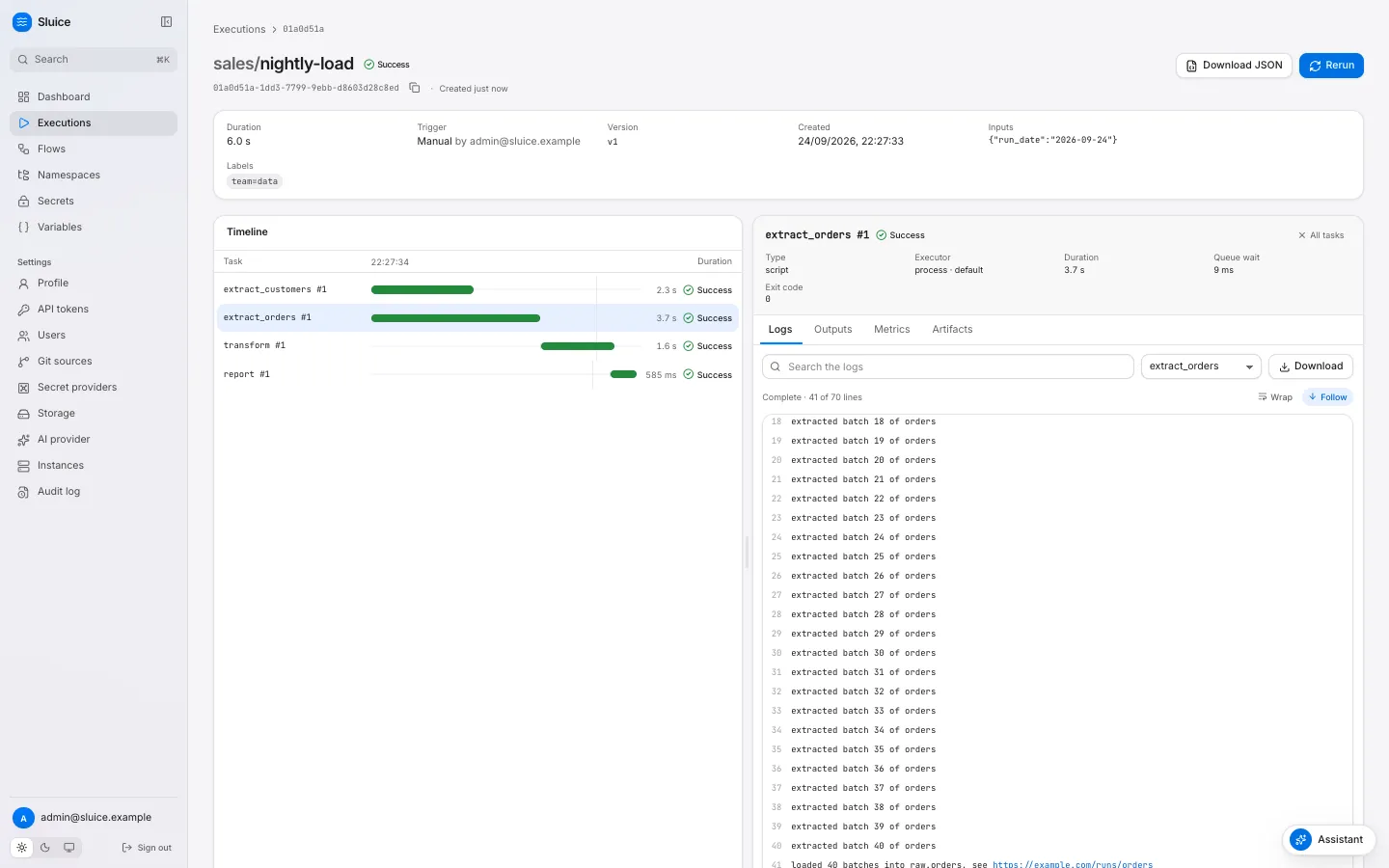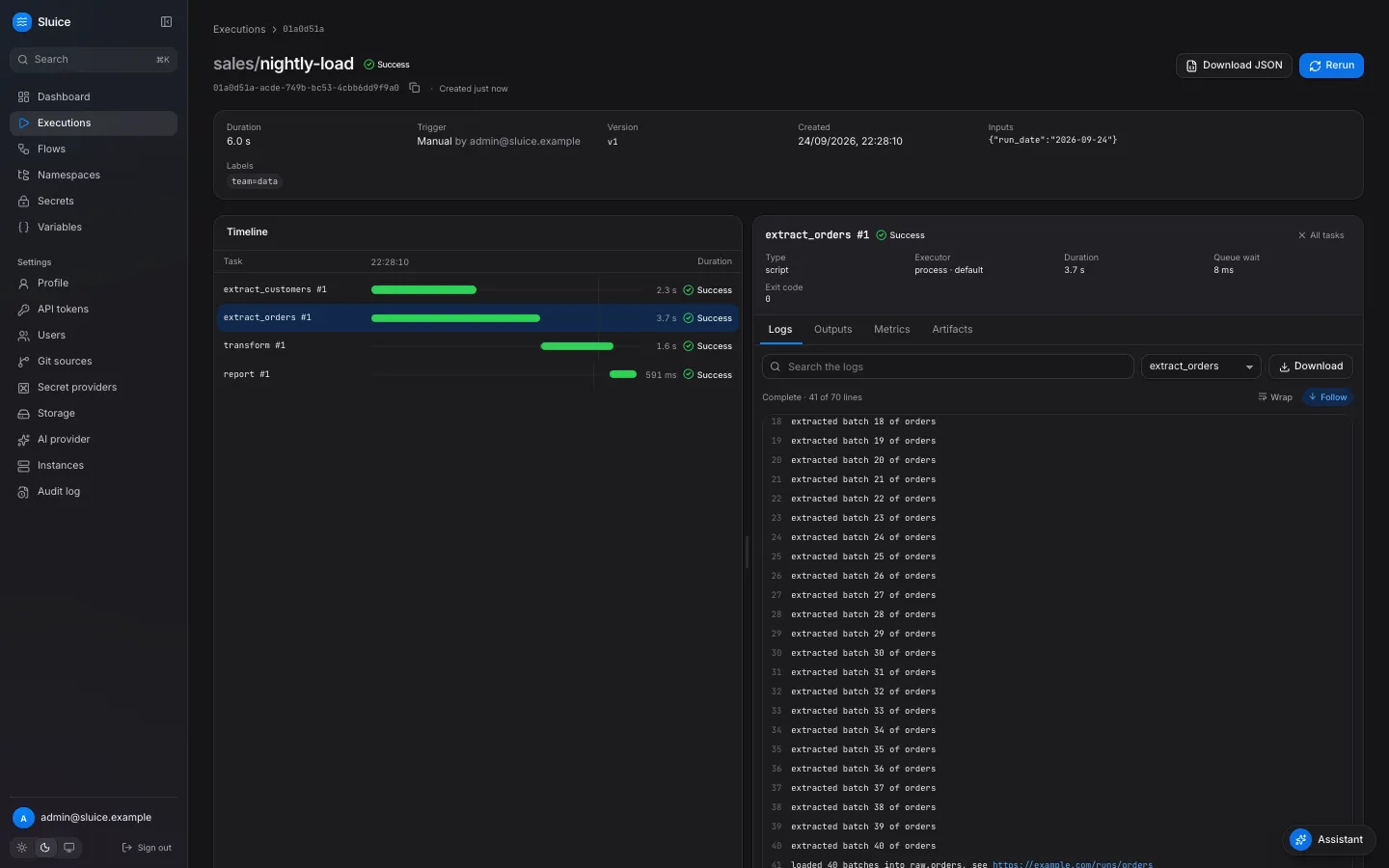 | Tab | Shows | | ------------- | ---------------------------------------------------------------------------------------------------------------------------------------------------- | | **Outputs** | Without a selected task: **Execution outputs**, that is the flow outputs. Then the outputs of each attempt as JSON, for example `extract_orders #1`. | | **Metrics** | One row for each metric line: task, name, value, unit and tags. | | **Artifacts** | One row for each artifact: name, task, size and content type, with **Download**. | ## Chart a metric over executions [Section titled “Chart a metric over executions”](#chart-a-metric-over-executions) The **Overview** tab of a flow page has a metric chart next to the duration chart. It shows one point for each of the last 50 executions of the flow. 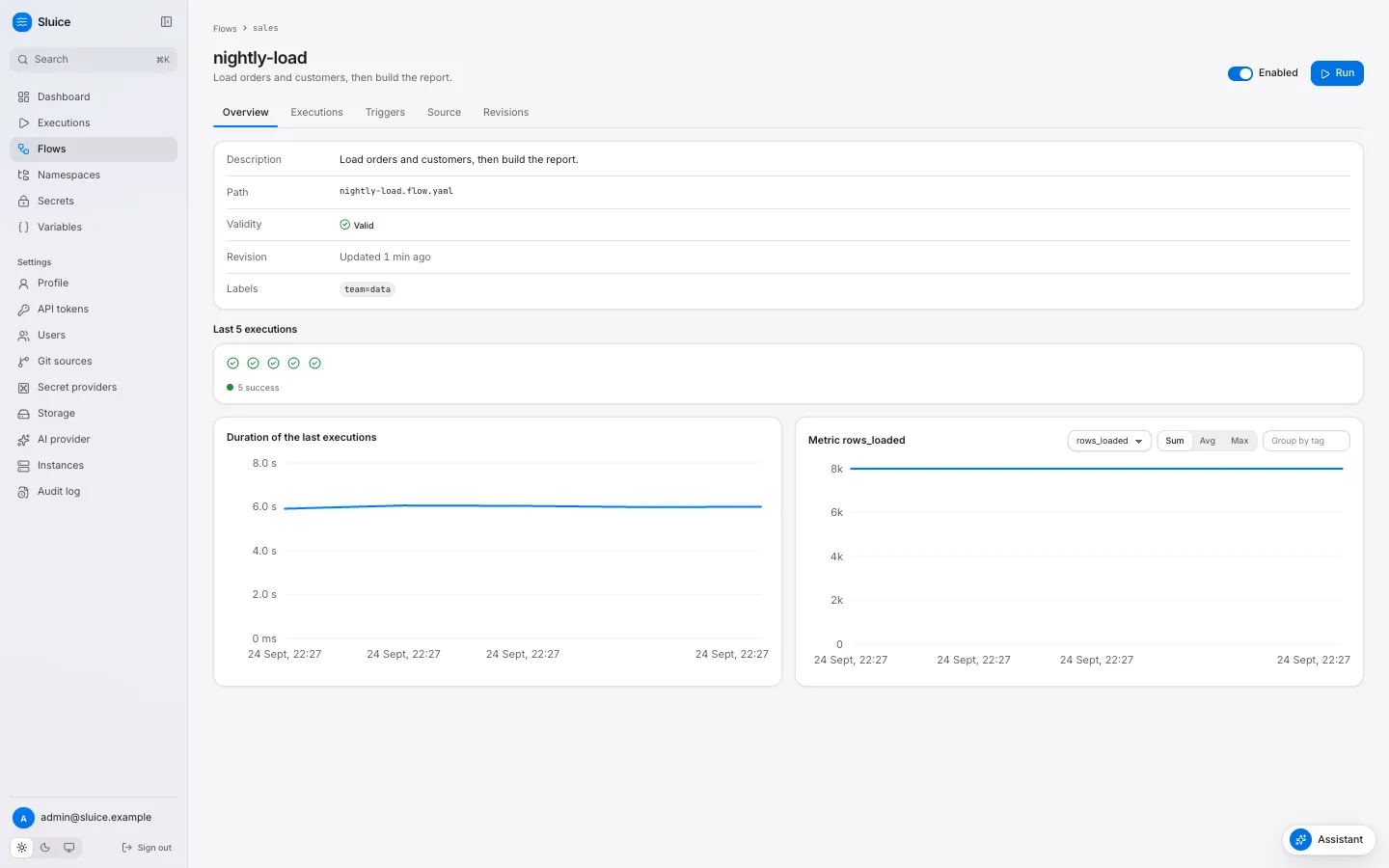 1. Select the metric in the list. The list holds every metric name that the flow has reported. 2. Select the aggregation: **Sum**, **Avg** or **Max**. Sluice combines all lines of that metric in one execution, over all tasks and attempts. 3. Optional: type a tag key in **Group by tag**, for example `table`. The chart then draws one line for each tag value. The same data comes from `GET /api/v1/flows/{namespace}/{flowId}/metrics?name=rows_loaded&agg=sum&group_by=table`. ## Related pages [Section titled “Related pages”](#related-pages) * [Templates](/reference/templates/) * [Chain flows](/how-to/chain-flows/) * [Flows, tasks and templates](/concepts/flows-and-tasks/)
# Retry, time out and limit executions
> Retry failed tasks with a backoff, stop tasks and executions that run too long, and limit how many executions and tasks run at the same time.
This guide shows you how to make a flow recover from short failures and stay inside its limits. It covers retries, task and flow timeouts, the concurrency of executions and the parallel tasks of one execution. A flow that uses all four:
```yaml
id: sync-orders
concurrency: { limit: 1, behavior: queue }
max_parallel: 4
timeout: 2h
retry: { max_attempts: 3, backoff: exponential, initial: 30s, max: 10m }
tasks:
- id: extract
type: script
file: pipelines/extract.py
timeout: 30m
- id: load
type: script
file: pipelines/load.py
depends_on: [extract]
retry: { max_attempts: 1 }
```
## Retry failed tasks [Section titled “Retry failed tasks”](#retry-failed-tasks) A retry policy gives a task more attempts after a failure. | Field | Rule | Default | | -------------- | ------------------------------------------- | ---------------------- | | `max_attempts` | Attempts, with the first one. From 1 to 20. | `1`, that is no retry. | | `backoff` | `fixed` or `exponential`. | `fixed` | | `initial` | The first delay. | `10s` | | `max` | The longest delay. | `10m` | With `fixed`, each delay is `initial`. With `exponential`, the delay after attempt n is `initial` × 2^(n−1), up to `max`. With `initial: 30s`, the delays are 30 s, 60 s, 120 s and so on. Set the policy in one of three places. Sluice merges them field by field, and the later one wins: 1. `defaults.retry` of `namespace.yaml`. 2. The flow `retry`. 3. The task `retry`. In the flow above, `extract` gets three attempts from the flow policy. `load` sets `max_attempts: 1`, so it does not retry. Use that for a task that is not safe to run twice, for example a task that sends money. ### What a retry does [Section titled “What a retry does”](#what-a-retry-does) A retry applies when an attempt ends `FAILED` or `TIMED_OUT`. Sluice creates a new task run with the next attempt number, in `PENDING`. After the delay, the attempt runs with the same definition and files. Sluice renders its templates and resolves its secrets again. | The attempt ended with | Retry | | -------------------------------------------------------------------- | ----- | | `FAILED`, for example `exit_code`, `http_status` or `template_error` | Yes. | | `FAILED` with `lost` or `instance_shutdown` | Yes. | | `TIMED_OUT` from the task timeout | Yes. | | `CANCELLED` | No. | | The end of the flow timeout | No. | The **Timeline** of the execution shows each attempt as its own bar, for example `extract #1` and `extract #2`. The variable `SLUICE_ATTEMPT` tells the task its attempt number. ## Stop work that runs too long [Section titled “Stop work that runs too long”](#stop-work-that-runs-too-long) | Timeout | Set by | Default | Effect | | --------- | ----------------------------------------------------------- | -------- | ------------------------------------------------------------------------------------------------------------------------------ | | Task | Task `timeout`, else `defaults.timeout` of `namespace.yaml` | `24h` | The runner sends SIGTERM to the process group, then SIGKILL after 10 seconds. The task ends `TIMED_OUT` with reason `timeout`. | | Execution | Flow `timeout` | No limit | Sluice stops all running tasks and starts no new ones. The execution ends `TIMED_OUT`. | A duration is a Go duration greater than zero, for example `90s`, `30m` or `2h`. Another value fails validation with `invalid_duration`. The task timeout starts when the task starts running, not when it queues. An `http` task uses its timeout for the request. A task that handles SIGTERM can write its partial outputs before it stops. Caution The flow timeout ends an execution even when every task is inside its own timeout. Set it to the longest total time that the flow may take, with its retries. ## Limit executions of a flow [Section titled “Limit executions of a flow”](#limit-executions-of-a-flow) `concurrency` limits the executions of one flow that run at the same time. Without the block, there is no limit. | `behavior` | A new execution when `limit` executions are active | Active means | | ----------------- | ------------------------------------------------------------------ | ------------------------------------- | | `queue` (default) | Stays `QUEUED` until a slot is free. Then it starts, oldest first. | `RUNNING` and `CANCELLING`. | | `skip` | Ends at once as `SKIPPED` with reason `concurrency_limit`. | `QUEUED`, `RUNNING` and `CANCELLING`. | Use `limit: 1` with `queue` for a flow that writes to one target, so that two runs never overlap. Use `skip` for a frequent schedule where a late run has no value, for example a sync every five minutes. A skipped execution appears in the executions list, so you can see how often the limit applies. The limit counts executions of one flow. Executions of other flows do not count, also when they write to the same target. ## Limit tasks of one execution [Section titled “Limit tasks of one execution”](#limit-tasks-of-one-execution) `max_parallel` limits the tasks of one execution that run at the same time. `0`, the default, means no limit. A task that is ready but has no free place stays `PENDING`. It starts when another task of the execution ends. Use `max_parallel` when many independent tasks share a resource, for example a database that accepts a few connections. ## Related limits [Section titled “Related limits”](#related-limits) The server has limits of its own. These apply to all flows: | Setting | Effect | | --------------------- | -------------------------------------------------------------------------------------- | | `SLUICE_WORKER_SLOTS` | The `process` and `docker` tasks that one instance runs at the same time. Default `8`. | | `SLUICE_K8S_MAX_JOBS` | The `kubernetes` tasks of one pool that run at the same time. Default `50`. | A ready task waits in `QUEUED` until an instance of its pool has a free slot. [Executors, pools and the runner](/concepts/executors-pools-and-the-runner/) explains pools and slots. ## Related pages [Section titled “Related pages”](#related-pages) * [Executions and states](/concepts/executions-and-states/) * [States and reasons](/reference/states-and-reasons/) * [Flow file: Retry](/reference/flow/#retry)
# Run flows from GitHub Actions
> Deploy a namespace directory with sluice namespaces push and run a flow with the Sluice GitHub Action, with the result in the job summary.
This guide shows you how to deploy a namespace from a GitHub repository and run one of its flows in the same workflow. The job fails when the flow does not succeed. The workflow has two parts: * A step runs `sluice namespaces push` with an editor token. It uploads the changed files of a directory as one new version of the namespace. * The action `alternayte/sluice` runs the flow with an operator token. It streams the logs into the job log and writes the result to the job summary. The step fails with the exit code of the run. Caution The action installs the `sluice` CLI from a GitHub release. It needs a release that has the client commands, and v0.1.2 and older releases do not have them. With such a release, the step fails because `sluice run` does not exist. ## Before you start [Section titled “Before you start”](#before-you-start) * The Sluice server has a URL that the runner can reach. A GitHub-hosted runner needs a public URL. For a private server, use a self-hosted runner in the same network. * The repository holds the namespace as a directory, for example `orders/` with `orders.flow.yaml`. * The namespace in Sluice is a managed namespace. A namespace that Sluice syncs from git is read-only, and `sluice namespaces push` fails for it. ## Create the tokens [Section titled “Create the tokens”](#create-the-tokens) Give each step a token with the lowest role that it needs. A push needs the editor role. A run needs the operator role. 1. In Sluice, click **API tokens** under **Settings** in the sidebar. 2. Click **Create token**. Type `github-deploy` in **Name**, select **Editor** in **Role**, and set **Expiry in days**. 3. Click **Create token**, copy the token and click **Done**. 4. Do steps 2 and 3 again for a token `github-run` with the role **Operator**. ## Store the URL and the tokens in GitHub [Section titled “Store the URL and the tokens in GitHub”](#store-the-url-and-the-tokens-in-github) 1. In the GitHub repository, open **Settings**, then **Secrets and variables**, then **Actions**. 2. Add the repository secret `DEPLOY_TOKEN` with the editor token. 3. Add the repository secret `RUN_TOKEN` with the operator token. 4. On the **Variables** tab, add the variable `SLUICE_URL` with the base URL of the server, for example `https://sluice.example.com`. ## Add the workflow [Section titled “Add the workflow”](#add-the-workflow) Create `.github/workflows/sluice.yml`:
```yaml
name: Deploy and run orders
on:
push:
branches: [main]
paths: ["orders/**"]
workflow_dispatch:
env:
# The release of the sluice CLI. Use the same release for both steps.
CLI_VERSION: v0.2.0
jobs:
deploy-and-run:
runs-on: ubuntu-latest
steps:
- name: Check out the repository.
uses: actions/checkout@v7
- name: Install the sluice CLI.
run: |
curl -fsSL https://raw.githubusercontent.com/alternayte/sluice/main/install.sh |
SLUICE_VERSION="$CLI_VERSION" SLUICE_BIN_DIR="$RUNNER_TEMP/bin" sh
echo "$RUNNER_TEMP/bin" >> "$GITHUB_PATH"
- name: Validate the namespace.
run: sluice validate orders
- name: Deploy the namespace.
env:
SLUICE_URL: ${{ vars.SLUICE_URL }}
SLUICE_TOKEN: ${{ secrets.DEPLOY_TOKEN }}
run: sluice namespaces push orders --namespace orders --message "Deploy ${{ github.sha }}"
- name: Run the flow.
id: flow
uses: alternayte/sluice@v0
with:
url: ${{ vars.SLUICE_URL }}
token: ${{ secrets.RUN_TOKEN }}
flow: orders/orders
inputs: |
day=2026-09-24
labels: |
commit=${{ github.sha }}
timeout: 30m
version: ${{ env.CLI_VERSION }}
- name: Print the result.
if: always()
run: echo "${{ steps.flow.outputs.state }} ${{ steps.flow.outputs.url }}"
```
The steps do this: | Step | Effect | | ---------------------- | --------------------------------------------------------------------------------------------------------------------------------------------------------------------- | | Install the sluice CLI | Downloads the CLI of `CLI_VERSION` for the deploy step. | | Validate the namespace | Runs `sluice validate` offline. An invalid file fails the job before the deploy. | | Deploy the namespace | Sends only the files that differ from the head version. It creates no version when nothing changed. It deletes a file on the server that the directory does not have. | | Run the flow | Starts `orders/orders` with an input and a label, streams the logs and waits up to 30 minutes. | | Print the result | Reads the outputs of the action, also after a failure. | A label with the commit SHA connects each execution to the commit that deployed it. The **Executions** page filters by labels. ## Read the result [Section titled “Read the result”](#read-the-result) The action writes a table to the job summary: | State | Duration | Execution | | ------- | -------- | -------------------------------------------------------------------- | | SUCCESS | 0.602 s | `01a0d510-54ac-7524-ac61-4a8d3a015a3c`, a link to the execution page | When the execution has an error, the summary also shows the error text. The job log holds the log lines of all tasks, one line each as `[task#attempt] text`. The action has three outputs: | Output | Value | | -------------- | ----------------------------------------------------------------------------------------- | | `execution-id` | The ID of the execution. | | `state` | The end state, for example `SUCCESS` or `FAILED`. It is empty when the run did not start. | | `url` | The URL of the execution page. | ## Exit codes [Section titled “Exit codes”](#exit-codes) The step fails with the exit code of `sluice run --wait`: | Code | Cause | | ---- | ---------------------------------------------------------------------------------------- | | 0 | The execution ended `SUCCESS`. The step succeeds. | | 1 | An API or network error, for example a wrong URL or a flow that does not exist. | | 2 | A usage or configuration error, for example an empty `url` or `token`. | | 10 | The execution ended `FAILED`. | | 11 | The execution ended `TIMED_OUT`. | | 12 | The execution ended `CANCELLED`. | | 13 | The execution ended `SKIPPED`, for example by a concurrency limit with `behavior: skip`. | | 14 | The `timeout` of the action ended the wait. | With code 14, the execution continues on the server. The summary shows the state as `RUNNING (the wait timed out; the execution continues)`. To stop the execution, cancel it on its page or with `sluice executions cancel`. Without `timeout`, the action waits until the execution ends, up to the time limit of the job. ## Pin the version [Section titled “Pin the version”](#pin-the-version) The action installs the CLI from a release of `alternayte/sluice` and checks the archive against the `checksums.txt` of the release. The `version` input selects the release: | `version` | Action ref | CLI release | | ------------------------- | --------------------------------------------------------- | ------------------------- | | set, for example `v0.2.0` | any | The release of `version`. | | empty | a full tag, for example `alternayte/sluice@v0.2.0` | The release of that tag. | | empty | any other ref, for example `v0`, a branch or a commit SHA | The newest release. | The newest release changes without a change to your workflow. Set `version`, or use a full tag as the ref, to get the same CLI in each run. The action runs on Linux and macOS runners, on x64 and ARM64. It fails on Windows runners. ## Keep the tokens safe [Section titled “Keep the tokens safe”](#keep-the-tokens-safe) * Store each token as a secret. GitHub masks secret values in the job log. * Give the run token the operator role. It can start and cancel executions, but it cannot change files. * Set an expiry on each token. Revoke a token on the **API tokens** page when you no longer use it. [GitHub Action](/reference/github-action/) lists all inputs and outputs. [Exit codes](/reference/exit-codes/) lists the exit codes of the CLI.
# Run tasks in Docker
> Run script and command tasks in Docker containers, with your own image, pull policy, network and resource limits.
This guide shows you how to run `script` and `command` tasks in Docker containers. Each task attempt gets a new container from the image that you choose. Sluice removes the container when the task ends. `http` and `subflow` tasks always run inside the server. They cannot use the docker executor. For the reasons to choose Docker, see [Executors, pools and the runner](/concepts/executors-pools-and-the-runner/). ## Before you start [Section titled “Before you start”](#before-you-start) * The Sluice server can reach a Docker Engine. Sluice reads `DOCKER_HOST` and the other standard Docker client variables. * Task containers can reach the Sluice server over HTTP. The runner inside the container sends logs and the result to the server. * You have the editor role, so that you can change flow files. ## Enable the docker executor [Section titled “Enable the docker executor”](#enable-the-docker-executor) 1. Start the server with the docker executor on. With the default `SLUICE_EXECUTORS=auto`, the server turns the docker executor on when the Docker API answers a ping within 2 seconds. To turn it on without detection, name the executors:
```sh
SLUICE_EXECUTORS=process,docker sluice server
```
An explicit list gives exactly these executors. The `inline` executor is always on. 2. Check the runner image. Sluice copies its runner binary into each task container. It takes the binary from `/usr/local/bin/sluice` in the image that `SLUICE_RUNNER_IMAGE` names. A release build uses its own published image by default, for example `ghcr.io/alternayte/sluice:0.2.0`. A build from source uses `sluice:dev`, the image of `just build-images`. Set the variable only to use another image, for example a mirror in a private registry:
```sh
export SLUICE_RUNNER_IMAGE=registry.example.com/sluice:0.2.0
```
3. Make sure that containers reach the server. The runner calls `SLUICE_DOCKER_API_URL`. The default is `http://host.docker.internal:`. Sluice adds the host `host.docker.internal:host-gateway` to each container, so this address also works on Linux. The server must listen on an address that containers can reach. The default listen address `:8080` listens on all interfaces. 4. Check the executors of the instance. Open **Settings → Instances**. The **Executors** column of your instance lists `docker`. ## Run a task in a container [Section titled “Run a task in a container”](#run-a-task-in-a-container) 1. Add an `executor` block to the flow or to one task. A flow block applies to all tasks of the flow.
```yaml
id: docker-hello
description: Print the Python version in a container.
executor:
type: docker
image: python:3.12-slim
tasks:
- id: hello
type: command
command: ["python3", "-c", "import sys; print(sys.version)"]
```
2. Save the flow. On the flow page, click **Run**, then click **Run** in the dialog. 3. Select the task in the timeline. The **Executor** field of the inspector shows `docker · default`. A task block replaces only the fields that it sets. A task can thus set only `pool` and keep the type and the image of the flow. The resolution order is task, flow, `namespace.yaml`, then the instance default `process`. ## Choose the image [Section titled “Choose the image”](#choose-the-image) With `inject_runner: true`, the default, any Linux image can run a task. Sluice copies the runner into the container at `/sluice-bin/sluice` through the Engine API. It mounts no volume. With `inject_runner: false`, the container runs `sluice exec` from the image `PATH`. Sluice copies nothing. Use this option with an image that already holds the `sluice` binary, for example `ghcr.io/alternayte/sluice-uv`. A `script` task needs the tool of its runtime in the image: | Runtime | Command | Tool | | -------- | ----------------------- | ------ | | `python` | `uv run ` | `uv` | | `bash` | `bash ` | `bash` | | `bun` | `bun run ` | `bun` | | `node` | `node ` | `node` | When the tool is not on `PATH`, the task fails with the reason `runtime_not_found`. The `sluice-uv` image has `uv`, a Python 3.12, `bash` and `bun`. ## Set the pull policy, the network and the limits [Section titled “Set the pull policy, the network and the limits”](#set-the-pull-policy-the-network-and-the-limits) | Field | Default | Effect | | ------------------------- | -------------------------- | -------------------------------------------------------------------------------------------------------------------------- | | `pull` | `if_not_present` | `if_not_present` pulls the image when the engine does not have it. `always` pulls before each task. `never` does not pull. | | `network` | the Docker default network | The container joins this Docker network. | | `resources.limits.cpu` | none | The CPU limit, for example `500m` or `1.5`. | | `resources.limits.memory` | none | The memory limit, for example `512Mi` or `1Gi`. | Docker ignores `resources.requests`. Only the kubernetes executor uses requests.
```yaml
id: docker-limits
executor:
type: docker
image: python:3.12-slim
pull: always
network: etl
resources:
limits: { cpu: "1.5", memory: 1Gi }
tasks:
- id: hello
type: command
command: ["python3", "-c", "print('hello')"]
```
When you set `network`, make sure that `SLUICE_DOCKER_API_URL` resolves from that network. ## Make Docker the default of a namespace [Section titled “Make Docker the default of a namespace”](#make-docker-the-default-of-a-namespace) Put the executor in `defaults.executor` of `namespace.yaml`. Every flow of the namespace uses it, unless the flow or the task sets other values.
```yaml
description: Tasks of this namespace run in containers.
defaults:
executor:
type: docker
image: ghcr.io/alternayte/sluice-uv:0.1.2
inject_runner: false
```
## Install dependencies once [Section titled “Install dependencies once”](#install-dependencies-once) Each task starts in a new container with an empty cache. A Python script with dependencies downloads them on each run. Build an image that already holds the packages:
```dockerfile
FROM ghcr.io/alternayte/sluice-uv:0.1.2
RUN uv pip install --system --python 3.12 "dlt[postgres]==1.30.0" "sqlmesh==0.236.2"
```
Then set this image in the executor block. `uv` finds the installed packages and does not download them. ## Keep a container to debug it [Section titled “Keep a container to debug it”](#keep-a-container-to-debug-it) Set `SLUICE_DOCKER_KEEP_CONTAINERS=true` on the server. Sluice then keeps each task container after the task ends. The container name is `sluice-`. Inspect it with `docker inspect` or `docker logs`. A cancel still stops and removes the container, with a grace time of 10 seconds. At start, the server removes stopped containers with the label `sluice.dev/managed-by=sluice`, unless `SLUICE_DOCKER_KEEP_CONTAINERS` is `true`. ## Fix common failures [Section titled “Fix common failures”](#fix-common-failures) | Reason | Cause | Fix | | ---------------------- | ------------------------------------------------------------------------------------- | --------------------------------------------------------------------- | | `image_pull_failed` | The pull failed, or the image is absent with `pull: never`. | Check the image name and the registry login of the engine. | | `runtime_not_found` | The image has no tool for the script runtime. | Use an image with the tool, or a `command` task. | | `executor_error` | The executor did not start the container, or the instance has no docker executor. | Read the task error in the inspector. Check **Settings → Instances**. | | `no_instance_for_pool` | No online instance serves the pool with the docker executor. The task stays `QUEUED`. | Start an instance with this pool and the docker executor. | A task that stops without a result, for example after `docker kill`, ends `FAILED` with the reason `lost`. The retry policy of the task applies. ## Related pages [Section titled “Related pages”](#related-pages) * [Run tasks on Kubernetes](/how-to/run-tasks-on-kubernetes/) * [Executors, pools and the runner](/concepts/executors-pools-and-the-runner/) * [Flow file reference](/reference/flow/) * [Environment variables](/reference/env/)
# Run tasks on Kubernetes
> Run script and command tasks as Kubernetes Jobs, with requests, limits, a service account, node placement and pull secrets.
This guide shows you how to run `script` and `command` tasks as Kubernetes Jobs. Sluice creates one Job for each task attempt. The Job runs your image and the Sluice runner. `http` and `subflow` tasks always run inside the server. They cannot use the kubernetes executor. For the reasons to choose Kubernetes, see [Executors, pools and the runner](/concepts/executors-pools-and-the-runner/). ## Before you start [Section titled “Before you start”](#before-you-start) * The Sluice server runs in the cluster, or it has a kubeconfig for the cluster. * The server can create Jobs in the Job namespace. The [Helm chart](/how-to/deploy-on-kubernetes/) grants the permissions below. * Pods in the Job namespace can reach the server over HTTP. * Your task image can run on the nodes of the cluster. The server needs these permissions in the Job namespace: | API group | Resource | Verbs | | --------- | ---------- | -------------------------------- | | `batch` | `jobs` | create, get, list, watch, delete | | core | `pods` | get, list, watch | | core | `pods/log` | get | ## Enable the kubernetes executor [Section titled “Enable the kubernetes executor”](#enable-the-kubernetes-executor) 1. Give the server access to the cluster. In a pod, the server uses the in-cluster configuration. Outside the cluster, set `SLUICE_K8S_KUBECONFIG` to the path of a kubeconfig file. 2. Choose the Job namespace. `SLUICE_K8S_NAMESPACE` sets the namespace of the Jobs. When it is empty, Sluice uses the namespace of the server pod. Outside a pod, it uses `default`. 3. Turn the executor on. With the default `SLUICE_EXECUTORS=auto`, the server turns the kubernetes executor on when a Job create dry run in the Job namespace succeeds within 5 seconds. With the Helm chart and its Role, this check succeeds. To turn it on without detection, name the executors, for example `SLUICE_EXECUTORS=process,kubernetes`. A client without a cluster configuration then stops the start. 4. Set the runner image. An init container copies the runner from `SLUICE_RUNNER_IMAGE` into the pod. The Helm chart sets this variable to the server image. Without the chart, a release build uses its own published image, for example `ghcr.io/alternayte/sluice:0.2.0`. Set the variable to use a mirror in a private registry. 5. Set the URL that pods call. The runner calls `SLUICE_INTERNAL_URL`. The Helm chart sets it to the URL of the Service, for example `http://sluice.sluice-system.svc:8080`. Without the chart, set it to an address of the server that pods can reach. 6. Check the executors of the instance. Open **Settings → Instances**. The **Executors** column of your instance lists `kubernetes`. ## Run a task as a Job [Section titled “Run a task as a Job”](#run-a-task-as-a-job) 1. Add an `executor` block with `type: kubernetes` and an image.
```yaml
id: k8s-hello
description: Print the Python version in a Kubernetes Job.
executor:
type: kubernetes
image: python:3.12-slim
tasks:
- id: hello
type: command
command: ["python3", "-c", "import sys; print(sys.version)"]
```
2. Save the flow. On the flow page, click **Run**, then click **Run** in the dialog. 3. Select the task in the timeline. The **Executor** field of the inspector shows `kubernetes · default`. 4. List the Job in the cluster:
```sh
kubectl get jobs -l sluice.dev/managed-by=sluice
```
## Set the pod fields [Section titled “Set the pod fields”](#set-the-pod-fields) The executor block maps its fields to the pod of the Job: | Flow field | Pod field | | ------------------------------- | --------------------------------------------------------------------------------- | | `resources.requests` | `resources.requests` of the task container | | `resources.limits` | `resources.limits` of the task container | | `kubernetes.service_account` | `serviceAccountName` | | `kubernetes.node_selector` | `nodeSelector` | | `kubernetes.tolerations` | `tolerations`, with `key`, `operator`, `value`, `effect` and `toleration_seconds` | | `kubernetes.image_pull_secrets` | `imagePullSecrets` | | `kubernetes.labels` | Labels of the Job and the pod | | `kubernetes.annotations` | Annotations of the Job and the pod |
```yaml
id: nightly-model
executor:
type: kubernetes
pool: default
image: ghcr.io/acme/elt:1.4.0
resources:
requests: { cpu: 500m, memory: 512Mi }
limits: { cpu: "2", memory: 2Gi }
kubernetes:
service_account: elt
node_selector: { workload: batch }
tolerations:
- { key: batch, operator: Equal, value: "true", effect: NoSchedule }
image_pull_secrets: [ghcr]
labels: { team: data }
annotations: { cost-center: "42" }
tasks:
- id: train
type: script
file: pipelines/train.py
```
A Sluice label replaces a user label with the same key. Sluice does not set `imagePullPolicy`, so the Kubernetes default applies. The `pull` field is for the docker executor only. On a kubernetes block, it gives the validation error `field_not_allowed`. ## Know what the Job holds [Section titled “Know what the Job holds”](#know-what-the-job-holds) | Property | Value | | ------------------------- | -------------------------------------------------------------------------------------------- | | Name | `sluice-` | | `backoffLimit` | `0`. Sluice retries with the retry policy of the task, not with the Job. | | `restartPolicy` | `Never` | | `activeDeadlineSeconds` | The task timeout. The default task timeout is 24 hours. | | `ttlSecondsAfterFinished` | `SLUICE_K8S_JOB_TTL`, default `600s`. | | Init container | `sluice-runner` from `SLUICE_RUNNER_IMAGE`, only with `inject_runner: true`. | | Task container | `task` from `executor.image`. | | Volumes | An `emptyDir` at `/workdir`. With the runner injection, also an `emptyDir` at `/sluice-bin`. | | Environment | `SLUICE_API_URL`, `SLUICE_RUN_TOKEN`, `SLUICE_TASK_RUN_ID` and `SLUICE_WORKDIR`. | The Job holds no secret values. The runner reads the secrets of the task from the server at run time. The run token in the Job is valid for this task run only, and it expires. With `inject_runner: false`, the pod has no init container. The task container runs `sluice exec` from the image `PATH`. ## Limit the number of Jobs [Section titled “Limit the number of Jobs”](#limit-the-number-of-jobs) `SLUICE_K8S_MAX_JOBS` limits the running Jobs of one pool. The default is 50. Sluice counts the running kubernetes task runs of the pool in the database, over all instances. A task over the limit stays `QUEUED` until a Job ends. ## Run tasks in a second cluster [Section titled “Run tasks in a second cluster”](#run-tasks-in-a-second-cluster) A pool routes tasks to the instances that serve it. To run tasks in a second cluster, deploy a Sluice instance there with its own pool:
```sh
SLUICE_POOLS=cluster-b SLUICE_EXECUTORS=kubernetes sluice server
```
With the Helm chart, set `pools: [cluster-b]` in the values. The instance uses the same database, the same object storage and the same master keys as the other instances. Then set `pool: cluster-b` in the executor block of the tasks. Only instances with this pool claim them. ## Know what happens on a restart or a cancel [Section titled “Know what happens on a restart or a cancel”](#know-what-happens-on-a-restart-or-a-cancel) * A Job continues when the server stops. The runner sends its data to any instance. * A cancel deletes the Job with background propagation. Kubernetes then removes the pod. * A Job that ends stays until `ttlSecondsAfterFinished` passes. ## Fix common failures [Section titled “Fix common failures”](#fix-common-failures) | Reason | Cause | Fix | | ---------------------- | ---------------------------------------------------------------------------------------------------------------------------------------- | ------------------------------------------------------------------------------ | | `image_pull_failed` | A container of the pod waits with `ErrImagePull`, `ImagePullBackOff`, `InvalidImageName` or `ErrImageNeverPull`. Sluice deletes the Job. | Check the image name and `image_pull_secrets`. | | `pod_pending_timeout` | The pod stayed `Pending` longer than `SLUICE_K8S_PENDING_TIMEOUT`, default `10m`. | Check the node selector, the tolerations and the free capacity of the cluster. | | `lost` | The Job disappeared before the runner sent a result, for example after an eviction or a manual delete. | Read the events of the pod. The retry policy applies. | | `no_instance_for_pool` | No online instance serves the pool with the kubernetes executor. The task stays `QUEUED`. | Start an instance with this pool and the kubernetes executor. | | `executor_error` | The Job create failed, or the instance has no kubernetes executor. | Read the task error in the inspector. Check the Role of the server. | ## Related pages [Section titled “Related pages”](#related-pages) * [Deploy on Kubernetes with Helm](/how-to/deploy-on-kubernetes/) * [Run tasks in Docker](/how-to/run-tasks-in-docker/) * [Executors, pools and the runner](/concepts/executors-pools-and-the-runner/) * [Flow file reference](/reference/flow/) * [Environment variables](/reference/env/)
# Schedule a flow
> Run a flow on a cron schedule in a time zone, and control what happens after missed times.
This guide shows you how to run a flow on a cron schedule. You add a schedule trigger to the flow file, check the next fire time, and choose what happens after a time that Sluice missed. ## Add a schedule trigger [Section titled “Add a schedule trigger”](#add-a-schedule-trigger) 1. Open the flow file in the namespace editor. 2. Add a trigger of type `schedule` with a `cron` expression and a `timezone`:
```yaml
id: nightly-load
triggers:
- { id: nightly, type: schedule, cron: "0 2 * * *", timezone: Europe/Zurich }
tasks:
- id: load
type: script
file: pipelines/load.py
```
This trigger fires at 02:00 each day, Zurich time. 3. Save the file. The server validates the flow and activates the trigger. 4. Open the flow page and select the **Triggers** tab. The trigger shows **Active** and its **Next fire time**. A trigger fires only while its flow is valid and enabled. The **Enabled** switch on the flow page turns all triggers of the flow off. A manual run still works on a disabled flow. A new trigger fires first at the next fire time after you save it. It does not fire times from the past. ## Write the cron expression [Section titled “Write the cron expression”](#write-the-cron-expression) `cron` has five fields: minute, hour, day of month, month and day of week. | Expression | Fires | | -------------- | ---------------------------------------- | | `*/15 * * * *` | Every 15 minutes. | | `0 2 * * *` | At 02:00 each day. | | `30 6 * * 1-5` | At 06:30 from Monday to Friday. | | `0 0 1 * *` | At 00:00 on the first day of each month. | Four descriptors also work: | Descriptor | Same as | | ---------- | ----------- | | `@hourly` | `0 * * * *` | | `@daily` | `0 0 * * *` | | `@weekly` | `0 0 * * 0` | | `@monthly` | `0 0 1 * *` | Other descriptors, for example `@yearly` or `@every 5m`, fail validation with `invalid_cron`. When both day fields have a restriction, a day matches when either field matches. This is the standard cron rule. ## Set the time zone [Section titled “Set the time zone”](#set-the-time-zone) `timezone` is an IANA name, for example `Europe/Zurich` or `America/New_York`. The default is `UTC`. Sluice reads the cron fields as wall times in that zone. An unknown name, and the name `Local`, fail validation with `unknown_timezone`. At a daylight saving change, a daily schedule still fires once each day: | Case | Rule | Example: `30 2 * * *` in `Europe/Zurich` | | ---------------------------- | ------------------------------------------------------------------------------------ | ------------------------------------------------------------------------------------ | | The wall time does not exist | Sluice fires at the same wall time with the offset before the change, one gap later. | On 29 March 2026, 02:30 does not exist. The trigger fires at 03:30 CEST (01:30 UTC). | | The wall time exists twice | Sluice fires once, at the first instant. | On 25 October 2026, 02:30 occurs twice. The trigger fires at 02:30 CEST (00:30 UTC). | ## Choose what happens after missed times [Section titled “Choose what happens after missed times”](#choose-what-happens-after-missed-times) A fire time counts as missed when no Sluice instance ran the scheduler at that time. Precisely: a later fire time also passed, or the time passed more than 30 seconds ago. `catch_up` decides what Sluice does when it finds missed times: | `catch_up` | Effect | | ---------------- | ------------------------------------------------------------------------- | | `last` (default) | Sluice fires once, for the latest missed time. | | `none` | Sluice fires no missed time. The next time in the future fires as normal. | Example: an hourly schedule stops over 01:00, 02:00 and 03:00. At 03:10, `last` creates one execution for 03:00, and `none` creates none. Both fire at 04:00. Use `none` for work that has no value after its time, for example a report that goes out at 08:00. Use `last` for work that must catch up once, for example a load of new data. Catch-up applies only to an outage of the scheduler. Some changes start the schedule again from the next fire time, and they fire no missed time: * You enable a disabled flow. * A save makes an invalid flow valid again. * A save changes the fields of the trigger. ## Pass the fire time to the flow [Section titled “Pass the fire time to the flow”](#pass-the-fire-time-to-the-flow) The trigger payload holds `scheduled_for`, the fire time in RFC 3339 and UTC. The trigger `inputs` map sets flow inputs from it:
```yaml
id: daily-report
inputs:
- { id: day, type: string, required: true }
triggers:
- id: daily
type: schedule
cron: "@daily"
catch_up: none
inputs: { day: "${{ trigger.scheduled_for }}" }
tasks:
- id: report
type: script
file: pipelines/report.py
args: ["--day=${{ inputs.day }}"]
```
A trigger input can read only `trigger.`. When a template or an input check fails, Sluice starts no execution. It writes the audit event `trigger.failed`, and the schedule moves to its next fire time. A run of a missed time gets the missed time in `scheduled_for`, not the time of the catch-up. ## See the next fire times [Section titled “See the next fire times”](#see-the-next-fire-times) Three places list the next fire times of active schedules: * The **Next schedules** section of the dashboard shows the next 10. * The **Triggers** tab of a flow shows **Next fire time** for each schedule trigger. * `GET /api/v1/schedules/upcoming` returns them. Use `namespace` to filter by a namespace and its children, and `limit` from 1 to 200. 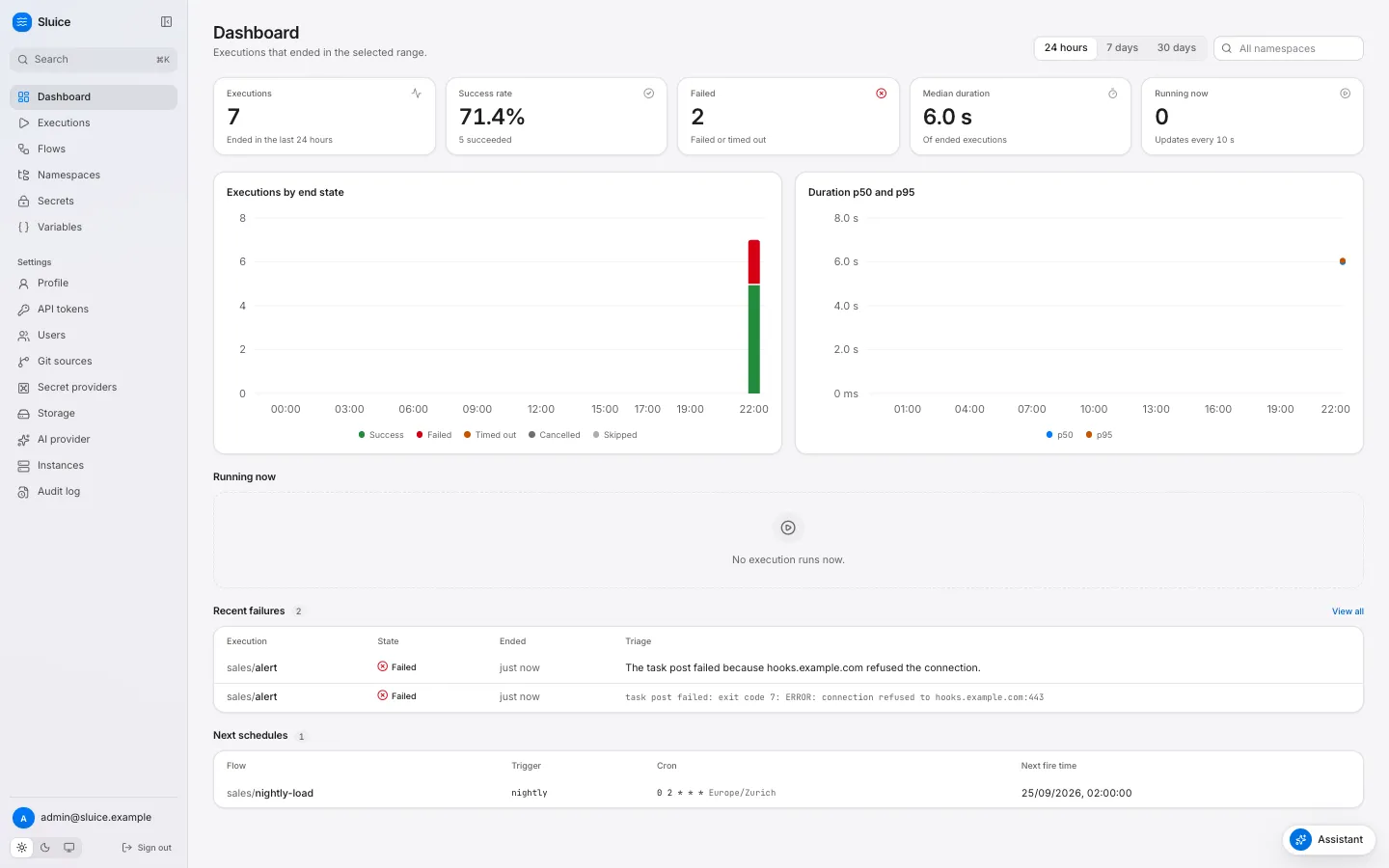
```sh
curl "$SLUICE_URL/api/v1/schedules/upcoming?namespace=sales&limit=5" \
-H "Authorization: Bearer $SLUICE_TOKEN"
```
```json
{"items": [{"namespace": "sales", "flow_id": "nightly-load", "trigger_id": "nightly", "cron": "0 2 * * *", "timezone": "Europe/Zurich", "next_fire_at": "2026-09-25T00:00:00Z"}]}
```
`next_fire_at` is in UTC. ## Related pages [Section titled “Related pages”](#related-pages) * [Trigger a flow with a webhook](/how-to/trigger-a-flow-with-a-webhook/) * [Chain flows](/how-to/chain-flows/) * [Templates](/reference/templates/) * [Flow file: Trigger](/reference/flow/#trigger)
# Set up the assistant
> Connect Sluice to Anthropic or to an OpenAI-compatible model server, test it, and turn on automatic failure triage.
This guide shows you how to connect Sluice to a model provider. The provider powers three features: the assistant panel, flow authoring in the assistant, and failure triage. The MCP server at `/mcp` does not need a provider. ## Before you start [Section titled “Before you start”](#before-you-start) * You have the admin role. Only an admin can change the provider and the global secrets. * You have an API key of the provider, and the ID of the model that you want to use. * The server has `SLUICE_MASTER_KEYS`, so that it can store a builtin secret. A secret from another provider, for example Vault, also works. ## Connect the provider [Section titled “Connect the provider”](#connect-the-provider) 1. Store the API key as a global secret. Open **Secrets** and click **Add secret**. Enter a key, for example `ANTHROPIC_API_KEY`. Keep the provider `builtin`, paste the API key into **Value**, and save. The page never shows the value again. 2. Open **Settings → AI provider**. 3. Fill in the fields of the provider: * Anthropic | Field | Value | | ---------------------- | ----------------------------------------------- | | **Type** | Anthropic | | **Base URL** | Empty. Sluice uses `https://api.anthropic.com`. | | **Model** | The model ID from the model list of Anthropic. | | **API key secret key** | `ANTHROPIC_API_KEY` | * OpenAI compatible | Field | Value | | ---------------------- | ----------------------------------------------------------------------------------------------------------------------------------------------------------- | | **Type** | OpenAI compatible | | **Base URL** | Empty for OpenAI. Sluice uses `https://api.openai.com/v1`. For another server, the URL before `/chat/completions`, for example `http://localhost:11434/v1`. | | **Model** | The model name that the server expects. | | **API key secret key** | The key of the global secret, for example `OPENAI_API_KEY`. | A server without API keys still needs a global secret. Store any value in it. 4. Click **Save**. The **Status** row changes to a green badge. 5. Click **Test provider**. Sluice sends one short request. The page shows “The provider answered.” or the error of the provider. 6. Click **Assistant** at the bottom right of any page, and ask a question about your flows. ## Follow the base URL rules [Section titled “Follow the base URL rules”](#follow-the-base-url-rules) * An empty base URL uses the default URL of the type. * A base URL must use `https://`. * Plain `http://` works only for a loopback host: `localhost`, `127.0.0.1` or `::1`. * A base URL cannot hold a user name or a password. The Sluice server sends the requests, not the browser. A loopback host thus means the host of the server. When Sluice runs in a container, `localhost` is the container itself. ## Turn on automatic triage [Section titled “Turn on automatic triage”](#turn-on-automatic-triage) Under **Failure triage**, select **Triage failed and timed out executions automatically**, then click **Save**. Sluice then queues a triage when an execution ends `FAILED` or `TIMED_OUT`. Without this option, an operator clicks **Triage** on the execution page. Every instance takes queued triages. A triage has 3 minutes. See [Triage a failed execution](/how-to/triage-a-failed-execution/). ## Limit the size of the triage context [Section titled “Limit the size of the triage context”](#limit-the-size-of-the-triage-context) `SLUICE_AI_MAX_CONTEXT_CHARS` limits the characters of one triage request. The default is `120000`, and the minimum is `1000`. A smaller value costs less per triage and keeps fewer log lines. Set the same value on all instances. ## Know what happens on errors [Section titled “Know what happens on errors”](#know-what-happens-on-errors) | Case | Result | | ----------------------------------------------------- | ------------------------------------------------------------------------------------------------------------ | | The provider answers 429 or 5xx, or the network fails | Sluice tries 3 times in total, 0.5 and 1 second apart. Then the feature shows the error. | | The API key secret does not resolve | The operation answers `409 ai_key_unavailable`. **Test provider** shows the message. | | No provider exists | The UI hides the assistant and the triage card. The AI operations answer `409 ai_disabled`. MCP still works. | `GET /api/v1/ai/status` tells a client whether AI is on and whether triage is automatic. ## Remove the provider [Section titled “Remove the provider”](#remove-the-provider) On **Settings → AI provider**, click **Remove**, then confirm. The UI hides the AI features again. The global secret stays. Delete it on **Secrets** when you no longer need it. ## Related pages [Section titled “Related pages”](#related-pages) * [The assistant and MCP](/concepts/the-assistant-and-mcp/) * [Triage a failed execution](/how-to/triage-a-failed-execution/) * [Connect an MCP client](/how-to/connect-an-mcp-client/) * [Use secrets and variables](/how-to/use-secrets-and-variables/)
# Sync a namespace from git
> Map a directory of a git branch to a namespace, sync it on a poll or a webhook, and push edits from Sluice to a new branch.
This guide shows you how to keep the files of a namespace in a git repository. Sluice reads one branch, turns each commit into a version of the namespace, and sends edits back as new branches. | Term | Meaning | | ------------- | -------------------------------------------------------------------------------------------------- | | Git source | One branch of one repository, with its credentials, poll interval and webhook secret. | | Mapping | A directory of the branch and the namespace that gets its files. One source has 1 to 100 mappings. | | Sync run | One read of the branch head. Sluice records each run with its result. | | Git namespace | A namespace whose files come only from sync. Sluice shows it as read-only. | ## Before you start [Section titled “Before you start”](#before-you-start) * You need the admin role to create a git source. * Store the credential as a **global** secret, for example `GIT_TOKEN`. Sluice reads the credential and the webhook secret from the global scope only. The secret can use any provider. See [Use secrets and variables](/how-to/use-secrets-and-variables/). * Run `sluice validate` on the directory. A sync stores invalid flows too, but their triggers do not fire. ## Create a git source [Section titled “Create a git source”](#create-a-git-source) 1. Open **Settings → Git sources** and click **Add git source**. 2. Fill in the form: | Field | Value | | ---------------------------- | -------------------------------------------------------------------------------------------------------------- | | **Name** | A unique name, for example `pipelines`. It cannot change later. | | **Repository URL** | `https://…`, `ssh://…` or `user@host:path`. Plain `http://` works only for `localhost` and loopback addresses. | | **Branch** | The branch to track, for example `main`. | | **Authentication** | `none`, `https_token` or `ssh_key`. | | **Credential secret key** | The key of the global secret with the token or the private key. | | **Known hosts** | For `ssh_key`: lines in OpenSSH `known_hosts` format. | | **Poll interval in seconds** | From 15 to 86 400. Default 60. | | **Webhook secret key** | Optional. The key of the global secret for webhook calls. | 3. Under **Mappings**, add a **Repository path** and a **Namespace** for each directory. An empty path is the repository root. 4. Click **Add git source**. The first sync starts within about one second. The API takes the same fields:
```sh
curl -X POST "$SLUICE_URL/api/v1/git-sources" \
-H "Authorization: Bearer $SLUICE_TOKEN" -H "Content-Type: application/json" \
-d '{
"name": "pipelines",
"repo_url": "https://github.com/acme/pipelines.git",
"branch": "main",
"auth_type": "https_token",
"credential_secret_key": "GIT_TOKEN",
"poll_interval": 300,
"webhook_secret_key": "GIT_WEBHOOK_SECRET",
"mappings": [{"repo_path": "pipelines/elt", "namespace": "data.elt"}]
}'
```
The response holds the secret keys, never the secret values. It also holds `webhook_url`, `last_synced_sha`, `last_sync_at`, `last_sync_status` and `last_error`. ### Credentials [Section titled “Credentials”](#credentials) | `auth_type` | URL | Credential in the secret | How Sluice uses it | | ------------- | ---------------------------------- | -------------------------------------------------- | ------------------------------------------------------------- | | `none` | Any allowed URL. | None. | No authentication. | | `https_token` | `https://`, or loopback `http://`. | An access token, for example of GitHub or GitLab. | HTTP basic auth with the user `x-access-token`. | | `ssh_key` | `ssh://` or `user@host:path`. | A private key in PEM format, without a passphrase. | The SSH user comes from the URL. Without a user, it is `git`. | Caution Without **Known hosts**, Sluice does not check the host key of an SSH server. Each sync run then records the warning `no known_hosts: the host key was not checked`. For production, set **Known hosts**. `ssh-keyscan github.com` prints the lines. ### Mappings [Section titled “Mappings”](#mappings) * A mapped namespace that does not exist becomes a new git namespace. * A mapping to a managed namespace returns 409 `namespace_managed`. A namespace keeps its source for its whole life. * A mapping to a namespace of another source returns 409 `namespace_mapped`. * In one source, two mappings cannot share a path or a namespace. * An update of a source replaces all mappings. A namespace that loses its mapping keeps its versions, stays read-only and does not sync again. A delete of the source has the same effect. ## How a sync works [Section titled “How a sync works”](#how-a-sync-works) The instance that holds the git sync lease checks the sources every second. A source syncs in three cases. It has never synced, a user or a webhook asked for a sync, or `poll_interval` seconds have passed since the last sync started. A sync does these steps: 1. It fetches the head of the branch as a shallow clone with depth 1, into a temporary directory. It checks out no files. 2. For each mapping, it reads the files below the repository path from the git object store. 3. It compares the files with the head version of the namespace. It creates a new version only when a file changed. 4. It refreshes the flows and triggers of the namespace from the new version. 5. It records the sync run and deletes the temporary directory. The message of a version is `git : `, and the version records the SHA. A commit that changes only one mapping gives a new version of that namespace only. A flow file that you remove in git removes the flow and stops its triggers. Old executions of the flow stay visible. Sluice reads only regular and executable files. It skips symbolic links, submodules and invalid paths, and records a warning for each. A file larger than `SLUICE_MAX_FILE_BYTES` fails the sync. ### Watch the sync [Section titled “Watch the sync”](#watch-the-sync) The page of a git namespace shows a **Git source** panel. It lists the repository, the branch, the path, **Last sync** with the commit, and **Last error**. Below it, a table lists the last 50 sync runs with **State**, **Commit**, **Snapshots** and **Details**. The **Details** column shows the error or the number of warnings. A failed sync keeps the previous version as the head, so new executions use the last good files. `last_synced_sha` changes only after a successful sync. A run that stays `running` for more than 30 minutes becomes `failed` with the error `the sync stopped before it ended`. ### Sync now [Section titled “Sync now”](#sync-now) **Sync now** on **Settings → Git sources**, or on the **Git source** panel of a namespace, asks for a sync at once. You need the operator role or a higher role.
```sh
curl -X POST "$SLUICE_URL/api/v1/git-sources//sync" \
-H "Authorization: Bearer $SLUICE_TOKEN"
```
The answer is 202. The sync starts at the next check of the lease holder, normally within one second. ## Sync on push with a webhook [Section titled “Sync on push with a webhook”](#sync-on-push-with-a-webhook) A webhook makes a push sync at once, so you can set a long poll interval. 1. Create a global secret, for example `GIT_WEBHOOK_SECRET`, with a long random value. 2. Set **Webhook secret key** of the source to `GIT_WEBHOOK_SECRET`. 3. Copy the `webhook_url` of the source: `SLUICE_PUBLIC_URL` followed by `/hooks/git/`. 4. Configure the git host with one of the tabs below. * GitHub 1. In the repository, open **Settings → Webhooks → Add webhook**. 2. Set **Payload URL** to the `webhook_url` of the source. 3. Set **Content type** to `application/json`. 4. Set **Secret** to the value of `GIT_WEBHOOK_SECRET`. 5. Select the push event and save. GitHub signs each call with `X-Hub-Signature-256`. Sluice checks the HMAC-SHA256 of the body with the secret. * Other hosts and CI Send the secret itself in the header `X-Sluice-Token`:
```sh
curl -X POST "https://sluice.example.com/hooks/git/" \
-H "X-Sluice-Token: $GIT_WEBHOOK_SECRET"
```
| Request | Answer | | -------------------------------------------------------------- | ---------------------------------------- | | Unknown source ID | 404 `git_source_not_found` | | No webhook secret on the source, or a wrong signature or token | 401 `invalid_signature` | | A body larger than 1 MiB | 413 `body_too_large` | | A valid GitHub `ping` event | 202 `{"queued":false}` | | A valid JSON body whose `ref` is not `refs/heads/` | 202 `{"queued":false}` | | Any other valid request | 202 `{"queued":true}`, and a sync starts | ## Change files of a git namespace [Section titled “Change files of a git namespace”](#change-files-of-a-git-namespace) A git namespace is read-only. A save, upload, rename or delete returns 409 `namespace_read_only`. The repository stays the only source of the files. To change a file, commit to the tracked branch, or push an edit from Sluice to a new branch. ### Push to a branch from the editor [Section titled “Push to a branch from the editor”](#push-to-a-branch-from-the-editor) You need the editor role. 1. Open the git namespace and select the file on the **Files** tab. The editor shows the file, and you can type in it. 2. Edit the file. The server validates flow files and `namespace.yaml` while you type. 3. Click **Push to branch**, or press Cmd+S or Ctrl+S. 4. Type a **Commit message** and click **Push**. The dialog shows the name of the new branch. 5. Open a pull request for the branch in your git host, and merge it. The next sync brings the change into Sluice. Sluice builds the commit from the last synced commit, not from the newest commit of the branch. It pushes only a new branch, `sluice//`. The tracked branch and the namespace do not change. | Part | Value | | -------------------- | ------------------------------------------------------------------------------------------------------------------------ | | `` | The part of the user email before `@`, in lower case. Each run of characters other than `a-z` and `0-9` becomes one `-`. | | `` | The push time in UTC. | | Author and committer | The user slug as the name, and the user email. | For example, `dana@example.com` at 14:03:07 UTC on 24 September 2026 pushes the branch `sluice/dana/20260924-140307`. | Error | Cause | | -------------------------- | ----------------------------------------------------------- | | 404 `git_source_not_found` | No git source maps the namespace. | | 409 `not_synced` | The source has not synced yet, so no base commit exists. | | 413 `file_too_large` | A file is larger than `SLUICE_MAX_FILE_BYTES`. | | 422 `validation_failed` | A bad path, a missing file, or changes that change no file. | The API is `POST /api/v1/namespaces/{namespace}/git/push` with a `message` and a list of `changes`. Each successful push writes the audit event `git.push`. ### Push from the assistant [Section titled “Push from the assistant”](#push-from-the-assistant) The assistant writes a change to a git namespace in the same way. It proposes the files, and it refuses a change with validation errors. After you confirm the change, Sluice pushes a new branch and the assistant names it. See [Set up the assistant](/how-to/set-up-the-assistant/). ## Related pages [Section titled “Related pages”](#related-pages) * [Namespaces and versions](/concepts/namespaces-and-versions/) * [Use secrets and variables](/how-to/use-secrets-and-variables/) * [Run flows from GitHub Actions](/how-to/run-flows-from-github-actions/)
# Triage a failed execution
> Find the failed task, read its logs and the AI triage, fix the cause, and run only the failed tasks again, from the UI, the CLI or MCP.
This guide shows you how to find why an execution failed and how to run it again. You can do it in the web UI, with the `sluice` CLI, or from an MCP client. The triage card and the assistant need an AI provider. See [Set up the assistant](/how-to/set-up-the-assistant/). To start an execution again, you need the operator role. To request a triage, you also need the operator role. ## Find the failed task in the UI [Section titled “Find the failed task in the UI”](#find-the-failed-task-in-the-ui) 1. Open **Executions**. Select the **Failed** and **Timed out** state filters to list the executions that did not succeed. 2. Open the execution. The red banner under the title shows the error of the execution. 3. Click **Jump to first failure** above the timeline. Sluice selects the first task run that failed or timed out, and the log viewer shows the logs of this task. 4. Read the inspector. It shows the attempt, the executor and pool, the duration, the queue wait, the exit code, the reason and the error of the task run. 5. Search the log with **Search the logs**. Sluice highlights the matches. Lines from stderr show in red.  The **Reason** field tells you what kind of failure it is. For example, `exit_code` means that the command exited with a code other than 0. `lost` means that the work stopped without a result. [States and reasons](/reference/states-and-reasons/) lists all reasons. ## Read the failure triage [Section titled “Read the failure triage”](#read-the-failure-triage) The **Failure triage** card shows on a `FAILED` or `TIMED_OUT` execution when an admin has set up an AI provider. With automatic triage on, Sluice starts the triage when the execution ends. Otherwise, click **Triage**. A triage has these parts: | Part | Content | | -------------- | -------------------------------------------------------------------------------- | | Summary | One sentence about the failure. | | Probable cause | The cause that the model found in the context. | | Suggested fix | What to change. | | Evidence | Log lines that support the cause, each as `task:line` with the text of the line. | | Confidence | `Low`, `Medium` or `High`, as a badge next to the title. | Sluice removes an evidence line when its text is not in a log line of the failed task. Every evidence line that you see is thus a real log line. Click **Triage again** to get a new triage, for example after a change of the provider. The card shows the model and the time of the triage. ## Fix it with the assistant [Section titled “Fix it with the assistant”](#fix-it-with-the-assistant) 1. Click **Fix with assistant** on the triage card. The assistant opens a new conversation. It attaches the execution, its latest triage and the last 100 log lines of the failed tasks. It sends a first message that asks for the cause and a fix. 2. Read the answer. Ask follow-up questions in the same conversation. 3. Attach more context with an `@` mention. Type `@` in the message box, then part of a name. Select a flow, a recent execution or a namespace file. A message can hold 5 attachments. 4. Ask for the change. The assistant proposes the files, validates them and shows a diff. It changes nothing until you click **Confirm**. Click **Reject** to refuse the change. 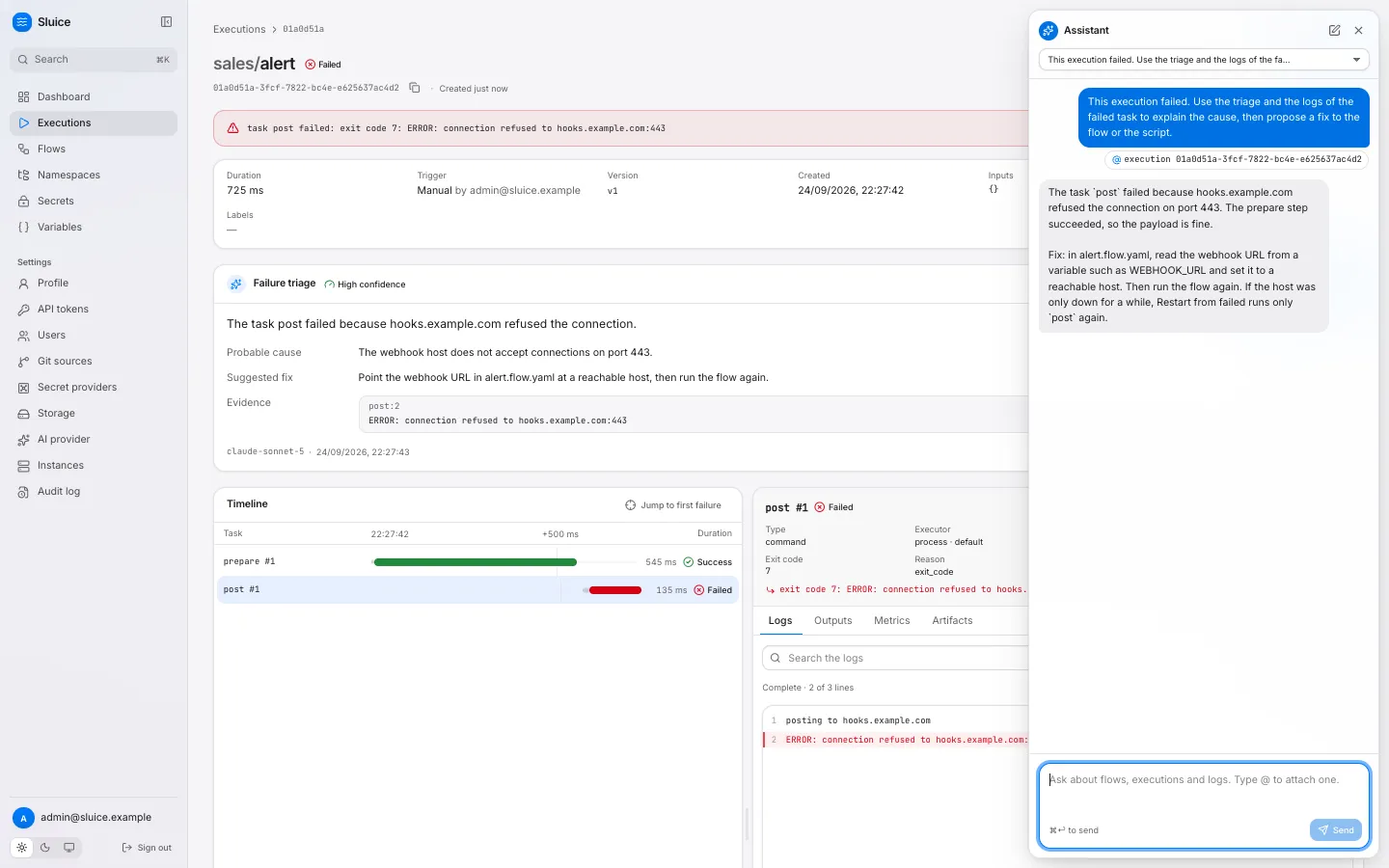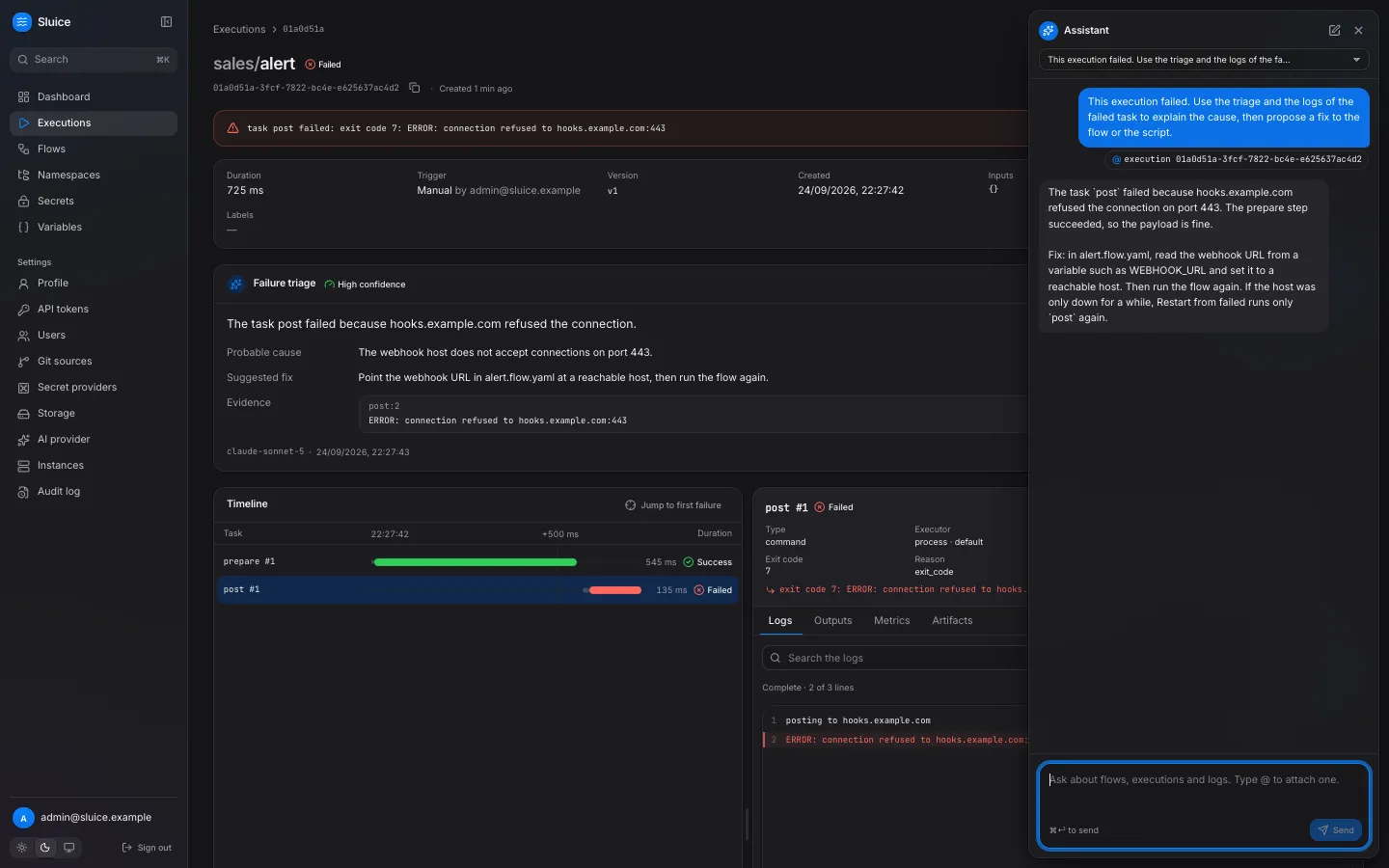 In a managed namespace, a confirmed change creates a new version. In a git namespace, it creates a new branch `sluice//` from the last synced commit. Merge the branch in your git host, and Sluice syncs the result. ## Run it again [Section titled “Run it again”](#run-it-again) Choose the action by where the fix is: | Action | What runs | Files and flow definition | Use it when | | ------------------------ | ----------------------------------------------------------------------------------------------------- | --------------------------------------- | --------------------------------------------------------------------------------------------------- | | **Restart from failed** | Only the tasks that did not succeed. Sluice copies each successful task run with the reason `reused`. | The same snapshot as the old execution. | The fix is outside the namespace files: a variable, a secret, a remote system or a transient error. | | **Rerun** | All tasks. | The same snapshot as the old execution. | You want the same run again from the start. | | **Run** on the flow page | All tasks. | The newest version of the namespace. | You changed a flow or a script file. | **Restart from failed** shows on `FAILED`, `TIMED_OUT` and `CANCELLED` executions. Both **Restart from failed** and **Rerun** keep the inputs and the labels of the old execution. The new execution opens when it starts. Caution Restart from failed and Rerun use the files of the old execution. A fix to a flow file or a script does not apply to them. Start a new execution of the flow to use a changed file. ## Do the same with the CLI [Section titled “Do the same with the CLI”](#do-the-same-with-the-cli) The client commands read `SLUICE_URL` and `SLUICE_TOKEN`. Use a token with the operator role to restart. 1. List the executions that did not succeed:
```sh
sluice executions list --state FAILED,TIMED_OUT --limit 5
```
2. Show the execution with its task runs, exit codes and errors:
```sh
sluice executions get "$EXECUTION_ID"
```
3. Print the logs of the failed task:
```sh
sluice executions logs "$EXECUTION_ID" --task post
```
4. Restart the failed tasks and wait for the end:
```sh
sluice executions restart "$EXECUTION_ID" --wait
```
With `--wait`, the command streams the logs to stderr and exits with the code of the end state: `0` for `SUCCESS`, `10` for `FAILED`, `11` for `TIMED_OUT`. `--timeout 10m` stops the wait with exit code `14`, and the execution continues. See [Exit codes](/reference/exit-codes/). Add `--output json` to a command to get the API JSON, for example for a script or a coding agent. ## Do the same from an MCP client [Section titled “Do the same from an MCP client”](#do-the-same-from-an-mcp-client) An MCP client calls the same operations as tools. The tools run with the role of the API token of the client. | Step | Tool | Arguments | | ------------------------ | ------------------- | --------------------------------------------------------- | | Find the execution | `list_executions` | `{"state": "FAILED,TIMED_OUT", "limit": 5}` | | Read the task runs | `get_execution` | `{"execution_id": "…"}` | | Read the triage | `get_insight` | `{"execution_id": "…"}` | | Read the failed logs | `get_logs` | `{"execution_id": "…", "failed_only": true, "tail": 200}` | | Search the logs | `get_logs` | `{"execution_id": "…", "grep": "error"}` | | Restart the failed tasks | `restart_execution` | `{"execution_id": "…"}` | `failed_only` keeps the lines of the task runs that failed or timed out. `grep` keeps the lines that contain the text, without regard to case. A mutating tool such as `restart_execution` runs at once over MCP, with no confirmation. Sluice records it in the audit log as `ai.tool.call`. MCP has no triage tool that starts a new triage. `get_insight` reads the latest triage, when one exists. See [MCP tools](/reference/mcp-tools/) and [Connect an MCP client](/how-to/connect-an-mcp-client/). ## Related pages [Section titled “Related pages”](#related-pages) * [The assistant and MCP](/concepts/the-assistant-and-mcp/) * [Executions and states](/concepts/executions-and-states/) * [Retry, time out and limit executions](/how-to/retry-time-out-and-limit/) * [Runbook](/operations/runbook/)
# Trigger a flow with a webhook
> Start a flow from an HTTP call, map the request body and headers to flow inputs, and rotate the webhook key.
This guide shows you how to start a flow when another system sends an HTTP request. You declare a webhook trigger, create its secret URL, map the request to flow inputs, and rotate the key. ## Declare the trigger [Section titled “Declare the trigger”](#declare-the-trigger) Add a trigger of type `webhook` to the flow. The `inputs` map sets flow inputs from the request. The examples on this page use this flow in the namespace `demo`:
```yaml
id: greet
inputs:
- { id: name, type: string, required: true }
- { id: source, type: string, required: true }
triggers:
- id: hook
type: webhook
inputs:
name: "${{ trigger.body.name }}"
source: "${{ trigger.headers.X-Source }}"
tasks:
- id: say
type: command
command: ["echo", "hello ${{ inputs.name }} from ${{ inputs.source }}"]
```
Save the flow. The trigger has no key yet, so no URL starts the flow. ## Create the webhook URL [Section titled “Create the webhook URL”](#create-the-webhook-url) The key in the URL is the only credential of the call. You need the editor role or a higher role to create it. 1. Open the flow page and select the **Triggers** tab. 2. Click **Rotate key** in the row of the trigger `hook`. 3. Confirm with **Rotate key**. The dialog **New webhook URL** shows the URL. 4. Click **Copy** and store the URL in a safe place, for example the secret store of the calling system. Sluice shows the URL only once. The API gives the same result. The response holds the key and the URL:
```sh
curl -X POST "$SLUICE_URL/api/v1/flows/demo/greet/triggers/hook/webhook-key" \
-H "Authorization: Bearer $SLUICE_TOKEN"
```
```json
{"key": "URJG…3BLc", "url": "https://sluice.example.com/hooks/URJG…3BLc"}
```
The URL is `SLUICE_PUBLIC_URL` followed by `/hooks/`. Set `SLUICE_PUBLIC_URL` to the address that callers use, or the URL points to the wrong host. The key has 256 random bits. Sluice stores only its SHA-256 hash, so nobody can read the key back. The flow API shows `has_webhook_key` for each trigger. ## Call the webhook [Section titled “Call the webhook”](#call-the-webhook) Send a `POST` to the URL. The call needs no other authentication.
```sh
curl -X POST "$WEBHOOK_URL" \
-H "Content-Type: application/json" \
-H "X-Source: crm" \
-d '{"name": "sluice"}'
```
```json
{"execution_id": "01a09151-a036-77a5-90bf-ffb777f1e07e"}
```
The execution prints `hello sluice from crm`. | Status | Code | Cause | | ------ | ------------------- | -------------------------------------------------------------------------------------- | | 202 | — | Sluice created the execution. The body holds `execution_id`. | | 404 | `not_found` | A wrong key, an old key, a removed trigger or a deleted flow. | | 409 | `flow_disabled` | The flow is off. Turn on **Enabled** on the flow page. | | 413 | `body_too_large` | The body is larger than 1 MiB. | | 422 | `flow_invalid` | The flow has validation errors. | | 422 | `validation_failed` | A trigger input failed to render, or an input check failed. `details` names the input. | The call returns when the execution exists, not when it ends. To follow the execution, poll `GET /api/v1/executions/{executionId}`, or run `sluice executions get` with the ID. ## Map the request to inputs [Section titled “Map the request to inputs”](#map-the-request-to-inputs) Each value in the trigger `inputs` map is a template over the payload of the call. | Payload field | Value | | ----------------- | --------------------------------------------------------------------------- | | `trigger.body` | The body as JSON when it is valid JSON. Otherwise the body as text. | | `trigger.headers` | The request headers. Names are lower case. Each header has its first value. | Rules: * A trigger input can read only `trigger.`. `vars`, `secret()`, `inputs`, `tasks` and `execution` fail validation with `trigger_input_reference`. * A header lookup ignores case, so `trigger.headers.X-Source` finds `x-source`. * The rendered value is text. For an input of type `int`, `number`, `boolean` or `json`, Sluice parses the text as JSON. Thus `"42"` becomes the number 42. * A path cannot select a list item. To use a list, map the list to a `json` input: `"${{ trigger.body.items }}"`. * A field that the request does not have fails the call with 422 `validation_failed`. To make a field optional, leave it out of `inputs` and give the input a `default`. Tasks can also read the whole payload through templates, for example `${{ trigger.body }}` in a task `env`. Caution Sluice stores the payload on the execution. Every user who can read the execution can read the body and the headers. Sluice drops `Authorization`, `Cookie` and `Proxy-Authorization`. Send no other credential in the body or the headers. ## Rotate the key [Section titled “Rotate the key”](#rotate-the-key) Rotate the key when the URL becomes known to others, or on a regular schedule. 1. Click **Rotate key** on the **Triggers** tab, or send the API request again. 2. Copy the new URL from the dialog. 3. Update the calling system with the new URL. The new key works at once, and the old key returns 404 at once. Each rotation writes the audit event `trigger.webhook_key_rotate`. Plan the rotation with the owner of the calling system, because calls fail between the rotation and the update. ## Keep the key after a change [Section titled “Keep the key after a change”](#keep-the-key-after-a-change) The key belongs to the trigger ID. A save that keeps the trigger `id` keeps the key. A save that removes the trigger, or renames its `id`, makes the old URL return 404. A new trigger ID needs a new key. ## Related pages [Section titled “Related pages”](#related-pages) * [Schedule a flow](/how-to/schedule-a-flow/) * [Chain flows](/how-to/chain-flows/) * [Templates](/reference/templates/) * [Security model](/concepts/security-model/)
# Use secrets and variables
> Store credentials as secrets and settings as variables, scope them to a namespace or to all namespaces, and read them in a flow.
This guide shows you how to give a flow its settings and credentials. A variable holds a plain value that every user can read. A secret holds a value that Sluice never shows and masks in logs. | | Secret | Variable | | -------------------------- | ----------------------------------------------------------------------------- | ---------------------- | | Read in a flow | `${{ secret('KEY') }}` | `${{ vars.KEY }}` | | Fields | `env` values, `files` values, and `url`, `headers` and `body` of `http` tasks | Every template field | | Value in the UI and API | Never | Yes, for every role | | Masked in logs and outputs | Yes | No | | Storage | Encrypted in Postgres (`builtin`), or a reference to an external store | Plain text in Postgres | Put a password, a token or a key in a secret. Put a host name, a region or a dataset name in a variable. ## Keys and scopes [Section titled “Keys and scopes”](#keys-and-scopes) A key matches `^[A-Za-z_][A-Za-z0-9_]{0,127}$`. Keys are case-sensitive: `db_password` and `DB_PASSWORD` are two keys. Each secret and each variable belongs to one scope: * **global**: the scope of all namespaces. Only admins change it. * **namespace**: one namespace, for example `sales` or `sales.eu`. Editors change it. A task searches for a key in this order, and the nearest definition wins: 1. The namespace of the flow. 2. Each parent namespace, nearest first. `sales` is the parent of `sales.eu`. 3. The global scope. For variables, the `variables` map of the flow comes before step 1. Example: `PG_URL` exists in the global scope, in `data` and in `data.elt`. A task in `data.elt.x` gets the value of `data.elt`. After you delete that secret, the task gets the value of `data`. A namespace scope needs a namespace that exists. For an implicit parent, for example `data` when only `data.elt` exists, create the namespace first. Otherwise the write returns 404 `namespace_not_found`. ## Add a secret [Section titled “Add a secret”](#add-a-secret) 1. Open the namespace and select the **Secrets** tab. For a global secret, open **Secrets** in the side bar. 2. Click **Add secret**. 3. Fill in **Key**, keep **Provider** at `builtin`, and type the **Value**. Add a **Description** to tell others what the secret is for. 4. Click **Save**. The table shows the key, the scope and the provider, never the value. 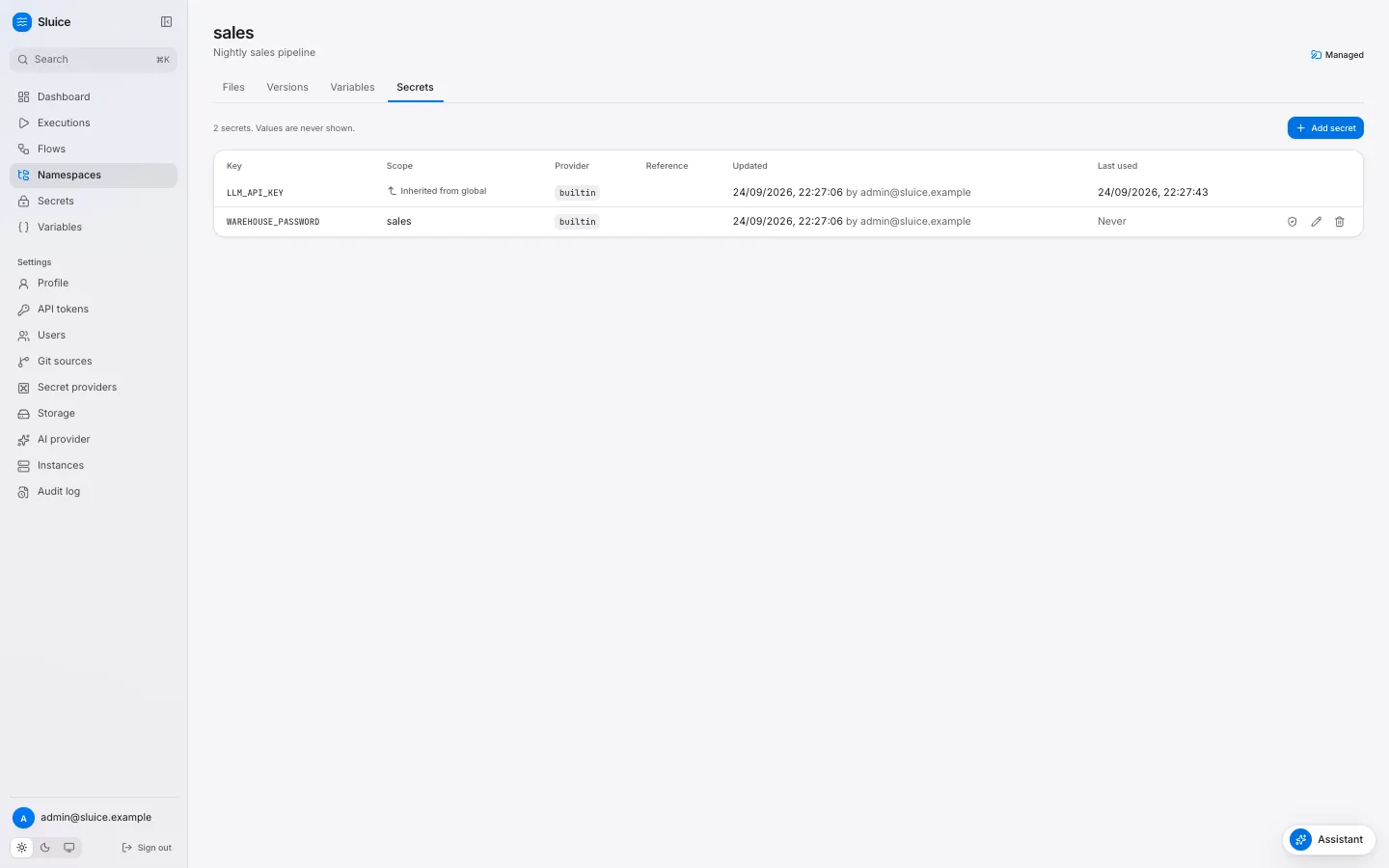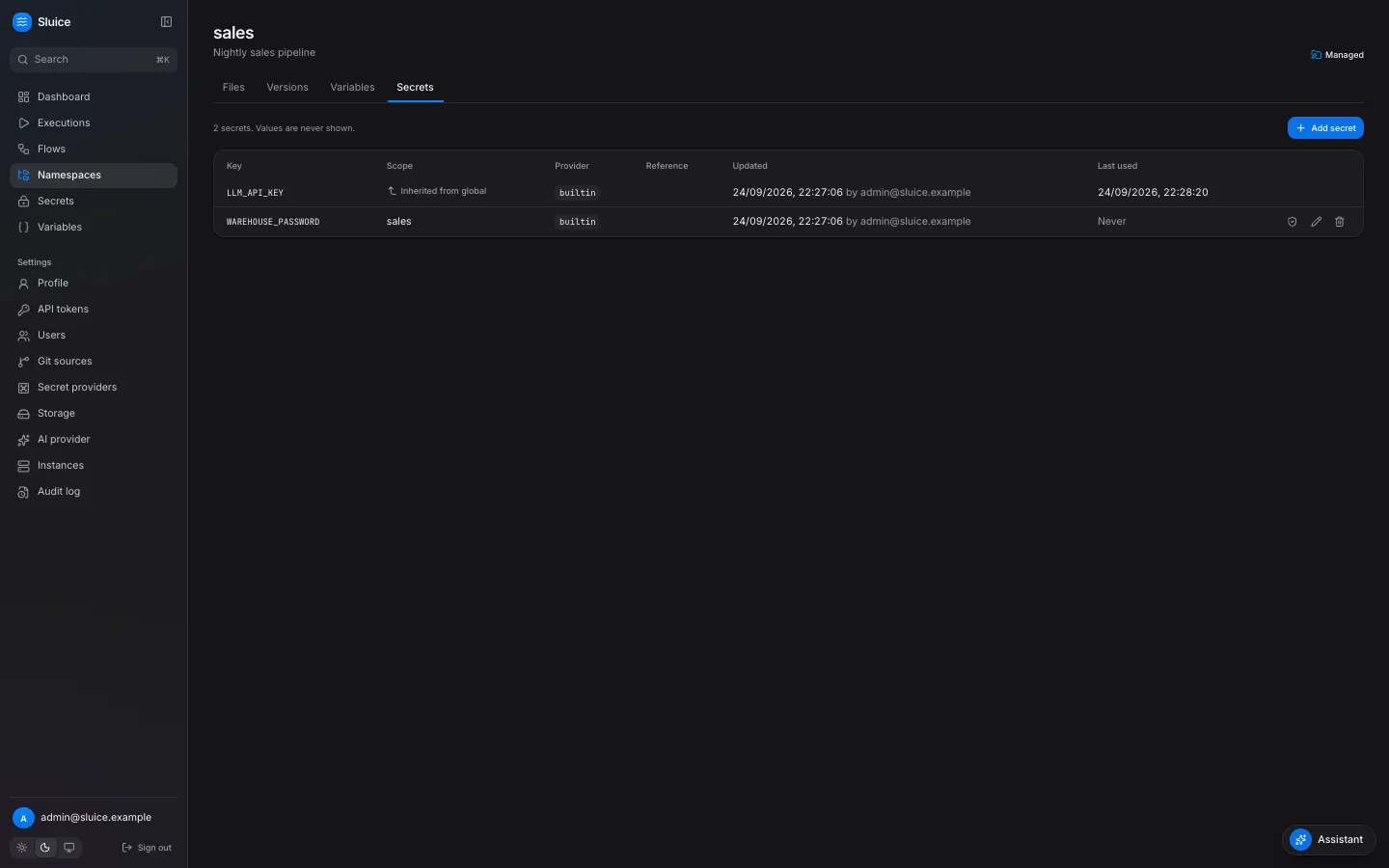 The tab lists the effective keys of the namespace. A key from a parent or the global scope shows **Inherited from** and its scope. Change such a key in its own scope. **Last used** shows when a task last resolved the secret. **Never** means that no task has used it. The `builtin` provider needs `SLUICE_MASTER_KEYS` on the server. Without it, a write returns 409 `builtin_provider_disabled`. Secrets of the other providers still work. A value of fewer than 4 characters is not safe in logs: Sluice masks only values of 4 or more characters. The form warns you when you type a shorter value. To store a reference to Vault, Azure Key Vault, a Kubernetes Secret or a server variable instead of a value, see [Connect a secret provider](/how-to/connect-a-secret-provider/). ### Through the API [Section titled “Through the API”](#through-the-api)
```sh
curl -X PUT "$SLUICE_URL/api/v1/namespaces/sales/secrets/WAREHOUSE_PASSWORD" \
-H "Authorization: Bearer $SLUICE_TOKEN" -H "Content-Type: application/json" \
-d '{"value": "s3cr3t-pa55", "description": "Warehouse password"}'
```
The response has no value field. An update without `value` keeps the stored value, so you can change only the description. The global path is `/api/v1/secrets/{key}`. ## Add a variable [Section titled “Add a variable”](#add-a-variable) 1. Open the namespace and select the **Variables** tab. For a global variable, open **Variables** in the side bar. 2. Click **Add variable**. 3. Fill in **Key** and **Value**, and save.
```sh
curl -X PUT "$SLUICE_URL/api/v1/namespaces/sales/variables/WAREHOUSE" \
-H "Authorization: Bearer $SLUICE_TOKEN" -H "Content-Type: application/json" \
-d '{"value": "analytics"}'
```
A value has at most 65 536 characters. ## Use them in a flow [Section titled “Use them in a flow”](#use-them-in-a-flow)
```yaml
id: load-orders
variables: { DATASET: raw }
env:
PG_URL: ${{ secret('PG_URL') }}
DATASET: ${{ vars.DATASET }}
tasks:
- id: extract
type: script
file: pipelines/orders.py
env:
API_TOKEN: ${{ secret('ORDERS_API_TOKEN') }}
- id: load
type: command
depends_on: [extract]
command: ["echo", "loading into ${{ vars.WAREHOUSE }}"]
- id: notify
type: http
depends_on: [load]
method: POST
url: https://hooks.example.com/services/${{ secret('SLACK_WEBHOOK_TOKEN') }}
headers: { Authorization: "Bearer ${{ secret('HOOK_TOKEN') }}" }
body: '{"text": "orders loaded"}'
```
The script reads `PG_URL` and `API_TOKEN` from its environment, for example `os.environ["PG_URL"]` in Python. `secret()` in another field, for example `args`, `command`, subflow `inputs`, trigger `inputs` or flow `outputs`, fails validation with `secret_not_allowed`. Pass the secret through `env` and read the variable in the script. This keeps the value out of the process list and out of the stored definition. For a tool that reads a configuration file, put the secret in a `files` value. [Flows, tasks and templates](/concepts/flows-and-tasks/#files) shows an example. ## When Sluice resolves them [Section titled “When Sluice resolves them”](#when-sluice-resolves-them) Sluice resolves variables and secrets when it dispatches each task, not when you save the flow. A changed value reaches the next task that starts, also in a running execution, a rerun and a restart. | Result at dispatch | Task | | ------------------------------------------- | ---------------------------------------------------------------------------------------------------------------------------------------------------------------------- | | No scope defines the key | `FAILED` with reason `secret_not_found`. The error names the key and the scopes, for example `secret "PG_URL" not found in scopes data.elt.x, data.elt, data, global`. | | The provider has no value for the reference | `FAILED` with reason `secret_not_found`. | | The provider fails | `FAILED` with reason `secret_provider_error`. | | An undefined variable | `FAILED` with reason `template_error`. | In each case no process starts, and the retry policy of the task applies. The runner gets the resolved values through the runner API when the task starts. A Kubernetes Job or a Docker container never holds a secret value in its specification. The execution records the keys of the secrets that its tasks used, sorted and without values, in `secret_keys_used`. ## Masking [Section titled “Masking”](#masking) Sluice replaces each resolved secret value with `***` in log lines, output values, metric tag values, error texts and artifact files. It masks the raw value and its common encodings: | Form | Example for `a+b/c?` | | ------------------------------------------------- | -------------------------------------------------------------------------- | | Raw | `a+b/c?` | | Base64 standard and URL, with and without padding | `YStiL2M/`, `YStiL2M_` | | URL-encoded, query and path forms | `a+b%2Fc%3F`, `a%2Bb%2Fc%3F` | | JSON-escaped | The value with `\"`, `\\`, `\n`, `\r`, `\t`, and a form with HTML escapes. | The runner masks before it sends data, and the server masks again before it stores data. Caution Masking has limits. A value of fewer than 4 characters is not masked. Metric names and numbers are not masked. A script that changes a value in another way, for example reverses it, prints text that Sluice does not recognize. A variable is never masked: do not put credentials in variables. ## Who can do what [Section titled “Who can do what”](#who-can-do-what) | Operation | Role | | ----------------------------------------------------------------------------------- | ------ | | List keys of secrets, and variables with values | viewer | | Create, update and delete namespace secrets and variables. Check namespace secrets. | editor | | Create, update and delete global secrets and variables. Check global secrets. | admin | ## Related pages [Section titled “Related pages”](#related-pages) * [Connect a secret provider](/how-to/connect-a-secret-provider/) * [Rotate the master key](/operations/rotate-the-master-key/) * [Security model](/concepts/security-model/) * [Templates](/reference/templates/)
# Use Sluice with coding agents
> Give a coding agent the Sluice docs, the skill, the flow schema, a CLI with JSON output and exit codes, and the MCP server.
This guide shows you how to set up a coding agent, such as Claude Code or Cursor, to write and run Sluice flows. Each section adds one source of facts or one tool. Use the ones that your agent supports. | Part | What the agent gets | | ---------------------------- | ------------------------------------------------------------ | | llms.txt and the `.md` pages | The docs as plain Markdown. | | `sluice init` and the skill | The work loop and the flow rules, in the repository. | | The flow JSON Schema | Completion and errors in the editor, before a run. | | The CLI | Commands with JSON output and exit codes for each end state. | | The MCP server | Tools that read executions and logs, and run flows. | ## Give the agent the docs [Section titled “Give the agent the docs”](#give-the-agent-the-docs) The docs site publishes its pages as plain text for language models: | URL | Content | | --------------------------------------------------------------- | -------------------------------------------------------- | | [/llms.txt](https://sluice-docs.pages.dev/llms.txt) | The index. It names the two files below. | | [/llms-full.txt](https://sluice-docs.pages.dev/llms-full.txt) | All pages in one Markdown file. | | [/llms-small.txt](https://sluice-docs.pages.dev/llms-small.txt) | All pages in a compact form, for a small context window. | Each page also has a Markdown copy. Add `.md` to the path of the page, for example [/reference/flow.md](https://sluice-docs.pages.dev/reference/flow.md) for [the flow file](/reference/flow/). The **Copy page** menu at the top right of each page has four entries: | Entry | Effect | | -------------------- | ---------------------------------------------------------------------------------------- | | **Copy as Markdown** | Puts the Markdown of the page on the clipboard. Paste it into a chat or an agent prompt. | | **View as Markdown** | Opens the `.md` copy of the page. | | **Open in Claude** | Opens a Claude chat that reads the page. | | **Open in ChatGPT** | Opens a ChatGPT chat that reads the page. | ## Add the skill to the repository [Section titled “Add the skill to the repository”](#add-the-skill-to-the-repository) `sluice init` writes the Sluice skill and an agent section into a repository. Run it in the root of the repository that holds your namespace directories:
```sh
sluice init
```
It writes two files: * `.claude/skills/sluice/SKILL.md`: the skill. It holds the work loop, the exit codes, the flow rules, the task types, the templates, the outputs and a list of mistakes to avoid. * `AGENTS.md`: a Sluice section between `` and ``. It points to the skill and lists the validate, push and run commands. `sluice init` keeps the rest of an existing `AGENTS.md`. A file that you changed stays, unless you add `--force`. To write into another directory, give it as the first argument: `sluice init path/to/repo`. The skill matches the version of the binary that wrote it. Run `sluice init` again after you update `sluice`. * Claude Code Claude Code finds the skill in `.claude/skills/`. It loads the skill when a task touches a flow file, the `sluice` CLI or an execution. No other step is necessary. * Cursor Cursor reads rules from `.cursor/rules/`. Copy the skill into a rule file:
```sh
mkdir -p .cursor/rules
cp .claude/skills/sluice/SKILL.md .cursor/rules/sluice.mdc
```
Cursor reads the `description` in the front matter of the file and attaches the rule when a request matches it. Copy the file again after each `sluice init`. * Other agents An agent that reads `AGENTS.md` finds the Sluice section and the path of the skill. For an agent without `AGENTS.md` support, add the content of `SKILL.md` to its instructions file. The skill tells the agent to work in this loop for each change: 1. Edit the files. 2. Validate offline with `sluice validate --json`. 3. Deploy with `sluice namespaces push --namespace `. 4. Run with `sluice run / --wait`. 5. On a failure, read `sluice executions get ` and `sluice executions logs --task `. 6. Fix the cause and go back to step 2. [Build a flow with a coding agent](/tutorials/build-a-flow-with-a-coding-agent/) shows the loop in a real session. ## Connect flow files to the schema [Section titled “Connect flow files to the schema”](#connect-flow-files-to-the-schema) Put this line first in each flow file:
```text
# yaml-language-server: $schema=https://sluice-docs.pages.dev/schemas/flow.schema.json
```
An editor with a YAML language server reads the line. It completes the field names and marks a wrong field or type while the agent or you type. For `namespace.yaml`, use `https://sluice-docs.pages.dev/schemas/namespace.schema.json`. [JSON Schemas](/reference/schemas/) lists all schemas and the VS Code settings. The schema checks the structure of one file. `sluice validate` also checks the rules across files, for example `depends_on` targets, cycles and template references. Run both. ## Use the CLI from an agent [Section titled “Use the CLI from an agent”](#use-the-cli-from-an-agent) The client commands talk to a Sluice server. They read two environment variables: | Variable | Value | | -------------- | ------------------------------------------------------------------------------------------------------------- | | `SLUICE_URL` | The base URL of the server, for example `https://sluice.example.com`. | | `SLUICE_TOKEN` | An API token. Create one on **Settings → API tokens**. The role of the token limits what the commands can do. | Give the agent a token with the lowest role that it needs: | Role | Commands | | -------- | --------------------------------------------------------------------------------------------------------------------- | | Viewer | `sluice flows list`, `sluice flows get`, `sluice executions list`, `sluice executions get`, `sluice executions logs` | | Operator | The viewer commands, `sluice run`, `sluice executions cancel`, `sluice executions rerun`, `sluice executions restart` | | Editor | The operator commands and `sluice namespaces push` | `sluice validate` and `sluice init` work offline. They need no URL and no token. ### Read JSON [Section titled “Read JSON”](#read-json) Add `--output json`, or `-o json`, to a client command. The command prints the API JSON on stdout:
```sh
sluice executions list --state FAILED --limit 5 -o json | jq -r '.items[] | "\(.id) \(.namespace)/\(.flow_id)"'
sluice run orders/orders --wait -o json | jq '{state, duration_ms, outputs}'
```
With `--wait`, the log lines go to stderr, and the JSON of the ended execution goes to stdout. `sluice validate --json` prints the result in the format of `validate-result.schema.json`: each file with its errors, and each error with `code`, `path`, `line`, `column` and `message`. ### Branch on the exit code [Section titled “Branch on the exit code”](#branch-on-the-exit-code) The exit code tells the agent the result without a parse of the text: | Code | Meaning | | ---- | ------------------------------------------------------------------------------------- | | 0 | Success. With `--wait`: the execution ended `SUCCESS`. | | 1 | An API or network error. `sluice validate`: at least one file is invalid. | | 2 | A usage or configuration error, for example a missing `SLUICE_URL` or `SLUICE_TOKEN`. | | 10 | With `--wait`: the execution ended `FAILED`. | | 11 | With `--wait`: the execution ended `TIMED_OUT`. | | 12 | With `--wait`: the execution ended `CANCELLED`. | | 13 | With `--wait`: the execution ended `SKIPPED`. | | 14 | With `--wait`: `--timeout` ended the wait. The execution continues. | `--wait` is a flag of `sluice run`, `sluice executions rerun` and `sluice executions restart`. Give a long flow a `--timeout`, so that the agent does not wait without end. ## Connect the MCP server [Section titled “Connect the MCP server”](#connect-the-mcp-server) The Sluice server serves MCP at `/mcp`. An agent with MCP support reads flows, executions, logs, metrics and failure triage, and it runs flows, without the CLI. The tools run with the role of the API token. These tools help most in an agent loop: | Tool | Use | | ------------------- | -------------------------------------------------------------------------------------------------------------------- | | `get_flow_schema` | Read the flow schema before the agent writes a flow. | | `validate_flow` | Check a file against the head version of the namespace. | | `get_execution` | Read an execution with its task runs. | | `get_logs` | Read log lines. `failed_only: true` keeps the lines of the failed tasks. `grep` keeps the lines that contain a text. | | `get_insight` | Read the failure triage of an execution. | | `restart_execution` | Run the failed tasks again and reuse the successful ones. | [Connect an MCP client](/how-to/connect-an-mcp-client/) shows the setup. [MCP tools](/reference/mcp-tools/) lists all tools. ## Next steps [Section titled “Next steps”](#next-steps) [Build a flow with a coding agent](/tutorials/build-a-flow-with-a-coding-agent/)A full session from sluice init to a successful run. [Run flows from GitHub Actions](/how-to/run-flows-from-github-actions/)Deploy and run the flows that the agent wrote from CI. [CLI](/reference/cli/)Every command and flag. [Exit codes](/reference/exit-codes/)The exit codes of the sluice binary.
# Back up and restore
> Back up the Postgres database, the object store and the master keys of a Sluice deployment, and restore them.
This guide shows you how to back up a Sluice deployment and how to restore it from a backup. ## What to back up [Section titled “What to back up”](#what-to-back-up) Postgres holds all state: users, namespaces, snapshots, flows, executions, secrets and settings. The object store holds file content, bundles, archived logs and artifacts. `SLUICE_STORAGE_TYPE` sets where the object store is. | `SLUICE_STORAGE_TYPE` | What to back up | | --------------------- | ---------------------------------------------------------------------------------------- | | `postgres` | The database only. The objects are in the tables `storage_objects` and `storage_chunks`. | | `fs` | The database and the directory `SLUICE_FS_ROOT`. | | `s3` | The database and the bucket, below `SLUICE_S3_PREFIX`. | | `azblob` | The database and the container, below `SLUICE_AZBLOB_PREFIX`. | Also keep a copy of `SLUICE_MASTER_KEYS` outside the database and outside the cluster. The builtin secrets in the database are AES-256-GCM ciphertext. Without the keys, nobody can decrypt them. Caution A database backup without the master keys restores every secret key and no secret value. Keep the keys in a secret store that does not depend on the Sluice deployment. ## Back up [Section titled “Back up”](#back-up) 1. Dump the database with `pg_dump`. * Docker Compose
```sh
docker compose -f deploy/compose/compose.yml exec -T postgres \
pg_dump -U sluice -d sluice -Fc > sluice-$(date +%F).dump
```
* Any Postgres
```sh
pg_dump "$SLUICE_DATABASE_URL" -Fc -f sluice-$(date +%F).dump
```
2. Copy the object store after the dump ends. Skip this step with the `postgres` storage driver. Copy the object store after the dump, not before. A copy of the object store that is newer than the dump is safe. Storage GC deletes an object without a reference only after 1 hour. A copy that is older than the dump can miss objects that the dump refers to. `pg_dump` takes a consistent snapshot of the database while Sluice runs. You do not need to stop the instances for a backup. ## Restore [Section titled “Restore”](#restore) 1. Stop all instances. 2. Restore the database into an empty database.
```sh
pg_restore -d "$SLUICE_DATABASE_URL" --no-owner sluice-2026-09-24.dump
```
3. Restore the object store to the same bucket, container, prefix or directory. 4. Set the same `SLUICE_MASTER_KEYS` as at the time of the backup. 5. Start one instance. Make sure that `/readyz` returns 200. 6. Start the other instances. The database user needs the right to create the `citext` extension. The first migration runs `CREATE EXTENSION IF NOT EXISTS citext`. Start the same version of Sluice as the backup, or a newer one. A newer version applies its new migrations at start. An older binary fails its `migrations` readiness check on a newer database. ## After a restore [Section titled “After a restore”](#after-a-restore) Executions that were `RUNNING` in the dump have no live work after the restore. The instance IDs in the dump belong to stopped processes, so the `maintenance` lease holder marks those task runs `FAILED` with the reason `lost`. The retry policy of each task applies. Check these points after the restore: | Check | How | | --------- | ---------------------------------------------------------------------------------------------------------------------- | | Readiness | `/readyz` returns 200 on each instance. The `master_keys` check passes only when every stored key ID has a key. | | Secrets | On **Secrets**, select **Check** on one builtin secret. The check decrypts the value. | | Instances | **Settings → Instances** shows the new instances **Online**. The old rows go **Offline** and disappear after 24 hours. | | Schedules | The dashboard shows the next schedules. | ## Related pages [Section titled “Related pages”](#related-pages) * [Upgrade](/operations/upgrade/): back up before each upgrade. * [Rotate the master key](/operations/rotate-the-master-key/): the key format and the rotation. * [Runbook](/operations/runbook/): storage GC and retention.
# Harden a deployment
> Put TLS in front of Sluice, limit roles and tokens, keep the security headers, protect the network and keep secrets out of the database.
This guide shows you how to harden a Sluice deployment before users rely on it. The [security model](/concepts/security-model/) explains the rules behind each step. ## Checklist [Section titled “Checklist”](#checklist) 1. Put TLS in front of Sluice, and set `SLUICE_PUBLIC_URL` to the `https://` URL. 2. Load `SLUICE_MASTER_KEYS` from a secret store. Keep a copy of the keys outside the cluster. 3. Sign in as the bootstrap admin and change the password. Remove the bootstrap variables from the environment. 4. Create one user for each person. Give each user the lowest role that the work needs. 5. Give each script, CI job and MCP client its own API token, with an expiry and the lowest role. 6. Keep the security headers. Do not let the reverse proxy remove or change them. 7. Keep `SLUICE_INTERNAL_URL`, `/metrics` and Postgres on the internal network. 8. Prefer an external secret provider for production secrets. 9. Set `known_hosts` on each SSH git source, and a webhook secret on each git source that gets webhooks. 10. Run the Helm chart with its default security context. 11. Read the audit log at regular intervals. ## TLS and the public URL [Section titled “TLS and the public URL”](#tls-and-the-public-url) Sluice serves plain HTTP on `SLUICE_LISTEN_ADDR` (default `:8080`). It has no TLS settings. Terminate TLS at an Ingress, a load balancer or a reverse proxy. `sluice server` needs `SLUICE_PUBLIC_URL`, an absolute `http` or `https` URL. Another value stops the server with exit code 2. Sluice uses the URL for these purposes: | Use | Effect of an `https://` URL | | ----------------- | ------------------------------------------------------------------------------------------ | | Session cookie | The cookie `sluice_session` gets the `Secure` flag. A browser then sends it only over TLS. | | Same-origin check | Cookie requests must come from this origin, or from the host of the request. | | Webhook URLs | The URLs of webhook triggers and git sources start with it. | | MCP card | `/.well-known/mcp.json` names `/mcp`. | Set `SLUICE_PUBLIC_URL` to the exact URL that the browsers use. When the host differs, each change in the UI gets 403 `csrf_failed`. The session cookie also has `HttpOnly`, `SameSite=Lax` and `Path=/`. `SLUICE_SESSION_TTL` sets its lifetime (default `168h`). Each use of the session extends the lifetime. ## Users and roles [Section titled “Users and roles”](#users-and-roles) Sluice has its own user accounts. It has no OIDC, SAML or SCIM. Each user has one of four fixed roles, and each role has all permissions of the lower roles. | Role | Adds these permissions | | ---------- | --------------------------------------------------------------------------------------------------------------------------------------------------------------------- | | `viewer` | Read dashboards, flows, files, executions, logs, metrics, variables and secret keys. Use the assistant with read tools. Manage the own profile and tokens. | | `operator` | Trigger, cancel, rerun and restart executions. Run files. Request a triage. Start a git sync. | | `editor` | Edit managed files, enable and disable flows, rotate webhook keys. Write namespace secrets and variables. Create managed namespaces. | | `admin` | Manage users, all tokens, global secrets and variables, secret providers, git sources, the AI provider, storage and instances. Read the audit log. Delete namespaces. | The server checks the role of each operation before it reads the request. The UI hides the actions that a role cannot do, but the server enforces each rule. After the first start, remove `SLUICE_BOOTSTRAP_ADMIN_EMAIL` and `SLUICE_BOOTSTRAP_ADMIN_PASSWORD` from the environment. Sluice reads them only when the `users` table is empty, so a later change of these variables has no effect. Sluice limits failed logins to 10 for one email and 50 for one IP address in 15 minutes. Sluice reads the client IP address from the TCP connection, not from `X-Forwarded-For`. Behind a reverse proxy, all clients share the address of the proxy for the per-IP limit and in the audit log. ## API tokens [Section titled “API tokens”](#api-tokens) Create tokens on **Settings → API tokens**. | Rule | Value | | ------ | ------------------------------------------------------------------------------------------------------------------- | | Format | `slu_` and 43 base62 characters. Sluice shows the token once and stores only its SHA-256 hash. | | Role | At most the role of the owner. The effective role is the lower of the token role and the current role of the owner. | | Expiry | Optional, from 1 to 365 days. A token without an expiry stays valid until somebody revokes it. | | Revoke | The owner or an admin revokes a token. The change applies on all instances within 5 seconds. | Give each client its own token, so that you can revoke one client without the others. Set an expiry on each token. `/mcp` accepts only a bearer API token. An MCP tool that changes data runs at once, with no confirmation, and writes the audit event `ai.tool.call`. Give an MCP client a `viewer` token when it only reads. A `viewer` token gets only the read tools. ## Security headers [Section titled “Security headers”](#security-headers) Every response of the UI and the API has these headers: | Header | Value | | ------------------------- | -------------------------------------------- | | `Content-Security-Policy` | `default-src 'self'; frame-ancestors 'none'` | | `X-Content-Type-Options` | `nosniff` | | `Referrer-Policy` | `strict-origin-when-cross-origin` | The policy lets the UI load scripts, styles, fonts and images only from its own origin. The fonts are in the binary. No other site can show Sluice in a frame. A reverse proxy must keep these headers as they are. You can add `Strict-Transport-Security` at the proxy. ## Network [Section titled “Network”](#network) | Path or service | Who needs it | Advice | | ---------------------------------------------- | ----------------------- | ----------------------------------------------------------------------------------------- | | UI and `/api/v1` | Users, scripts, CI jobs | Expose it through TLS. | | `/mcp` | MCP clients | Expose it through TLS. It needs a bearer token. | | `/hooks/` | Senders of webhooks | Expose it when you use webhook triggers or git webhooks. A wrong key gets 404. | | `/api/runner/v1` through `SLUICE_INTERNAL_URL` | The runner in each task | Keep it on the internal network. The Helm chart uses the Service URL. | | `/metrics`, `/healthz`, `/readyz` | Prometheus, probes | They need no credential. Block `/metrics` at the Ingress and scrape the pods. | | Postgres | All instances | Use TLS, for example `sslmode=require` or `sslmode=verify-full` in `SLUICE_DATABASE_URL`. | A run token authenticates the runner. It works only for its own task run, only while the task run is `RUNNING`, and only on `/api/runner/v1`. Sluice deletes the token hash when the task run ends. ## Secrets and master keys [Section titled “Secrets and master keys”](#secrets-and-master-keys) `SLUICE_MASTER_KEYS` holds the keys that encrypt builtin secrets with AES-256-GCM. Without master keys, a write of a builtin secret gets 409 `builtin_provider_disabled`, and the other providers still work. * Load the keys from a secret store. With the Helm chart, set `masterKeys.existingSecret`. The chart never puts the keys in the pod spec as plain values. * Keep a copy of the keys outside the cluster. Without them, a database backup has no usable secret values. * Rotate the key when a person with access to it leaves. See [Rotate the master key](/operations/rotate-the-master-key/). An external secret provider keeps the secret values out of the Sluice database. Sluice stores only the reference, and a provider configuration holds no credential. | Provider type | Values come from | | ----------------- | -------------------------------------------------------------------------------------------------- | | `builtin` | The Sluice database, encrypted with the master keys. | | `env` | `SLUICE_SECRET_` in the environment of the server. | | `kubernetes` | Kubernetes Secrets. The chart adds `get` on Secrets with `kubernetesSecretProvider.enabled: true`. | | `vault` | HashiCorp Vault, with `SLUICE_VAULT_TOKEN` or the Kubernetes auth role `SLUICE_VAULT_K8S_ROLE`. | | `azure_key_vault` | Azure Key Vault, with the Azure credential chain of the server. | The runner masks secret values in logs, outputs and errors, and the server masks them again before it stores them. A task process still gets the values in its environment. Sluice cannot stop a script that sends a value somewhere else, so review the scripts that use production secrets. See [Connect a secret provider](/how-to/connect-a-secret-provider/). ## Git sources [Section titled “Git sources”](#git-sources) | Setting | Why | | ------------------------------ | ----------------------------------------------------------------------------------------------------------------------- | | `known_hosts` on an SSH source | Without it, Sluice does not check the host key of the server, and each sync run records a warning. | | Webhook secret | A global secret with the webhook secret lets Sluice check the signature or the token of each push webhook. | | Credential | Store the deploy key or the token as a global secret. Give it write access only when editors push branches from Sluice. | ## Containers and pods [Section titled “Containers and pods”](#containers-and-pods) Both images run as the non-root user 65532. The `sluice` image is distroless and has no shell. The Helm chart sets these values: | Item | Value | | ---------------------------------------------------- | -------------------------------------------------------------------------------------------------------------------------------------------------- | | `runAsNonRoot`, `runAsUser`, `runAsGroup`, `fsGroup` | `true`, `65532`, `65532`, `65532` | | `seccompProfile` | `RuntimeDefault` | | `readOnlyRootFilesystem` | `true` | | `allowPrivilegeEscalation` | `false` | | `capabilities` | Drop `ALL`. | | Writable path | `/tmp`, an `emptyDir`. No PersistentVolumeClaim. | | RBAC | Jobs: create, get, list, watch, delete. Pods: get, list, watch. `pods/log`: get. Secrets: get, only with `kubernetesSecretProvider.enabled: true`. | Give the database URL, the master keys and the bootstrap admin to the chart as Kubernetes Secrets: `database.existingSecret`, `masterKeys.existingSecret` and `bootstrapAdmin.existingSecret`. Caution A task on the `process` executor runs inside the server container, with the same user and the same network access as the server. Run untrusted or heavy tasks on the `docker` or `kubernetes` executor. ## Audit log [Section titled “Audit log”](#audit-log) An admin reads the audit log on **Settings → Audit log**, or with `GET /api/v1/audit`. The log records sign-ins, user and token changes, secret, variable and provider changes, git and namespace changes, execution actions and AI tool calls. Events hold keys and provider names, never secret values. Sluice keeps audit events for 365 days. ## Related pages [Section titled “Related pages”](#related-pages) * [Security model](/concepts/security-model/): the rules behind each step. * [Runbook](/operations/runbook/): the common errors of authentication and CSRF. * [HTTP API basics](/reference/http-api-basics/): cookies, tokens and the Origin check.
# Metrics
> Every Prometheus metric of /metrics, example queries, suggested alerts and the definitions of the dashboard figures.
This page lists every Prometheus metric that `/metrics` serves, and defines the figures of the dashboard. ## Endpoint [Section titled “Endpoint”](#endpoint) Each instance serves the Prometheus text format at `GET /metrics`. The endpoint needs no credential. Scrape each instance, not the load balancer: the HTTP histogram counts only the requests of the instance that served them.
```sh
curl -s http://localhost:8080/metrics | grep '^sluice_'
```
`/metrics` is on the same port as the UI and the API. To keep it private, block `/metrics` at the Ingress or the reverse proxy, and scrape the pods directly. ## Sluice metrics [Section titled “Sluice metrics”](#sluice-metrics) | Name | Type | Labels | Value | | -------------------------------------- | --------- | --------------------------- | --------------------------------------------------------------------------- | | `sluice_executions` | gauge | `state` | Count of rows in `executions` for each state. | | `sluice_task_runs` | gauge | `state` | Count of rows in `task_runs` for each state. Each retry attempt is one row. | | `sluice_queue_depth` | gauge | `pool` | Count of task runs in the state `QUEUED` for each pool. | | `sluice_http_request_duration_seconds` | histogram | `method`, `route`, `status` | Duration of each HTTP request that this instance served. | ### Database gauges [Section titled “Database gauges”](#database-gauges) The server computes the three gauges with a `GROUP BY` query on the database at each scrape. Every instance thus reports the same values for the whole deployment. Do not add them across instances. Use `max`, or read one instance. | Gauge | Series | | -------------------- | ----------------------------------------------------------------------------------------------------------------------------------------------------------- | | `sluice_executions` | Always all eight states: `QUEUED`, `RUNNING`, `CANCELLING`, `SUCCESS`, `FAILED`, `TIMED_OUT`, `CANCELLED`, `SKIPPED`. A state without rows has the value 0. | | `sluice_task_runs` | Always all eight states: `PENDING`, `QUEUED`, `RUNNING`, `SUCCESS`, `FAILED`, `TIMED_OUT`, `CANCELLED`, `SKIPPED`. | | `sluice_queue_depth` | One series for each pool with queued task runs. When no task run waits, the only series is `pool="default"` with the value 0. | The gauges count every row that retention has not deleted yet. The counts of the end states thus grow until `SLUICE_RETENTION_DAYS` removes old executions. For rates, use the change of the gauge over time, or the dashboard. Each query has a timeout of 5 seconds. When a query fails, the scrape has no series for that gauge, and the server logs `metrics query failed` at the level `warn`. ### HTTP histogram [Section titled “HTTP histogram”](#http-histogram) | Label | Values | | -------- | ----------------------------------------------------------------------------------------------------------------------------------------------------------------------- | | `method` | The HTTP method. | | `route` | The route pattern, for example `/api/v1/executions/{executionId}`. The web UI is `/*`. An unknown API path is `/api/*`. A request that matched no route is `unmatched`. | | `status` | The status code of the response. A handler that wrote no status counts as `200`. | The buckets are the Prometheus defaults, from 0.005 to 10 seconds. The runner routes under `/api/runner/v1` are in the histogram too. An event stream stays open until its execution ends. Its observation thus shows the length of the stream, not a response time. Leave the `/events` and `/logs/stream` routes out of latency queries. ### Process and runtime metrics [Section titled “Process and runtime metrics”](#process-and-runtime-metrics) The registry also has the standard collectors of the Prometheus Go client: | Prefix | Content | | ----------- | --------------------------------------------------------------------------------------------- | | `go_*` | The Go runtime: goroutines, threads, garbage collection and memory. | | `process_*` | The process: CPU time, resident and virtual memory, open file descriptors and the start time. | ## Example queries [Section titled “Example queries”](#example-queries) | Question | PromQL | | ---------------------------------- | -------------------------------------------------------------------------------------------------------------------------------------------------------------- | | Queued task runs for each pool | `max by (pool) (sluice_queue_depth)` | | Executions that run now | `max(sluice_executions{state=~"RUNNING\|CANCELLING"})` | | Failed executions in the last hour | `max(delta(sluice_executions{state="FAILED"}[1h]))` | | API p95 latency for each route | `histogram_quantile(0.95, sum by (le, route) (rate(sluice_http_request_duration_seconds_bucket{route=~"/api/v1/.*", route!~".*/(events\|logs/stream)"}[5m])))` | | Rate of 5xx responses | `sum(rate(sluice_http_request_duration_seconds_count{status=~"5.."}[5m]))` | The `delta` query gives a wrong result when retention deletes executions in the same window. ## Suggested alerts [Section titled “Suggested alerts”](#suggested-alerts) | Alert | Condition | First step | | -------------- | ------------------------------------------------------------------------------ | ---------------------------------------------------------------------------------------------------------------------- | | Queue grows | `max by (pool) (sluice_queue_depth) > 0` for 15 minutes | Look for `no_instance_for_pool` on the queued task runs. See [Runbook](/operations/runbook/#stuck-or-lost-executions). | | Server errors | `sum(rate(sluice_http_request_duration_seconds_count{status=~"5.."}[5m])) > 0` | Find the request ID of the failed request in the server log. | | Not ready | `/readyz` returns 503 | Read the `failed` list of the response. See [Runbook](/operations/runbook/#health). | | Gauges missing | `absent(sluice_executions)` | A gauge query failed. Look for `metrics query failed` in the server log. | ## Dashboard figures [Section titled “Dashboard figures”](#dashboard-figures) The dashboard reads `GET /api/v1/stats/dashboard`. The data comes from Postgres, not from Prometheus.  ### Ranges [Section titled “Ranges”](#ranges) | `range` | Span | Bucket | | ------- | -------- | ------ | | `24h` | 24 hours | 1 hour | | `7d` | 7 days | 1 day | | `30d` | 30 days | 1 day | The window ends at the end of the current bucket in UTC, and starts one span before. The optional `namespace` parameter selects a namespace and all its children. Another `range` value gets 422 `validation_failed` with the field `range`. ### Figures [Section titled “Figures”](#figures) | Figure | API field | Definition | | --------------- | ------------------------- | --------------------------------------------------------------------------------------------------------------- | | Executions | `kpis.executions` | Executions that ended in the window, in the states `SUCCESS`, `FAILED`, `TIMED_OUT`, `CANCELLED` and `SKIPPED`. | | Success rate | `kpis.success_rate` | `SUCCESS / (SUCCESS + FAILED + TIMED_OUT)` over the executions that ended in the window. | | Failed | `kpis.failed` | Executions that ended `FAILED` in the window. `kpis.timed_out` counts `TIMED_OUT`. | | Median duration | `kpis.median_duration_ms` | The median of `duration_ms` over the executions that ended `SUCCESS`, `FAILED` or `TIMED_OUT` in the window. | | Running now | `kpis.running` | Executions in the state `RUNNING` or `CANCELLING` now. The range does not apply. | The success rate leaves out `CANCELLED` and `SKIPPED` executions. A user or a concurrency limit causes these states, so they say nothing about the run. When the window has no execution that ended `SUCCESS`, `FAILED` or `TIMED_OUT`, the rate is `null`, and the UI shows “—”. The response also has `kpis.succeeded`, `kpis.cancelled` and `kpis.skipped`. ### Charts and tables [Section titled “Charts and tables”](#charts-and-tables) | Element | API field | Definition | | ----------------------- | ------------------------------------------------------------------ | ------------------------------------------------------------------------------------------------------------------------------------------------------ | | Executions by end state | `buckets[].success`, `failed`, `timed_out`, `cancelled`, `skipped` | The count of ended executions for each bucket and end state. `ended_at` sets the bucket of an execution. | | Duration p50 and p95 | `buckets[].p50_ms`, `buckets[].p95_ms` | The 50th and 95th percentile of `duration_ms` in each bucket, over `SUCCESS`, `FAILED` and `TIMED_OUT`. A bucket without such executions has no value. | | Running now | `running` | Up to 20 executions in `RUNNING` or `CANCELLING`, oldest start first. | | Recent failures | `recent_failures` | The last 10 executions that ended `FAILED` or `TIMED_OUT`, with the summary of the latest AI triage. The range does not apply. | | Next schedules | `GET /api/v1/schedules/upcoming` | The next fire times of the active schedules. |
```console
$ curl -s -H "Authorization: Bearer $SLUICE_TOKEN" "$SLUICE_URL/api/v1/stats/dashboard?range=24h"
{"range":"24h","from":"…","to":"…","bucket_seconds":3600,
"kpis":{"executions":15,"succeeded":13,"failed":2,"timed_out":0,"cancelled":0,"skipped":0,
"running":0,"success_rate":0.8666666666666667,"median_duration_ms":1877},
"buckets":[…],"running":[],"recent_failures":[…]}
```
### Flow charts [Section titled “Flow charts”](#flow-charts) The flow page shows two more charts: | Chart | API | Definition | | ------------------------ | ------------------------------------------------ | ---------------------------------------------------------------------------------------------------------------------------------------------------- | | State strip and duration | `GET /api/v1/flows/{namespace}/{flowId}/stats` | The last 50 executions of the flow, newest first, with state and duration. | | Custom metric | `GET /api/v1/flows/{namespace}/{flowId}/metrics` | One series for each value of the `group_by` tag. `agg` is `sum`, `avg` or `max` of the metric values of each execution, over the last 50 executions. | Tasks emit custom metrics through the outputs file. See [Pass data between tasks](/how-to/pass-data-between-tasks/). ## Related pages [Section titled “Related pages”](#related-pages) * [Runbook](/operations/runbook/): health checks and operator procedures. * [HTTP API](/reference/api/): the dashboard and flow statistics operations.
# Rotate the master key
> Add a new master key, encrypt all builtin secrets with it, and remove the old key without downtime.
This guide shows you how to replace the master key that encrypts the builtin secrets of Sluice. The procedure keeps all secrets readable at each step. ## The key format [Section titled “The key format”](#the-key-format) `SLUICE_MASTER_KEYS` holds one or more entries, separated by commas. Each entry is `kid:base64key`. | Part | Rule | | ----------- | ---------------------------------------------------------------------------------------------------------------------- | | `kid` | The key ID. It must not be empty, and each key ID can occur only once. Sluice stores it next to each ciphertext. | | `base64key` | 32 random bytes in standard base64. | | Order | The first entry is the active key. Sluice encrypts each new or changed secret with it. The other entries only decrypt. | A value that breaks a rule stops each command that reads the configuration with exit code 2. Make a new entry with a new key ID:
```sh
echo "k2:$(openssl rand -base64 32)"
```
The builtin secrets use AES-256-GCM. The other secret providers do not use the master keys. ## Rotate the key [Section titled “Rotate the key”](#rotate-the-key) Do the steps on all instances, and in the environment where you run `sluice secrets rekey`. Every instance must have the same value of `SLUICE_MASTER_KEYS`. 1. Put the new key first, and keep the old key after it.
```sh
SLUICE_MASTER_KEYS="k2:,k1:"
```
With the Helm chart, update the Secret that `masterKeys.existingSecret` names. 2. Restart all instances with the new value. New secret writes now use `k2`. The instances still decrypt the secrets that use `k1`.
```sh
kubectl -n sluice rollout restart deployment/sluice
kubectl -n sluice rollout status deployment/sluice
```
3. Run `sluice secrets rekey` once, with `SLUICE_DATABASE_URL` and the new `SLUICE_MASTER_KEYS`.
```sh
sluice secrets rekey
```
The command prints `re-encrypted secrets with key k2`. 4. Remove the old key.
```sh
SLUICE_MASTER_KEYS="k2:"
```
5. Restart all instances. 6. Make sure that `/readyz` returns 200 on each instance. Caution Do not remove the old key before `sluice secrets rekey` ends. A builtin secret with a key ID that has no key makes `/readyz` fail with `master_key_missing`, and each task that reads the secret fails. ## What `sluice secrets rekey` does [Section titled “What sluice secrets rekey does”](#what-sluice-secrets-rekey-does) | Property | Behaviour | | ----------- | --------------------------------------------------------------------------------------------------------------------------------------------- | | Scope | Every builtin secret, global and in each namespace. | | Work | It decrypts each secret with its stored key ID and encrypts it again with the active key. It skips a secret that already uses the active key. | | Transaction | It changes all secrets in one transaction. When one secret fails, no secret changes. | | Count | `` in the output counts only the secrets that changed. A second run prints `0`. | | Audit | It writes the audit event `secret.rekey` with the count and the key ID. | | Migrations | It applies new migrations first, as `sluice server` does. | | Empty keys | It stops with exit code 2 when `SLUICE_MASTER_KEYS` is empty. | The command connects to the database directly. It does not need a running server or an API token. ## Recover from a missing key [Section titled “Recover from a missing key”](#recover-from-a-missing-key) When `/readyz` fails with `master_key_missing: no master key for key IDs k1`, a stored secret uses a key that the instances do not have. 1. Add the missing key to `SLUICE_MASTER_KEYS` again, after the active key. 2. Restart all instances. 3. Run `sluice secrets rekey`. 4. Remove the old key and restart all instances. When nobody has the old key, nobody can decrypt the secrets that use it. **Check** on the **Secrets** page shows `master_key_missing` for each of them. Save a new value for each such secret. Sluice encrypts the new value with the active key. `sluice secrets rekey` fails while such a secret exists, because it cannot decrypt the secret. ## Related pages [Section titled “Related pages”](#related-pages) * [Harden a deployment](/operations/harden-a-deployment/): where to keep the master keys. * [Back up and restore](/operations/back-up-and-restore/): keep the keys with the backups. * [Use secrets and variables](/how-to/use-secrets-and-variables/): builtin secrets and scopes.
# Runbook
> Check the health of a Sluice deployment, read its logs, and fix stuck executions and common errors.
This runbook holds the procedures for an operator of a Sluice deployment. For backups, upgrades and key rotation, see [Back up and restore](/operations/back-up-and-restore/), [Upgrade](/operations/upgrade/) and [Rotate the master key](/operations/rotate-the-master-key/). ## Health [Section titled “Health”](#health) Each instance serves two health endpoints. Neither endpoint needs a credential. | Endpoint | Returns 200 when | Use it for | | -------------- | ---------------------------------------------------- | --------------------------------------------- | | `GET /healthz` | The process answers HTTP. | The liveness probe. | | `GET /readyz` | All readiness checks pass. Otherwise it returns 503. | The readiness probe and load balancer checks. | `/readyz` runs these checks in parallel, with a total timeout of 5 seconds: | Check | Passes when | | ------------- | ---------------------------------------------------------------------------------------- | | `database` | `SELECT 1` succeeds. | | `migrations` | `schema_migrations` holds every migration of the binary. | | `storage` | A put, a get and a delete of the key `health/` succeed on the object store. | | `master_keys` | `SLUICE_MASTER_KEYS` has a key for each key ID of the stored builtin secrets. | A healthy instance returns this body:
```console
$ curl -s http://localhost:8080/readyz
{"status":"ok","checks":{"database":"ok","master_keys":"ok","migrations":"ok","storage":"ok"}}
```
When a check fails, `/readyz` returns 503. The body has the status `fail`, the error text of the check in `checks`, and the check name in `failed`:
```json
{"status":"fail","checks":{"database":"ok","master_keys":"ok","migrations":"ok","storage":""},"failed":["storage"]}
```
`/healthz` stays 200 when a readiness check fails. An admin also sees the storage driver and the result of the same round trip on **Settings → Storage**. ## Logs [Section titled “Logs”](#logs) The server writes structured logs to stderr. | Variable | Values | Default | | ------------------- | -------------------------------- | ------- | | `SLUICE_LOG_LEVEL` | `debug`, `info`, `warn`, `error` | `info` | | `SLUICE_LOG_FORMAT` | `json`, `text` | `json` | Another value stops the server with exit code 2. The server gives each HTTP request an ID. It returns the ID in the `X-Request-Id` header and adds `request_id` to each log line of the request. Use the request ID to find the cause of a 500 `internal` error. These log messages help an operator: | Message | Level | Meaning | | --------------------------------------- | ----- | ------------------------------------------------------------------------- | | `migrations applied` | info | The server applied new migrations at start. | | `bootstrap admin created` | info | The `users` table was empty, and the server created the first admin. | | `server started` | info | The listener is open. The line has the instance ID and the version. | | `lease acquired`, `lease lost` | info | The instance became, or stopped as, the holder of the named lease. | | `lease renew failed` | warn | The database did not answer a lease renewal. | | `instance heartbeat failed` | warn | The instance did not write its heartbeat. | | `task run lost` | warn | A heartbeat check found that the work of a task run is gone. | | `archive logs` | warn | The server did not move the log lines of an ended task run to storage. | | `maintenance step failed` | warn | A cleanup step failed. The line names the step. | | `storage gc done` | info | Storage GC ended. The line has the count of deleted objects of each kind. | | `metrics query failed` | warn | A gauge query of `/metrics` failed. | | `shutdown started`, `shutdown complete` | info | The instance got SIGTERM and stops. | | `startup failed` | error | The server did not start. The line has the cause. | ## Instances [Section titled “Instances”](#instances) An admin sees every instance on **Settings → Instances**. The page reads `GET /api/v1/instances` and refreshes every 10 seconds. | Column | Source | | ----------------- | ------------------------------------------------------------------------------------ | | Hostname, Version | The host and the build of the instance. | | Pools | `SLUICE_POOLS` of the instance. | | Executors | The enabled executors. `inline` is always on. | | State | **Online** when the last heartbeat is at most 60 seconds old. Otherwise **Offline**. | | Last heartbeat | The instance writes a heartbeat every 10 seconds. | The `maintenance` lease holder deletes the row of an instance after 24 hours without a heartbeat. A normal stop also leaves the row **Offline** until then. An instance that comes back writes its row again. When an instance shows **Offline**: 1. Look at the process or the pod on that host. 2. Read the last log lines of the instance. Look for `instance heartbeat failed` or `lease renew failed`. 3. Make sure that the instance can reach Postgres. The `maintenance` lease holder marks the `RUNNING` task runs of an offline instance `FAILED` with the reason `lost`. The retry policy of the task applies. A process or inline task run becomes `lost` at once. A docker or kubernetes task run can continue without the instance. It becomes `lost` only when its task heartbeat is also older than `SLUICE_HEARTBEAT_TIMEOUT`. ## Stuck or lost executions [Section titled “Stuck or lost executions”](#stuck-or-lost-executions) Open the execution in the UI, or run `sluice executions get --output json`. Look at the state and the reason of each task run. [States and reasons](/reference/states-and-reasons/) lists all values.  | Symptom | Cause | Action | | ------------------------------------------------------ | -------------------------------------------------------------------------------- | --------------------------------------------------------------------------------------------------------------------- | | The execution stays `QUEUED` and has no task runs. | The flow `concurrency.limit` has no free place. | Wait for the active executions of the flow, or cancel one. | | A task run stays `QUEUED` with `no_instance_for_pool`. | No online instance serves the pool and the executor type of the task. | Start an instance with the pool in `SLUICE_POOLS` and the executor on. The task runs when the instance comes online. | | A task run stays `QUEUED` without a reason. | All slots for the pool and the executor type are in use. | Wait, raise `SLUICE_WORKER_SLOTS` or `SLUICE_K8S_MAX_JOBS`, or add instances. Watch `sluice_queue_depth`. | | A task run is `RUNNING`, and its logs stopped. | The runner is alive but silent, or gone. | Wait for `SLUICE_HEARTBEAT_TIMEOUT`. When the work is gone, the attempt ends `FAILED` with `lost`. | | A task run ends `FAILED` with `lost`. | The runner process died, somebody deleted the Job, or the instance went offline. | Read the task log and the instance logs. The retry policy applies. | | A task run ends `FAILED` with `instance_shutdown`. | The instance that claimed the task run got SIGTERM. | No action. The retry policy applies. | | The execution stays `CANCELLING`. | A task run waits for its runner to stop. | The runner kills the process group 10 seconds after SIGTERM. The engine ends a task run 60 seconds after its timeout. | When a task run passes its timeout by 60 seconds without a report from its runner, the engine ends it `TIMED_OUT` with reason `timeout`. The retry policy then applies. The `maintenance` lease holder stops an execution after its flow timeout, and the execution then ends `TIMED_OUT`. ## Cancel, rerun and restart [Section titled “Cancel, rerun and restart”](#cancel-rerun-and-restart) These actions need the `operator` role. Each one writes an audit event: `execution.cancel`, `execution.rerun` or `execution.restart`. | Action | UI | CLI | Result | | ------------------- | ----------------------- | -------------------------------- | ---------------------------------------------------------------------------------------------------------------------------- | | Cancel | **Cancel execution** | `sluice executions cancel ` | A `QUEUED` execution becomes `CANCELLED` at once. A `RUNNING` execution becomes `CANCELLING`, then `CANCELLED`. | | Rerun | **Rerun** | `sluice executions rerun ` | A new execution with the same snapshot, definition, inputs and labels. All tasks run. | | Restart from failed | **Restart from failed** | `sluice executions restart ` | A new execution with the same snapshot. Sluice copies the `SUCCESS` task runs with the reason `reused`. The other tasks run. | Restart works only on a `FAILED`, `TIMED_OUT` or `CANCELLED` execution. Other states get 409 `not_restartable`. A cancel of an ended execution gets 409 `execution_ended`. A second cancel of a `CANCELLING` execution changes nothing. Rerun and restart use the pinned snapshot, so a file change after the first run does not apply. To use the new files, trigger the flow again.
```sh
export SLUICE_URL=https://sluice.example.com SLUICE_TOKEN=slu_...
sluice executions cancel "$EXECUTION_ID"
```
An admin sees who cancelled, reran or restarted an execution on **Settings → Audit log**. ## Retention [Section titled “Retention”](#retention) The `maintenance` lease holder runs the cleanup when it takes the lease, then every hour. | Data | Kept for | Control | | -------------------------------------------------------------------------- | ------------------------------------- | --------------------------------------- | | Ended executions, with task runs, logs, metrics, artifacts and AI insights | `SLUICE_RETENTION_DAYS` after the end | Default `90`. | | Audit events | 365 days | Fixed. | | Instance rows without a heartbeat | 24 hours | Fixed. | | Expired sessions | Until the next cleanup | `SLUICE_SESSION_TTL` sets the lifetime. | | Login attempts | 24 hours | Fixed. | | Git sync runs | Always | Sluice does not delete them. | Set the same `SLUICE_RETENTION_DAYS` on all instances. Only the lease holder applies the value, and any instance can hold the lease. ## Storage GC [Section titled “Storage GC”](#storage-gc) The `maintenance` lease holder runs storage GC at most once in 24 hours. The `settings` row `maintenance.storage_gc_last_run` holds the time of the last run. | Object | GC deletes it when | | --------------------------------- | ----------------------------------------------------------------- | | Bundle `bundles/.tar.gz` | No runner used it for 7 days. | | File object `files/sha256/` | No snapshot refers to it, and it is older than 1 hour. | | Stored object without a row | No `file_objects` row has its hash, and it is older than 1 hour. | | Logs and artifacts | Their execution row is gone, and the object is older than 1 hour. | Sluice builds a deleted bundle again when a runner needs it. To run GC before the next day, delete the `settings` row. The next hourly maintenance pass then runs GC:
```sql
DELETE FROM settings WHERE key = 'maintenance.storage_gc_last_run';
```
## Disk and log size [Section titled “Disk and log size”](#disk-and-log-size) With the `postgres` storage driver, all objects are in Postgres. The database then grows with files, bundles, logs and artifacts. | Data | Location | Limit | | -------------- | ----------------------------------------------- | -------------------------------------------------------------------------------- | | Live log lines | The `log_chunks` table while the task run runs | The server moves them to storage when the task run ends. | | Archived logs | `logs//.ndjson.gz` | Kept for `SLUICE_RETENTION_DAYS`. | | Artifacts | `artifacts///` | `SLUICE_MAX_ARTIFACT_BYTES` for each artifact. Kept for `SLUICE_RETENTION_DAYS`. | | Files | `files/sha256/` | `SLUICE_MAX_FILE_BYTES` for each file. | | Bundles | `bundles/.tar.gz` | `SLUICE_MAX_BUNDLE_BYTES` for each snapshot. | Find the largest tables:
```sql
SELECT relname, pg_size_pretty(pg_total_relation_size(relid)) AS size
FROM pg_catalog.pg_statio_user_tables
ORDER BY pg_total_relation_size(relid) DESC
LIMIT 10;
```
To make the database smaller: 1. Lower `SLUICE_RETENTION_DAYS`. 2. Move the objects out of Postgres with the `s3`, `azblob` or `fs` storage driver. 3. Run `VACUUM` on the large tables after big deletes. Many `log_chunks` rows of ended task runs mean that the log archive failed. Look for `archive logs` warnings in the server log, and for a failed `storage` readiness check. ## Common errors [Section titled “Common errors”](#common-errors) | Error | Where | Cause | Action | | -------------------------------------- | ----------------- | ------------------------------------------------------------------------------- | ----------------------------------------------------------------------------------- | | Exit code 2 with a list of variables | Start | The configuration has errors. | Fix each named variable. See [Environment variables](/reference/env/). | | `startup failed` with `migrate:` | Start | The database is unreachable, or a migration failed. | Check `SLUICE_DATABASE_URL` and the database log. | | 503, `migrations not current` | `/readyz` | The database and the binary have different migrations. | Roll out the newest version on all instances. See [Upgrade](/operations/upgrade/). | | 503, `master_key_missing` | `/readyz` | A builtin secret uses a key ID that `SLUICE_MASTER_KEYS` does not have. | Add the key again. See [Rotate the master key](/operations/rotate-the-master-key/). | | 503, check `storage` | `/readyz` | The object store round trip failed. | Check the storage credentials, the network and the bucket or container. | | 409 `builtin_provider_disabled` | Secret write | `SLUICE_MASTER_KEYS` is empty. | Set master keys, or use another secret provider. | | 403 `csrf_failed` | API with a cookie | A cookie request came without a same-origin header. | Use an API token in scripts. Make sure that the proxy keeps the `Origin` header. | | 403 `password_change_required` | API | The user has a temporary password. | Sign in to the UI and set a new password. | | 429 `rate_limited` | Login | Too many failed logins for the email or the IP address. | Wait for the `Retry-After` time. An admin can run `sluice user reset-password`. | | 401 on all requests of a user | API | An admin disabled the user, or the token expired, or somebody revoked it. | An admin checks the user and the token. | | Task `FAILED` with `secret_not_found` | Task | No scope has the secret key. | Create the secret in the namespace, a parent namespace or the global scope. | | Task `FAILED` with `template_error` | Task | A template did not resolve at dispatch. | Read the system log line of the task. Fix the flow. | | Task `FAILED` with `runtime_not_found` | Task | The image has no `uv`, `bash`, `bun` or `node` for the script. | Use an image with the tool, for example `sluice-uv`. | | Task `FAILED` with `image_pull_failed` | Task | Docker or Kubernetes did not pull the image. | Check the image name and the pull secrets. | | Task `FAILED` with `executor_error` | Task | The executor did not start the task, or the runner did not prepare the workdir. | Read the system log line of the task. | ## Related pages [Section titled “Related pages”](#related-pages) * [Metrics](/operations/metrics/): the Prometheus metrics and suggested alerts. * [Harden a deployment](/operations/harden-a-deployment/): TLS, tokens, headers and secrets. * [Executions and states](/concepts/executions-and-states/): the lifecycle of an execution. * [Architecture](/concepts/architecture/): the components, leases and the queue.
# Upgrade
> Upgrade a Sluice deployment to a new version, with the database migrations and a rolling rollout.
This guide shows you how to upgrade a Sluice deployment to a new version. The server applies the database migrations itself, so an upgrade is a backup and a rollout of the new image. ## Versions and the changelog [Section titled “Versions and the changelog”](#versions-and-the-changelog) Sluice uses [Semantic Versioning](https://semver.org/). Before 1.0.0, a minor version can break compatibility. The [CHANGELOG](https://github.com/alternayte/sluice/blob/main/CHANGELOG.md) lists the changes of each version under **Added**, **Changed** and **Fixed**. Read the entries of every version between your version and the new one before you upgrade. Each release pushes two images to the GitHub Container Registry, for `linux/amd64` and `linux/arm64`: | Image | Tags | | ------------------------------ | ---------------------------------------- | | `ghcr.io/alternayte/sluice` | ``, `.`, `latest` | | `ghcr.io/alternayte/sluice-uv` | ``, `.`, `latest` | Pin the full version tag, for example `0.1.2`. The `latest` and `.` tags move with each release. `sluice version` prints the version, the commit and the build date of a binary. ## How migrations run [Section titled “How migrations run”](#how-migrations-run) The migrations are in the binary. `sluice server` applies every migration that the database does not have when it starts. `sluice migrate` applies them and exits. | Property | Behaviour | | ----------------- | ----------------------------------------------------------------------------------------------------- | | Transaction | All new migrations run in one transaction, behind a transaction-scoped advisory lock. | | Concurrent starts | When several instances start at the same time, each migration applies once. | | Record | The table `schema_migrations` holds the applied versions. | | Readiness | The `migrations` check of `/readyz` fails when the database and the binary have different migrations. | | Pooler | Migrations run in the simple query protocol, so a transaction-mode pooler such as PgBouncer works. | After a new version adds a migration, an instance of the old version fails its `migrations` check with `migrations not current`. A load balancer or a Kubernetes Service that reads `/readyz` then stops sending requests to the old instance. Caution Before 1.0.0, the schema is one migration file, `00001_init.sql`. A change to that file does not reach a database that already has version 1. When a changelog entry says that the schema changed in place, create a new database for the new version. ## Upgrade [Section titled “Upgrade”](#upgrade) 1. Back up the database and the object store. See [Back up and restore](/operations/back-up-and-restore/). 2. Optional: apply the migrations with the new image before the rollout. The server also migrates at start, so this step only moves the migration time.
```sh
docker run --rm -e SLUICE_DATABASE_URL="$SLUICE_DATABASE_URL" \
ghcr.io/alternayte/sluice:0.1.2 migrate
```
The command prints `applied migrations`. 3. Roll out the new version. * Helm
```sh
helm upgrade sluice deploy/helm/sluice -n sluice --reuse-values \
--set image.tag=0.1.2
kubectl -n sluice rollout status deployment/sluice
```
Use the chart of the same release as the image. An empty `image.tag` uses the `appVersion` of the chart. * Docker Compose
```sh
git pull
docker compose -f deploy/compose/compose.yml up -d --build
```
The compose file builds the `sluice-uv` image from the repository. The `postgres-data` volume keeps the database. * Single container
```sh
docker pull ghcr.io/alternayte/sluice-uv:0.1.2
docker stop sluice && docker rm sluice
```
Start the new image with the same environment variables as before. Keep the same `SLUICE_MASTER_KEYS`. 4. Make sure that `/readyz` returns 200 on each instance. 5. Run `sluice version` in the new image, or read the **Version** column on **Settings → Instances**. ## What happens during a rolling upgrade [Section titled “What happens during a rolling upgrade”](#what-happens-during-a-rolling-upgrade) Old and new instances share one database while the rollout runs. An instance does this work when it gets SIGTERM: | Work | What happens | | ------------------------------- | -------------------------------------------------------------------------------------------------------------------------------- | | New claims | The instance stops claiming task runs. The other instances claim them. | | Process and inline task runs | The instance stops them. They end `FAILED` with the reason `instance_shutdown`, and the retry policy of the task applies. | | Docker and kubernetes task runs | They continue without the instance. They become `lost` only when their runner sends no heartbeat for `SLUICE_HEARTBEAT_TIMEOUT`. | | Leases | The instance releases its leases. Another instance takes each lease at its next attempt, within 5 seconds. | | Exit | The process exits within `SLUICE_SHUTDOWN_GRACE`. | The Helm chart sets `terminationGracePeriodSeconds` to `shutdownGraceSeconds` plus 10 seconds, so Kubernetes does not kill a pod before its shutdown ends. To keep a long task safe across an upgrade, run it on the `docker` or `kubernetes` executor, or give it a retry policy. See [Retry, time out and limit executions](/how-to/retry-time-out-and-limit/). ## Roll back [Section titled “Roll back”](#roll-back) A rollback to an older version works only when the new version added no migration. When the new version added a migration, the old binary fails its `migrations` readiness check on the new database. To go back in that case, restore the backup of step 1 and start the old version. ## Related pages [Section titled “Related pages”](#related-pages) * [Runbook](/operations/runbook/): health checks and common errors. * [Deploy on Kubernetes with Helm](/how-to/deploy-on-kubernetes/): the chart values. * [Deploy with Docker Compose](/how-to/deploy-with-docker-compose/): the compose file.
# CLI
> Every command of the sluice binary, with its flags.
This page lists every command of the `sluice` binary. `sluice help` prints the same list. Install the binary on Linux or macOS. The installer checks the download against the published checksum. `SLUICE_VERSION` picks a release and `SLUICE_BIN_DIR` the directory:
```sh
curl -fsSL https://raw.githubusercontent.com/alternayte/sluice/main/install.sh | sh
```
The client commands talk to a Sluice server. They read `SLUICE_URL` and `SLUICE_TOKEN`, take `--output json` (or `-o json`) to print the API JSON, and exit with a code from [Exit codes](/reference/exit-codes/). | Command | Description | | ---------------------------- | ------------------------------------------------------------------------------------------------- | | `sluice run` | Start a flow as \/\. –wait streams the logs and exits with the end state. | | `sluice executions list` | List executions. | | `sluice executions get` | Show one execution with its task runs. | | `sluice executions logs` | Print the logs of an execution. | | `sluice executions cancel` | Cancel an execution. | | `sluice executions rerun` | Run an execution again with the same snapshot and inputs. | | `sluice executions restart` | Run the failed tasks of an execution again. | | `sluice flows list` | List flows. | | `sluice flows get` | Show a flow as \/\ with its source. | | `sluice namespaces push` | Upload a namespace directory as one new version. | | `sluice validate` | Validate a namespace directory offline. | | `sluice init` | Write the Sluice agent skill and an AGENTS.md section into a repository. | | `sluice openapi` | Print the OpenAPI document of the API. | | `sluice version` | Print version, commit and build date. | | `sluice server` | Run the HTTP server, scheduler and executors. | | `sluice exec` | Run one task run (the runner). Reads SLUICE\_API\_URL, SLUICE\_RUN\_TOKEN, SLUICE\_TASK\_RUN\_ID. | | `sluice runner-install` | Copy this binary into a directory (runner injection). | | `sluice migrate` | Apply database migrations and exit. | | `sluice user create` | Create a user in the database. | | `sluice user reset-password` | Set a new password for a user. | | `sluice secrets rekey` | Re-encrypt all builtin secrets with the active master key. | ## sluice run [Section titled “sluice run”](#sluice-run) Start a flow as \/\. –wait streams the logs and exits with the end state.
```text
usage: sluice run / [--input k=v]... [--label k=v]... [--wait] [--timeout 10m] [--output json]
Flags:
-input value
an input as key=value; repeat for more. A JSON value keeps its type.
-label value
a label as key=value; repeat for more
-o string
short for --output (default "text")
-output string
output format: text or json (default "text")
-timeout duration
with --wait: stop waiting after this time and exit 14 (the execution continues)
-wait
wait for the end, stream the logs to stderr, and exit with the code of the end state
The command reads SLUICE_URL and SLUICE_TOKEN.
```
## sluice executions list [Section titled “sluice executions list”](#sluice-executions-list) List executions.
```text
usage: sluice executions list [--namespace ns] [--flow ns/flow] [--state FAILED,...] [--limit 20]
Flags:
-flow string
flow as /
-limit int
number of executions, 1 to 200 (default 20)
-namespace string
namespace and its children
-o string
short for --output (default "text")
-output string
output format: text or json (default "text")
-state string
comma-separated states, for example FAILED,TIMED_OUT
The command reads SLUICE_URL and SLUICE_TOKEN.
```
## sluice executions get [Section titled “sluice executions get”](#sluice-executions-get) Show one execution with its task runs.
```text
usage: sluice executions get
Flags:
-o string
short for --output (default "text")
-output string
output format: text or json (default "text")
The command reads SLUICE_URL and SLUICE_TOKEN.
```
## sluice executions logs [Section titled “sluice executions logs”](#sluice-executions-logs) Print the logs of an execution.
```text
usage: sluice executions logs [--task name] [--follow]
Flags:
-follow
keep printing new lines until the execution ends (text output only)
-o string
short for --output (default "text")
-output string
output format: text or json (default "text")
-task string
only the lines of this task
The command reads SLUICE_URL and SLUICE_TOKEN.
```
## sluice executions cancel [Section titled “sluice executions cancel”](#sluice-executions-cancel) Cancel an execution.
```text
usage: sluice executions cancel [--wait] [--timeout 10m]
Flags:
-o string
short for --output (default "text")
-output string
output format: text or json (default "text")
The command reads SLUICE_URL and SLUICE_TOKEN.
```
## sluice executions rerun [Section titled “sluice executions rerun”](#sluice-executions-rerun) Run an execution again with the same snapshot and inputs.
```text
usage: sluice executions rerun [--wait] [--timeout 10m]
Flags:
-o string
short for --output (default "text")
-output string
output format: text or json (default "text")
-timeout duration
with --wait: stop waiting after this time and exit 14
-wait
wait for the new execution to end, and exit with the code of its end state
The command reads SLUICE_URL and SLUICE_TOKEN.
```
## sluice executions restart [Section titled “sluice executions restart”](#sluice-executions-restart) Run the failed tasks of an execution again.
```text
usage: sluice executions restart [--wait] [--timeout 10m]
Flags:
-o string
short for --output (default "text")
-output string
output format: text or json (default "text")
-timeout duration
with --wait: stop waiting after this time and exit 14
-wait
wait for the new execution to end, and exit with the code of its end state
The command reads SLUICE_URL and SLUICE_TOKEN.
```
## sluice flows list [Section titled “sluice flows list”](#sluice-flows-list) List flows.
```text
usage: sluice flows list [--namespace ns]
Flags:
-namespace string
namespace and its children
-o string
short for --output (default "text")
-output string
output format: text or json (default "text")
The command reads SLUICE_URL and SLUICE_TOKEN.
```
## sluice flows get [Section titled “sluice flows get”](#sluice-flows-get) Show a flow as \/\ with its source.
```text
usage: sluice flows get /
Flags:
-o string
short for --output (default "text")
-output string
output format: text or json (default "text")
The command reads SLUICE_URL and SLUICE_TOKEN.
```
## sluice namespaces push [Section titled “sluice namespaces push”](#sluice-namespaces-push) Upload a namespace directory as one new version.
```text
usage: sluice namespaces push [--namespace name] [--message text] [--create]
Flags:
-create
create the namespace when it does not exist
-message string
version message (default: "Push from the sluice CLI")
-namespace string
target namespace (default: the name of the directory)
-o string
short for --output (default "text")
-output string
output format: text or json (default "text")
The command reads SLUICE_URL and SLUICE_TOKEN.
```
## sluice validate [Section titled “sluice validate”](#sluice-validate) Validate a namespace directory offline.
```text
Usage of validate:
-json
print the result as JSON (schemas/validate-result.schema.json)
```
## sluice init [Section titled “sluice init”](#sluice-init) Write the Sluice agent skill and an AGENTS.md section into a repository.
```text
usage: sluice init [dir] [--force]
Writes .claude/skills/sluice/SKILL.md and a Sluice section in AGENTS.md.
Flags:
-force
replace the skill and the AGENTS.md section also when they were changed
```
# Environment variables
> Every environment variable of the server, the client commands, the runner and the tasks.
This page lists every environment variable that Sluice reads. ## Server [Section titled “Server”](#server) `sluice server` and the other server commands read these variables. | Variable | Default | Description | | --------------------------------- | --------------------------------------------------------------------------- | ---------------------------------------------------------------------------------------------------- | | `SLUICE_DATABASE_URL` | required | Postgres URL. A pooled URL (PgBouncer transaction mode, Neon pooler) is allowed. | | `SLUICE_LISTEN_ADDR` | `:8080` | HTTP listen address. | | `SLUICE_PUBLIC_URL` | required for `server` | External base URL for links, cookies and webhooks. An https URL makes the session cookie Secure. | | `SLUICE_INTERNAL_URL` | `http://127.0.0.1:` | Base URL that runners call. Use the Service URL in Kubernetes. | | `SLUICE_MASTER_KEYS` | empty | Master keys for builtin secrets as kid:base64key pairs separated by commas. The first key is active. | | `SLUICE_BOOTSTRAP_ADMIN_EMAIL` | empty | Email of the first admin. Used only when the users table is empty. | | `SLUICE_BOOTSTRAP_ADMIN_PASSWORD` | empty | Password of the first admin. Used only when the users table is empty. | | `SLUICE_SESSION_TTL` | `168h` | Sliding session lifetime. | | `SLUICE_LOG_LEVEL` | `info` | Server log level. | | `SLUICE_LOG_FORMAT` | `json` | Server log format. | | `SLUICE_POOLS` | `default` | Comma-separated pools that this instance serves. | | `SLUICE_EXECUTORS` | `auto` | auto, or a comma-separated list of process, docker and kubernetes. inline is always enabled. | | `SLUICE_WORKER_SLOTS` | `8` | Slots for process and docker tasks on this instance. | | `SLUICE_QUEUE_POLL_INTERVAL` | `1s` | Interval between queue claim polls. | | `SLUICE_HEARTBEAT_TIMEOUT` | `60s` | Time without runner heartbeat after which a task run is checked and can become lost. | | `SLUICE_SHUTDOWN_GRACE` | `30s` | Maximum time between SIGTERM and process exit. | | `SLUICE_RETENTION_DAYS` | `90` | Days to keep ended executions with their logs, metrics and artifacts. | | `SLUICE_STORAGE_TYPE` | `postgres` | Object storage driver. | | `SLUICE_FS_ROOT` | empty | Root directory of the fs storage driver. | | `SLUICE_S3_BUCKET` | empty | Bucket of the s3 storage driver. | | `SLUICE_S3_REGION` | empty | Region of the s3 storage driver. | | `SLUICE_S3_ENDPOINT` | empty | Endpoint override of the s3 storage driver (Cloudflare R2, MinIO). | | `SLUICE_S3_FORCE_PATH_STYLE` | `false` | Use path-style addressing in the s3 storage driver. | | `SLUICE_S3_ACCESS_KEY_ID` | empty | Static access key ID. Empty uses the default AWS credential chain. | | `SLUICE_S3_SECRET_ACCESS_KEY` | empty | Static secret access key. Empty uses the default AWS credential chain. | | `SLUICE_S3_PREFIX` | empty | Key prefix in the s3 bucket. | | `SLUICE_AZBLOB_ACCOUNT_URL` | empty | Account URL of the azblob storage driver. Uses DefaultAzureCredential. | | `SLUICE_AZBLOB_CONTAINER` | empty | Container of the azblob storage driver. | | `SLUICE_AZBLOB_CONNECTION_STRING` | empty | Connection string of the azblob storage driver. Used instead of the account URL. | | `SLUICE_AZBLOB_PREFIX` | empty | Key prefix in the azblob container. | | `SLUICE_MAX_FILE_BYTES` | `10MiB` | Maximum size of one namespace file. | | `SLUICE_MAX_BUNDLE_BYTES` | `200MiB` | Maximum total size of one snapshot. | | `SLUICE_MAX_ARTIFACT_BYTES` | `100MiB` | Maximum size of one artifact. | | `SLUICE_RUNNER_IMAGE` | `ghcr.io/alternayte/sluice:` for a release, `sluice:dev` otherwise | Image that holds the runner binary for injection into docker and kubernetes tasks. | | `SLUICE_DOCKER_API_URL` | `http://host.docker.internal:` | Base URL that runners in docker containers call. | | `SLUICE_DOCKER_KEEP_CONTAINERS` | `false` | Keep docker task containers after completion. | | `SLUICE_K8S_KUBECONFIG` | empty | Path to a kubeconfig for out-of-cluster access. | | `SLUICE_K8S_NAMESPACE` | `` | Kubernetes namespace for task Jobs. Default is the namespace of the server pod. | | `SLUICE_K8S_MAX_JOBS` | `50` | Maximum running Jobs per pool. | | `SLUICE_K8S_JOB_TTL` | `600s` | ttlSecondsAfterFinished of task Jobs. | | `SLUICE_K8S_PENDING_TIMEOUT` | `10m` | Maximum time a task pod can stay pending. | | `SLUICE_SECRET_CACHE_TTL` | `60s` | Cache lifetime of external secret values. | | `SLUICE_VAULT_ADDR` | empty | HashiCorp Vault address. | | `SLUICE_VAULT_TOKEN` | empty | HashiCorp Vault token. | | `SLUICE_VAULT_K8S_ROLE` | empty | HashiCorp Vault Kubernetes auth role. Used when no token is set. | | `SLUICE_AI_MAX_CONTEXT_CHARS` | `120000` | Maximum characters of model context. | | `SLUICE_SECRET_` | empty | Value of secret `` for the env secret provider. | Azure credentials use the standard `AZURE_*` variables, workload identity or managed identity. ## Client commands [Section titled “Client commands”](#client-commands) The client commands (`sluice run`, `sluice executions`, `sluice flows` and `sluice namespaces push`) read these variables. | Variable | Description | | -------------- | ----------------------------------------------------------------------------------------------------- | | `SLUICE_URL` | Base URL of the Sluice server, for example `https://sluice.example.com`. | | `SLUICE_TOKEN` | API token. Create one on Settings, API tokens. The role of the token limits what the commands can do. | ## Installer [Section titled “Installer”](#installer) `install.sh` reads these variables. | Variable | Description | | ---------------- | ------------------------------------------------------------------------------------------------------------------------- | | `SLUICE_VERSION` | Release to install, for example `0.2.0`. Empty installs the newest release. | | `SLUICE_BIN_DIR` | Directory of the binary. Empty uses `/usr/local/bin`, or `~/.local/bin` when that needs a password and sudo is not there. | ## Runner [Section titled “Runner”](#runner) The server sets these variables for `sluice exec`, the runner inside a task. Do not set them yourself. | Variable | Description | | -------------------- | ---------------------------------------------------- | | `SLUICE_API_URL` | URL of the runner API of the server. | | `SLUICE_RUN_TOKEN` | Token of one task run. It expires with the task run. | | `SLUICE_TASK_RUN_ID` | ID of the task run. | ## Task environment [Section titled “Task environment”](#task-environment) Every task that runs on an executor gets these variables. | Variable | Value | | --------------------- | ------------------------------------------------------------------------------ | | `SLUICE_EXECUTION_ID` | ID of the execution. | | `SLUICE_TASK_ID` | ID of the task in the flow. | | `SLUICE_ATTEMPT` | Attempt number, from 1. | | `SLUICE_NAMESPACE` | Namespace of the flow. | | `SLUICE_FLOW_ID` | ID of the flow. | | `SLUICE_OUTPUTS` | Path of the outputs file. Each line is one output, metric or artifact as JSON. | | `SLUICE_WORKDIR` | Directory that holds the namespace files. |
# Exit codes
> The exit codes of the sluice binary.
This page lists the exit codes of the `sluice` binary. A script or a CI job can branch on them. | Code | Meaning | | ---- | ----------------------------------------------------------------------------------------------- | | 0 | Success. With –wait: the execution ended SUCCESS. | | 1 | An API or network error. `sluice validate`: at least one file is invalid. | | 2 | A usage or configuration error, for example a missing SLUICE\_URL or SLUICE\_TOKEN. | | 10 | With –wait: the execution ended FAILED. | | 11 | With –wait: the execution ended TIMED\_OUT. | | 12 | With –wait: the execution ended CANCELLED. | | 13 | With –wait: the execution ended SKIPPED, for example by a concurrency limit with behavior skip. | | 14 | With –wait: –timeout ended the wait. The execution continues. | `--wait` is a flag of `sluice run`, `sluice executions rerun` and `sluice executions restart`.
# Flow file
> Every field of a flow file and of namespace.yaml.
This page lists every field of a flow file and of `namespace.yaml`. The JSON Schema is at [/schemas/flow.schema.json](/schemas/flow.schema.json) and [/schemas/namespace.schema.json](/schemas/namespace.schema.json). A flow file matches `*.flow.yaml` or `*.flow.yml`. `namespace.yaml` at the namespace root sets defaults. ## Flow [Section titled “Flow”](#flow) | Field | Type | Description | | -------------- | --------------- | ---------------------------------------------------------------------------------------------------------- | | `id` | string | Flow ID. Lower case letters, digits and hyphens. At most 63 characters. Unique in the namespace. Required. | | `description` | string | Free text description. | | `labels` | map of string | Labels that every execution of the flow carries. At most 20 entries. | | `inputs` | list of Input | Inputs of the flow. They are validated at trigger time. | | `variables` | map of string | Static values for vars. They have the highest precedence. | | `env` | map of string | Environment templates for all tasks. Task env overrides by key. | | `triggers` | list of Trigger | Schedule, webhook and flow triggers. Manual triggering needs no declaration. | | `concurrency` | Concurrency | Limit of concurrent executions. Absent means unlimited. | | `max_parallel` | int | Maximum tasks that run at the same time. 0 means unlimited. | | `timeout` | duration | Execution wall time. Default is no limit. | | `retry` | Retry | Default retry policy of the tasks. | | `executor` | Executor | Default executor of the tasks. | | `tasks` | list of Task | Tasks of the flow. From 1 to 200. Required. | | `outputs` | map of string | Output templates. They are resolved when the execution succeeds. | ## Input [Section titled “Input”](#input) | Field | Type | Description | | ------------- | ----------- | ----------------------------------------------------- | | `id` | string | Input ID. Required. | | `type` | string | Input type. Required. | | `required` | boolean | A trigger must give a value when there is no default. | | `default` | any | Default value. It must match the type. | | `values` | list of any | Allowed values of a select input. | | `description` | string | Help text for the run form. | ## Trigger [Section titled “Trigger”](#trigger) | Field | Type | Description | | ---------- | -------------- | -------------------------------------------------------------------------------------------------- | | `id` | string | Trigger ID. Unique in the flow. Required. | | `type` | string | Trigger type. Required. | | `cron` | string | schedule: five cron fields, or @hourly, @daily, @weekly or @monthly. | | `timezone` | string | schedule: IANA time zone. Default UTC. | | `catch_up` | string | schedule: last fires only the latest missed time, none fires no missed time. Default last. | | `flow` | string | flow: upstream flow as \/\. | | `states` | list of string | flow: upstream end states that fire the trigger (SUCCESS, FAILED, TIMED\_OUT, CANCELLED). | | `inputs` | map of string | Input templates. Webhooks use trigger.body and trigger.headers. Flow triggers use trigger.outputs. | ## Concurrency [Section titled “Concurrency”](#concurrency) | Field | Type | Description | | ---------- | ------ | ------------------------------------------------------------------------------- | | `limit` | int | Maximum running executions. Required. | | `behavior` | string | queue holds new executions in QUEUED. skip sets them to SKIPPED. Default queue. | ## Retry [Section titled “Retry”](#retry) | Field | Type | Description | | -------------- | -------- | ------------------------------------------------------ | | `max_attempts` | int | Attempts including the first. From 1 to 20. Default 1. | | `backoff` | string | Delay growth between attempts. Default fixed. | | `initial` | duration | First delay. Default 10s. | | `max` | duration | Maximum delay. Default 10m. | ## Executor [Section titled “Executor”](#executor) | Field | Type | Description | | --------------- | ---------- | -------------------------------------------------------------------------------------------------------------- | | `type` | string | Executor type. Resolution order: task, flow, namespace.yaml, instance default. | | `pool` | string | Pool of the instances that run the task. Default default. | | `image` | string | docker and kubernetes: container image. Required for these types. | | `inject_runner` | boolean | docker and kubernetes: copy the runner into the container. Default true. False needs sluice on the image PATH. | | `pull` | string | docker: image pull policy. Default if\_not\_present. | | `network` | string | docker: network name. | | `resources` | Resources | docker and kubernetes: requests and limits. Docker uses limits. | | `kubernetes` | Kubernetes | kubernetes: pod settings. | ## Resources [Section titled “Resources”](#resources) | Field | Type | Description | | ---------- | ------------ | ------------------ | | `requests` | ResourceList | Resource requests. | | `limits` | ResourceList | Resource limits. | ## ResourceList [Section titled “ResourceList”](#resourcelist) | Field | Type | Description | | -------- | ------ | ------------------------------------ | | `cpu` | string | CPU quantity, for example 500m or 2. | | `memory` | string | Memory quantity, for example 512Mi. | ## Kubernetes [Section titled “Kubernetes”](#kubernetes) | Field | Type | Description | | -------------------- | ------------------ | ---------------------------- | | `service_account` | string | Service account of the pod. | | `node_selector` | map of string | Node selector of the pod. | | `tolerations` | list of Toleration | Tolerations of the pod. | | `image_pull_secrets` | list of string | Names of image pull secrets. | | `labels` | map of string | Extra pod labels. | | `annotations` | map of string | Extra pod annotations. | ## Toleration [Section titled “Toleration”](#toleration) | Field | Type | Description | | -------------------- | ------ | -------------------------------------- | | `key` | string | Taint key. | | `operator` | string | Exists or Equal. | | `value` | string | Taint value. | | `effect` | string | Taint effect. | | `toleration_seconds` | int | Seconds to tolerate a NoExecute taint. | ## Task [Section titled “Task”](#task) | Field | Type | Description | | --------------- | -------------- | ----------------------------------------------------------------------------------------------------------------------------------------------------------------------------------------------------------------------------------------------- | | `id` | string | Task ID. Unique in the flow. Required. | | `type` | string | Task type. Required. | | `depends_on` | list of string | IDs of tasks that must end first. | | `run_if` | string | success: all dependencies succeeded. failure: at least one dependency failed or timed out. always: all dependencies ended. Default success. | | `timeout` | duration | Task timeout. Default 24h. | | `retry` | Retry | Retry policy. Overrides the flow retry. | | `env` | map of string | Environment templates. Override flow env by key. | | `executor` | Executor | Executor. Not allowed on http and subflow tasks. | | `files` | map of string | script and command: file templates. The key is a path relative to the namespace root. Sluice writes the rendered value to that path in the workdir before the task starts, and replaces a namespace file at the same path. secret() is allowed. | | `file` | string | script: file path relative to the namespace root. Required for script. | | `runtime` | string | script: runtime. Default from the extension (.py, .sh, .ts, .js). | | `args` | list of string | script: argument templates. | | `command` | list of string | command: argv templates. No shell. Required for command. | | `workdir` | string | command: working directory relative to the namespace root. Default root. | | `method` | string | http: request method. Default GET. | | `url` | string | http: URL template. Required for http. | | `headers` | map of string | http: header templates. | | `body` | string | http: body template. | | `expect_status` | list of int | http: accepted status codes. Default 200 to 299. | | `flow` | string | subflow: child flow as \/\. Required for subflow. | | `inputs` | map of string | subflow: input templates of the child flow. | | `wait` | boolean | subflow: wait for the child to end. Default true. | ## NamespaceFile (namespace.yaml) [Section titled “NamespaceFile (namespace.yaml)”](#namespacefile-namespaceyaml) | Field | Type | Description | | ------------- | -------- | ---------------------------------------- | | `description` | string | Namespace description. | | `defaults` | Defaults | Defaults for all flows of the namespace. | ## Defaults [Section titled “Defaults”](#defaults) | Field | Type | Description | | ---------- | ------------- | ------------------------------------------------------- | | `executor` | Executor | Default executor. | | `env` | map of string | Default environment. Flow and task env override by key. | | `retry` | Retry | Default retry policy. | | `timeout` | duration | Default task timeout. |
# GitHub Action
> The inputs and outputs of the Sluice GitHub Action.
This page lists the inputs and outputs of the GitHub Action `alternayte/sluice`. Start a flow on a Sluice server, stream its logs, and fail the job when the flow does not succeed. ## Inputs [Section titled “Inputs”](#inputs) | Input | Required | Default | Description | | --------- | -------- | ------- | ------------------------------------------------------------------------------------------------------------------------------------------------ | | `url` | yes | empty | Base URL of the Sluice server, for example . | | `token` | yes | empty | Sluice API token with at least the operator role. Store it as a repository secret. | | `flow` | yes | empty | Flow to run, as \/\. | | `inputs` | no | empty | Flow inputs, one key=value per line. A JSON value keeps its type (7, true, {“a”:1}). | | `labels` | no | empty | Execution labels, one key=value per line. | | `timeout` | no | empty | Stop waiting after this duration, for example 30m. The job then fails with exit code 14, and the execution continues. Empty waits until the end. | | `version` | no | empty | Release tag of the sluice CLI, for example v0.2.0. Empty uses the tag of this action, or the newest release when the action ref is not a tag. | ## Outputs [Section titled “Outputs”](#outputs) | Output | Description | | -------------- | ---------------------------------------------------------------------------------------- | | `execution-id` | ID of the execution. | | `state` | State of the execution, for example SUCCESS or FAILED. Empty when the run did not start. | | `url` | URL of the execution page. | The step fails with the exit code of `sluice run --wait`. [Exit codes](/reference/exit-codes/) lists them. [Run flows from GitHub Actions](/how-to/run-flows-from-github-actions/) shows a workflow.
# HTTP API basics
> Authentication, the Origin check, the error envelope, pagination, event streams and the OpenAPI document of the Sluice HTTP API.
This page holds the rules that apply to every operation of the Sluice HTTP API. The [HTTP API reference](/reference/api/) lists each operation with its parameters and schemas. ## Base paths [Section titled “Base paths”](#base-paths) | Path | Purpose | Authentication | | --------------------------------------- | --------------------------------------- | ----------------------------------- | | `/api/v1/` | The API of the UI, the CLI and scripts. | Session cookie or bearer API token | | `/api/runner/v1/` | The runner protocol of `sluice exec`. | Bearer run token | | `/hooks/{key}`, `/hooks/git/{sourceId}` | Webhooks from other systems. | The key in the path, or a signature | | `/mcp` | The MCP server. | Bearer API token only | | `/.well-known/mcp.json` | The MCP server card. | None | | `/healthz`, `/readyz`, `/metrics` | Health and Prometheus. | None | Request and response bodies are JSON, except the event streams, the log download and the artifact download. Every response has an `X-Request-Id` header. The server log line of the request has the same ID. ## Authentication [Section titled “Authentication”](#authentication) ### Bearer API token [Section titled “Bearer API token”](#bearer-api-token) Scripts, CI jobs, the CLI and MCP clients send an API token in the `Authorization` header:
```sh
curl -s -H "Authorization: Bearer $SLUICE_TOKEN" "$SLUICE_URL/api/v1/auth/me"
```
A token is `slu_` and 43 base62 characters. Create one on **Settings → API tokens**, or with `POST /api/v1/tokens`. The create response shows the token once, in the `secret` field. | Rule | Value | | ----------------- | ------------------------------------------------------------------------------------------------------------------- | | Role | At most the role of the owner. The effective role is the lower of the token role and the current role of the owner. | | Expiry | Optional, from 1 to 365 days (`expires_in_days`). | | Rejected with 401 | A revoked token, an expired token, or a token of a disabled user. | | Origin check | None. A bearer request needs no `Origin` header. | `GET /api/v1/auth/me` returns the principal of a credential. Its `auth_type` is `token` for a bearer request and `session` for a cookie request. ### Session cookie [Section titled “Session cookie”](#session-cookie) `POST /api/v1/auth/login` with `email` and `password` sets the cookie `sluice_session`. The browser UI uses this cookie. `POST /api/v1/auth/logout` deletes the session. | Property | Value | | ---------- | -------------------------------------------------------------------------------------------------------------------- | | Flags | `HttpOnly`, `SameSite=Lax`, `Path=/`. `Secure` when `SLUICE_PUBLIC_URL` starts with `https://`. | | Lifetime | `SLUICE_SESSION_TTL` after the last use. Default `168h`. | | Rate limit | 10 failed logins for one email, or 50 for one IP address, in 15 minutes. Then 429 `rate_limited` with `Retry-After`. | A user with a temporary password gets 403 `password_change_required` on every operation except the own profile, the own password and logout. ### The Origin check [Section titled “The Origin check”](#the-origin-check) A cookie request with a method other than `GET`, `HEAD` or `OPTIONS` must come from the same origin. The server accepts the request when one of these conditions is true: * The `Origin` header is the origin of `SLUICE_PUBLIC_URL`. * The host of the `Origin` header is the host of the request. * The request has no `Origin` header and has `Sec-Fetch-Site: same-origin`. Any other cookie request gets 403 `csrf_failed`. This includes `Origin: null` and a request with neither header. Browsers send one of the two headers. A script that sends cookies gets 403, so use a bearer token in scripts.
```console
$ curl -s -X POST -b cookies.txt -H 'Origin: https://evil.example' \
"$SLUICE_URL/api/v1/executions/$EXECUTION_ID/rerun"
{"error":{"code":"csrf_failed","message":"cross-origin request rejected"}}
```
### Roles [Section titled “Roles”](#roles) Each operation has one minimum role: `viewer`, `operator`, `editor` or `admin`. A higher role can call every operation of a lower role. A few operations are public, for example `login` and `getFlowSchema`. The server checks the role before it reads the request, so a caller without the role never sees validation details. [Harden a deployment](/operations/harden-a-deployment/#users-and-roles) lists what each role adds. ## Errors [Section titled “Errors”](#errors) Every error uses one envelope:
```json
{"error":{"code":"execution_not_found","message":"execution not found"}}
```
`details` is present only when the error has details, for example the fields of `validation_failed`. | Status | Code | Cause | | ------ | ----------------------------- | -------------------------------------------------------------------------- | | 401 | `unauthorized` | No credential, or a credential that is not valid. | | 403 | `forbidden` | The role is too low. | | 403 | `csrf_failed` | A cookie request failed the Origin check. | | 403 | `password_change_required` | The user must set a new password first. | | 404 | `not_found` | An unknown API route, or an object that does not exist. | | 409 | `conflict` | A state conflict without a more specific code. | | 413 | `too_large`, `body_too_large` | The request body is too large. | | 415 | `unsupported_media_type` | The `Content-Type` is not JSON. | | 422 | `validation_failed` | The request does not match the schema. `details` lists `{field, message}`. | | 429 | `rate_limited` | Too many failed logins. `Retry-After` gives the seconds to wait. | | 500 | `internal` | An unexpected error. The server log has the cause, with the request ID. | Features add their own codes, for example `execution_not_found`, `execution_ended`, `not_restartable`, `flow_invalid`, `flow_disabled`, `namespace_read_only`, `last_admin`, `builtin_provider_disabled` and `ai_disabled`. The [HTTP API reference](/reference/api/) shows the error responses of each operation. ### validation\_failed [Section titled “validation\_failed”](#validation_failed) A request that fails the schema gets one `details` entry for each field. A query or path parameter uses its name as the field. A body that is not JSON gets the field `body` with the message `invalid JSON`.
```console
$ curl -s -H "Authorization: Bearer $SLUICE_TOKEN" "$SLUICE_URL/api/v1/executions?limit=500"
{"error":{"code":"validation_failed","message":"validation failed","details":[{"field":"limit","message":"expected number <= 200"}]}}
```
## Pagination [Section titled “Pagination”](#pagination) List operations use cursor pagination. The response has `items` and, when more rows follow, `next_cursor`. Send the cursor back in the `cursor` query parameter. | Parameter | Rule | | --------- | ---------------------------------------------------------------------------------------------------------------------------------- | | `limit` | 1 to 200. The default is 50 for most lists. A value above 200 gets 422. | | `cursor` | The `next_cursor` of the previous page. Do not build or change it. A cursor that does not decode gets 422 with the field `cursor`. | The cursor holds the sort key of the last row. New rows do not move a page, so no row repeats and no row goes missing between pages. The log page operation `GET /api/v1/executions/{executionId}/logs` has its own `limit`, from 1 to 5000, with a default of 1000.
```sh
curl -s -H "Authorization: Bearer $SLUICE_TOKEN" "$SLUICE_URL/api/v1/executions?state=FAILED&limit=20"
curl -s -H "Authorization: Bearer $SLUICE_TOKEN" "$SLUICE_URL/api/v1/executions?state=FAILED&limit=20&cursor=$NEXT_CURSOR"
```
## Event streams [Section titled “Event streams”](#event-streams) These operations answer with `text/event-stream`: | Operation | Events | Event `id` | | --------------------------------------------------------- | ----------------------------------------------------------------------------------------------------- | ----------------------------------- | | `GET /api/v1/executions/{executionId}/events` | `execution` with the execution detail, each time the state of the execution or of a task run changes. | A hash of the states. | | `GET /api/v1/executions/{executionId}/logs/stream` | `line` with one log line. The optional `task` query parameter selects one task. | The read position of each task run. | | `POST /api/v1/ai/conversations/{conversationId}/messages` | The events of one assistant turn. | None | The two execution streams send `event: end` when the execution has ended and no more data follows, and then close. They send a `: keep-alive` comment after about 15 seconds without data. To resume a stream, send the last `id` that you got in the `Last-Event-ID` header. The log stream then sends only the lines after that position, so no line repeats and no line goes missing. The browser `EventSource` sends `Last-Event-ID` itself when it reconnects. `sluice executions logs --follow` and `sluice run --wait` also resume this way.
```console
$ curl -s -N -H "Authorization: Bearer $SLUICE_TOKEN" \
"$SLUICE_URL/api/v1/executions/$EXECUTION_ID/logs/stream"
id: eyIwMWEwOTE0YS0wNjFiLTc1NDAtOWIzOS1lNGU2ZTY4MTYwYmIiOjF9
event: line
data: {"task_run_id":"01a0914a-061b-…","task_key":"post","attempt":1,"n":1,"ts":"2026-09-11T16:25:43.987704131Z","stream":"stdout","text":"posting alert with token ***"}
event: end
data: {}
```
## The flow schema [Section titled “The flow schema”](#the-flow-schema) `GET /api/v1/schemas/flow.json` returns the JSON Schema of a flow file. It needs no credential. The same schema is on this site at [/schemas/flow.schema.json](/schemas/flow.schema.json), and its `$id` is that URL. See [JSON Schemas](/reference/schemas/). ## The OpenAPI document [Section titled “The OpenAPI document”](#the-openapi-document) The API is code-first. `sluice openapi` prints the OpenAPI 3.1 document of all `/api/v1`, `/api/runner/v1` and `/hooks` operations. It needs no database and no server.
```sh
sluice openapi > openapi.yaml
```
The server does not serve the document. This site publishes the document of the current release at [/openapi.yaml](/openapi.yaml), and the [HTTP API reference](/reference/api/) renders it. Use the document to generate a client, or to look up the schema of a request or a response. ## Related pages [Section titled “Related pages”](#related-pages) * [HTTP API reference](/reference/api/): every operation. * [States and reasons](/reference/states-and-reasons/): the values of `state` and `reason`. * [Connect an MCP client](/how-to/connect-an-mcp-client/): `/mcp` and its tools. * [Trigger a flow with a webhook](/how-to/trigger-a-flow-with-a-webhook/): `/hooks/{key}`.
# Keyboard shortcuts
> Every keyboard shortcut of the Sluice web UI, the g chords, the command palette and its commands.
This page lists the keyboard shortcuts of the Sluice web UI. On macOS, the modifier is ⌘. On Windows and Linux, it is Ctrl. Press `?` to show the shortcut sheet. The sheet lists only the pages that your role can open. 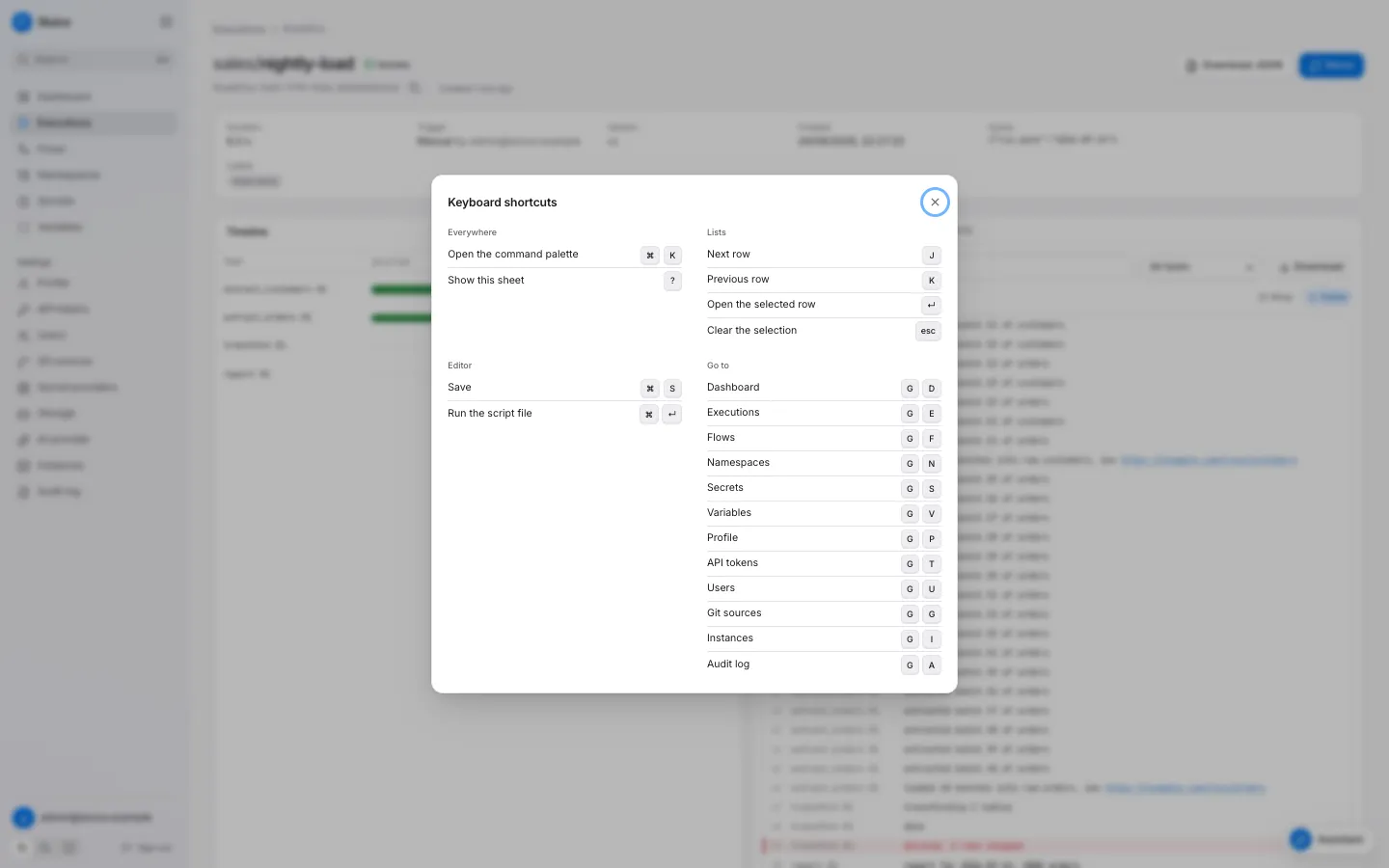 ## When shortcuts apply [Section titled “When shortcuts apply”](#when-shortcuts-apply) | Condition | Effect | | --------------------------------------------------------- | --------------------------------------------------- | | The focus is in a text field, a select or the code editor | Only ⌘K and the editor shortcuts work. | | A dialog is open | Only ⌘K works. | | ⌘, Ctrl or Alt is down | Only ⌘K works. The single-key shortcuts do nothing. | ## Everywhere [Section titled “Everywhere”](#everywhere) | Keys | Action | | ---- | ---------------------------------- | | ⌘K | Open or close the command palette. | | `?` | Show the shortcut sheet. | ## Go to [Section titled “Go to”](#go-to) Press `g`, then the second key within 1.2 seconds. | Keys | Page | Role | | ------- | ----------- | ------ | | `g` `d` | Dashboard | viewer | | `g` `e` | Executions | viewer | | `g` `f` | Flows | viewer | | `g` `n` | Namespaces | viewer | | `g` `s` | Secrets | viewer | | `g` `v` | Variables | viewer | | `g` `p` | Profile | viewer | | `g` `t` | API tokens | viewer | | `g` `u` | Users | admin | | `g` `g` | Git sources | admin | | `g` `i` | Instances | admin | | `g` `a` | Audit log | admin | **Secret providers**, **Storage** and **AI provider** have no chord. Open them from the sidebar or the palette. ## Lists [Section titled “Lists”](#lists) These keys move through the rows of the table on the page, for example the executions or the flows. | Keys | Action | | ------------ | ------------------------ | | `j` | Select the next row. | | `k` | Select the previous row. | | Enter or `o` | Open the selected row. | | Esc | Clear the selection. | ## Command palette [Section titled “Command palette”](#command-palette)  | Keys | Action | | ----------- | -------------------------- | | ↓ or Ctrl+N | Select the next entry. | | ↑ or Ctrl+P | Select the previous entry. | | Enter | Run the selected entry. | | Esc | Close the palette. | With an empty query, the palette shows the groups **Actions**, **Go to**, **Recent executions** and the commands of the current page. A query searches all groups. Each group shows at most 8 entries. | Group | Entries | Role | | ---------------------------- | ------------------------------------------------------------------------------------------------------------------------------------------ | ----------------------------- | | Commands of the current page | See the table below. | varies | | **Actions** | Switch to light theme, Switch to dark theme, Use the system theme, Show keyboard shortcuts. With a query: New file in a managed namespace. | viewer; New file needs editor | | **Run a flow** | Run `/` for each valid and enabled flow. | operator | | **Go to** | Each page of the sidebar, with its chord as a hint. | the role of the page | | **Recent executions** | The newest executions, with their state. A query searches the 20 newest. | viewer | | **Flows** | Each flow. | viewer | | **Namespaces** | Each namespace. | viewer | | **Files** | The files of the first 25 namespaces. Only with a query. | viewer | **Run a flow** starts the flow at once. When the flow has a required input without a default, it opens the run dialog first. ### Commands of the current page [Section titled “Commands of the current page”](#commands-of-the-current-page) | Page | Group | Commands | | --------- | ------------------ | ------------------------------------------------------------------------------------------------------------- | | Execution | **This execution** | Restart from failed, Rerun, Jump to first failure, Download as JSON, Copy execution ID, Cancel execution | | Flow | **This flow** | Run this flow, Open namespace, Show executions of this flow, Show triggers, Compare revisions, Open flow file | | Namespace | **This namespace** | New file, Run `` for the selected script file, Save changes | A command shows only when it applies. For example, **Jump to first failure** needs a failed task. **Restart from failed** and the run and cancel commands need the operator role. ## Editor [Section titled “Editor”](#editor) These keys work in the code editor of a namespace file. | Keys | Action | Condition | | ------ | -------------------------------------------------------------------------------------- | ----------------------------------------------------------------- | | ⌘S | Open the **Save file** dialog. In a git namespace, open the **Push to branch** dialog. | The file has unsaved changes. | | ⌘Enter | Open the run dialog of the file. | A saved `.py`, `.sh`, `.ts` or `.js` file, and the operator role. | The browser save dialog never opens from the editor. ## File browser [Section titled “File browser”](#file-browser) These keys work when the focus is in the file tree of a namespace. | Keys | Action | | -------------- | ------------------------------------------------------------------------ | | ↓ / ↑ | Move to the next or previous item. | | Home / End | Move to the first or last item. | | → | Open a folder. On an open folder, move to its first child. | | ← | Close a folder. On a file or a closed folder, move to the parent folder. | | Enter or Space | Open the file, or open or close the folder. | ## Resize handles [Section titled “Resize handles”](#resize-handles) Focus a handle with Tab, then use the arrow keys. A double-click on a handle resets the width. | Handle | ← / → | Shift + ← / → | Home | End | | ------------------------------------------------------ | ----- | ------------- | --------- | ------ | | Between the file browser and the editor | 16 px | 64 px | narrowest | widest | | Between the timeline and the inspector of an execution | 2 % | 10 % | 28 % | 72 % | ## Log viewer [Section titled “Log viewer”](#log-viewer) | Keys | Action | | ----------------------------------- | ---------------- | | ↑, Page Up or Home in the log lines | Stop **Follow**. | ## Assistant [Section titled “Assistant”](#assistant) | Keys | Action | | ------------ | -------------------------------------------------------------------- | | ⌘Enter | Send the message. | | `@` | Open the mention menu: flows, recent executions and namespace files. | | ↓ / ↑ | Move in the mention menu. | | Enter or Tab | Attach the selected mention. | | Esc | Close the mention menu. Without the menu, close the assistant. |
# MCP tools
> The tools of the MCP server and the assistant.
This page lists the tools of the MCP server at `/mcp`. The assistant in the web UI uses the same tools. A tool runs with the role of the API token. A mutating tool runs at once over MCP; in the assistant it waits for your confirmation. Results of execution tools are masked: a secret value shows as `***`. | Tool | Role | Mutating | MCP | Description | | ------------------- | -------- | -------- | --- | -------------------------------------------------------------------------------------------------------------------------------------------------------------------------------------------------------------------------------------- | | `list_namespaces` | viewer | no | yes | List all namespaces with their source type. | | `list_flows` | viewer | no | yes | List the flows of a namespace and its children. An empty namespace lists all flows. | | `get_flow` | viewer | no | yes | Read one flow with its YAML source. | | `validate_flow` | viewer | no | yes | Validate the content of a flow or namespace file against the head version of the namespace. | | `list_files` | viewer | no | yes | List the files of the head version of a namespace. | | `read_file` | viewer | no | yes | Read one file of the head version of a namespace. | | `list_executions` | viewer | no | yes | List recent executions, newest first. Filters: namespace, flow as \/\, comma-separated states. | | `get_execution` | viewer | no | yes | Read one execution with its task runs. | | `get_logs` | viewer | no | yes | Read the last log lines of an execution, optionally of one task. tail is 1 to 1000, default 200. grep keeps the lines that contain the text, case-insensitive. failed\_only keeps the lines of the task runs that failed or timed out. | | `get_metrics` | viewer | no | yes | Read the metrics of an execution. | | `get_insight` | viewer | no | yes | Read the latest failure triage of an execution. | | `trigger_execution` | operator | yes | yes | Start a flow with inputs and labels. | | `cancel_execution` | operator | yes | yes | Cancel a running execution. | | `rerun_execution` | operator | yes | yes | Start a new execution with the same snapshot, definition and inputs as another execution. The other execution can still run. | | `restart_execution` | operator | yes | yes | Start a new execution that reuses the successful task runs of an ended execution that did not succeed. Only the failed, timed out, cancelled and skipped tasks run again. | | `get_flow_schema` | viewer | no | yes | Read the JSON Schema of flow files (\*.flow\.yaml). Use it to write a valid flow. | | `propose_change` | editor | no | no | Propose file changes of a namespace. The result has the validation issues and a diff. Nothing is written. | | `apply_change` | editor | yes | yes | Apply file changes: a new version of a managed namespace, or a new branch of a git namespace. Invalid flows are refused. | ## list\_flows [Section titled “list\_flows”](#list_flows) | Argument | Type | Required | Description | | ----------- | ------ | -------- | ----------- | | `namespace` | string | no | | ## get\_flow [Section titled “get\_flow”](#get_flow) | Argument | Type | Required | Description | | ----------- | ------ | -------- | ----------- | | `flow_id` | string | yes | | | `namespace` | string | yes | | ## validate\_flow [Section titled “validate\_flow”](#validate_flow) | Argument | Type | Required | Description | | ----------- | ------ | -------- | ----------- | | `content` | string | yes | | | `namespace` | string | yes | | | `path` | string | yes | | ## list\_files [Section titled “list\_files”](#list_files) | Argument | Type | Required | Description | | ----------- | ------ | -------- | --------------- | | `namespace` | string | yes | Namespace name. | ## read\_file [Section titled “read\_file”](#read_file) | Argument | Type | Required | Description | | ----------- | ------ | -------- | ----------- | | `namespace` | string | yes | | | `path` | string | yes | | ## list\_executions [Section titled “list\_executions”](#list_executions) | Argument | Type | Required | Description | | ----------- | ------- | -------- | ----------- | | `flow` | string | no | | | `limit` | integer | no | | | `namespace` | string | no | | | `state` | string | no | | ## get\_execution [Section titled “get\_execution”](#get_execution) | Argument | Type | Required | Description | | -------------- | ------ | -------- | --------------- | | `execution_id` | string | yes | Execution UUID. | ## get\_logs [Section titled “get\_logs”](#get_logs) | Argument | Type | Required | Description | | -------------- | ------- | -------- | -------------------------------------------------------- | | `execution_id` | string | yes | | | `failed_only` | boolean | no | Keep the lines of failed and timed out task runs. | | `grep` | string | no | Keep the lines that contain this text, case-insensitive. | | `tail` | integer | no | | | `task` | string | no | | ## get\_metrics [Section titled “get\_metrics”](#get_metrics) | Argument | Type | Required | Description | | -------------- | ------ | -------- | --------------- | | `execution_id` | string | yes | Execution UUID. | ## get\_insight [Section titled “get\_insight”](#get_insight) | Argument | Type | Required | Description | | -------------- | ------ | -------- | --------------- | | `execution_id` | string | yes | Execution UUID. | ## trigger\_execution [Section titled “trigger\_execution”](#trigger_execution) | Argument | Type | Required | Description | | ----------- | ------ | -------- | ----------- | | `flow_id` | string | yes | | | `inputs` | object | no | | | `labels` | object | no | | | `namespace` | string | yes | | ## cancel\_execution [Section titled “cancel\_execution”](#cancel_execution) | Argument | Type | Required | Description | | -------------- | ------ | -------- | --------------- | | `execution_id` | string | yes | Execution UUID. | ## rerun\_execution [Section titled “rerun\_execution”](#rerun_execution) | Argument | Type | Required | Description | | -------------- | ------ | -------- | --------------- | | `execution_id` | string | yes | Execution UUID. | ## restart\_execution [Section titled “restart\_execution”](#restart_execution) | Argument | Type | Required | Description | | -------------- | ------ | -------- | --------------- | | `execution_id` | string | yes | Execution UUID. | ## propose\_change [Section titled “propose\_change”](#propose_change) | Argument | Type | Required | Description | | ----------- | ------ | -------- | -------------------------- | | `files` | array | yes | | | `message` | string | yes | Version or commit message. | | `namespace` | string | yes | | ## apply\_change [Section titled “apply\_change”](#apply_change) | Argument | Type | Required | Description | | ----------- | ------ | -------- | -------------------------- | | `files` | array | yes | | | `message` | string | yes | Version or commit message. | | `namespace` | string | yes | |
# JSON Schemas
> The three JSON Schemas of Sluice, their URLs, and how to use them in an editor, in VS Code and from the server.
This page lists the JSON Schemas of Sluice and the ways to use them. All three use JSON Schema draft 2020-12. ## Schemas [Section titled “Schemas”](#schemas) | Schema | URL | Describes | | --------------- | ------------------------------------------------------------------- | ----------------------------------------------------- | | Flow | | A flow file, `*.flow.yaml`. | | Namespace | | The file `namespace.yaml` at the root of a namespace. | | Validate result | | The output of `sluice validate --json`. | The URL of each schema is also its `$id`. The docs site serves the files with the content type `application/schema+json`. The source files are in `schemas/` of the repository. `just gen` writes them from the Go definitions of the validator, so they match the code of the same commit. [The flow file](/reference/flow/) describes each field of a flow in a table. ## The yaml-language-server line [Section titled “The yaml-language-server line”](#the-yaml-language-server-line) An editor with a YAML language server reads a `$schema` comment in the first line of a file. It then completes the fields and marks errors while you type. | File | First line | | ---------------- | --------------------------------------------------------------------------------------------- | | `*.flow.yaml` | `# yaml-language-server: $schema=https://sluice-docs.pages.dev/schemas/flow.schema.json` | | `namespace.yaml` | `# yaml-language-server: $schema=https://sluice-docs.pages.dev/schemas/namespace.schema.json` | A flow file with the line:
```yaml
# yaml-language-server: $schema=https://sluice-docs.pages.dev/schemas/flow.schema.json
id: nightly-load
tasks:
- id: extract
type: command
command: ["echo", "hello"]
```
`sluice init` prints the line for flow files. The Sluice skill tells a coding agent to put it first in each flow file. ## VS Code settings [Section titled “VS Code settings”](#vs-code-settings) With the YAML extension of Red Hat (`redhat.vscode-yaml`), map the schemas to file patterns in `.vscode/settings.json`. Then no file needs the comment line.
```json
{
"yaml.schemas": {
"https://sluice-docs.pages.dev/schemas/flow.schema.json": "**/*.flow.yaml",
"https://sluice-docs.pages.dev/schemas/namespace.schema.json": "**/namespace.yaml"
}
}
```
## The schema on the server [Section titled “The schema on the server”](#the-schema-on-the-server) | Source | Schema | Authentication | | ------------------------------- | -------------------------------------- | ---------------------------------------- | | `GET /api/v1/schemas/flow.json` | The flow schema of the running server. | None. | | MCP tool `get_flow_schema` | The flow schema of the running server. | A bearer API token with the viewer role. | Use the server schema when the server runs another version than the docs site describes. The content has the same `$id` as the file on the docs site.
```sh
curl -s http://localhost:8080/api/v1/schemas/flow.json
```
[HTTP API](/reference/api/) lists all operations. [MCP tools](/reference/mcp-tools/) lists all tools. ## Validate result [Section titled “Validate result”](#validate-result) `sluice validate --json` prints one object: | Field | Type | Description | | -------------------------- | ------- | --------------------------------------------------------------------------------- | | `valid` | boolean | True when every file is valid. | | `files` | array | One entry for each flow file and `namespace.yaml`, in path order. | | `files[].path` | string | The file path relative to the namespace root. | | `files[].kind` | string | `flow` for a flow file, `namespace` for `namespace.yaml`. | | `files[].flow_id` | string | The flow ID when the file declares one. | | `files[].valid` | boolean | True when the file has no errors. | | `files[].errors` | array | The errors of the file. | | `files[].errors[].code` | string | The error code, for example `invalid_format` or `unknown_dependency`. | | `files[].errors[].path` | string | The YAML path, for example `tasks[1].depends_on[0]`. Empty for the document root. | | `files[].errors[].line` | integer | The line, from 1. `0` when unknown. | | `files[].errors[].column` | integer | The column, from 1. `0` when unknown. | | `files[].errors[].message` | string | The message for a person. | The command exits with `0` when `valid` is true and with `1` when it is false.
# States and reasons
> Every state of an execution and a task run, the allowed transitions, and every reason value with its cause.
This page lists the states of executions and task runs, their transitions, and the `reason` values of both. [Executions and states](/concepts/executions-and-states/) explains the lifecycle. ## Execution states [Section titled “Execution states”](#execution-states) | State | End state | Meaning | | ------------ | --------- | -------------------------------------------------------------------------------------------------------- | | `QUEUED` | no | The execution waits. A flow `concurrency.limit` with `behavior: queue` holds it here. | | `RUNNING` | no | The engine queues and runs its tasks. | | `CANCELLING` | no | A cancel arrived. The engine waits for the running task runs to stop. | | `SUCCESS` | yes | Each task ended `SUCCESS`, or `SKIPPED` with the reason `run_if_not_met`, and the flow outputs resolved. | | `FAILED` | yes | At least one task ended in another state, or the flow outputs did not resolve. | | `TIMED_OUT` | yes | The flow `timeout` passed. | | `CANCELLED` | yes | A user, a token or an MCP client cancelled the execution. | | `SKIPPED` | yes | The flow `concurrency.limit` with `behavior: skip` had no free place when the trigger fired. | ### Execution transitions [Section titled “Execution transitions”](#execution-transitions) | From | To | | ------------ | ----------------------------------------------- | | (new) | `QUEUED`, or `SKIPPED` with `concurrency_limit` | | `QUEUED` | `RUNNING`, `SKIPPED`, `CANCELLED` | | `RUNNING` | `SUCCESS`, `FAILED`, `TIMED_OUT`, `CANCELLING` | | `CANCELLING` | `CANCELLED` | A cancel of a `RUNNING` execution always goes through `CANCELLING`. A cancel of an ended execution gets 409 `execution_ended`. ## Task run states [Section titled “Task run states”](#task-run-states) A task run is one attempt of one task. A retry creates a new task run with the next attempt number. | State | End state | Meaning | | ----------- | --------- | ------------------------------------------------------------------------------------------------- | | `PENDING` | no | The task run waits for its dependencies, or for the retry delay of its attempt. | | `QUEUED` | no | The task run waits for a free slot on an instance that serves its pool and executor type. | | `RUNNING` | no | An instance claimed the task run, and the executor runs it. | | `SUCCESS` | yes | The task ended with success. | | `FAILED` | yes | The task failed. The `reason` tells why. | | `TIMED_OUT` | yes | The task passed its `timeout`. | | `CANCELLED` | yes | The execution got a cancel, or the flow `timeout` stopped the task. | | `SKIPPED` | yes | The engine did not run the task, because of its `run_if` rule and the states of its dependencies. | ### Task run transitions [Section titled “Task run transitions”](#task-run-transitions) | From | To | | --------- | --------------------------------------------------- | | (new) | `PENDING`, or `SUCCESS` with `reused` for a restart | | `PENDING` | `QUEUED`, `SKIPPED`, `CANCELLED` | | `QUEUED` | `RUNNING`, `CANCELLED` | | `RUNNING` | `SUCCESS`, `FAILED`, `TIMED_OUT`, `CANCELLED` | When an attempt ends `FAILED` or `TIMED_OUT` and the task has attempts left, the engine creates the next attempt in `PENDING`. The execution must still be `RUNNING`, and its flow timeout must not have passed. ## Execution reasons [Section titled “Execution reasons”](#execution-reasons) | Reason | State | Cause | | ------------------- | ------------------------- | --------------------------------------------------------------------------------------------------- | | (empty) | `SUCCESS`, `FAILED` | A normal end. For `FAILED`, the `error` field names the first failed task, its state and its error. | | `concurrency_limit` | `SKIPPED` | The flow concurrency limit with `behavior: skip` was full at creation. | | `cancelled` | `CANCELLING`, `CANCELLED` | A cancel request. | | `timeout` | `RUNNING`, `TIMED_OUT` | The flow `timeout` passed. The engine stops the tasks, and the execution then ends `TIMED_OUT`. | | `output_error` | `FAILED` | All tasks succeeded, but a flow output template did not resolve. | ## Task run reasons [Section titled “Task run reasons”](#task-run-reasons) | Reason | State | Cause | Retry applies | | ----------------------- | ----------- | -------------------------------------------------------------------------------------------------------------------------------------- | ------------- | | (empty) | any | A normal state change, or a normal end. | — | | `exit_code` | `FAILED` | The task process exited with a code other than 0. `exit_code` holds the code. | yes | | `http_status` | `FAILED` | An `http` task got a status outside its `expect_status` list. | yes | | `child_failed` | `FAILED` | A `subflow` task with `wait` got a child execution that did not end `SUCCESS`. | yes | | `depth_exceeded` | `FAILED` | A `subflow` task passed the limit of 10 nested subflows. | yes | | `template_error` | `FAILED` | A template of the task did not resolve at dispatch, a `subflow` reference or its inputs are invalid, or a script has no runtime. | yes | | `secret_not_found` | `FAILED` | No scope defines the secret key, or the provider does not have the value. | yes | | `secret_provider_error` | `FAILED` | The provider of a defined secret failed, for example with no access. | yes | | `runtime_not_found` | `FAILED` | The task image or host has no `uv`, `bash`, `bun` or `node` for the script. | yes | | `image_pull_failed` | `FAILED` | Docker or Kubernetes did not pull the task image. | yes | | `pod_pending_timeout` | `FAILED` | The pod of a kubernetes task stayed pending longer than `SLUICE_K8S_PENDING_TIMEOUT`. | yes | | `executor_error` | `FAILED` | The executor did not start the task, the runner did not prepare the workdir, or an `http` request failed. | yes | | `lost` | `FAILED` | The work of the task run is gone: the runner stopped, the container or Job is gone, or the instance is offline. | yes | | `instance_shutdown` | `FAILED` | The instance that ran a process or inline task got SIGTERM. | yes | | `timeout` | `TIMED_OUT` | The task passed its `timeout`. | yes | | `timeout` | `RUNNING` | The flow `timeout` passed. The task run then ends `CANCELLED`. | no | | `cancelled` | `CANCELLED` | The execution got a cancel, or the flow `timeout` stopped the task. | no | | `upstream_failed` | `SKIPPED` | A dependency ended `FAILED`, `TIMED_OUT` or `CANCELLED`, or a dependency has this reason. The task has the default `run_if: success`. | no | | `run_if_not_met` | `SKIPPED` | The `run_if` rule did not match, for example `run_if: failure` and no dependency failed. The execution counts this state as a success. | no | | `no_instance_for_pool` | `QUEUED` | No online instance serves the pool and the executor type of the task. The reason clears when such an instance comes online. | — | | `reused` | `SUCCESS` | A restart copied the successful task run of the old execution. | — | A task run that ends with a reason also has an `error` text. Secret values in the error text show as `***`. ## Where to read the state and the reason [Section titled “Where to read the state and the reason”](#where-to-read-the-state-and-the-reason) | Tool | How | | ------- | ----------------------------------------------------------------------------------------------------------------------------------------------- | | UI | The execution page shows the state of the execution and of each task. The inspector shows the reason and the error of the selected attempt. | | CLI | `sluice executions get ` prints each task run with its state, exit code and error. `--output json` prints the full record with the reasons. | | API | `GET /api/v1/executions/{executionId}` returns `state`, `reason` and `error` for the execution and each task run. | | MCP | The `get_execution` tool returns the same record. | | Metrics | `sluice_executions` and `sluice_task_runs` count the rows in each state. See [Metrics](/operations/metrics/). | With `--wait`, `sluice run` exits with the end state of the execution. See [Exit codes](/reference/exit-codes/).
# Templates
> Every template expression, the fields that accept templates and secret(), the rendering rules and the error codes.
This page lists the template expressions of a flow file, the fields that accept them, how Sluice renders them and the errors that they give. [Flows, tasks and templates](/concepts/flows-and-tasks/) explains how templates fit into a flow. ## Syntax [Section titled “Syntax”](#syntax) A template is a string that holds one or more `${{ expr }}` blocks. Sluice replaces each block with the value of its expression. Text outside the blocks stays as it is. | Rule | Value | | ------------- | ----------------------------------------------------------------------------- | | Block | `${{`, then an expression, then `}}`. Spaces inside the block do not count. | | Expression | A lookup only. No operators, no filters, no function calls except `secret()`. | | Path | Parts joined by dots. Each part matches `^[A-Za-z_][A-Za-z0-9_-]*$`. | | Literal `${{` | Write `$${{`. Sluice writes `${{` and does not read an expression. | The path rule has two effects. A part cannot start with a digit, so a template cannot select a list item. A part can hold a hyphen, so `trigger.headers.X-Source` is a valid path. ## Expressions [Section titled “Expressions”](#expressions) | Expression | Value | Validation checks | | ------------------------------- | ------------------------------------------------------------------------ | -------------------------------------------------- | | `inputs.` | The value of a flow input. | The flow declares the input. | | `vars.` | A variable. See [Variable precedence](#variable-precedence). | Nothing. The key resolves at dispatch. | | `secret('')` | A secret value. `secret("")` also works. | The field accepts `secret()`. | | `tasks..outputs.` | An output of another task. | The task exists and is a dependency. | | `trigger.` | A field of the trigger payload. See [Trigger payload](#trigger-payload). | Nothing. The path resolves when the value renders. | | `execution.id` | The execution ID. | — | | `execution.namespace` | The namespace of the flow. | — | | `execution.flow_id` | The flow ID. | — | | `execution.created_at` | The creation time of the execution, RFC 3339 in UTC. | — | `inputs.` and `vars.` take exactly one part after the prefix. `tasks` takes exactly three parts, and the middle part is `outputs`. `execution` accepts only the four fields in the table. A flow file with templates:
```yaml
id: templates-demo
inputs:
- { id: run_date, type: string, default: "2026-09-24" }
variables: { DATASET: raw }
env:
DATASET: ${{ vars.DATASET }}
RUN_ID: ${{ execution.id }}
tasks:
- id: extract
type: script
file: pipelines/extract.py
args: ["--date=${{ inputs.run_date }}"]
env:
PG_URL: ${{ secret('PG_URL') }}
- id: report
type: command
depends_on: [extract]
command: ["echo", "rows=${{ tasks.extract.outputs.rows }}", "price=$${{ not a template }}"]
outputs:
rows: ${{ tasks.extract.outputs.rows }}
```
The `report` task prints `price=${{ not a template }}` as literal text. ## Where templates render [Section titled “Where templates render”](#where-templates-render) | Field | Templates | `secret()` | Rendered | | -------------------------------------------------- | --------------------- | ---------- | -------------------------------------- | | Flow `env` values | yes | yes | When each task starts. | | Task `env` values | yes | yes | When the task starts. | | `defaults.env` values of `namespace.yaml` | yes | yes | When each task starts. | | `files` values of `script` and `command` tasks | yes | yes | When the task starts. | | `args` of `script` tasks | yes | no | When the task starts. | | `command` of `command` tasks | yes | no | When the task starts. | | `url`, `headers` values and `body` of `http` tasks | yes | yes | When the task starts. | | `inputs` values of `subflow` tasks | yes | no | When the task starts. | | Trigger `inputs` values | `trigger.` only | no | When the trigger fires. | | Flow `outputs` values | yes | no | When the execution succeeds. | | `file`, `workdir`, subflow `flow` | no | no | Never. A `${{` block fails validation. | | `files` keys | no | no | Never. A `${{` block fails validation. | Sluice does not read templates in any other field. The text of such a field, for example `description`, stays as it is. ## Rules for task outputs [Section titled “Rules for task outputs”](#rules-for-task-outputs) * A task template can read `tasks.X.outputs` only when X is a dependency of the task, direct or through other tasks. * Flow `env` cannot read task outputs. * Flow `outputs` can read the outputs of every task. * When a task has several attempts, the template reads the outputs of the last attempt. * Only a dependency that ended `SUCCESS` has outputs for templates. A `run_if: always` task that reads the outputs of a failed dependency fails with `template_error`. ## Rules for trigger inputs [Section titled “Rules for trigger inputs”](#rules-for-trigger-inputs) A trigger input renders when the trigger fires, before the execution exists. Thus it can read only `trigger.`. Every other reference, for example `vars`, `inputs`, `execution`, `tasks` or `secret()`, fails validation with `trigger_input_reference`. ## Rendering [Section titled “Rendering”](#rendering) | Value of the expression | Rendered text | | --------------------------------- | ---------------------------------------------------- | | A string | The string as it is. | | A number, boolean, object or list | Compact JSON, for example `42`, `true` or `{"a":1}`. | | JSON `null` | `null` | Some fields turn the rendered text back into a typed value: | Field | Conversion | | ---------------- | ------------------------------------------------------------------------------------------------------------------------------------------------------- | | Trigger `inputs` | For an input of type `int`, `number`, `boolean` or `json`, Sluice parses the text as JSON when it can. The text `42` becomes the number 42. | | Subflow `inputs` | Sluice parses a JSON number, boolean, object or list. Other text stays a string. Then Sluice checks the value against the input type of the child flow. | | Flow `outputs` | Sluice parses a JSON number, boolean, object or list. Other text stays a string. | ## Trigger payload [Section titled “Trigger payload”](#trigger-payload) `trigger.` reads the payload that the trigger stored on the execution. The execution API shows the payload as `trigger_payload`. | Trigger type | Payload fields | | ------------------ | ---------------------------------------------------------------------------------------------------------------------------------------- | | `manual` | None. | | `schedule` | `scheduled_for`: the fire time, RFC 3339 in UTC. | | `webhook` | `body`: the request body, parsed when it is JSON, else the text. `headers`: the request headers with lower-case names, first value only. | | `flow` | `execution_id`, `state`, `outputs` and `flow` of the upstream execution. | | `subflow` | `parent_execution_id` and `parent_task`. | | `file` | `path` and `args`. | | `rerun`, `restart` | The payload of the original execution. | A lookup of a map key first tries the exact key. Then it tries a match that ignores case. Thus `trigger.headers.X-Source` finds the header `x-source`. ## Variable precedence [Section titled “Variable precedence”](#variable-precedence) `vars.` takes the first definition in this order: 1. The `variables` map of the flow. 2. The namespace of the flow. 3. Each parent namespace, nearest first. 4. The global scope. `secret('')` searches the same scopes, without step 1. [Use secrets and variables](/how-to/use-secrets-and-variables/) shows how to set them. ## Errors [Section titled “Errors”](#errors) ### Validation codes [Section titled “Validation codes”](#validation-codes) The editor, the server and `sluice validate` report these codes. A flow with one of them is invalid, and its triggers do not fire. | Code | Cause | | --------------------------------- | ---------------------------------------------------------------------------------------------------------------------------------------------------------------------------------------- | | `invalid_template` | A syntax error. Examples: an unclosed `${{`, an empty expression, an operator, an unknown prefix, a wrong number of path parts, a bad `secret()` call. Also a task output in flow `env`. | | `template_not_allowed` | A `${{` block in `file`, `workdir`, a subflow `flow` or a `files` key. | | `secret_not_allowed` | `secret()` in a field that does not accept it. | | `unknown_input` | `inputs.` names an input that the flow does not declare. | | `unknown_task` | `tasks.` names a task that the flow does not have. | | `output_reference_not_dependency` | A task reads the outputs of a task that is not one of its dependencies. | | `trigger_input_reference` | A trigger input reads something other than `trigger.`. | ### Reasons at run time [Section titled “Reasons at run time”](#reasons-at-run-time) A lookup that fails at run time fails the task or the execution before any process starts. The retry policy of the task applies to a failed task. | Reason | Cause | | ----------------------- | ----------------------------------------------------------------------------------------------------------------------------------------------------------------------------- | | `template_error` | A lookup failed, for example an input without a value, an undefined variable, a missing task output or a missing trigger field. The error names the field and the expression. | | `secret_not_found` | No scope defines the secret key, or the provider has no value for the reference. The error names the key and the scopes it searched. | | `secret_provider_error` | The provider of the secret failed, for example with access denied or a network error. | | `output_error` | A flow output failed to render. The execution ends `FAILED`. | A trigger input that fails to render starts no execution. A webhook call then returns 422 `validation_failed`. A schedule or flow trigger writes the audit event `trigger.failed`. [States and reasons](/reference/states-and-reasons/) lists every reason.
# Build a flow with a coding agent
> Give a coding agent the Sluice skill with sluice init, then let it write, validate, deploy, run and fix a flow.
In this tutorial, you prepare an empty repository for a coding agent with `sluice init`. Then you ask the agent for a flow. The agent writes the files, validates them, deploys them to your Sluice server, runs the flow and reads the result. When the run fails, the agent reads the logs and fixes the cause. The tutorial uses Claude Code. Another agent works the same way when it reads `AGENTS.md` or the skill file. [Use Sluice with coding agents](/how-to/use-sluice-with-coding-agents/) shows the setup for Cursor. ## Before you start [Section titled “Before you start”](#before-you-start) You need these things: * A running Sluice server. The stack of [Run your first flow](/tutorials/run-your-first-flow/) works. * The `sluice` binary on your `PATH`, from a release after v0.1.2. Install it with `curl -fsSL https://raw.githubusercontent.com/alternayte/sluice/main/install.sh | sh`. `sluice version` prints its version. * [Claude Code](https://docs.anthropic.com/en/docs/claude-code/overview) or another coding agent. ## Create an API token for the agent [Section titled “Create an API token for the agent”](#create-an-api-token-for-the-agent) The agent deploys files and runs flows. Both actions need a token with the editor role. 1. In Sluice, click **API tokens** under **Settings** in the sidebar. 2. Click **Create token**. 3. Type `coding-agent` in **Name** and select **Editor** in **Role**. 4. Type `30` in **Expiry in days**. 5. Click **Create token**, then click **Copy**. ## Prepare the repository [Section titled “Prepare the repository”](#prepare-the-repository) 1. Create an empty repository:
```sh
mkdir my-flows
cd my-flows
git init
```
2. Write the skill and the agent instructions:
```sh
sluice init
```
The command prints the files that it wrote and the line that each flow file starts with:
```text
wrote .claude/skills/sluice/SKILL.md
wrote AGENTS.md
Start each flow file with this line, so editors and agents validate it:
# yaml-language-server: $schema=https://sluice-docs.pages.dev/schemas/flow.schema.json
```
3. Set the URL of the server and the token in the shell that starts the agent:
```sh
export SLUICE_URL=http://localhost:8080
export SLUICE_TOKEN=slu_paste-your-token-here
```
`sluice init` writes two files: | File | Content | | -------------------------------- | ----------------------------------------------------------------------------------------------------------------------------------------------------------------------------------------- | | `.claude/skills/sluice/SKILL.md` | The Sluice skill: the work loop, the exit codes, the flow rules, the task types, the templates and the outputs. Claude Code loads it when a task touches a flow file or the `sluice` CLI. | | `AGENTS.md` | A Sluice section between `` and ``. It tells every agent to read the skill and lists the three commands of the loop. | This is the section in `AGENTS.md`:
```markdown
## Sluice
This repository holds Sluice flows. Read `.claude/skills/sluice/SKILL.md` before you change a `*.flow.yaml` file or `namespace.yaml`.
- Validate a namespace directory: `sluice validate --json`.
- Deploy it as a new version: `sluice namespaces push --namespace `.
- Run a flow and wait for the end: `sluice run / --wait`.
- The client commands read SLUICE_URL and SLUICE_TOKEN.
```
When `AGENTS.md` exists, `sluice init` adds the section at the end and keeps the rest of the file. A second run prints `unchanged` for each file. A file that you changed stays as it is, unless you add `--force`. The skill matches the version of the `sluice` binary that wrote it. After you update the binary, run `sluice init` again. ## Ask the agent for a flow [Section titled “Ask the agent for a flow”](#ask-the-agent-for-a-flow) Start Claude Code in the repository:
```sh
claude
```
Type a request with the directory, the namespace and the goal:
```text
Write a Sluice flow in the directory orders/ for the namespace orders.
The flow counts the orders of a day with a Python script and prints a summary.
The day is an input. Create the namespace if it does not exist. Run the flow when it is valid.
```
Claude Code asks before it runs a command. Allow the `sluice` commands. ## Follow the loop [Section titled “Follow the loop”](#follow-the-loop) The skill gives the agent one loop for each change: edit, validate, deploy, run, read, fix. A session looks like the steps below. The files and the text of your session differ. 1. The agent writes `orders/orders.flow.yaml` and `orders/count_orders.py`. The flow file starts with the `yaml-language-server` line. 2. The agent validates the directory offline:
```sh
sluice validate orders --json
```
The first attempt has a task ID with a hyphen. The command exits with `1` and prints each error with its line and code:
```json
{
"code": "invalid_format",
"path": "tasks[0].id",
"line": 4,
"column": 9,
"message": "'count-orders' does not match pattern '^[a-z][a-z0-9_]*$'"
}
```
The agent renames the task to `count_orders` and validates again. The command exits with `0`. 3. The agent deploys the directory as a new version of the namespace:
```sh
sluice namespaces push orders --namespace orders --create
```
```text
created namespace orders
orders version 1: 2 added, 0 updated, 0 deleted
+ count_orders.py
+ orders.flow.yaml
```
4. The agent runs the flow and waits for the end:
```sh
sluice run orders/orders --wait
```
The script reads a variable that nobody set. The log lines stream to stderr, and the command exits with `10`:
```text
[count_orders#1] KeyError: 'ORDER_COUNT'
FAILED orders/orders 01a0d510-755e-7753-902c-f3730ff8f33a in 371ms
http://localhost:8080/executions/01a0d510-755e-7753-902c-f3730ff8f33a
task count_orders failed: exit code 1: KeyError: 'ORDER_COUNT'
```
5. The agent reads the failed execution and the logs of the failed task:
```sh
sluice executions get 01a0d510-755e-7753-902c-f3730ff8f33a
sluice executions logs 01a0d510-755e-7753-902c-f3730ff8f33a --task count_orders
```
```text
TASK ATTEMPT STATE DURATION EXIT ERROR
count_orders 1 FAILED 352ms 1 exit code 1: KeyError: 'ORDER_COUNT'
summary 1 SKIPPED — —
```
6. The agent fixes the script, validates, pushes and runs again. `sluice namespaces push` sends only the changed file. The run exits with `0`:
```text
[count_orders#1] counted 5 orders on 2026-09-24
[summary#1] orders on 2026-09-24: 5
SUCCESS orders/orders 01a0d510-54ac-7524-ac61-4a8d3a015a3c in 602ms
```
The agent knows the end state from the exit code alone: `0` for `SUCCESS`, `10` for `FAILED`, `11` for `TIMED_OUT`. [Exit codes](/reference/exit-codes/) lists all codes. ## Check the result [Section titled “Check the result”](#check-the-result) Open Sluice and click **Namespaces**, then `orders`. The **Versions** tab shows one version for each push, with the message `Push from the sluice CLI`. Click **Executions** in the sidebar. The list shows the failed run and the successful run of `orders/orders`. This is a flow like the one the agent wrote:
```yaml
# yaml-language-server: $schema=https://sluice-docs.pages.dev/schemas/flow.schema.json
id: orders
description: Count the orders of a day, then print a summary.
inputs:
- { id: day, type: string, default: "2026-09-24" }
tasks:
- id: count_orders
type: script
file: count_orders.py
args: ["--day", "${{ inputs.day }}"]
- id: summary
type: command
depends_on: [count_orders]
command: ["echo", "orders on ${{ inputs.day }}: ${{ tasks.count_orders.outputs.orders }}"]
outputs:
orders: ${{ tasks.count_orders.outputs.orders }}
```
The first line connects the file to the [flow JSON Schema](/reference/schemas/). An editor with a YAML language server completes the fields and marks errors while you type. Caution `sluice namespaces push` makes the namespace equal to the directory. It deletes a file on the server that the directory does not have. Keep one directory for each namespace. ## Next steps [Section titled “Next steps”](#next-steps) [Use Sluice with coding agents](/how-to/use-sluice-with-coding-agents/)llms.txt, the skill in Cursor, the schemas, the JSON output and MCP. [Run flows from GitHub Actions](/how-to/run-flows-from-github-actions/)Deploy the directory and run the flow from CI. [Connect an MCP client](/how-to/connect-an-mcp-client/)Let an agent read executions and logs through MCP. [CLI](/reference/cli/)Every command and flag of the sluice binary.
# Build an ELT pipeline
> Load a Postgres schema with dlt, transform it with SQLMesh, and read the outputs, the metrics and the metric chart of the flow.
In this tutorial, you run the ELT example of the Sluice repository. A flow loads a source schema into a warehouse with dlt, then builds a model with SQLMesh. You read the logs of both tools, the outputs and the metrics, and you chart the loaded rows on the flow page. ## Before you start [Section titled “Before you start”](#before-you-start) Do the tutorial [Run your first flow](/tutorials/run-your-first-flow/) first. You need the same tools, the cloned repository and Python 3 on your computer. If the stack of the first tutorial still runs, stop it. Both stacks use the host port 8080.
```sh
docker compose -f deploy/compose/compose.yml down
```
## What the example holds [Section titled “What the example holds”](#what-the-example-holds) The directory `examples/elt/` has these files: | File | Purpose | | -------------------------------- | ---------------------------------------------------------------------------------------------- | | `compose.yml` | Starts Sluice and Postgres from `deploy/compose/compose.yml`, and adds a `warehouse` Postgres. | | `seed.sql` | Fills the schema `source` of the warehouse with 3 customers and 5 orders at the first start. | | `setup.py` | Loads the example into Sluice and runs the flow. It uses only the Python standard library. | | `namespace/elt.flow.yaml` | The flow `elt`. | | `namespace/pipelines/extract.py` | The dlt pipeline. | | `namespace/transform.sh` | Runs the SQLMesh project. | | `namespace/sqlmesh/` | The SQLMesh project with the model `analytics.customer_orders`. | | `namespace/namespace.yaml` | The description of the namespace. | ## Start the stack [Section titled “Start the stack”](#start-the-stack) 1. In the repository root, set the two required variables:
```sh
export SLUICE_BOOTSTRAP_ADMIN_PASSWORD=change-me-now-1
export SLUICE_MASTER_KEYS="k1:$(openssl rand -base64 32)"
```
2. Start Sluice, its database and the warehouse:
```sh
docker compose -f examples/elt/compose.yml up -d
```
3. Check that Sluice is ready:
```sh
curl -fsS http://localhost:8080/readyz
```
The warehouse is a Postgres database `warehouse` with the user `elt` and the password `elt-password-1`. To use another password, set `ELT_PG_PASSWORD` before you start the stack and before you run `setup.py`. ## Load and run the example [Section titled “Load and run the example”](#load-and-run-the-example) Run the setup script in the same shell. It reads `SLUICE_BOOTSTRAP_ADMIN_PASSWORD` to sign in.
```sh
python3 examples/elt/setup.py
```
The script does these steps through the HTTP API: 1. It signs in as the first admin and creates the API token `elt-example-setup`. 2. It creates the namespace `elt` and uploads the files of `examples/elt/namespace/` as one version. 3. It sets the variables `PG_HOST`, `PG_PORT`, `PG_DATABASE` and `PG_USER` on the namespace. 4. It sets the secret `ELT_PG_PASSWORD` on the namespace. 5. It runs the flow `elt` and prints the state every 5 seconds until the execution ends. The script prints the URL of the execution. The first run downloads dlt and SQLMesh, so it takes longer than the next runs. The last line is `The execution ended SUCCESS.` ## Read the flow [Section titled “Read the flow”](#read-the-flow) Open and sign in as `admin@local.test`. Click **Namespaces**, then `elt`, then `elt.flow.yaml`:
```yaml
id: elt
description: Load the source schema with dlt, then transform it with SQLMesh.
labels: { team: data }
env:
PG_HOST: ${{ vars.PG_HOST }}
PG_PORT: ${{ vars.PG_PORT }}
PG_DATABASE: ${{ vars.PG_DATABASE }}
PG_USER: ${{ vars.PG_USER }}
PG_PASSWORD: ${{ secret('ELT_PG_PASSWORD') }}
timeout: 1h
tasks:
- id: extract
type: script
file: pipelines/extract.py
- id: transform
type: script
file: transform.sh
depends_on: [extract]
outputs:
rows: ${{ tasks.extract.outputs.rows }}
```
The flow `env` applies to every task. It maps the namespace variables and the secret to the environment variables that the scripts read. No password is in a file. The two tasks are `script` tasks. The file extension selects the runtime: * `extract.py` runs with `uv run`. `uv` reads the dependencies from the comment block at the top of the file and installs dlt before the script starts. * `transform.sh` runs with bash. It starts SQLMesh with `uv run --with 'sqlmesh==0.236.2'` and applies the plan of the project. `transform` depends on `extract`, so it starts only after `extract` succeeds. The flow output `rows` takes the output `rows` of `extract`. The flow stops each task after 1 hour. ## Read the execution [Section titled “Read the execution”](#read-the-execution) Click **Executions** in the sidebar, then the execution of `elt/elt`. 1. Read the **Logs** tab. The task `extract` prints the load information of dlt, then `loaded 3 rows into raw.customers` and `loaded 5 rows into raw.orders`. The task `transform` prints the plan of SQLMesh and `sqlmesh ran in … s`. 2. Click **Outputs**. The execution output `rows` is `8`, the sum of the two tables. 3. Click **Metrics**. The task `extract` has two values of `rows_loaded`: `3` with the tag `table=customers` and `5` with the tag `table=orders`. The task `transform` has `sqlmesh_run_seconds` with the unit `s`. A task writes outputs and metrics as JSON lines to the file in `$SLUICE_OUTPUTS`. This is the function in `extract.py` that does it:
```python
def emit(event: dict) -> None:
"""Write one output or metric event for Sluice."""
with open(os.environ["SLUICE_OUTPUTS"], "a", encoding="utf-8") as f:
f.write(json.dumps(event) + "\n")
```
`extract.py` calls it once for each table with `{"type": "metric", "name": "rows_loaded", "value": rows, "tags": {"table": table}}`. At the end, it calls it with `{"type": "output", "key": "rows", "value": total}`. ## Chart the loaded rows [Section titled “Chart the loaded rows”](#chart-the-loaded-rows) A metric chart needs more than one execution. Run the flow again from the UI: 1. Click **Flows**, then `elt`. 2. Click **Run**, then click **Run** in the dialog. The execution page opens. 3. Wait until the execution shows **Success**. This run reuses the packages that `uv` downloaded in the first run. 4. Go back to the flow page. The **Overview** tab shows the chart **Metric rows\_loaded**. 5. Type `table` in **Group by tag**. The chart shows one line for `customers` and one line for `orders`. 6. Click **Avg** or **Max** to change the aggregation. **Sum** adds the values of each execution.  Select `sqlmesh_run_seconds` in **Metric** to chart the run time of SQLMesh. ## See the variables and the secret [Section titled “See the variables and the secret”](#see-the-variables-and-the-secret) Click **Namespaces**, then `elt`. * The **Variables** tab shows `PG_HOST`, `PG_PORT`, `PG_DATABASE` and `PG_USER`. A variable value is plain text. * The **Secrets** tab shows `ELT_PG_PASSWORD`. Sluice encrypts the value with the master key and never shows it again. A task gets the secret value only through a `secret('…')` template. Sluice masks the secret value in the logs, the outputs and the error texts: it shows as `***`.  ## See the result in the warehouse [Section titled “See the result in the warehouse”](#see-the-result-in-the-warehouse) Query the model that SQLMesh built:
```sh
docker compose -f examples/elt/compose.yml exec warehouse psql -U elt -d warehouse -c "SELECT * FROM analytics.customer_orders"
```
The table has one row for each customer:
```text
customer_id | customer_name | order_count | order_amount
-------------+---------------+-------------+--------------
1 | Ada | 2 | 15.50
2 | Bob | 3 | 10.50
3 | Cy | 0 | 0
```
## Remove the stack [Section titled “Remove the stack”](#remove-the-stack) This command removes the containers and the volumes of Sluice and of the warehouse:
```sh
docker compose -f examples/elt/compose.yml down -v
```
## Next steps [Section titled “Next steps”](#next-steps) [Use secrets and variables](/how-to/use-secrets-and-variables/)Point the flow at your own database. [Pass data between tasks](/how-to/pass-data-between-tasks/)Outputs, metrics and artifacts. [Run tasks in Docker](/how-to/run-tasks-in-docker/)Run each task in a container with an image that has the packages. [Schedule a flow](/how-to/schedule-a-flow/)Run the pipeline every night.
# Run your first flow
> Start Sluice with Docker Compose, write a flow in the browser, run it, read the execution, and run it again from the CLI.
In this tutorial, you start Sluice on your computer and write a flow with two tasks. You run the flow from the web UI and read its execution. Then you run the same flow from a terminal with the `sluice` CLI.  ## Before you start [Section titled “Before you start”](#before-you-start) You need these tools: * Docker with the Compose plugin. * git. * A free host port 8080. ## Start Sluice [Section titled “Start Sluice”](#start-sluice) The file `deploy/compose/compose.yml` in the Sluice repository starts two services. The `postgres` service is the database. The `sluice` service is the server and the web UI. Its image, `sluice-uv:dev`, runs Python, bash and bun tasks on the process executor. 1. Clone the repository and go into it:
```sh
git clone https://github.com/alternayte/sluice.git
cd sluice/
```
2. Set the two variables that the compose file requires:
```sh
export SLUICE_BOOTSTRAP_ADMIN_PASSWORD=change-me-now-1
export SLUICE_MASTER_KEYS="k1:$(openssl rand -base64 32)"
```
`SLUICE_BOOTSTRAP_ADMIN_PASSWORD` is the password of the first admin. `SLUICE_MASTER_KEYS` holds the key that encrypts secrets. Keep this value. Sluice needs the same key at each start to decrypt the secrets that it stores. 3. Start Postgres and Sluice:
```sh
docker compose -f deploy/compose/compose.yml up -d
```
The first start builds the image `sluice-uv:dev` from the repository. 4. Check that Sluice is ready:
```sh
curl -fsS http://localhost:8080/readyz
```
The response is `{"status":"ok", …}` with one check each for the database, the master keys, the migrations and the storage. The compose file also reads these optional variables: | Variable | Default | Purpose | | ------------------------------ | ----------------------- | ---------------------------------------------- | | `SLUICE_BOOTSTRAP_ADMIN_EMAIL` | `admin@local.test` | Email of the first admin. | | `SLUICE_PORT` | `8080` | Host port of the UI and the API. | | `SLUICE_PUBLIC_URL` | `http://localhost:8080` | External URL. Cookies and webhook URLs use it. | | `POSTGRES_PASSWORD` | `sluice` | Password of the database user `sluice`. | Sluice creates the admin only when the database has no users. A later start with another password does not change the admin. ## Sign in [Section titled “Sign in”](#sign-in) 1. Open . 2. Type `admin@local.test` in **Email**. 3. Type the password from the last section in **Password**. 4. Click **Sign in**. The dashboard opens. It shows the executions of the last 24 hours, the success rate, the running executions, the recent failures and the next schedules. All of them are empty for now.  ## Create a namespace [Section titled “Create a namespace”](#create-a-namespace) A namespace holds flow files and the scripts that they run. Each save of a namespace makes a new version. 1. Click **Namespaces** in the sidebar. 2. Click **Create namespace**. 3. Type `demo` in **Name**. 4. Click **Create**. The list shows the namespace `demo`. A name has lower case letters, digits and hyphens. A dot makes a child namespace, for example `demo.eu`. ## Add a flow [Section titled “Add a flow”](#add-a-flow) 1. Click `demo` in the list. The **Files** tab opens and shows “This namespace has no files.” 2. Click **Create a file**. 3. Type `hello.flow.yaml` in **Path**, then click **Create**. The editor opens the new file. 4. Paste the flow from the code block below this list into the editor. 5. Click **Save** above the editor. The **Save file** dialog opens with the commit message `Create hello.flow.yaml`. 6. Click **Save**. This is the flow:
```yaml
# yaml-language-server: $schema=https://sluice-docs.pages.dev/schemas/flow.schema.json
id: hello
description: Greet someone, then report the count.
inputs:
- { id: name, type: string, default: world }
tasks:
- id: greet
type: command
env:
NAME: ${{ inputs.name }}
command:
- sh
- -c
- |
echo "hello $NAME"
echo '{"type":"output","key":"count","value":3}' >> "$SLUICE_OUTPUTS"
echo '{"type":"metric","name":"greetings","value":3,"unit":"rows"}' >> "$SLUICE_OUTPUTS"
- id: report
type: command
depends_on: [greet]
command: ["echo", "greet counted ${{ tasks.greet.outputs.count }}"]
outputs:
count: ${{ tasks.greet.outputs.count }}
```
The flow has one input, `name`, with the default `world`. The task `greet` prints a greeting. It also writes one output and one metric to the file in `$SLUICE_OUTPUTS`. The task `report` starts after `greet` and reads the output through the template `${{ tasks.greet.outputs.count }}`. The editor validates a flow file while you type. A mistake gets a marker on its line, and a list of validation errors shows below the editor. To see it, change `depends_on: [greet]` to `depends_on: [greeting]`. Then change it back.  ## Run the flow [Section titled “Run the flow”](#run-the-flow) 1. Click **Flows** in the sidebar. The list shows `demo/hello`. 2. Click `hello`. The **Overview** tab of the flow opens. 3. Click **Run**. The dialog **Run hello** shows the field `name` with the value `world`. 4. Click **Run** in the dialog. The execution page opens. You need the operator role or a higher role to run a flow. The admin has all roles. ## Read the execution [Section titled “Read the execution”](#read-the-execution) The execution page updates live while the tasks run. It has three parts: * The header shows the flow, the state, the execution ID and the buttons **Download JSON** and **Rerun**. * The details show **Duration**, **Trigger**, **Version**, **Created** and **Inputs**. * The **Timeline** on the left shows one bar for each task attempt, `greet #1` and `report #1`. The inspector on the right shows the logs, outputs, metrics and artifacts.  Look at the result of your run: 1. Read the **Logs** tab. It shows `hello world` from `greet` and `greet counted 3` from `report`. 2. Click the bar `greet #1` in the **Timeline**. A card shows the task type, the executor, the duration, the queue wait and the exit code. The tabs now show only the data of `greet`. 3. Click **Outputs**. The task `greet` has the output `count` with the value `3`. 4. Click **Metrics**. The metric `greetings` has the value `3` and the unit `rows`. 5. Click **All tasks** on the card to show the data of all tasks again. The log viewer has a search field, a **Task** filter and a **Download** button. **Follow** keeps the newest line in view while the execution runs. **Wrap** wraps long lines. Drag the line between the timeline and the inspector to change their widths. Go back to the flow page. The **Overview** tab now shows the last execution, a chart of the durations and a chart of the metric `greetings`. ## Run the flow from a terminal [Section titled “Run the flow from a terminal”](#run-the-flow-from-a-terminal) The `sluice` binary is also a client of the server. It needs the URL of the server and an API token. 1. Click **API tokens** under **Settings** in the sidebar. 2. Click **Create token**. 3. Type `cli` in **Name** and select **Operator** in **Role**. 4. Click **Create token**. The dialog shows the token once. 5. Click **Copy**, then click **Done**. Get the `sluice` binary. The client commands are in the releases after v0.1.2. * Release Run the installer. It downloads the newest release for your system, checks it against the published checksum, and puts `sluice` in `/usr/local/bin`:
```sh
curl -fsSL https://raw.githubusercontent.com/alternayte/sluice/main/install.sh | sh
```
* Build from source Build the binary in the repository with Go:
```sh
go build -o sluice ./cmd/sluice
sudo mv sluice /usr/local/bin/
```
Set the URL and the token, then run the flow with another input:
```sh
export SLUICE_URL=http://localhost:8080
export SLUICE_TOKEN=slu_paste-your-token-here
sluice run demo/hello --wait --input name=cli
```
`--wait` streams the log lines to stderr until the execution ends. Then the command prints the end state and the URL of the execution:
```text
waiting for http://localhost:8080/executions/01a0d50c-3d6c-7e9a-b851-f963f7aaf81b
[greet#1] hello cli
[report#1] greet counted 3
SUCCESS demo/hello 01a0d50c-3d6c-7e9a-b851-f963f7aaf81b in 303ms
http://localhost:8080/executions/01a0d50c-3d6c-7e9a-b851-f963f7aaf81b
```
The exit code is the end state: `0` for `SUCCESS` and `10` for `FAILED`. [Exit codes](/reference/exit-codes/) lists all codes. List the executions of the flow to see both runs:
```sh
sluice executions list --flow demo/hello
```
## Remove the stack [Section titled “Remove the stack”](#remove-the-stack) This command removes the containers and the database volume. It deletes all flows, executions and secrets.
```sh
docker compose -f deploy/compose/compose.yml down -v
```
## Next steps [Section titled “Next steps”](#next-steps) [Build an ELT pipeline](/tutorials/build-an-elt-pipeline/)Load a database with dlt, transform it with SQLMesh, and chart the rows loaded. [Schedule a flow](/how-to/schedule-a-flow/)Run a flow on a cron schedule in a time zone. [Pass data between tasks](/how-to/pass-data-between-tasks/)Outputs, metrics and artifacts. [The flow file](/reference/flow/)Every field of a flow file.